Most AI tools for teachers generate documents. Curipod generates experiences.
Quick Answer: Curipod is an AI-powered interactive lesson platform that creates student-facing lessons with polls, drawing exercises, whiteboarding, peer discussions, and rubric-aligned AI feedback. Students join with a code (no login required). Teachers control pacing in real-time. Free plan includes weekly sessions. Evidence-backed: 22% increase in STAAR Meets/Masters, 46% CAASPP growth. FERPA, COPPA, GDPR compliant. Best for teachers who want engagement-driven lessons, not just lesson plan documents.
[Faz] Every other AI tool I’ve reviewed generates something you read: a lesson plan, a rubric, a worksheet. Curipod generates something students do. You type in a topic and get a full interactive lesson with polls, drawing activities, writing prompts with AI feedback, and peer discussion moments. Students join on their devices, participate in real-time, and you control the flow. It’s the difference between handing out a worksheet and running a live session that keeps 30 students engaged for 45 minutes. We tested it alongside everything else in our best AI tools for teachers roundup. Here’s what stood out.
What Curipod Does
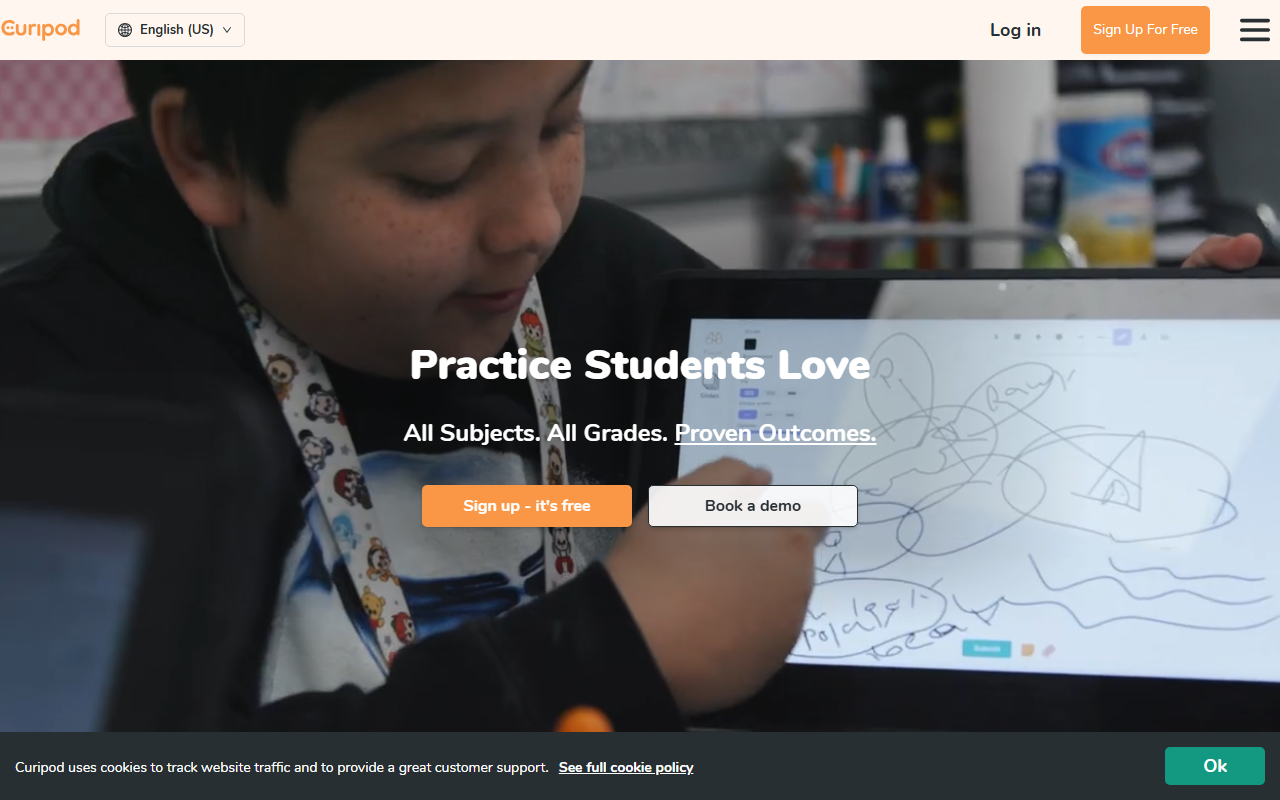
Curipod is an interactive lesson platform powered by AI. You enter a topic and it generates a complete lesson that students participate in during class. Not a document. Not a slide deck. A live, interactive experience.
Students join with a class code on their devices (no accounts, no passwords, no setup). The teacher controls pacing, advancing through activities as the class progresses. The AI provides real-time feedback on student responses, and after the session, you get class-wide and individual performance reports.
Think of it as a combination of Kahoot’s engagement model and MagicSchool’s AI generation, built specifically for classroom instruction.
Key Features
Interactive Lesson Generator
Enter a topic and Curipod builds a multi-activity lesson. A typical lesson might include: an opening poll to activate prior knowledge, a vocabulary introduction, a diagram-labeling drawing activity, a short reading with comprehension questions, a peer discussion prompt, and an exit ticket with AI-generated feedback.
Each lesson is immediately deliverable. Students can be interacting within 60 seconds of launching.
Drawing and Whiteboarding
Students draw, label, and annotate directly in the lesson. The AI provides feedback on drawings and written responses. This moves beyond text-only assessment and lets students demonstrate understanding visually.
AI Writing Feedback
Curipod provides rubric-aligned feedback on student writing using RACE, RACES, and C.E.R. frameworks. Students get specific, actionable feedback on their responses during the lesson rather than days later.
No Student Login Required
Students join with a code. No accounts, no passwords, no parent permission forms for account creation. This eliminates the biggest barrier to classroom technology adoption. You share a code, students type it in, and they’re in.
Content Filtering
Automatic filtering catches inappropriate student responses before they appear on the class screen. This is critical for any tool that displays student input publicly during a lesson.
200,000+ Community Lessons
Curipod’s lesson library includes over 200,000 teacher-created lessons. You can use them as-is, customize them, or build from scratch. The library covers every subject and grade level.
Performance Reports
After each session, Curipod generates class-wide and individual performance reports. You see which students understood the content, where misconceptions appeared, and how writing quality compared across the class.
Multi-Language and Bilingual Support
Generate lessons in multiple languages or create bilingual lessons for classrooms with mixed language backgrounds.
Pricing Breakdown
| Plan | Price | What You Get |
|---|---|---|
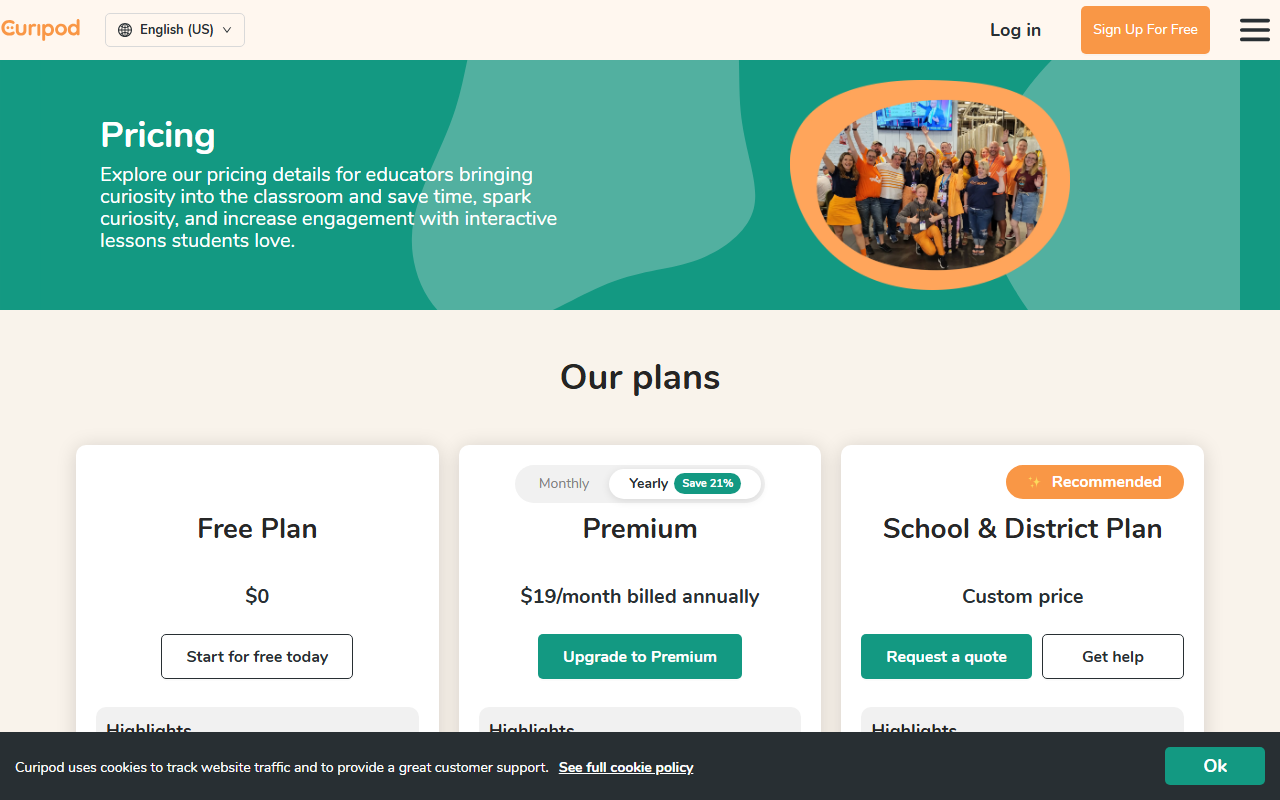
| Free | $0 | Weekly teaching sessions (auto-renewing), bonus sessions on signup, lesson creation/editing, full library access |
| Premium | $19/mo annual ($24/mo monthly) | Unlimited sessions, advanced AI customization, enhanced personalization |
| School/District | Custom pricing | Unlimited sessions, data privacy agreements, dedicated support |
What you need to know:
- The free plan gives you weekly sessions that auto-renew. You also get bonus sessions when you first sign up. This is enough to try Curipod and use it for your most engagement-critical lessons.
- The session limit is the main constraint on free. You get full features during your sessions, just a limited number per week.
- Premium at $19/mo annual is relatively expensive compared to MagicSchool (free) or Diffit (free). The question is whether interactive delivery is worth the premium over document-based tools.
- School/district plans remove session limits and add data privacy agreements and dedicated support.
Free Plan: What You Actually Get
- Weekly teaching sessions (auto-renewing)
- Bonus sessions on signup
- Full lesson creation and editing
- Full access to 200,000+ community lessons library
- Drawing, polling, whiteboarding activities
- AI feedback on student responses
- Performance reports
- Content filtering
- Multi-language support
What you don’t get for free: unlimited sessions, advanced AI customization, and enhanced personalization features.
Verdict on the free plan: Useful but limited. The weekly session cap means you’ll use Curipod selectively for lessons where engagement matters most rather than as your daily tool. If you want unlimited use, you’re looking at $19/mo.
Privacy and Compliance
- FERPA compliant
- COPPA compliant
- GDPR compliant
Curipod integrates with SSO through Google, Clever, ClassLink, and Feide. School and district plans include data privacy agreements. The no-student-login approach (join with a code) minimizes data collection from students by design.
Integrations
| Platform | Supported |
|---|---|
| Google Slides | Yes |
| PowerPoint | Yes |
| Google Classroom | Yes |
| Canvas | Yes |
| SSO (Google, Clever, ClassLink, Feide) | Yes |
Evidence and Results
This is where Curipod separates itself from tools that rely on user satisfaction alone. Schools using Curipod report measurable outcomes tied to state assessments:
- 22% increase in STAAR Meets/Masters (Texas)
- 32% STAAR score increase (Texas)
- 46% CAASPP growth (California)
- 35% growth in writing instruction quality
These are state assessment results, not self-reported user surveys. Few other teacher AI tools have this level of outcome data.
Who This Is For
Use Curipod if you:
- Want lessons students interact with, not just documents they read
- Have 1:1 devices in your classroom
- Value real-time formative assessment during lessons
- Teach subjects where engagement and discussion drive learning
- Want evidence-backed tools tied to state assessment outcomes
Skip Curipod if you:
- Need a full teaching platform with lesson plans, IEPs, and grading (look at MagicSchool AI)
- Want AI tools inside Google Docs (look at Brisk AI)
- Need differentiated reading materials (look at Diffit AI)
- Prefer a completely free tool without session limits
- Don’t have 1:1 devices for student participation
Pros
- Creates interactive lessons students participate in, not just read
- No student login required (join with a code)
- Evidence-backed results tied to state assessments (STAAR, CAASPP)
- AI provides real-time feedback on student writing and responses
- 200,000+ community-created lessons available
- FERPA, COPPA, GDPR compliant
- Content filtering for student responses
Cons
- Free tier limited to weekly sessions
- $19/mo is expensive compared to free alternatives
- Requires 1:1 devices for full interactive experience
- More focused on lesson delivery than lesson planning or grading
- Advanced AI customization locked behind premium
- Less useful for non-interactive content delivery
[Faz’s Take] Curipod is the tool that makes you look like you planned all weekend when you actually spent 5 minutes. Students are drawing, voting, discussing, and writing, not staring at a slide deck. The engagement difference is real. The price difference is also real. At $19/mo, it’s the most expensive tool on our best AI tools for teachers list. Start with the free weekly sessions. If the engagement in your classroom changes noticeably, the premium is worth it.
[Saru’s Verdict] 4/5. Evidence-backed outcomes (22% STAAR increase, 46% CAASPP growth) distinguish Curipod from tools that measure success through user satisfaction alone. The interactive format is pedagogically strong and differentiated from document-generation tools. The 0.5-point gap from Brisk and Diffit reflects the session-limited free tier and $19/mo price point. Teachers in schools with 1:1 devices and a budget for tools will get the most value.
FAQ
Is Curipod free for teachers?
Yes, Curipod has a free plan that gives teachers weekly teaching sessions (auto-renewing) plus bonus sessions on signup. You get full access to lesson creation, editing, the 200,000+ community library, and all interactive features during your sessions. The limit is on how many sessions you can run per week, not on features. Premium ($19/mo annual) removes session limits.
How does Curipod work in the classroom?
You create or select a lesson in Curipod, launch it, and share a join code with students. Students enter the code on their devices and participate in interactive activities (polls, drawings, writing prompts, discussions) as you control the pacing. The AI provides real-time feedback on responses. After the session, you get class-wide and individual performance reports.
Does Curipod require student accounts?
No. Students join with a code. No accounts, no passwords, no email addresses, no parent permission forms for account creation. This is one of Curipod’s strongest features for classroom adoption. You share a code, students type it in, and they’re participating within 60 seconds.
Is Curipod FERPA compliant?
Yes. Curipod is FERPA, COPPA, and GDPR compliant. The no-student-login approach minimizes data collection by design. School and district plans include data privacy agreements. SSO integration is available through Google, Clever, ClassLink, and Feide.
How does Curipod compare to MagicSchool AI?
Curipod creates interactive lessons students participate in during class. MagicSchool creates documents (lesson plans, rubrics, quizzes) that teachers use for planning. Curipod is better for in-class engagement and real-time formative assessment. MagicSchool is better for teacher productivity and administrative tasks. MagicSchool is free with no limits. Curipod’s free plan has weekly session caps. Many teachers use both: MagicSchool for planning, Curipod for delivery.
What evidence supports Curipod’s effectiveness?
Schools using Curipod report: 22% increase in STAAR Meets/Masters scores (Texas), 32% STAAR score increase, 46% CAASPP growth (California), and 35% growth in writing instruction quality. These are state assessment outcomes, not self-reported satisfaction surveys.
Does Curipod work without 1:1 devices?
Curipod works best with 1:1 devices where every student participates individually. Without 1:1 devices, you can use it with shared devices (pairs or small groups) or project it on a screen for whole-class participation. However, the individual engagement and AI feedback features are most effective when each student has their own device.
How much does Curipod cost?
Curipod’s free plan includes weekly sessions. Premium costs $19/mo (annual billing) or $24/mo (monthly billing) for unlimited sessions and advanced AI features. School and district plans have custom pricing with unlimited sessions and data privacy agreements. The free plan is enough to test the tool and use it for select lessons each week.
Final Verdict
Curipod fills a gap no other teacher AI tool covers: turning AI-generated content into interactive, student-facing experiences. While MagicSchool, Brisk, and Diffit generate documents, Curipod generates engagement. The evidence-backed results (22% STAAR increase, 46% CAASPP growth) give it credibility that most EdTech tools lack. The free plan lets you test whether interactive lessons change the energy in your classroom. If they do, the premium is a worthwhile investment. If your school has 1:1 devices and values formative assessment, Curipod should be on your shortlist.
Rating: 4/5

Written by
FazFaz is the founder of AIToolsBakery. Every tool on this site is personally tested with real-world writing tasks before a single word gets published. No sponsored rankings, no recycled press releases.
Read more about how we test →