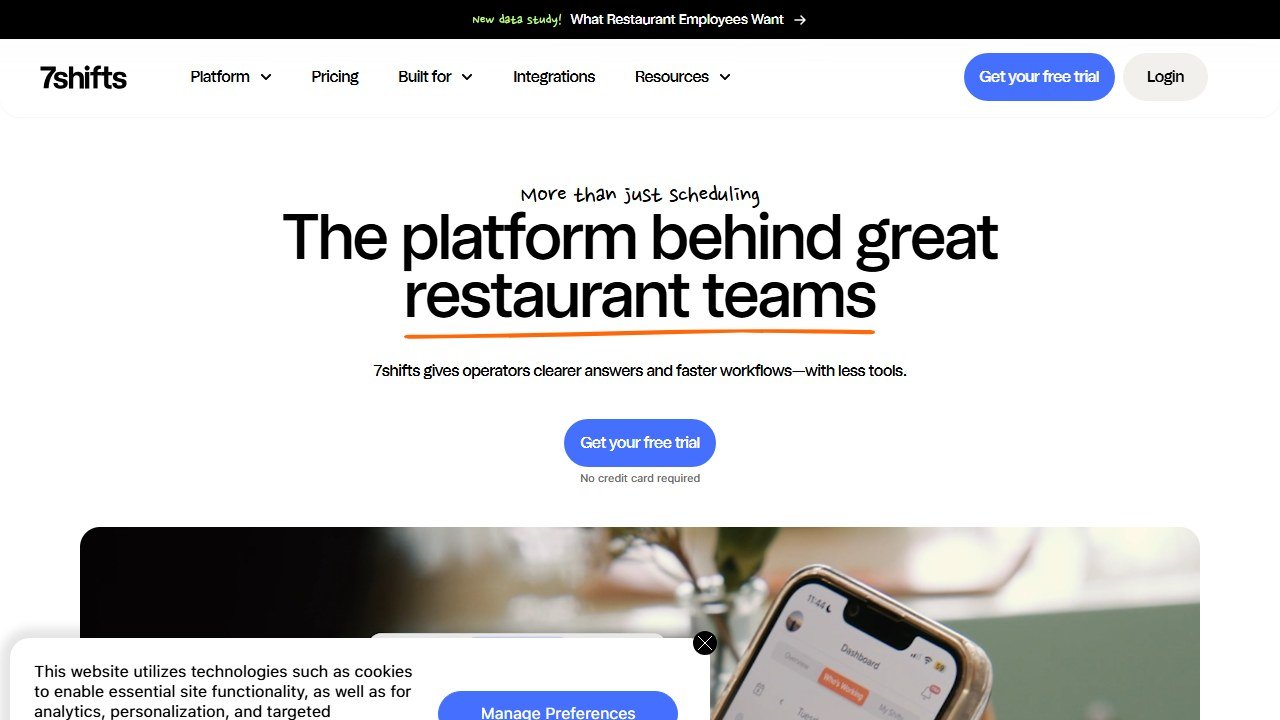
7shifts is what happens when a scheduling tool is built for restaurants and nothing else. It does not just fill a grid with names; it pulls your real sales data to forecast the labor you need, handles the tip math that trips up generic apps, and puts the whole thing on your staff’s phones. More than 55,000 restaurants and a million-plus restaurant professionals use it, and after testing it against the field, it is our top pick for restaurant scheduling. Here is the honest breakdown of what it does well, where it costs, and who it fits.
Faz says: The thing that makes 7shifts worth paying for is that it schedules against your sales, not your gut. It pulls real-time POS data and forecasts how many people you need for a given shift based on what actually happened on comparable shifts, which is the difference between a calendar and a labor-cost tool. Add automated tip distribution and daily tip payouts, and it solves two of the most annoying, error-prone parts of running a restaurant team. For most restaurants, it is the one I would start with.
Saru says: This review draws on 7shifts’ official documentation, published pricing and plan limits, its stated user base, and aggregated customer feedback, current to 2026. Confirm current per-location pricing and employee limits before buying, since plans change.
Quick Facts
| Tool | 7shifts |
|---|---|
| Category | Restaurant scheduling and team management |
| Best for | Restaurants of any size |
| Standout | AI labor forecasting from POS sales |
| Tips | Automated distribution + daily payout |
| Pricing | Free (up to 20 employees), $34.99, $76.99/location/mo |
| Free trial | 14 days, full access |
| Our score | 4.5 / 5 |
What 7shifts Does Well
Sales-driven labor forecasting. This is the headline. 7shifts pulls real-time sales data from your POS and uses it to forecast the labor you need, so the schedule reflects demand instead of guesswork. Auto-scheduling then builds shifts around that forecast. For an operator trying to hold labor cost to a target percentage of sales, this is the feature that earns the subscription.
Tip management done for you. 7shifts automates tip management by syncing with sales and time punches to distribute tips fairly and compliantly. Its daily tip-payout feature deposits credit-card tips directly into employees’ bank accounts at clock-out, which is a genuine retention perk in a tight labor market and removes a weekly manual headache.
Mobile-first team management. The platform is built phone-first, so staff check schedules, swap shifts, set availability, and message the team from an app they will actually open. That adoption matters: a schedule nobody looks at does not save labor. It lowers the learning curve enough that independent operators can set it up without a big rollout.
Restaurant focus throughout. Because it is built only for restaurants, the details fit: break and overtime awareness, shift swaps, and communication all reflect how restaurant teams actually work, rather than a generic shift app bent to fit.
Pricing
7shifts is priced accessibly and scales with team size:
- Free: for up to 20 employees. Real scheduling for a small restaurant at no cost.
- Entree, $34.99 per location per month: for up to 30 employees, adding more scheduling and management features.
- The Works, $76.99 per location per month: unlimited employee capacity and the full feature set.
There is a 14-day free trial with full access and no credit card required. The free tier is genuinely useful for a small single-location restaurant, and the paid tiers stay affordable as you grow, which is a big part of why 7shifts spans independents to groups.
Where the Best Features Live
Be aware that the deepest labor-forecasting and management capabilities sit on the paid tiers. The free plan covers core scheduling well for a small team, but if the sales-driven forecasting and advanced tip tooling are why you are here, you are looking at Entree or The Works. That is reasonable value, but plan for the paid tier if forecasting is your goal.
Where It Fits
7shifts fits almost the entire restaurant spectrum. A small single-location cafe can run the free plan for basic scheduling and messaging. A busy full-service restaurant gets the forecasting and tip automation that control labor cost. A growing multi-location group gets per-location scheduling that scales. The main case where you might look elsewhere is a purely budget-driven small team that wants free time tracking plus scheduling with no restaurant-specific needs, where Homebase’s free tier competes, or an enterprise chain with complex labor demands that may want HotSchedules’ depth.
Pros and Cons
Pros
- Sales-driven labor forecasting from POS data
- Automated tip distribution with daily payouts
- Genuinely useful free plan for up to 20 employees
- Affordable, restaurant-specific paid tiers
- Mobile-first design staff actually use
- Trusted by 55,000-plus restaurants
Cons
- Best forecasting and tip features are on paid tiers
- Priced per location, which adds up for larger groups
- Enterprise-scale operations may want deeper labor suites
- POS integration depth varies, so confirm your system is supported
How It Compares
7shifts leads our restaurant scheduling roundup because of its restaurant-first forecasting and tip handling. Homebase is the main free alternative for small single-location teams that do not need sales-driven forecasting. HotSchedules, part of Fourth, goes deeper for enterprise operations. Sling and When I Work are simpler, more general options. We compare all of them in our best restaurant scheduling software guide.
Verdict
7shifts is the best restaurant scheduling software in 2026 and earns a 4.5 out of 5. It does the one thing generic schedulers cannot: it forecasts labor from your real sales data, so the schedule becomes a cost lever rather than a chore. Add automated tip distribution with daily payouts and a mobile app staff genuinely use, and it solves the most painful parts of running a restaurant team.
The only caveats are that the best forecasting features are on the paid tiers and pricing is per location, which adds up for larger groups. For most restaurants, from a single cafe to a growing group, it is the one to start with. See how it stacks up against the field in our best restaurant scheduling software guide, and the full stack in our best AI tools for restaurants pillar.
Newer in this cluster: Best Restaurant Scheduling Software (2026): Ranked for Labor Control and Best AI Tools for Restaurants (2026): A Working Operator’s Guide.

Written by
FazFaz is the founder of AIToolsBakery. Some tools here are tested hands on. Others are assessed from vendor documentation and pricing verified on the live page, and every review says which one it is. Sponsors can buy a position in a guide. They cannot buy the score, the criticism, or silence about a better option.
How we test and how we make money →