It is the Friday dinner rush. Two servers called out, the phone will not stop ringing with reservation questions, a one-star review just landed because a delivery order went out wrong, and you still have not posted anything on Instagram this week. Somewhere in the back, a stack of vendor invoices is waiting to be entered so you actually know what your food cost was last month.
That is the real job of running a restaurant. Not the plating. The thousand small operational fires, most of them administrative, that eat the hours you would rather spend on food and guests. And that is exactly where AI tools for restaurants either earn their keep or waste your thin margins pretending to.
We are AIToolsBakery. We are independent and we sell none of the tools below. That matters here, because most “best AI tools for restaurants” lists are published by a restaurant-software company that happens to rank its own platform at number one. This guide is organized around the jobs you actually do, with honest pricing and a clear note on where each tool falls short.
Top pick: For most independent restaurants, a general AI model like ChatGPT (or Claude) is the highest-leverage and cheapest tool, handling menus, social posts, review replies, and vendor emails. Beyond that, the answer depends on the job: Owner.com or Popmenu for marketing, Slang.ai for phone answering, 7shifts for scheduling, MarginEdge for back-office costs, and Toast for an AI-equipped POS.
Faz says: The biggest mistake I see operators make is buying a $400-a-month “AI restaurant platform” when their actual problem is that nobody has time to answer the phone or write a Facebook post. Start with the cheapest, highest-leverage tool: a $20 AI model that writes everything. Then add one specialized tool for your single worst bottleneck. Margins are too thin to pay for software you will not use.
How We Picked These
Restaurants run on razor-thin margins and even thinner time, so we judged every tool against four things.
1. Does it solve a real operational bottleneck? Not “AI” as a feature you will never open, but the actual pain: the ringing phone, the blank social calendar, the invoice pile, the scheduling chaos. The best tools remove hours from a specific job.
2. Is the pricing honest for an independent? A tool built and priced for a 200-location chain is the wrong tool for a single neighborhood spot. We weighed cost against the realistic operator, and we flag where a tool is enterprise-only.
3. Does it actually save labor, or just move it? Some “AI” tools create as much setup and supervision work as they remove. We favored tools where the time saved clearly beats the time spent feeding them.
4. Does it respect the guest? Hospitality is human. A tool that makes service feel robotic costs you more than it saves. The best ones handle the admin so your people can be more present, not less.
The Tools Compared
| Tool | Job it does | Best for | Starting price |
|---|---|---|---|
| ChatGPT / Claude | Menus, social, reviews, emails | Nearly all writing work | Free; paid ~$20/mo |
| Owner.com | Website, ordering, marketing | Independents wanting all-in-one | Quote-based |
| Popmenu | Marketing, interactive menu, ordering | Guest engagement + online orders | From ~$149/mo |
| Slang.ai | AI phone answering | Stopping the phone chaos | From ~$199/mo |
| 7shifts | Scheduling and labor | Team scheduling and compliance | Free tier; paid from ~$30/mo per location |
| MarginEdge | Invoices, food cost, inventory | Back-office cost control | ~$330/mo per location |
| Toast | POS with AI features | A modern hospitality POS | Hardware + from ~$69/mo |
| ConverseNow | AI voice ordering | Multi-unit phone and drive-thru | Quote-based |
| Canva | Menus, signage, social design | All visual design | Free; Pro ~$15/mo |
| OpenTable | Reservations and guest data | Full-service reservations | From ~$39/mo + cover fees |
Prices are approximate and change often. Confirm on each tool’s current pricing page.
1. ChatGPT and Claude (the general AI model)
Best for: The enormous amount of writing and thinking work that running a restaurant quietly requires.
Pricing: Both have usable free tiers; paid plans run around $20/month for the better models and longer context.
A restaurant is a writing business in disguise, and a general AI model is the single highest-leverage tool an operator can adopt. Use it to write and rewrite menu descriptions that actually sell, draft a week of social captions in one sitting, reply to reviews (good and bad) in a calm, on-brand voice, write vendor and landlord emails, build a staff training doc, draft a schedule from your constraints, and brainstorm specials around what you need to use up. It is the cheapest tool here and it touches the most jobs.
Where it leads: Versatility and cost. Nothing else does so many of a restaurant’s small writing jobs for $20 a month. Paste in your messy notes and get a usable first draft in seconds.
Where it does not: It does not know your numbers, your suppliers, or your local health code unless you tell it, and it will confidently invent a fact if you let it. Treat every output as a first draft from a fast assistant who has never worked a shift. You are still the chef and the editor.
Websites: Visit ChatGPT | Visit Claude
2. Owner.com
Best for: Independent restaurants that want one system to run their website, online ordering, and marketing without paying third-party commissions.
For the wider category, see our best restaurant online ordering systems guide.
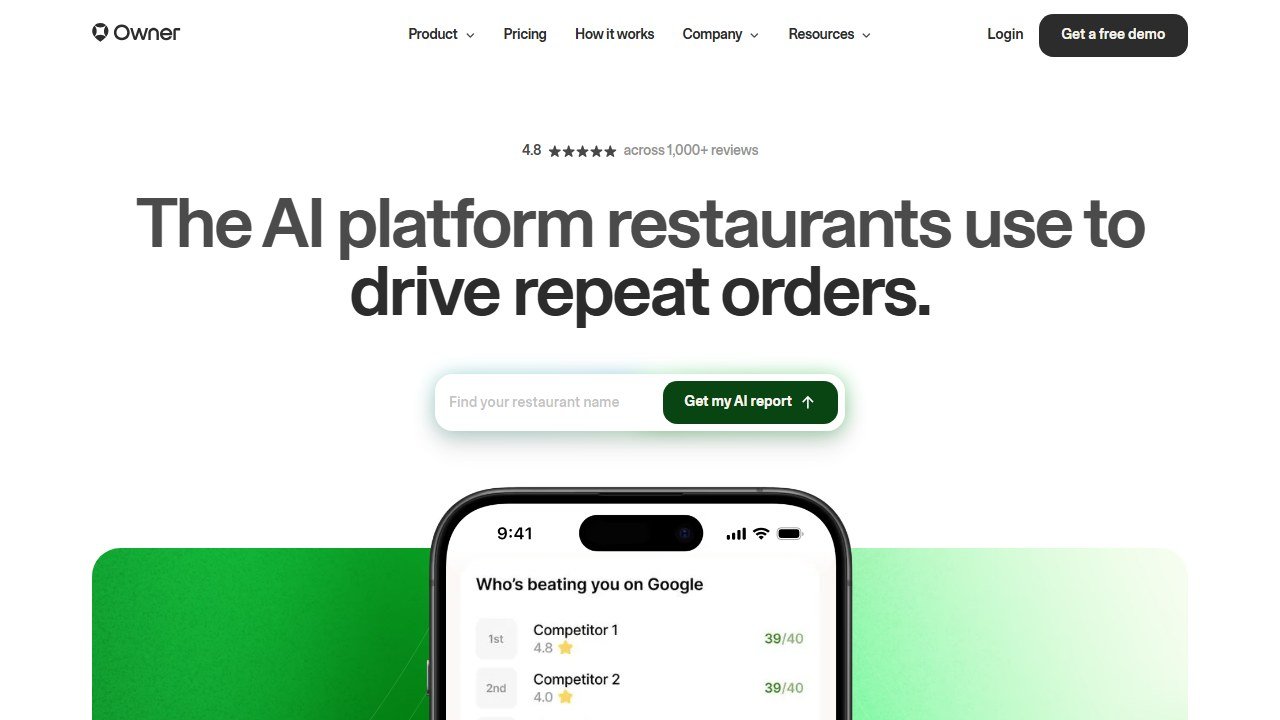
Pricing: Quote-based, positioned as an all-in-one growth platform for independents.
Owner.com is built specifically for independent restaurants that are tired of handing 20 to 30 percent of every online order to the delivery apps. It bundles a conversion-focused website, commission-free online ordering, branded apps, email and text marketing, and automated campaigns, with AI driving much of the marketing and menu optimization. For an owner who is technical-enough-but-busy, it replaces a stack of separate tools with one.
Where it leads: Commission-free direct ordering plus automated marketing in one place. For a single location or small group fighting the delivery-app tax, owning your customer relationship is the whole point.
Where it does not: It is a committed platform, not a quick add-on, so it rewards restaurants ready to drive customers to their own channels rather than relying on marketplaces. If most of your orders come through third-party apps and you are not ready to change that, you will not get full value.
Website: Visit Owner.com
3. Popmenu
Best for: Restaurants that want an interactive, marketing-driven menu and automated guest engagement.
Pricing: From around $149/month, scaling with features.
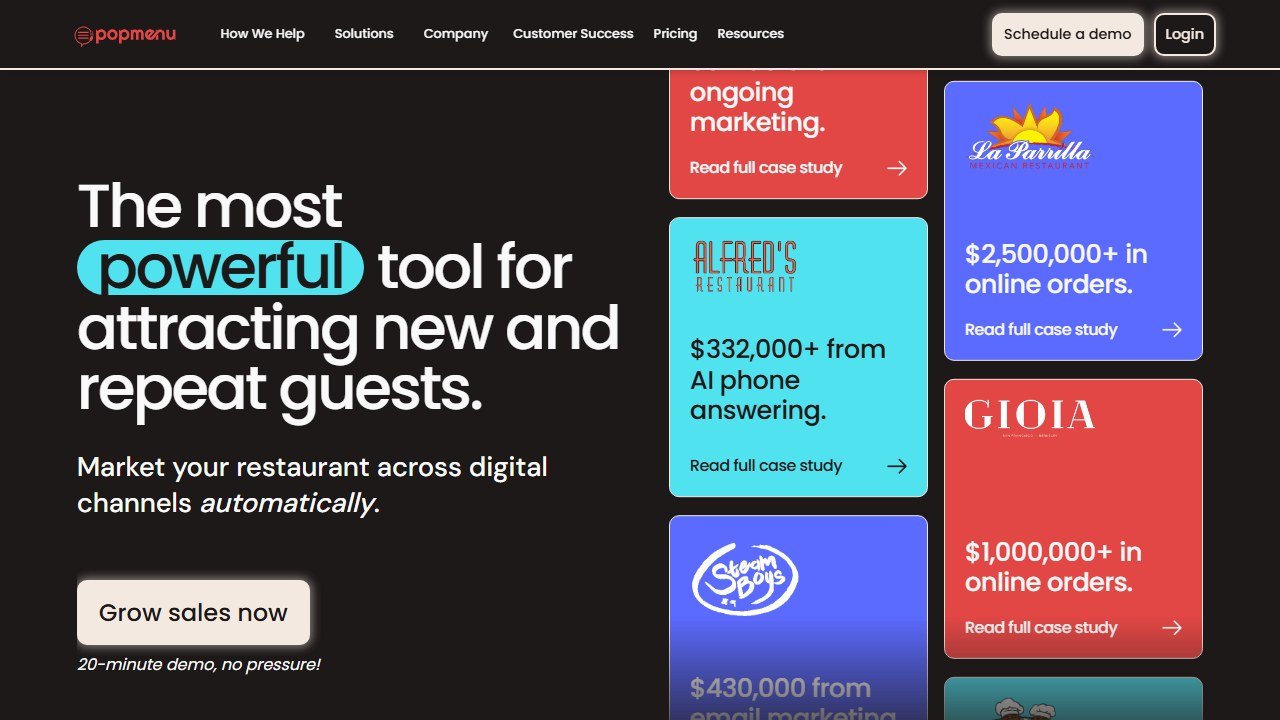
Popmenu turns your menu into a marketing engine: an interactive online menu guests can follow and react to, AI-assisted marketing that sends automated emails and texts based on guest behavior, online ordering, and tools that turn first-time visitors into repeat regulars. Its AI answering and engagement features aim to capture demand you would otherwise miss.
Where it leads: Turning your menu and guest list into automated marketing. For a restaurant whose food is great but whose marketing is sporadic, Popmenu adds the consistency that a busy operator cannot maintain by hand.
Where it does not: It is a marketing platform with a real monthly cost, so it suits restaurants ready to invest in growth, not bare-bones operations counting every dollar. A very small spot may do fine with a general AI model plus Canva for a fraction of the price.
Website: Visit Popmenu
4. Slang.ai
Best for: Restaurants drowning in phone calls during service.
We go deeper in our best AI phone answering services for restaurants guide and our full Slang.ai review.
Pricing: From around $199/month.
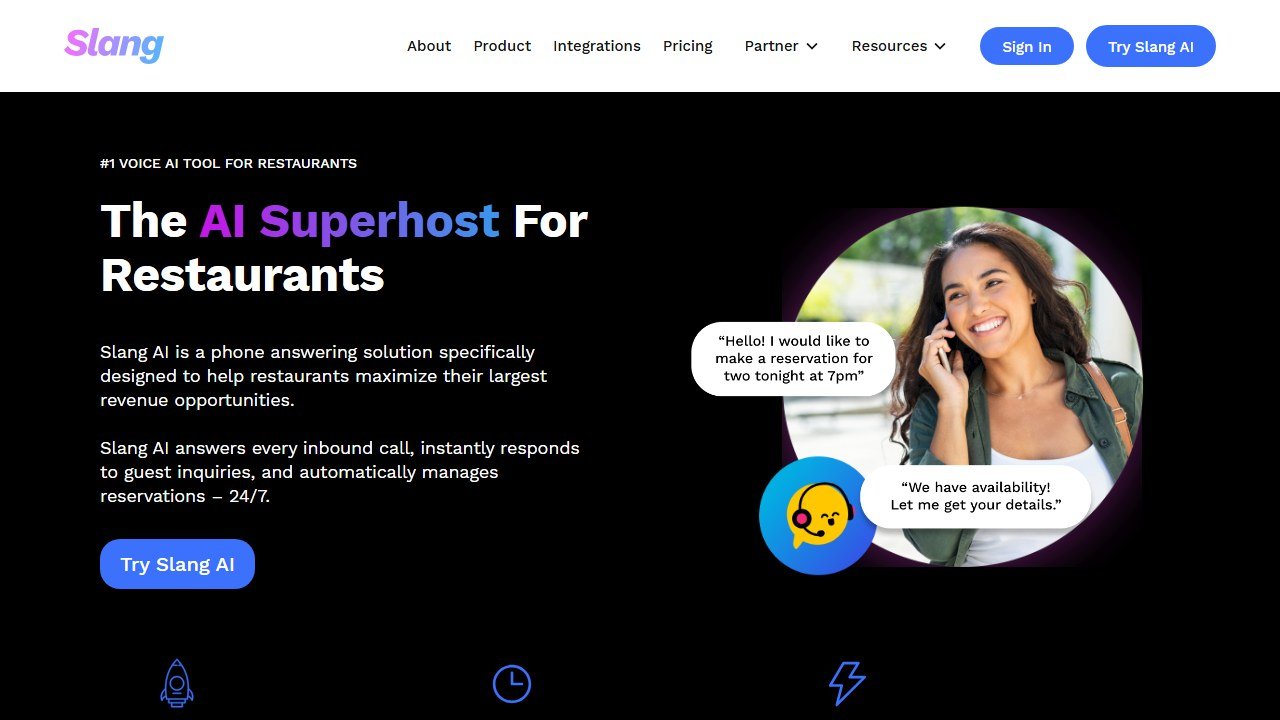
Slang.ai is a digital voice assistant built for restaurants. It answers the phone 24/7 in a natural voice, handles reservations, answers the questions you get fifty times a day (hours, location, parking, do you take walk-ins, are you dog friendly), and routes the calls that genuinely need a human. For a busy full-service restaurant, it gives the host stand their evening back.
Where it leads: Reclaiming labor during the rush. Every call Slang handles is a guest your staff did not have to stop and serve to answer, and it never lets the phone ring out and lose a booking.
Where it does not: It handles the routine, not the nuanced. A complicated large-party request or a delicate complaint still needs a person, and you will want to tune its responses to sound like your restaurant rather than a generic bot. See our AI phone answering for restaurants guide for the full category.
Website: Visit Slang.ai
5. 7shifts
Best for: Any restaurant where building the schedule and managing the team eats hours every week.
See the full field in our best restaurant scheduling software guide and our 7shifts review.
Pricing: Free tier for a single location with basics; paid plans from around $30/month per location.
7shifts is restaurant-specific scheduling and team management with AI woven through it: demand-based schedule suggestions that account for projected sales, labor-cost and compliance guardrails, shift swapping, time clocking, and team messaging in one app. It connects to most major POS systems so the schedule reflects real sales patterns.
Where it leads: Turning a weekly scheduling headache into a fast, data-aware task, while keeping you on the right side of labor cost and compliance. The team-communication side also cuts the endless group texts.
Where it does not: The AI suggests; you still decide. It does not know that one server is faster than two, or that you promised someone Fridays off. Use it to draft and check the schedule, not to run your team on autopilot.
Website: Visit 7shifts
6. MarginEdge
Best for: Operators who want to actually know their food cost without drowning in spreadsheets.
For the wider category, see our best AI restaurant inventory management software guide.
Pricing: Around $330/month per location.
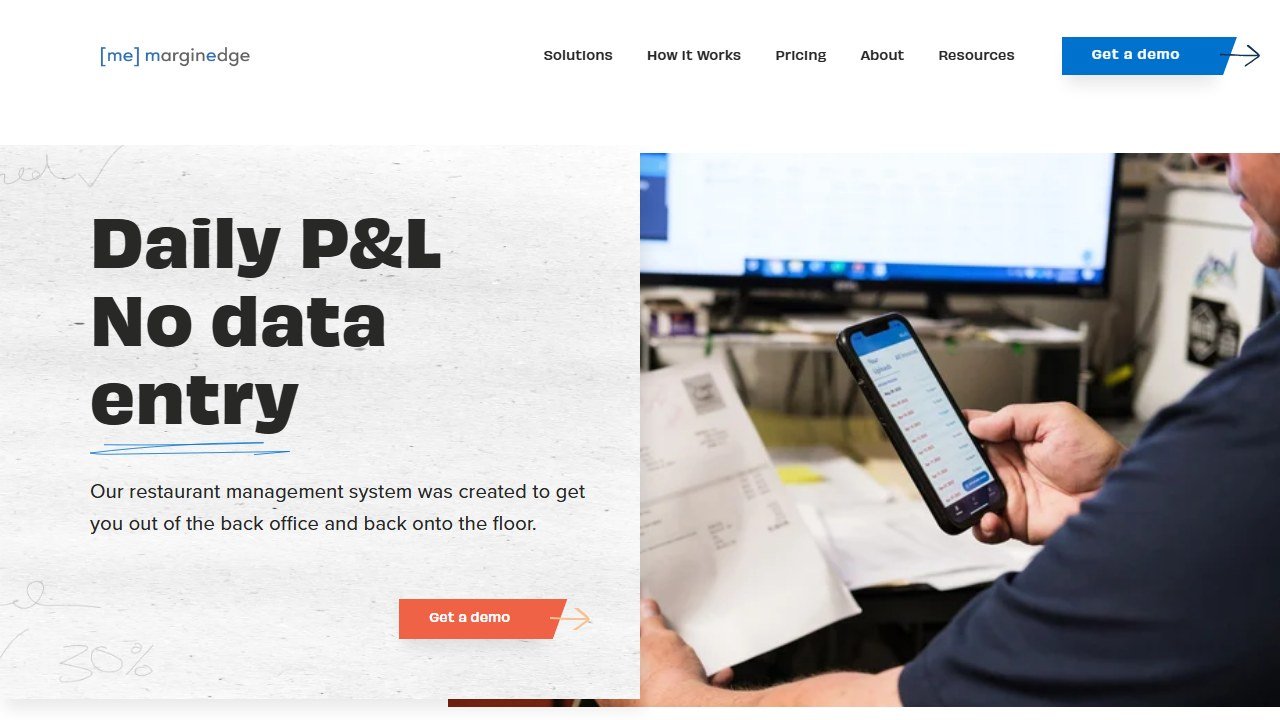
MarginEdge attacks the back-office job everyone hates. You photograph or forward your invoices, and it captures every line item automatically, then turns that data into real-time food cost, theoretical-versus-actual usage, inventory, and budgeting that syncs with your POS and accounting. The AI-driven invoice processing is the heart of it: it removes hours of manual data entry and gives you numbers while they still matter.
Where it leads: Real-time cost visibility. Most independents fly blind until the monthly P&L arrives too late to act. MarginEdge tells you today, which is the difference between catching a price spike and eating it.
Where it does not: It is priced for serious operations and only pays off if you act on the numbers. A tiny cafe with simple inventory may not need this depth, and a general AI model plus a clean spreadsheet can cover the basics until you scale.
Website: Visit MarginEdge
7. Toast
Best for: Restaurants that want a modern, hospitality-specific POS with AI features built in.
For the full point-of-sale picture, see our best restaurant POS systems guide and the Toast vs Square comparison.
Pricing: Hardware cost plus software from around $69/month, scaling by modules.
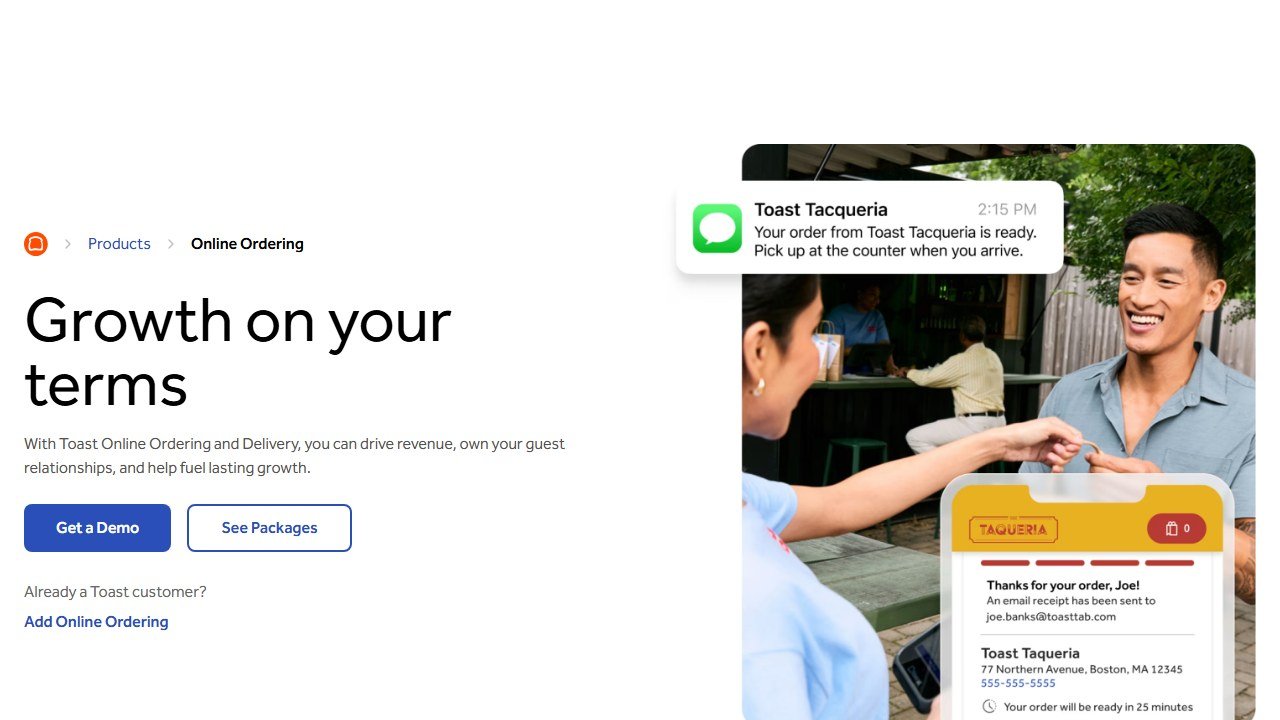
Toast is a restaurant-first point-of-sale platform, and it has layered AI across the system: menu and pricing insights, marketing automation, guest data, labor tools, and reporting that surface what is working and what is not. Because it is built for restaurants rather than retrofitted from retail, the workflows fit how service actually runs.
Where it leads: A single hospitality-native system of record with AI insights attached. For a restaurant standardizing on one platform, the integrated data across sales, labor, and guests is genuinely useful.
Where it does not: It is a commitment of hardware and contracts, and the costs add up as you add modules. Smaller or simpler operations may be better served by a lighter POS like Square for Restaurants until they need Toast’s depth.
Website: Visit Toast
8. ConverseNow
Best for: Multi-unit and chain restaurants that want AI to take phone and drive-thru orders.
Pricing: Quote-based, enterprise.
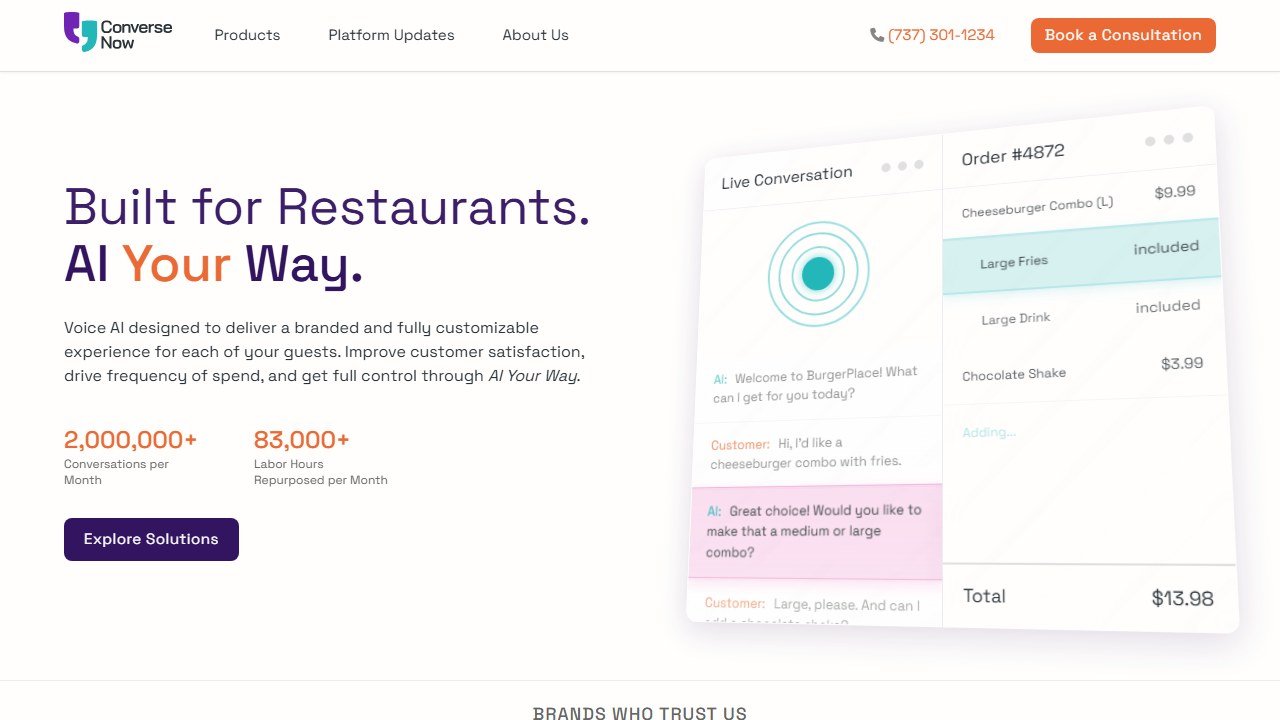
ConverseNow deploys conversational AI voice agents that take orders over the phone and at the drive-thru, freeing staff to focus on making food and serving in-house guests. For high-volume quick-service brands, it handles order-taking consistently, upsells reliably, and does not get overwhelmed at peak.
Where it leads: Order-taking at scale. For a busy QSR where the phone and drive-thru are constant, automating that lane recovers real labor and captures orders that would otherwise be missed.
Where it does not: It is built for volume and chains, not a single full-service restaurant. The economics and integration assume scale, so an independent is better served by a tool like Slang.ai for the front-of-house phone.
Website: Visit ConverseNow
9. Canva
Best for: Every visual a restaurant needs: menus, signage, specials boards, and social graphics.
Pricing: Genuinely useful free tier; Pro around $15/month.
Canva is the design workhorse, and its AI features (Magic Design, background removal, text-to-image) make it the fastest path to a printed menu, a specials insert, table signage, or a week of on-brand social posts that look intentional rather than thrown together. Paired with a general AI model for the words, it covers almost all of a restaurant’s design needs without a designer on retainer.
Where it leads: Speed and accessibility. Anyone on your team can make a clean, professional graphic in minutes, which is exactly what a restaurant needs for constantly changing specials and promotions.
Where it does not: It is a tool, not a brand strategy. It will not tell you what your restaurant should look like; it just executes fast once you know. For a full brand identity, you still want a designer to set the foundation.
Website: Visit Canva
10. OpenTable
Best for: Full-service restaurants that want a established reservation system with guest data and demand insights.
We compare the leaders in our OpenTable vs Resy vs SevenRooms guide.
Pricing: From around $39/month plus per-cover fees, by plan.
OpenTable is the reservation platform most diners already use, and for the restaurant it is more than a booking widget: it manages tables and waitlists, builds guest profiles (preferences, allergies, visit history), and uses AI-driven insights to help fill seats and understand demand. For full-service spots, that guest data turns a one-time diner into a recognized regular.
Where it leads: Reach and guest intelligence. Being in the network diners already search, plus the profile data on who is coming in, is a real advantage for hospitality.
Where it does not: The cover fees add up, and the network can make you dependent on it. Some restaurants prefer a flat-fee system like Resy or a reservations tool inside their POS to avoid per-diner costs. Weigh the reach against the fees.
Saru’s breakdown: The honest way to read this list is by bottleneck, not by brand. There are really five jobs here. Writing and content: a general AI model, the cheapest and highest-leverage tool. Marketing and ordering: Owner.com or Popmenu. The phone: Slang.ai for one location, ConverseNow for chains. The back of house: 7shifts for labor, MarginEdge for cost, Toast as the POS spine. And reservations: OpenTable or a POS-native tool.
Most independents should start with exactly one paid tool, the $20 AI model, and use it for everything it can touch. Then add a single specialized tool for your worst bottleneck: the phone, the schedule, or the invoices. Stacking four restaurant platforms before you have the basics handled is how thin margins get thinner.
Website: Visit OpenTable
The Best AI Tool by Job
Writing, menus, social, review replies: ChatGPT or Claude. The cheapest, highest-leverage starting point for any restaurant.
All-in-one marketing and commission-free ordering: Owner.com, or Popmenu for an interactive-menu and engagement focus.
The ringing phone: Slang.ai for a single full-service restaurant; ConverseNow for multi-unit phone and drive-thru.
Scheduling and labor: 7shifts, for demand-aware schedules and compliance.
Food cost and back-office: MarginEdge, for real-time cost from automated invoice capture.
Point of sale: Toast for a hospitality-native POS with AI; Square for Restaurants for a lighter, cheaper start.
Design: Canva for menus, signage, and social.
Reservations: OpenTable for reach and guest data; a POS-native tool to avoid cover fees.
A Lean Starter Stack
You do not need all ten. Most independent restaurants thrive on a deliberately small kit:
- One general AI model (ChatGPT or Claude), paid tier, for menus, social, review replies, and emails. The highest-leverage $20 you will spend.
- Canva Pro for every menu, sign, and social graphic.
- One tool for your single worst bottleneck. If the phone is chaos, Slang.ai. If scheduling eats your week, 7shifts. If you are blind on food cost, MarginEdge.
- Your POS (Toast or Square) as the system of record, turning on its AI features you are already paying for.
Add a marketing platform like Owner.com or Popmenu when you are ready to drive guests to your own channels and away from the delivery-app tax. Resist buying every platform at once.
Restaurant Jobs You Can Hand to a General AI Model Today
Because the general AI model is the highest-leverage tool and the one most operators underuse, here is a concrete list of jobs you can hand it this week. None of these need a specialized platform; they need a $20 model and ten minutes.
- Menu descriptions that sell, rewritten for every dish in your voice.
- A month of social captions from a list of your dishes, specials, and events.
- Review replies, calm and on-brand, for both five-star and one-star reviews.
- Vendor and landlord emails, including the firm-but-kind ones you keep putting off.
- A first-draft staff schedule from your constraints, coverage needs, and availability.
- Training documents and SOPs, opening and closing checklists, a new-hire onboarding sheet.
- Specials brainstorming around what you need to use up before it turns.
- Email newsletters to your guest list, written from a few bullet points.
- Local SEO copy for your website so you show up for “best [your food] near me.”
- Recipe scaling, turning a six-portion recipe into a batch for forty.
- Allergen and dietary breakdowns of a dish, to double-check before a guest asks.
- Translating menus, signage, and guest messages into the languages your community speaks.
- A job description for the line cook or server you need to hire.
- Catering and large-party proposals from your notes on the inquiry.
- Survey and feedback summaries, pasting in guest comments to find the real pattern.
The discipline across all of these is the same: the model produces a fast first draft, and you, the person who actually knows your restaurant, edit it before it ships. Verify any fact, price, or allergen claim. Used this way, a general model quietly removes hours from every week.
AI for the Back of House
Front-of-house AI gets the attention, but the back of house is where thin margins are won or lost, and it is the area operators most often leave on the table.
For the platforms that run the whole operation, see our best restaurant management software guide.
Food cost and inventory. This is the highest-value back-office job. Tools like MarginEdge automate invoice capture and turn it into real-time food cost and inventory, so you know your numbers while you can still act on them. If you are not ready for a platform, a general AI model plus a disciplined spreadsheet can flag when a category is running over its target percentage. Either way, the operators who track cost weekly, not monthly, are the ones who survive a bad quarter.
Labor and scheduling. Labor is your other big controllable cost, and AI-assisted scheduling (7shifts) ties the schedule to projected demand and keeps you on the right side of compliance and overtime. The win is not just the saved hours building the rota; it is avoiding the silent margin leak of being overstaffed on a slow Tuesday and understaffed on a busy Friday.
Recipe costing and menu engineering. A general AI model is a useful thinking partner for menu engineering: paste in your recipe costs and menu prices and ask it to flag low-margin dishes, suggest where a small price change recovers margin without scaring guests, or model the effect of a supplier price increase. It is a sanity check and an idea generator, not a substitute for your own judgment about what your guests will pay.
Waste and prep planning. Use a general model to turn sales history into smarter prep lists, reducing the over-prep that ends up in the bin. It cannot predict the weather or a sudden rush, but it can help you stop making the same forecasting mistakes every week.
The honest limit on all of it: back-office AI tells you what is happening and flags what to look at, but the decisions, raising a price, cutting a dish, changing a supplier, renegotiating a contract, are yours. The tool ends the guesswork; you still run the restaurant.
What Changed in Restaurant AI in 2026
If you looked at this category a year or two ago and dismissed it as hype, three real shifts are worth knowing.
Voice AI on the phone got good enough to use. The early restaurant phone bots were stilted and frustrating. The current generation handles reservations and routine questions in a natural voice that most callers accept without friction, and the economics now clearly beat pulling a host off the floor. For a busy full-service restaurant, the phone is the job where AI moved from gimmick to genuinely worth paying for, which is why it leads many operators’ adoption.
The delivery-app tax pushed independents toward owning their channel. Years of handing 20 to 30 percent of every online order to marketplaces made restaurant-specific platforms like Owner.com and Popmenu compelling: AI-driven marketing plus commission-free direct ordering is now a real alternative to renting your customers from the apps. The strategic shift of 2026 is less about a single tool and more about owning your guest relationship, with AI doing the marketing work an operator never has time for.
Back-office AI quietly became the biggest margin lever. The least glamorous category, automated invoice capture and real-time food cost, turned out to be where the money is. With margins this thin, knowing your food cost today instead of next month is the difference between catching a supplier price spike and eating it. Tools like MarginEdge made that visibility realistic without a dedicated bookkeeper, and operators who adopted it stopped flying blind.
The throughline: restaurant AI stopped being about novelty and started being about the two things a restaurant never has enough of, labor and margin. The tools that win give one or both back.
Will AI Hurt the Guest Experience?
This is the question every good operator asks first, and it is the right instinct. Hospitality is human, and a tool that makes service feel robotic costs more than it saves. So the honest answer matters: used well, AI improves the guest experience by removing the friction that pulls your team away from guests. Used lazily, it absolutely makes things worse.
The principle is simple. Put AI on the work guests do not see or value, the invoice entry, the schedule draft, the social caption, the routine “what time do you close” call, and keep your people on the work guests feel, the welcome, the recommendation, the read of the table, the recovery when something goes wrong. A phone answered instantly by a well-tuned assistant beats a phone that rings out during the rush. A host freed from the phone is more present with the people at the door, not less.
Where it goes wrong is when operators point AI at the human moments to cut staff, a bot that traps a guest in a menu tree, a review reply that clearly nobody read, a drive-thru voice that cannot handle a simple modification. Guests forgive a machine handling logistics; they do not forgive feeling unseen. The test for any restaurant AI tool is one question: does this free my people to be more human, or does it replace the human where it mattered? Buy the first kind, and your reviews and your regulars both improve.
How to Actually Adopt AI in a Restaurant
The operators who get value from AI do not buy five platforms in a month. They roll it out in a sequence that protects margin and does not overwhelm a busy team. Here is the order that works.
1. Start with the general AI model and use it daily for two weeks. Before any specialized tool, get fluent with a $20 AI model on real tasks: menu descriptions, social posts, review replies, vendor emails, a draft schedule. It is cheap, it touches everything, and it teaches you what AI is and is not good at. Most operators discover it solves more than they expected, which sharpens what they actually need to buy next.
2. Name your single worst bottleneck, honestly. Is it the ringing phone? The blank social calendar? The invoice pile and not knowing your food cost? The scheduling chaos? Pick the one that costs you the most labor or money right now. Not the flashiest, the most painful.
3. Add exactly one specialized tool for that bottleneck. Phone, Slang.ai. Marketing, Owner.com or Popmenu. Food cost, MarginEdge. Scheduling, 7shifts. Implement it fully, train the team, and run it for a month before considering anything else. One tool adopted well beats four bought and ignored.
4. Turn on the AI you already pay for. Your POS (Toast or Square) almost certainly has marketing, loyalty, and reporting features sitting unused. Switch them on before buying anything new; you have already paid for them.
5. Review the numbers, then decide on the next tool. After a month, look at what the tool actually saved in labor or margin. If it cleared its cost, keep it and consider the next bottleneck. If it did not, cut it. Treat every subscription as a line item that must earn its place on a thin P&L.
Follow that sequence and AI becomes a steady series of small wins rather than an expensive pile of dashboards nobody opens.
Four Real Stacks by Restaurant Type
The right tools depend entirely on what kind of operation you run. Here are the four most common, with the stack that actually fits each.
The independent full-service restaurant. Your bottlenecks are the phone, marketing consistency, and food cost. Your stack: a general AI model for all writing, Canva for design, Slang.ai to handle the phone during service, and MarginEdge once you are ready to get serious about cost. Add Owner.com or Popmenu when you want to drive guests to your own ordering and off the apps. Toast or Square as the POS spine.
The quick-service or multi-unit chain. Your bottleneck is order volume and consistency across locations. Your stack: ConverseNow for AI voice ordering on phone and drive-thru, a robust POS (Toast) for standardized data across units, 7shifts for labor at scale, and a general AI model for marketing and operations copy. The economics of voice ordering and centralized data justify the bigger investment here in a way they do not for a single location.
The cafe or coffee shop. Your bottlenecks are marketing time and a tiny margin. Your stack: a general AI model and Canva for marketing and signage, and Square as an affordable POS with loyalty built in. Add 7shifts only if the rota is genuinely painful. Skip the full-service platforms entirely. See our AI tools for cafes and coffee shops guide.
The bar or nightlife venue. Your bottlenecks are marketing events and managing a variable schedule. Your stack: a general AI model and Canva for promoting events and specials, a strong social presence (your real photos and energy matter most here), Square or Toast for POS, and 7shifts for the shifting rota. Marketing consistency around events is the highest-leverage use.
The lesson across all four: match the stack to your operation, start lean, and let the bottleneck, not the brochure, drive every purchase.
Features That Matter vs Marketing Fluff
Restaurant software is sold on long feature lists. A few features genuinely change the value; most do not.
Worth paying for:
- POS integration, for any tool that touches sales, labor, or cost. A scheduling or cost tool that reads your real POS data is worth far more than one you feed by hand.
- Commission-free direct ordering, if online orders are meaningful for you. Owning that channel instead of renting it from the apps is real money on a thin margin.
- Real-time food cost from automated invoice capture, the single biggest margin-visibility lever for a serious operation.
- Natural-voice phone handling with clean human handoff, the difference between a phone tool guests accept and one they resent.
- A genuinely useful free tier, to test before you commit. The general AI model, Canva, and Square all let you start free.
Usually fluff:
- “AI-powered” as a label with no specific job attached. Ask exactly what the AI does and what hour it gives back; if there is no clear answer, it is a sticker.
- Feature counts and module lists that inflate the price without matching your actual bottlenecks.
- Enterprise analytics dashboards for a single location. You need to know your food cost and labor percentage, not a forty-widget dashboard you will never open.
- All-in-one platforms bought before the basics, which bundle a dozen tools you are not ready to use into one bill you will resent.
When comparing two tools, ignore the feature contest and ask which one removes a specific hour or recovers a specific dollar. That is the only comparison that matters on a restaurant’s margin.
Common Mistakes When Buying Restaurant AI
The same expensive errors come up again and again.
Buying a platform when you needed a feature. The biggest one. Operators see a slick all-in-one and subscribe at full price, then use a fraction of it. If your real problem is the phone, buy a phone tool, not a $400-a-month suite.
Committing annually before testing monthly. Pricing and products change fast, and a tool that demos well can disappoint in service. Start monthly, run it on real shifts, and only lock in annually once it has earned it.
Pointing AI at the human moments. Using a bot to cut hospitality rather than to free it is how restaurants damage their reviews. Keep AI on the admin; keep people on the guests.
Ignoring the AI you already pay for. Most operators have unused marketing, loyalty, and reporting features inside their POS. Switch those on before spending a dollar on something new.
Buying everything at once. A thin margin cannot absorb four new subscriptions in a month, and a busy team cannot adopt them. One tool, fully implemented, beats a stack half-configured.
Avoid those five and you will get more from two cheap tools than most operators get from an expensive pile.
What It Costs to Run a Restaurant on AI
The number that matters on a thin margin is the monthly total, so here are realistic stacks by operation type. Treat these as starting points; confirm current pricing on each tool.
The lean independent (under $50/month): A general AI model (~$20) plus Canva Pro (~$15). That alone covers menus, social, review replies, emails, and design, the bulk of the marketing and writing work, for the price of a few entrees. This is where every restaurant should start, and many stay here happily for months.
The growing full-service restaurant (~$250 to $550/month): Add Slang.ai for the phone (~$199) once service calls are a problem, and MarginEdge (~$330 per location) when you are ready to control food cost in real time. This is the stack of an operator who has identified their two worst bottlenecks and is paying to remove them, with the labor and margin savings covering the cost.
The marketing-focused independent (~$170 to $250/month): A general AI model plus a platform like Popmenu (from ~$149) or Owner.com (by quote) to automate guest marketing and run commission-free online ordering. The case here is taking back the 20 to 30 percent you lose to delivery apps, which can dwarf the subscription.
The multi-unit or QSR chain (quote-based, higher): ConverseNow for voice ordering, Toast across locations, and 7shifts for labor at scale. Pricing is enterprise and per-location, justified by volume and the labor recovered across many units.
The cafe (under $40/month): A general AI model plus Canva, with Square’s included features as the POS. The smallest viable stack, and the right one for a small-format shop.
The principle holds at every size: the cheapest tools do the most jobs, and you add cost only where a specific bottleneck clearly pays it back.
Every Tool in One Line
The whole list at a glance, each reduced to its single reason to exist:
- ChatGPT / Claude: the cheapest, highest-leverage tool, all the writing work of running a restaurant.
- Owner.com: all-in-one marketing and commission-free ordering for independents.
- Popmenu: interactive menu plus automated guest marketing.
- Slang.ai: AI phone answering for a single full-service restaurant.
- 7shifts: demand-aware scheduling and labor management.
- MarginEdge: real-time food cost from automated invoice capture.
- Toast: the hospitality-native POS with AI built in.
- ConverseNow: AI voice ordering for chains and drive-thrus.
- Canva: fast, professional menus, signage, and social design.
- OpenTable: reservations with reach and guest data.
If one line names your worst bottleneck, that is the tool to add next.
A Note on Guest Data and Privacy
AI tools in a restaurant touch real guest information, reservation details, phone calls, reviews, contact lists, and that carries responsibility you cannot outsource to a vendor.
A few non-negotiables. If an AI tool records or transcribes calls, know your local laws on call recording and disclose it; rules vary by state and country. Never paste a guest’s personal details (name, contact, payment information, a sensitive complaint) into a free or unvetted AI tool whose data handling you have not checked. When you choose a guest-messaging, reservation, or marketing platform, read how it stores and uses guest data, and confirm it is compliant with the privacy rules that apply to you. And treat your guest list as the valuable, private asset it is: it is the foundation of your direct marketing, and mishandling it costs trust you cannot easily rebuild.
None of this should scare you off the tools. The established restaurant platforms handle data responsibly as a core part of their business. The risk is mostly in casual misuse, dropping sensitive information into a general chatbot without thinking. Use reputable tools for anything involving guest data, keep the general AI model for non-sensitive writing work, and you stay on the right side of both the law and your guests’ trust.
What AI Still Cannot Do for a Restaurant
AI can draft the caption, but it cannot greet a regular by name and remember their daughter just got into college. It can answer the phone, but it cannot read the table that has gone quiet and send over a complimentary dessert at exactly the right moment. It can flag your food cost, but it cannot taste the sauce and know it needs more acid.
It cannot plate a dish with care, feel the energy of a full dining room and adjust the pace, or turn a ruined night into a story the guest laughs about later because of how your team handled it. Hospitality is the business of making people feel something, and that is irreducibly human.
What AI does is take the administrative weight off your shoulders, the writing, the phone, the invoices, the schedule, so you and your team have more of yourselves left for the part that actually fills seats: the food, and the feeling of being taken care of. Use it for the work around the hospitality, never as a substitute for it.
Verdict
The best AI strategy for a restaurant is not buying the most software. It is buying the least software that removes your worst bottlenecks. For almost every operator, that starts with a general AI model (ChatGPT or Claude) for the endless writing work, plus Canva for design, for under $40 a month combined.
From there, add one specialized tool where it hurts most: Slang.ai for the phone, 7shifts for scheduling, MarginEdge for food cost, Owner.com or Popmenu for marketing, and Toast as the POS spine. Larger and multi-unit operations grow into ConverseNow for voice ordering and OpenTable for reservations at scale.
Match the tool to the bottleneck, protect your margins, and keep AI on the admin so your people stay on the hospitality. For the deeper dives, see our guides to AI tools for restaurant marketing, AI phone answering for restaurants, AI tools for cafes and coffee shops, and AI tools for hotels.
More AI tool guides worth reading: AI Tools for Cafes and Coffee Shops, AI Tools for Hotels and AI Tools for Restaurant Marketing.
More AI tool guides worth reading: 7shifts Review.

Written by
FazFaz is the founder of AIToolsBakery. Some tools here are tested hands on. Others are assessed from vendor documentation and pricing verified on the live page, and every review says which one it is. Sponsors can buy a position in a guide. They cannot buy the score, the criticism, or silence about a better option.
How we test and how we make money →