The short answer
Tracking ChatGPT traffic in Google Analytics 4 takes about ten minutes and every guide on the subject will give you the same regex. That part is easy and it is worth doing. The hard part is knowing what the resulting number means, and the honest answer is that it measures a shrinking slice of your actual AI visibility.
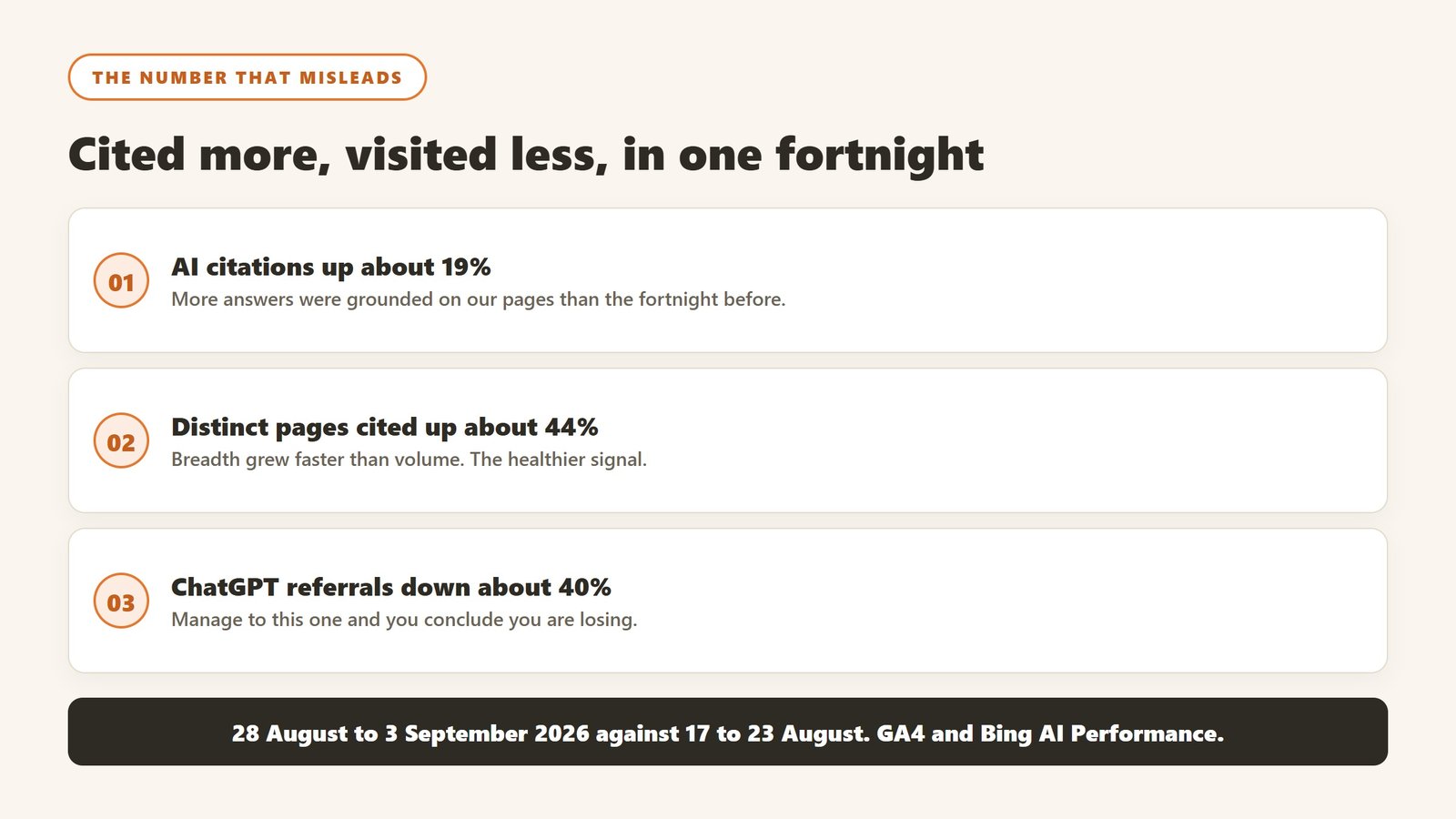
We can show that from our own reporting rather than assert it:
| Measure, 28 Aug to 3 Sep 2026 against 17 to 23 Aug | Direction |
|---|---|
| AI citations of our pages | up about 19% |
| Distinct pages cited | up about 44% |
| ChatGPT referral sessions | down about 40% |
Being used more and visited less is not a visibility problem. If we had managed to the referral number we would have concluded we were losing, in the fortnight we were most used. Set the tracking up, then put it in the context row of your report and not the headline row.
Set it up: the GA4 channel group
Do this once. It takes ten minutes and it is genuinely useful for the traffic that does arrive.
Create a custom channel group
In GA4, go to Admin, then Data display, then Channel groups, and create a new group. Add a channel named AI Assistants, and set the condition to Session source matches regex:
chatgpt\.com|openai\.com|perplexity\.ai|gemini\.google\.com|copilot\.microsoft\.com|claude\.ai|you\.com|poe\.comOrder it above Referral so sessions land in it rather than in the generic bucket. Channel groups apply going forward and to a limited window of historical data, so create it before you need the report rather than when someone asks for it.
Check it against the raw source report
Do not trust the channel until you have compared it to Traffic acquisition broken down by Session source. If your channel total and the sum of those sources disagree, the regex is wrong or something is landing in Direct. Both are common, and the second one is the interesting case.
What the utm_source=chatgpt.com you keep seeing actually is
If you have looked at your referrers recently you have seen utm_source=chatgpt.com appended to inbound URLs. That is OpenAI tagging its own outbound links, and it is genuinely helpful: those sessions land cleanly as chatgpt.com / referral rather than disappearing into Direct. OpenAI widened this in mid 2025 to cover the additional sources listed beneath an answer, not only the inline citations, so coverage improved without anyone changing their analytics.
Two cautions. It is a parameter on a link, so it only exists when someone clicks, which means it tells you nothing about the far larger number of times you were read and not clicked. And because it is a UTM rather than a referrer, anyone can put that string on a link, so a sudden implausible spike in chatgpt.com sessions is worth checking against engagement rate before you celebrate it.
What that number cannot see, in order of how much it matters
Four blind spots, and only one of them is fixable by configuration.
One of the things it cannot see is who is being cited instead of you. That needs a different source and a different method, which we cover in how to monitor competitors in AI search results.
1. It cannot see a citation without a click
This is the big one and it is structural. When an assistant reads your page, synthesises it into an answer, and names you, no session is created. GA4 has nothing to record. That event is invisible to analytics in the same way a billboard is invisible to a web server, and it is now the majority of the value for most publishers. Our own numbers above are exactly this: more citations, fewer visits.
2. Some clicks that do happen arrive as Direct
Not every assistant sends a referrer. Where it is stripped, the session lands in Direct and is indistinguishable from someone typing your URL. You cannot recover these, and you should be suspicious of any tool claiming it can attribute Direct traffic to a specific assistant with confidence.
3. Your Direct bucket may be mostly bots anyway
Worth checking before you read anything into it. In the same window as the table above, our Direct channel recorded 2,458 sessions at a 5.04% engagement rate and an average of two seconds, against 37.35% and 23 seconds for AI Assistants and 43.4% and 50 seconds for Organic Search. A two second average with 5% engagement is not people. Filter it out before comparing anything, or every ratio you calculate will be wrong.
4. It cannot tell you which answer you appeared in
A session tells you somebody arrived from an assistant. It does not tell you what they asked, what the answer said, or whether you were the source it agreed with or the one it contradicted. For that you need citation data, which GA4 does not have and cannot get.
The layer above analytics: server logs and the four OpenAI agents
GA4 only sees browsers running JavaScript. Everything OpenAI does to your site before a human ever clicks happens in your server logs, and almost no guide on this subject mentions it. It is free, it is already being recorded, and it answers a question analytics cannot.
The four agents, and why the difference matters
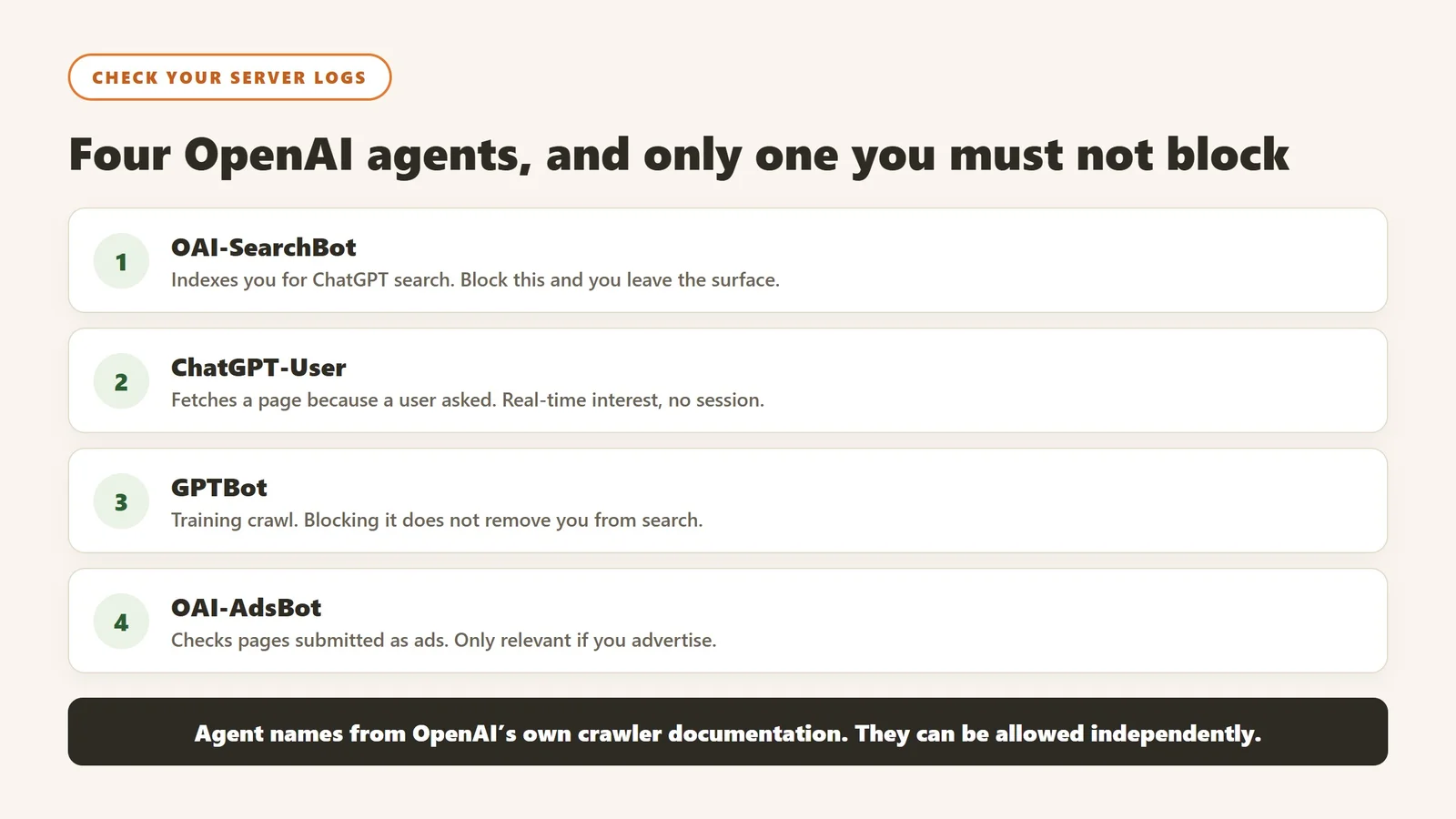
OpenAI publishes its crawler documentation naming four distinct user agents, and they do different jobs:
| User agent | What it is doing | What a hit means for you |
|---|---|---|
OAI-SearchBot | Surfacing sites in ChatGPT’s search features | The one that matters. You are being indexed for retrieval |
ChatGPT-User | Fetching a page because a user asked for it in ChatGPT | Real-time interest. Closest thing to a visit without a session |
GPTBot | Crawling content that may be used to train foundation models | Training, not retrieval. Blocking it does not remove you from search |
OAI-AdsBot | Checking the safety of pages submitted as ads | Only relevant if you advertise there |
The robots.txt decision people get backwards
These are separate agents and they can be allowed or blocked independently. Blocking GPTBot opts you out of training while leaving OAI-SearchBot free to index you for ChatGPT search. Blocking OAI-SearchBot is the one that removes you from the surface you are trying to appear in. Teams that blanket-block everything OpenAI, intending to protect their content from training, frequently take themselves out of retrieval by accident and then wonder why their citations went to zero.
Note also that OpenAI describes ChatGPT-User as handling user-initiated actions rather than automatic crawling, so do not expect it to behave like a scheduled crawler in your logs.
What to actually pull from the logs
Grep your access logs for those four tokens and count hits per agent per week, plus which URLs each one requested. Two things fall out immediately. Which of your pages OpenAI is actually fetching, which is a far more direct signal than anything a sampling tool infers. And whether your robots.txt is doing what you think, because the fastest way to discover you have blocked the wrong agent is to notice one of them has stopped appearing.
Faz says: This is the cheapest check in the whole category and the one nobody runs. Your logs already have it. If OAI-SearchBot is not in there at all, no amount of monitoring software is going to help you, because you are not being retrieved.
Judge the traffic on engagement, not volume
The most useful thing in the GA4 report is not the session count. It is the comparison between channels, and it is consistently flattering to AI.
What we see
In our own numbers for 28 August to 3 September 2026, AI Assistant sessions engaged at 37.35% for an average of 23 seconds, against Organic Search at 43.4% for 50 seconds. Organic still wins on both, which is worth saying because a lot of coverage claims otherwise. But AI traffic is arriving pre-qualified: the assistant has already answered the easy question, so the person clicking through is the one who wanted more.
Why that changes what you should measure
If AI traffic is smaller and better qualified, then a fall in AI sessions might mean the assistant answered more questions completely, which is not obviously bad, or that you were cited less, which is. Session count alone cannot distinguish those two, and they call for opposite responses. Only citation data can.
Faz says: We spent a day investigating a drop in ChatGPT sessions that turned out to coincide with our best citation fortnight of the quarter. The lesson was not that GA4 lied. It was that we had made a context metric the headline.
The integration everyone actually wants, and why it does not exist
The common request is a single dashboard that shows AI citations next to sessions. Here is the honest state of it.
Only one major assistant reports anything first-party
Bing Webmaster Tools has an AI Performance section that reports, free, the queries where AI answers were grounded on your site, how many citations each earned, your share of them, and which pages were used. There is no ChatGPT, Claude or Gemini equivalent. No first-party panel from OpenAI tells you that ChatGPT used your page.
So everything sold as ChatGPT monitoring is sampling
Every tool in this category works the same way: it asks the model a fixed set of prompts on a schedule and records what comes back. That is a survey, not a census, and it is genuinely useful as long as you know which one you bought. Ask any vendor four questions: how many prompts, how often, from which locations, and how much answers varied between runs of the same prompt. The last one is the test. A vendor who has not measured run-to-run variance has not looked hard at their own product.
What a workable stack looks like today
| Question | Where the answer actually is | Cost |
|---|---|---|
| Was I cited, and what share did I get | Bing Webmaster Tools, AI Performance | Free |
| Did anyone click through, and were they any good | GA4 custom channel group | Free |
| Am I being read without being visited | Search Console impressions against click-through rate | Free |
| What does ChatGPT say about me specifically | A sampling tool, or a spreadsheet and twenty minutes a week | Paid, or free and manual |
Three of the four are free, and the free three answer the questions that matter most. Start there and buy the fourth only when you can say what decision it would change.
Do the manual version before you buy the automated one
This costs twenty minutes a week and it will tell you more than most first tool purchases in this category.
The procedure
Write down the ten questions a prospective customer would actually ask an assistant before buying what you sell. Not keywords, questions. Ask each one, in a fresh session with no history, and record three things: whether you were named, which competitors were, and which of your pages was cited if any. Repeat weekly, same day, same wording.
What you learn immediately
Usually two things. First, that the answers vary noticeably between runs, which recalibrates how much weight any monitoring tool deserves. Second, which specific pages get used, which is almost never the pages you would have guessed and is the single most actionable thing in the whole exercise.
When to automate
When you can name the decision the automation changes. If the answer is “we would check more prompts more often”, a tool is right. If the answer is “we would have a dashboard”, it is not, and you will have bought a report nobody opens.
When the number falls, work through it in this order
A drop in AI sessions has at least five causes and they call for completely different responses. Checking them in order of cost saves the day we once spent investigating a decline that had already reversed.
First, check it is not a reporting gap
Citation panels go quiet for days at a time and then resume at full level. Ours dropped to a few hundred citations a day for four consecutive days in August 2026 and returned to normal on the fifth, and that was the third time we had seen the identical shape in six weeks. Before investigating anything, confirm your last few days are not inside one of those. Waiting three days is free and it resolves this more often than any analysis will.
Second, check the configuration did not change
Channel groups get edited, regexes get broken, and a new assistant domain appears that your pattern does not match. Compare the channel against raw Session source before concluding anything about the world.
Third, check the crawlers are still arriving
Look for OAI-SearchBot in your logs. If it stopped, the cause is on your side: a robots.txt change, a firewall rule, a bot-protection setting somebody enabled. This is much more common than losing citations on merit, and it is invisible in analytics.
Fourth, check whether citations actually moved
Sessions and citations are different numbers and can move independently. If citations held steady while sessions fell, the assistant is answering more completely and there is nothing to fix. If citations fell too, you have a real visibility question.
Fifth, and only then, look at your content
If citations genuinely fell on queries you used to hold, look at what is being cited instead. Usually somebody has published a page that matches the query more precisely than yours does, and the answer is a page rather than an edit.
What to report, and in what order
The order matters more than the contents, because whatever sits at the top is what gets managed.
| Position | Metric | Why here |
|---|---|---|
| Headline | Citation share on your top queries | Volume-independent, and the thing you can actually influence |
| Second | Distinct pages cited | Breadth. Rises when coverage genuinely improves |
| Third | AI assistant sessions and engagement rate | Real, useful, and not the headline |
| Fourth | Impressions against click-through rate | The read-but-not-visited signature |
| Never | Raw citation totals on their own | Ours swung more than 20x in one month on unchanged content |
The measurement side of this is covered properly in our guide to measuring zero-click search, including why totals swing like that and how to tell a reporting gap from a real decline.
Where the figures on this page come from
Every first-party figure here is our own and carries the date it was read, because these move quickly. Session, channel and engagement figures come from Google Analytics 4, comparing 28 August to 3 September 2026 against 17 to 23 August 2026. Citation and cited-page figures come from Bing Webmaster Tools AI Performance over the same period. Impression behaviour is from Google Search Console.
We publish the direction and the ratios rather than a vanity session count, and we do not publish our three month citation total at all, because Bing describes that view as a sample rather than a count. Where we cannot source a figure we leave the gap rather than estimating into it.
Related reading
For the measurement method in full, how to measure zero-click search. For which monitoring tool to buy, the best AI search monitoring tools. For the wider comparison, the best AI visibility tools.

Written by
FazFaz is the founder of AIToolsBakery. Some tools here are tested hands on. Others are assessed from vendor documentation and pricing verified on the live page, and every review says which one it is. Sponsors can buy a position in a guide. They cannot buy the score, the criticism, or silence about a better option.
How we test and how we make money →