Search for an AI posture app and you get a wall of near-identical App Store listings, many of them launched in 2025 or 2026, and many promising to fix your slouch with AI. Underneath the marketing, the apps in this guide sense your posture in one of three ways: a webcam watching you at your desk, a photo of your body that gets analysed for alignment, or the motion sensors inside your headphones tracking the tilt of your head.
Which method an app uses decides the question the listings rarely answer: where does the picture of your body go? Some vendors state plainly that images stay on your device. Others leave it open: one declares in its App Store privacy label that photos are collected and linked to your identity while its privacy policy never mentions photos, and another works from body photos but mentions them in neither document. This guide ranks six AI posture apps and compares them with two benchmarks that make no AI claim, the Posture Pal headphone app and the UPRIGHT GO 2 wearable, on what the AI actually does, what it costs on 24 October 2026, how current the app is, and what each vendor says happens to your images.
How we researched this. We have not used these apps ourselves; this is a research-based comparison. Every price, rating, feature and privacy statement below comes from the vendor’s own website, its privacy policy, or the app’s US App Store or Google Play listing, read on 24 October 2026, and each source is linked. App Store privacy labels are filled in by the developer and are not verified by Apple, which Apple says on every label. Where a vendor page was silent or would not load, we say so rather than guess. None of these companies paid to appear on this page.
One health note before the list. Posture apps are wellness tools. Several of these vendors say so in their own disclaimers, and none of them claims to diagnose anything. If you have back or neck pain, numbness, or pain that is getting worse, see a physiotherapist or doctor first and use an app, if at all, alongside their advice.
Three ways a posture app can see you
Before comparing products, it helps to know what kind of sensing you are signing up for. Each method has a different privacy profile and a different idea of what “posture” means.
Webcam monitoring at your desk
Desktop apps such as SitApp run in the background and look at your webcam feed while you work. The AI learns what your upright position looks like and flags when your head and shoulders drift from it. This is real time and continuous, which makes it useful for the slouch that creeps in during a long afternoon. It also means a camera is pointed at you for hours, so the vendor’s wording on whether frames leave your machine matters more here than anywhere else.
Photo posture assessment
Phone apps such as APECS, PostureScreen, Posture AI and Align ask you to take photos from the front and side. The app places landmarks on your body (ear, shoulder, hip, knee, ankle) and measures angles and asymmetries between them. This is a snapshot, not a live monitor. Professional tools in this group, PostureScreen and APECS, are built for physiotherapists, chiropractors and trainers and show the measurements; consumer apps such as Posture AI pair the scan with an exercise plan. These are full or partial body photos, often in fitted clothing, so the storage question is just as important.
Headphone motion sensors
AirPods and some Beats models report head movement to your iPhone or Mac. Align adds this head tilt tracking to its photo analysis, and Posture Pal, one of our two benchmarks, reads that pitch, roll and yaw and alerts you when your head tilts forward for too long. There is no camera involved. The tradeoff is that it only sees your head and neck angle, not your shoulders or lower back, and it only works while your headphones are in.
Posture wearables such as the UPRIGHT GO 2 use a similar idea with a sensor stuck to your upper back. We include it at the end, beside Posture Pal, as a benchmark because it is the familiar non-AI option, and the comparison shows what AI adds and what it does not.
The best AI posture apps in 2026
The order below starts with the apps whose AI and privacy wording are clearest, and moves to the more specialised or less transparent options. The two benchmarks with no AI claim follow the ranked list. Ratings and prices are from the US stores on 24 October 2026.
1. SitApp: webcam slouch alerts that stay on your computer
SitApp is a desktop posture coach for Mac, Windows and Linux. Its Mac App Store listing describes “a personal AI model that learns your unique posture, not someone else’s”: during setup you show it your good posture and your usual slouch, and it builds a model from those two examples. When you start to slouch you get a nudge, which you can set as a mini window, an alert overlay, a tray icon or full screen, plus break reminders and daily and weekly summaries.
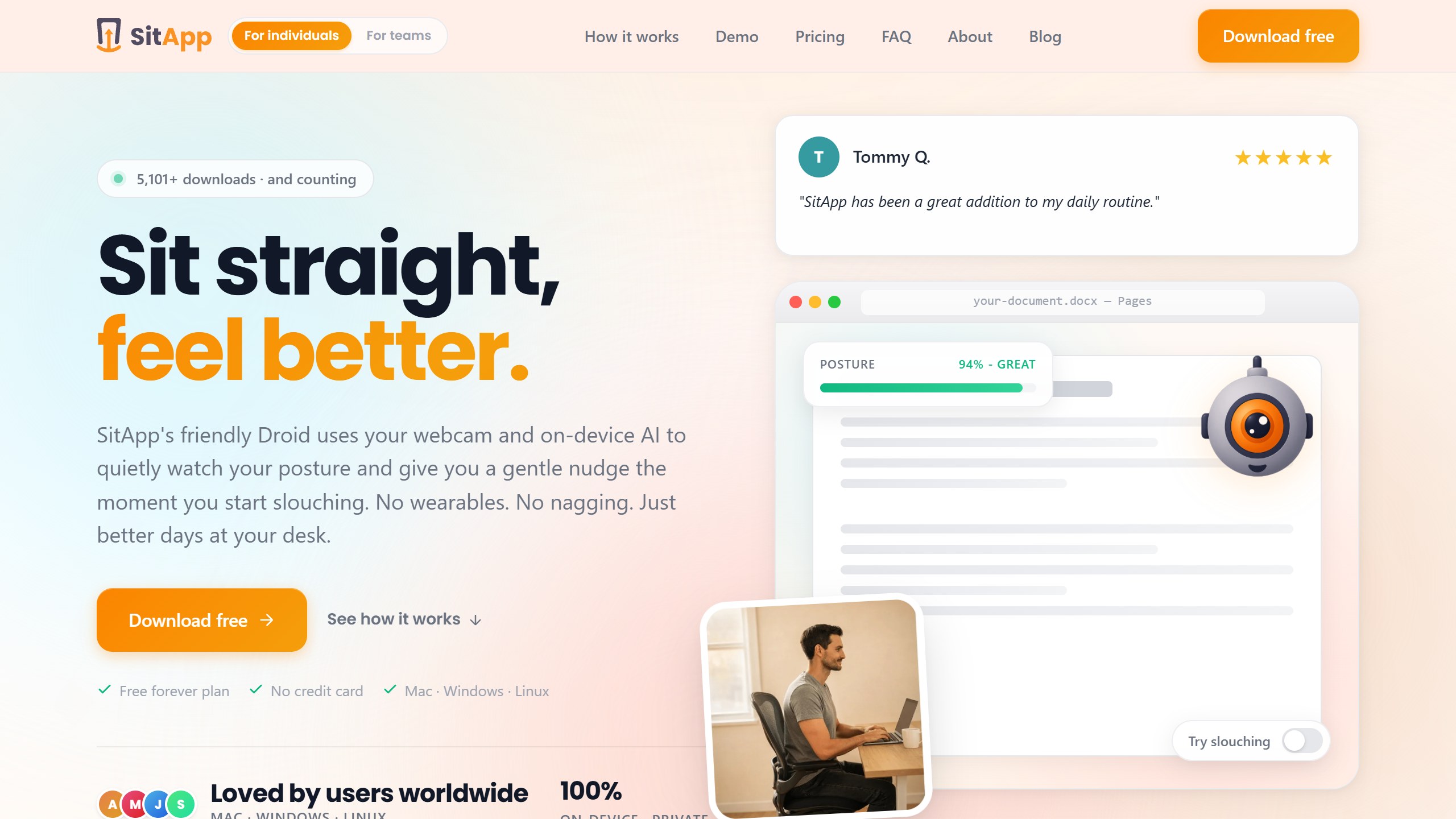
The privacy wording is unusually specific. SitApp’s homepage says “images never leave your machine”, and its privacy policy, last updated 6 October 2026, says “Your webcam images and video are processed entirely on your device” and “We never transmit, store, or have access to your webcam feed or posture images.” The policy is just as clear about what does leave: your name and email go to Firebase for your account, anonymised usage goes to Google Analytics, error logs go to Sentry only with your consent, and Paddle handles payments for direct purchases. The Mac App Store listing adds that your settings and aggregated daily totals are synced, and the policy keeps posture history until you delete your account. The Mac App Store privacy label lists email, purchase history, identifiers, usage data and diagnostics as linked to you, nothing as used to track you, and no photos or videos. The homepage also says it works offline.
Pricing on 24 October 2026: the Free plan is $0 with 1 hour of posture monitoring a day, break reminders and a daily dashboard. Pro is $34.99 a year with a 7-day free trial, and adds unlimited monitoring, multiple desk setups and voice alerts. A Lifetime licence is $89.99 one time. The homepage billing toggle offers a monthly option but showed no monthly price when we read it. The US Mac App Store lists three SitApp Pro purchases at $89.99, $34.99 and $3.99, without naming the period of the $3.99 one.
Downloads are on the vendor’s download page: a notarised Mac app, a Windows installer from Aston Smith Ltd, and a Linux AppImage or .deb that needs glibc 2.38 or newer, so Ubuntu 24.04, Debian 13 or Fedora 39 and later. The page notes it is desktop only. One caution: the Mac App Store version was released on 11 June 2026, updated on 10 October 2026, and had no US ratings yet, so there is little public feedback to go on.
Good fit for: anyone who slouches at a laptop or desk and wants live alerts without sending video anywhere. Watch out for: the 1 hour daily cap on the free plan, and a young app with no ratings yet.
2. APECS: free photo posture assessment that keeps photos on the device
APECS is a photo-based posture evaluation app from Saneftec. Its Google Play listing says it brings “AI-powered precision” to professional posture assessments and calls it “an advanced photogrammetry system for physiotherapists, chiropractors, movement specialists, fitness professionals, ergonomists, and researchers.” You photograph the body from the front, back and both sides, and APECS measures head, neck, shoulder, spine, pelvis, leg and foot alignment, trunk symmetry indices (ATSI and POTSI), knee valgus or varus, a forward bend test, and range of motion. There is also lateral video analysis and an option to place green markers on the body, which the app detects automatically in photos.
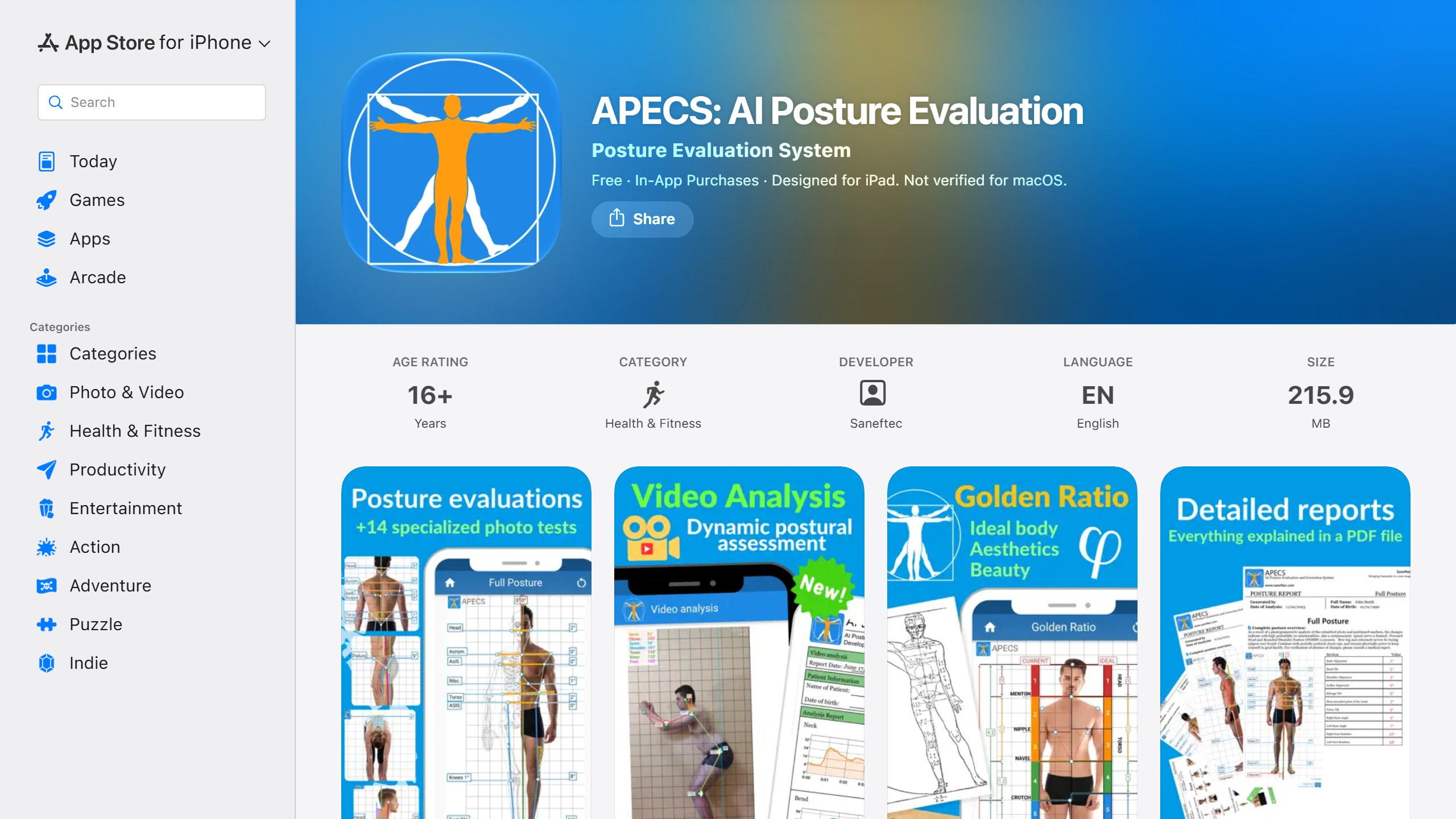
APECS answers the photo question directly. Its App Store description asks “Are photos uploaded online?” and answers: “No, when you use APECS, all your photos and PDF reports remain ONLY on your device.” The Play listing adds “Fully local data storage for privacy and confidentiality” and a face mask feature to hide faces in photos. Its App Store privacy label lists coarse location, usage data and diagnostics, all marked as not linked to you.
The vendor says “All main features for postural evaluation are FREE and there are NO ADS.” Paid tiers in the US App Store on 24 October 2026 ran from APECS Standard at $2.49 a month to APECS Pro Plus at $35.00 a year, with APECS Pro at $3.49 a month or $21.99 a year. The disclaimer is sensible: “Results should be confirmed by a professional doctor.”
The store numbers split by platform. On Google Play it had 3.64 stars from 1,511 ratings and more than 500,000 downloads, updated 27 June 2026. On the US App Store it had just 7 ratings averaging 1.71, last updated 22 November 2025. Android appears to be its main platform.
Good fit for: coaches and curious users who want measured angles from photos without uploading them. Watch out for: it is built for professionals, so expect clinical terms; the iOS app is updated less often than Android.
3. PostureScreen Mobile: a professional tool, with a 30-day catch
PostureScreen from PostureCo has been on the App Store since December 2010, which makes it far older than every consumer app here. Its listing describes “semi-automated, AI-assisted digitization of posture, movement, range of motion and body composition”, and the vendor’s site calls it “The Computer Vision Assisted app for posture, range of motion, movement screens, body composition”. The app suggests landmarks on photos and the practitioner reviews or confirms them. It also covers movement screens such as squats and planks, spinal and shoulder range of motion, and body composition through its LeanScreen module. The vendor points to peer-reviewed studies on its reliability, including a 2018 paper in the Journal of Physical Therapy Science.
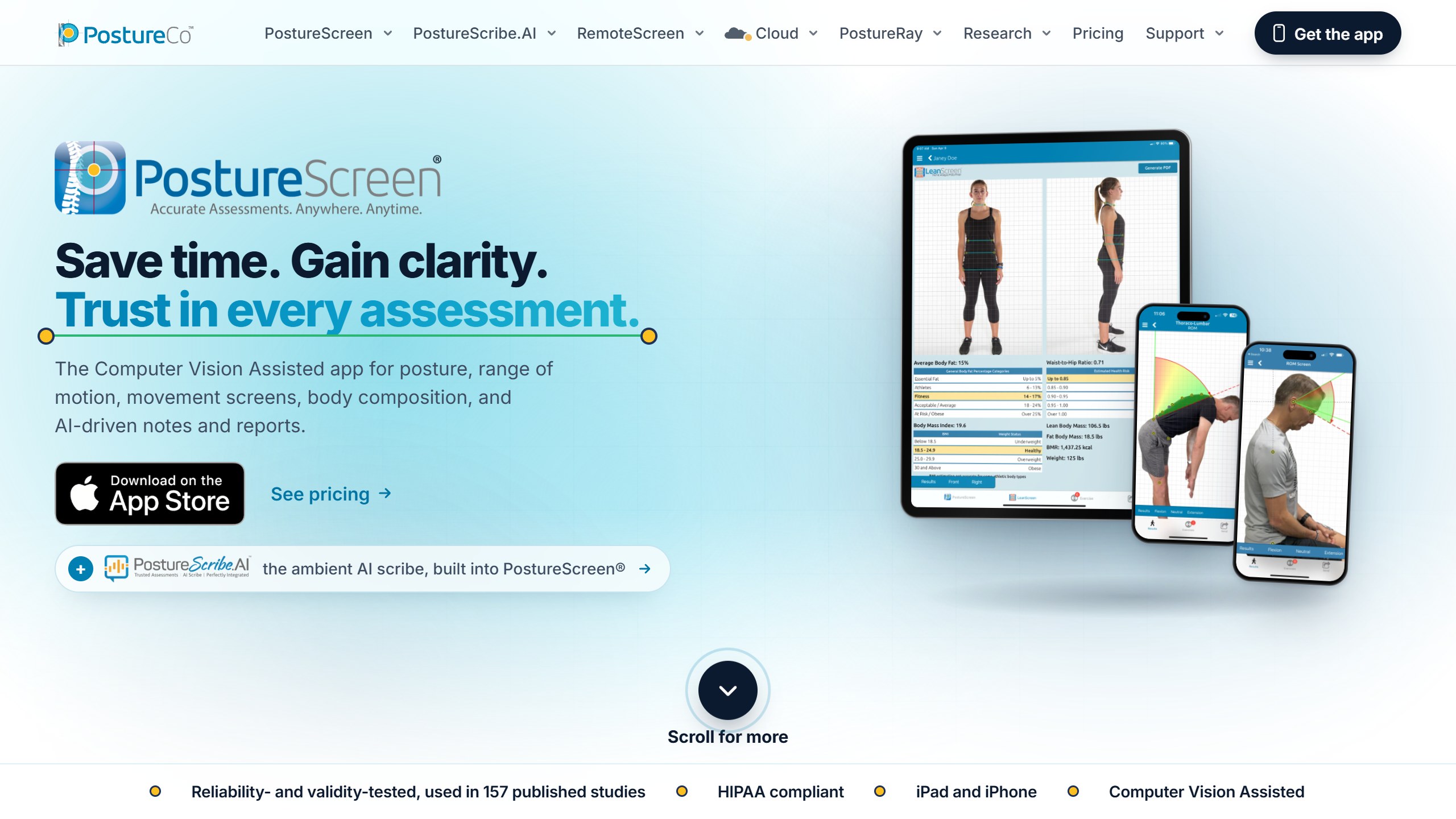
It is aimed squarely at chiropractors, physical therapists, athletic trainers and coaches, and the price shows it. The US App Store lists it at $59.99, and the vendor’s own site explains that this download includes 30 days of unlimited use; after that it is $24.99 a month or $249 a year, according to the site on 24 October 2026. There are extra in-app purchases for credits, storage and add-on screens, and a separate PostureScribe.AI note-writing assistant at $49.99 a month, available in the USA only. Someone who pays $59.99 expecting a one-off purchase is in for a surprise after a month.
Ratings are solid: 4.70 stars from 1,067 US ratings, updated 22 October 2026. It needs iOS 26 or iPadOS 26. The vendor’s site lists iPhone and iPad; Google Play separately carries PostureScreen Lite, rated 4.04 from 645 ratings with more than 10,000 downloads, updated 13 September 2026; its listing says the Android version only does posture assessment, without computer vision. The App Store privacy label lists contact info, identifiers, usage data and diagnostics under data used to track you, and photos or videos as collected but not linked to you. The listing says cloud storage is optional and hosted on AWS in the USA.
Good fit for: practitioners who need documented, repeatable measurements and client reports. Watch out for: the ongoing subscription after 30 days, and a tracking label that is wider than a solo user needs.
4. Posture AI: Correct My Posture: photo scan plus an exercise plan
Posture AI from The Wellness Company is a consumer photo app. Its App Store listing says “Capture front and side photos, and let our AI analyze your posture, providing real-time feedback and personalized insights,” followed by tailored exercises and progress reports. The vendor’s site puts it as “Our AI model evaluates your posture and generates a detailed report.” The disclaimer is reasonable: “If you’re experiencing discomfort or pain, please consult a chiropractor or healthcare professional.”
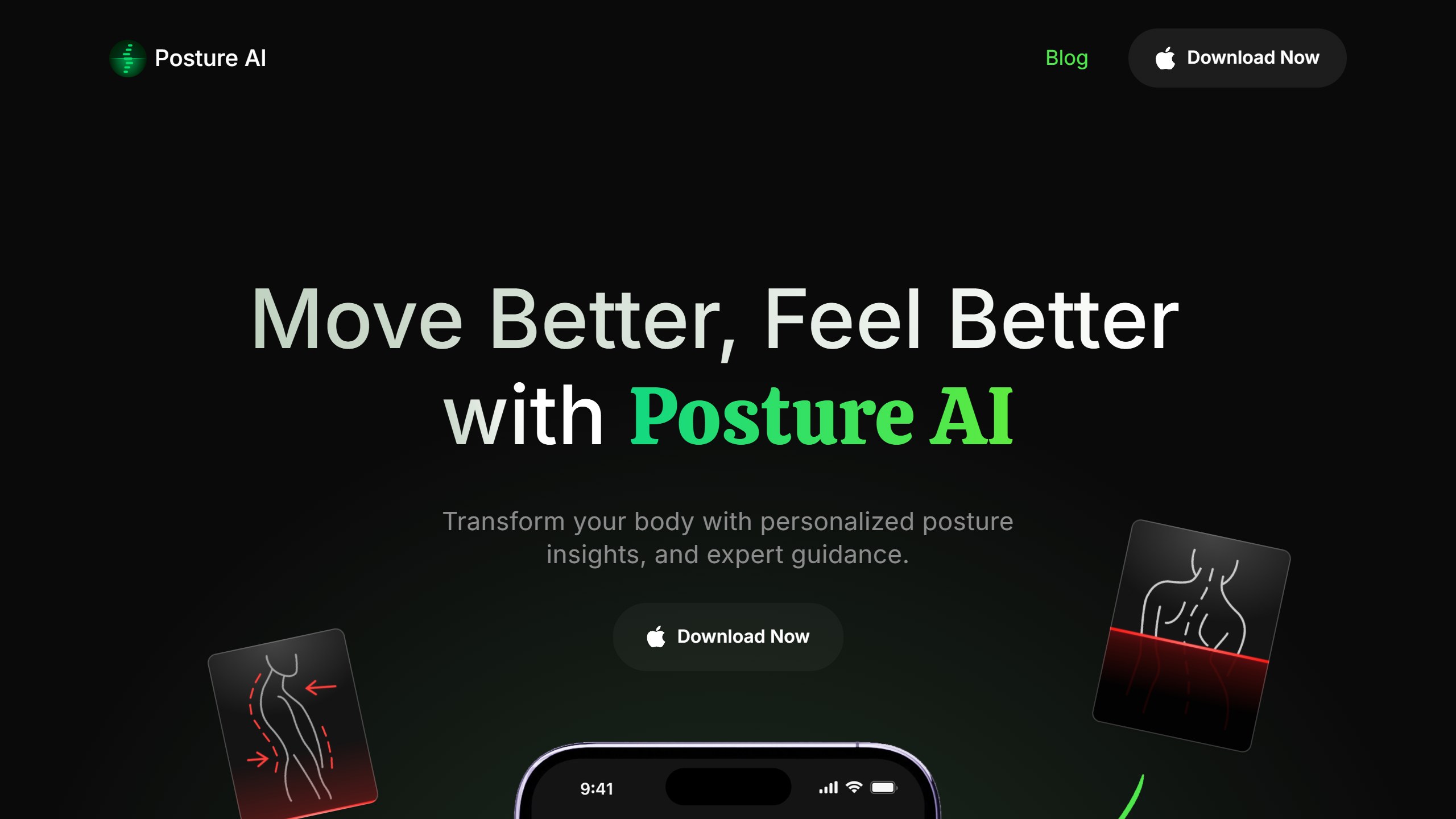
It is rated 4.68 stars from 228 US ratings and was updated on 14 October 2026. The vendor’s site shows only an App Store download link, and its FAQ says “Currently, Posture AI is available on iOS only.”
Prices in the US store on 24 October 2026: Annual $39.99, Monthly $11.99, Weekly $3.99, a pack of 5 scans at $14.99, and a Practitioner Mode at $99.99. A $3.99 weekly plan kept for a full year works out to $207.48 over 52 weeks, more than five times the annual price.
On privacy, the App Store label lists your name, your email and customer support content as data linked to you. It does not list Photos or Videos anywhere, even though the app works from front and side photos. The privacy policy, last updated 1 January 2026, does not mention photos, images or the camera either; the line “All data is stored locally on your device” appears under location data, not photos. The site’s FAQ says the app keeps a record of your scans and reports, without saying where. So neither document tells you where posture photos are processed or how long they are kept. If that matters to you, ask the vendor before scanning.
Good fit for: iPhone users who want a quick scan and a guided routine. Watch out for: weekly billing, and a privacy policy that does not cover photos.
5. Align: Fix Your Posture: photos plus AirPods, with a wide privacy label
Align combines both approaches. Its listing describes Image Analysis (“Snap or upload a photo, and let AlignApp automatically analyze your posture”) and “Head Tilt Tracking with AirPods”, plus daily stretches, coaching tips, progress charts and reminders. It is rated 4.73 stars from 552 US ratings. The last update was 6 January 2026, nearly ten months before we read the listing.
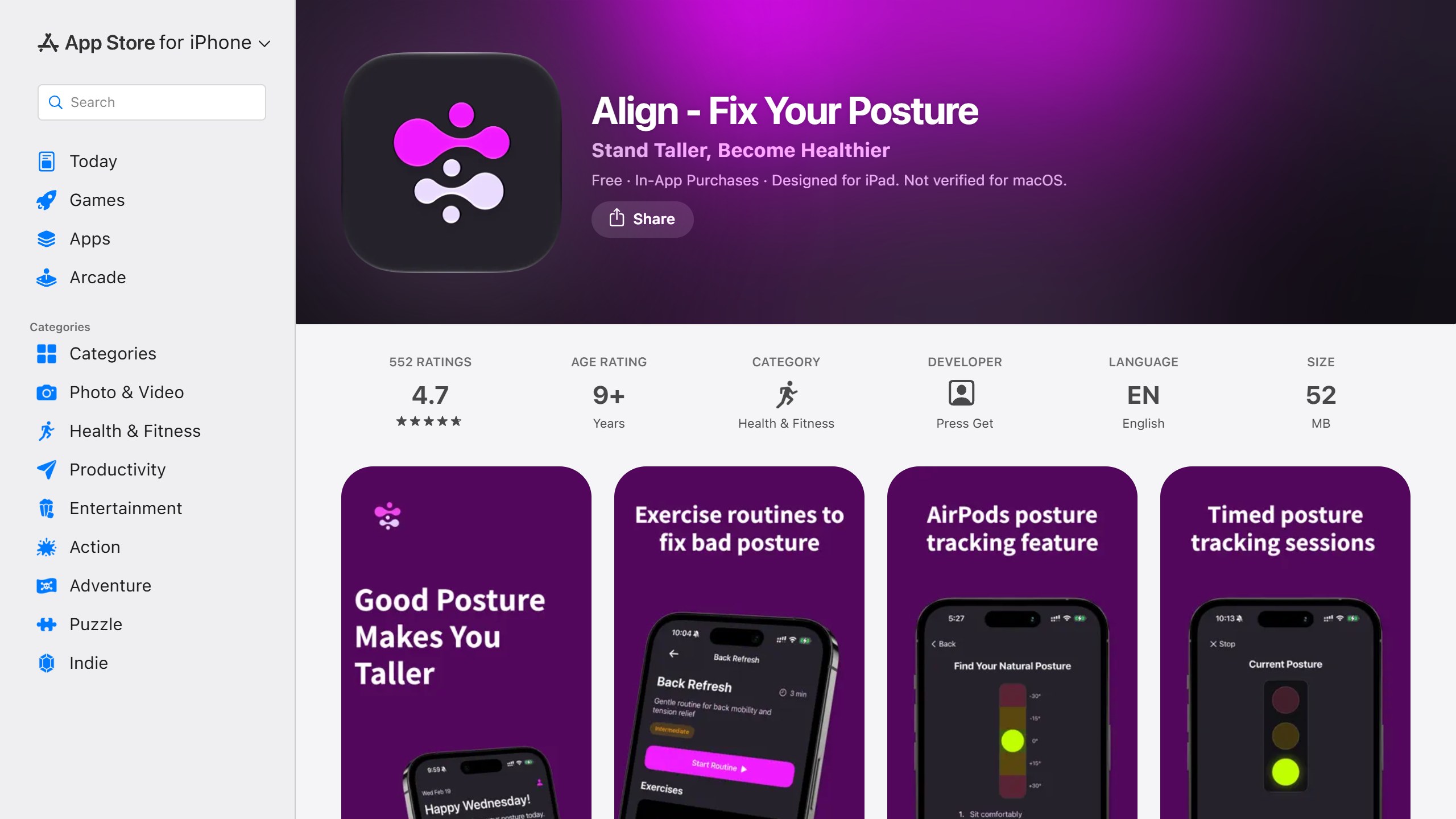
Its US in-app purchase list on 24 October 2026 showed Align Pro yearly plans at $39.00, $19.99 and $9.99, monthly at $9.99 and weekly at $9.99. A weekly plan priced the same as a month is a reason to read the purchase screen carefully; at $9.99 a week, a year would be $519.48.
The privacy label is where Align stands apart. The developer declares Identifiers and Sensitive Info under “Data Used to Track You”, meaning across other companies’ apps and websites, and lists Photos or Videos as data linked to you, used for app functionality and product personalisation. Its privacy policy, effective 14 January 2025, does not mention photos, the camera or AirPods motion data; it lists third parties including Facebook, AppLovin, Mixpanel, OneSignal and Firebase Crashlytics, and says user provided data is kept “for as long as you use the Application and for a reasonable time thereafter.” We are reporting what the developer declares, not what the app does in practice, but it is one of the widest declarations on this list.
Good fit for: people who want both a photo check and AirPods reminders in one app. Watch out for: the tracking label, the policy gap on photos, and confusing price tiers.
6. Perfect Posture: Back and Neck: exercise plans, light on AI
Perfect Posture from Jet fitness is the one app here that does not analyse your body at all. It is a guided exercise app with more than 200 exercises, 30-day programmes for posture correction, back and neck, rounded shoulders and forward head posture, and a voice coach. The AI part is plan building: the App Store listing lists “AI-generated plans” among its plan options, and Google Play calls it “AI plan creation”. That is the full extent of its AI claim.
It has the biggest Google Play following of the apps here: 4.71 stars from 32,424 ratings and more than 1 million downloads on Google Play, and 4.85 stars from 342 ratings on the US App Store, both updated 21 September 2026. Prices are low. The US store listed monthly plans from $1.99, annual plans at $8.99 and $14.99, and lifetime at $14.99 on sale or $29.99. Its disclaimer says it “is not a medical device and does not diagnose, treat, cure, or prevent any medical condition.”
Its App Store label lists usage data under data used to track you. Because it does not ask for photos, the camera question does not apply.
Good fit for: anyone who wants the exercises without a scan. Watch out for: do not expect posture detection; the AI only assembles a plan.
Two benchmarks with no AI claim
The two products below make no AI claim, so they sit outside the ranking. We include them because they are the familiar camera-free options people compare AI posture apps against, and they show what AI adds and what it does not.
Benchmark: Posture Pal, AirPods posture tracking with no camera
Posture Pal, by independent developer Jordi Bruin’s studio Good Snooze, takes a different route. Its App Store listing says it “helps you improve your neck and shoulder posture by using the motion sensors in your headphones.” You start a posture session, and it tracks your neck tilt in the background and alerts you with a sound, a vibration, a visual alert, a notification on your Apple Watch, or by lowering your music volume until you sit back up.
The listing names AirPods (3rd generation), AirPods Pro, AirPods Max and Beats Fit Pro as supported, and says other headphones that send motion data to an iPhone can also work. It runs on iPhone and also appears in the Mac App Store as the same universal app. There is no Android version in Google Play.
The listing describes motion tracking with three sensitivity levels and does not use the word AI, which is why it is a benchmark here rather than a ranked pick. It is an established app: released in March 2022, it had 4.42 stars from 294 US ratings and was updated on 21 October 2026. Its App Store privacy label declares only usage data, not linked to your identity, for analytics.
The app is a free download. On 24 October 2026 the US store listed Posture Pal Pro at $19.99, an Annual Subscription at $24.99, a Monthly Subscription at $6.99 and a Weekly Subscription at $3.99. Pro adds custom sensitivity, theming and alternative characters. The listing does not make clear whether the $19.99 item is a one-off unlock or a plan, so check the purchase screen before you pay. The listing says Posture Pal Pro is offered as auto-renewing subscriptions. The developer’s website did not load from our connection on 24 October, so we could not confirm the free tier’s limits there, and the privacy policy link in the listing opened the homepage of Vivid, another app from the same studio, rather than a Posture Pal policy.
Good fit for: iPhone and Mac users who already wear AirPods at work and want no camera involved. Watch out for: it only sees head and neck angle, only while your headphones are in, and it makes no AI claim.
Benchmark: UPRIGHT GO 2, the non-AI wearable
UPRIGHT GO 2 is a small sensor worn on your upper back that vibrates when you slouch, with a free companion app for training plans and progress. The vendor’s homepage never uses the word AI; it says “smart”. On 24 October 2026 the site listed the GO 2 at $79, down from $99.95, and the single-sensor GO S at $59, down from $79.95, in US dollars. The product page lists “30 Days auto app syncing” for the GO 2 and 7 days for the GO S without explaining what happens after.
The two app stores tell different stories. On the US App Store the app had 4.60 stars from 3,938 ratings; on Google Play it had 2.30 stars from 1,627 ratings, with more than 100,000 downloads. Both apps were last updated in early June 2026. Android owners should read the recent Play reviews before buying the hardware.
The point of the benchmark: a wearable sees your upper back, which webcam and AirPods apps cannot, and it involves no camera. AI apps add photo measurement, live webcam coaching or plan building on top, and the choice comes down to which part of your posture you want watched.
AI posture apps compared
| App | How it senses | What the vendor says about images | Price (US, 24 Oct 2026) | Platforms | Rating and last update |
|---|---|---|---|---|---|
| SitApp | Webcam, live | Processed entirely on your device | Free 1 hour a day; Pro $34.99/year; Lifetime $89.99 | Mac, Windows, Linux | No US ratings yet; 10 Oct 2026 |
| APECS | Photos and video | Photos remain only on your device | Core free; from $2.49/month to $35.00/year | Android, iOS | Play 3.64 (1,511); 27 Jun 2026 |
| PostureScreen | Photos, AI-assisted landmarks | Label: tracking data incl. contact info | $59.99 incl. 30 days, then $24.99/month or $249/year | iPhone, iPad; Lite on Android | 4.70 (1,067); 22 Oct 2026 |
| Posture AI | Front and side photos | Label lists no photos or videos; policy silent on photos | $39.99/year; $11.99/month; $3.99/week | iOS | 4.68 (228); 14 Oct 2026 |
| Align | Photos and AirPods | Label: photos linked to you, sensitive info used to track; policy silent on photos | Yearly $9.99 to $39.00; $9.99/month; $9.99/week | iOS | 4.73 (552); 6 Jan 2026 |
| Perfect Posture | None (exercise plans) | Not applicable | From $1.99/month; lifetime $29.99 | iOS, Android | Play 4.71 (32,424); 21 Sep 2026 |
| Posture Pal (benchmark) | AirPods motion, no AI claim | No camera; label: usage data, not linked | Free; Pro $19.99; $6.99/month; $3.99/week | iPhone, Mac | 4.42 (294); 21 Oct 2026 |
| UPRIGHT GO 2 (benchmark) | Wearable sensor, no AI | No camera | $79 device; app free | iOS, Android | iOS 4.60, Play 2.30; Jun 2026 |
Where your posture photos go
The reason privacy deserves its own section is simple: a posture photo is a picture of your body, often in fitted clothing, and a webcam monitor is a camera pointed at your face all day. Here is what each vendor says, in its own words, and where its own documents leave gaps.
Apps that say images stay on your device
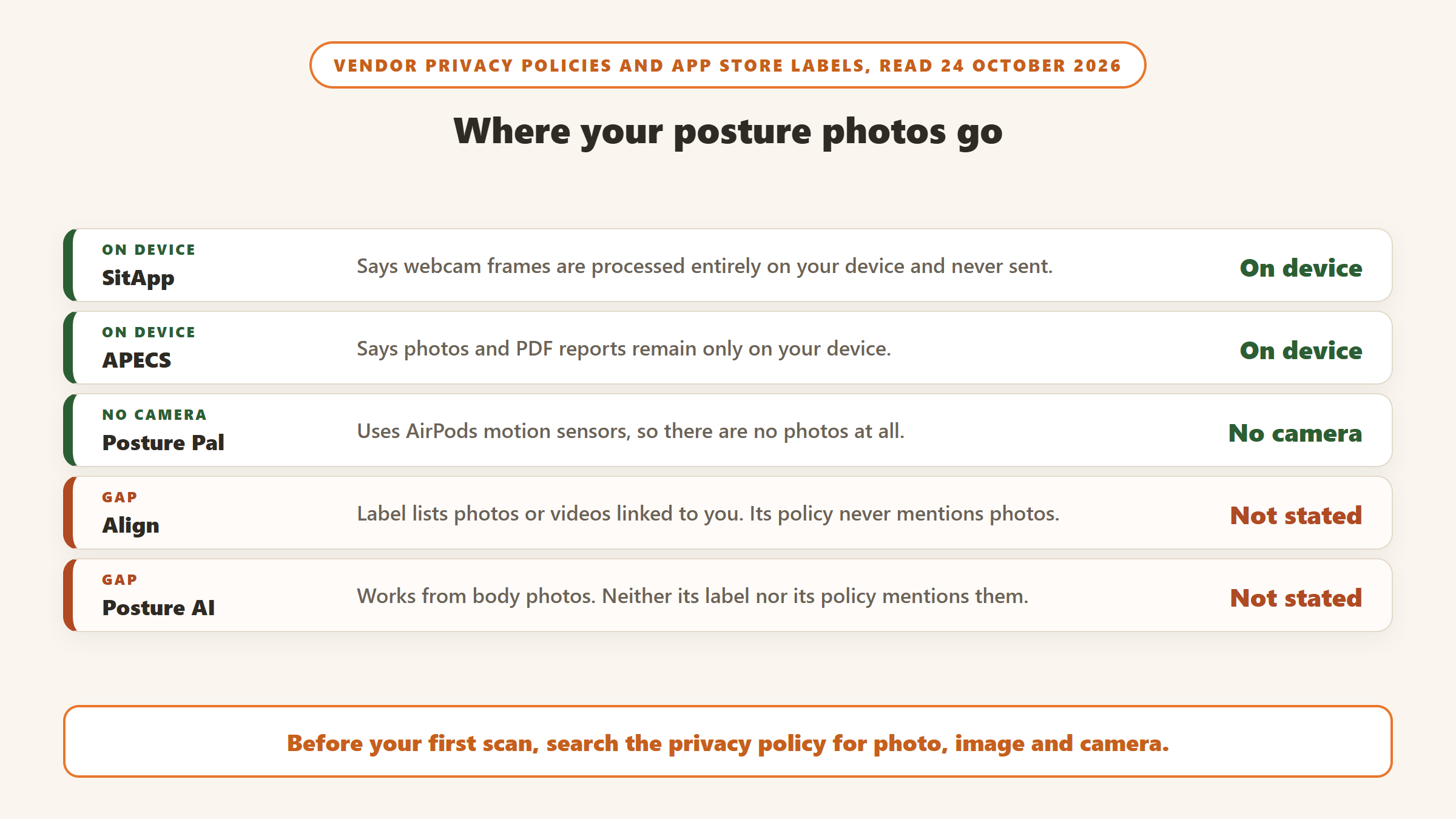
SitApp’s policy says webcam images and video “are processed entirely on your device” and that it never transmits or stores them. APECS says all photos and PDF reports “remain ONLY on your device”. Both are specific statements in the vendor’s own documents, which is the most a reader can check from outside. Posture Pal sidesteps the question by using headphone motion rather than a camera, and its label declares only usage data not linked to you.
Apps whose documents leave the photo question open
Align declares in its App Store label that photos or videos are collected and linked to you, yet its privacy policy says nothing about photos. Posture AI has the opposite gap: the app works from body photos, but its label does not list photos or videos at all and its policy does not mention them either. Neither case proves photos are uploaded to a server; it means the vendor has not told you where they are processed, who processes them, or how long they are kept. Align also declares Sensitive Info as data used to track you across other companies’ apps and websites, which is unusual for a posture app.
How to check any posture app yourself
Before you take a single photo, scroll to App Privacy on the App Store listing or Data safety on Google Play and look for Photos or Videos, Sensitive Info and anything under “Data Used to Track You”. Then open the privacy policy and search for the words photo, image and camera. If the policy never mentions them, email the vendor and ask. You can also use the iPhone’s camera permission settings to turn off camera access once a scan is done.
Price traps to avoid
Several of these apps offer weekly billing. Posture AI and the Posture Pal benchmark both list a $3.99 weekly plan, which is $207.48 if you keep it for 52 weeks, against annual plans of $39.99 and $24.99 in the same stores. Align lists a $9.99 weekly plan beside a $9.99 monthly plan. If you plan to keep an app beyond a trial, the annual option is far cheaper, and every one of these subscriptions renews automatically until you turn it off, in your Apple or Google account settings for store purchases or with the vendor for anything bought direct.
PostureScreen’s $59.99 App Store price looks like a one-off purchase, but its own site says it includes 30 days of unlimited use, then $24.99 a month or $249 a year. SitApp is the opposite case: its free plan is free for good, with a 1 hour daily cap, and the Lifetime licence at $89.99 avoids renewals entirely. Perfect Posture also lists a lifetime option at $29.99, or $14.99 on sale.
Apps we left out
Nekoze, a Mac webcam app often named in posture app lists, uses “facial recognition to detect hunched posture” but its last Mac App Store update was on 6 September 2022, and it had no US ratings. We cut apps with no update in 12 months. Muscle and Motion: Posture is well rated, 4.86 from 681 US ratings, but it is a 3D anatomy and exercise library and its listing makes no AI claim. PodPosture (17 US ratings), Backed AI (75 Google Play ratings) and several webcam monitors launched in 2026 had too few ratings or downloads to assess. One Android app called Posture AI: Reminder and Scale pitches increasing “lost height” from poor posture, a claim we will not repeat. We found no current posture app under the name Zen; search results under that name were meditation timers.
How to choose an AI posture app
Start with where your posture goes wrong. If it is the slow slump at a laptop, a webcam monitor like SitApp works during the hours you actually sit. If you want to know whether one shoulder sits higher or your head is forward of your shoulders, a photo assessment app such as APECS gives you measured angles. If you already know what is wrong and just want a routine, Perfect Posture is a cheap exercise app with AI plan building. If you would rather have no camera and do not need AI, the Posture Pal benchmark tracks head tilt through AirPods.
Next, match the app to your devices. SitApp is desktop only. APECS is strongest on Android. PostureScreen is for iPhone and iPad with iOS 26, with a Lite version on Android. Posture AI and Align are iOS apps. Posture Pal needs compatible AirPods or Beats and an iPhone or Mac.
Then read the privacy label and policy, using the checklist above. A camera app with a clear on-device statement is a different proposition from one that declares photos linked to your identity and says nothing in its policy.
Finally, pick the billing period before you start a trial, and set a reminder for the trial end date. For general fitness work alongside posture, see our guides to AI workout apps, AI pose correction apps for home workouts and AI yoga apps with form correction. For core strength, which several of these vendors tie to posture, our AI Pilates apps guide covers the options.
Sources
- SitApp homepage, download page, privacy policy (last updated 6 October 2026) and Mac App Store listing, read 24 October 2026.
- APECS on Google Play and APECS on the US App Store, read 24 October 2026.
- PostureScreen vendor site, US App Store listing and PostureScreen Lite on Google Play, read 24 October 2026.
- Posture AI site, privacy policy (last updated 1 January 2026) and US App Store listing, read 24 October 2026.
- Align, US App Store and Align privacy policy (effective 14 January 2025), read 24 October 2026.
- Jet fitness, Perfect Posture, US App Store and Google Play, read 24 October 2026.
- Posture Pal, US App Store, listing, in-app purchases and App Privacy label, read 24 October 2026.
- UPRIGHT homepage, US App Store and Google Play, read 24 October 2026.
- Nekoze, Mac App Store and Muscle and Motion: Posture, US App Store, read 24 October 2026.

Written by
FazFaz is the founder of AIToolsBakery. Some tools here are tested hands on. Others are assessed from vendor documentation and pricing verified on the live page, and every review says which one it is. Sponsors can buy a position in a guide. They cannot buy the score, the criticism, or silence about a better option.
How we test and how we make money →