Most landscaping AI tools give you three free designs and then hit you with a paywall. Neighborbrite gives you unlimited.
Updated June 30, 2026.
Is Neighborbrite legit and actually free? (2026)
Short answer: Yes on both. Neighborbrite is a legitimate AI landscape design tool used by over 700,000 homeowners and pros, and the free plan is genuinely free, unlimited designs, no credit card, no watermark.
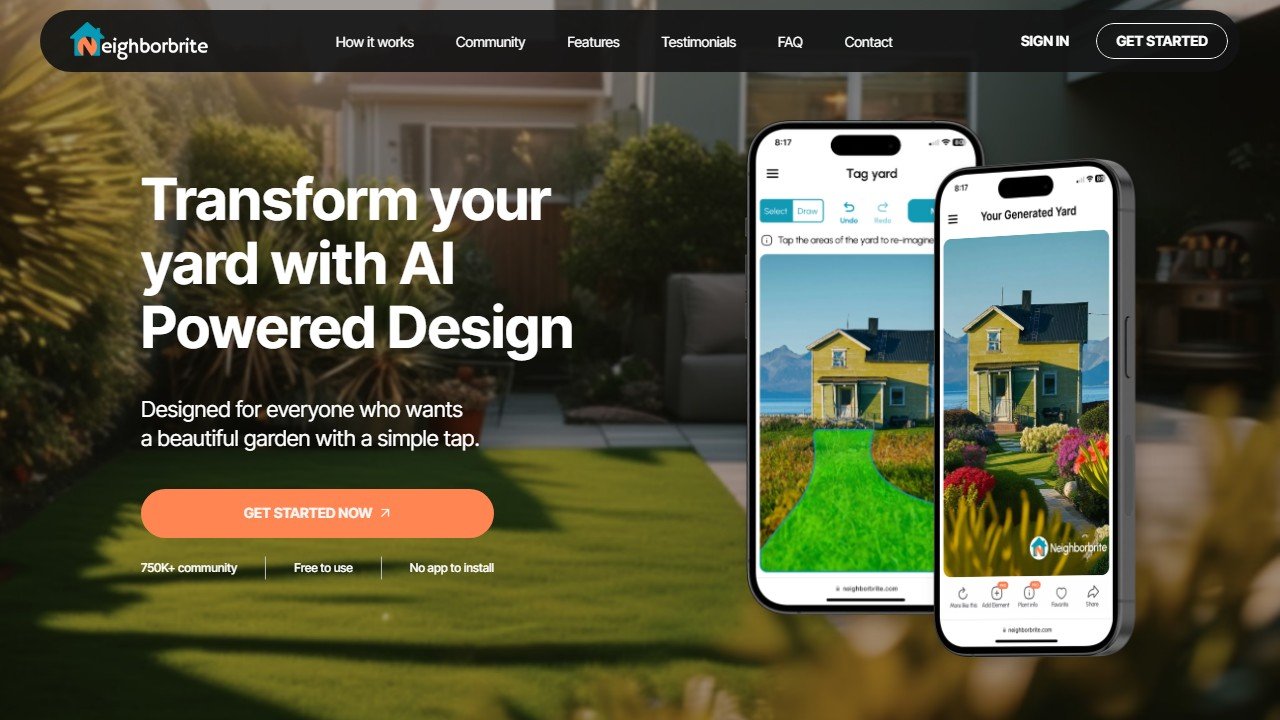
Website: Neighborbrite
Is it really free? Unlike most landscaping AI tools that give you three designs then paywall you, Neighborbrite’s free plan has no design limit and no card required. You can test all 16+ styles on multiple yard photos without paying a cent.
What the $15/mo Pro plan adds: location-based plant lists (so the plants actually grow in your zone), Magic Edit for targeted tweaks, and sunlight filters. The free plan is for visualizing; Pro is for actually planting.
The honest limitation: Neighborbrite is a visualization tool, not a blueprint tool. You will not get top-down plans, measurements, or construction drawings, and output quality depends on a clear, well-lit yard photo.
Last reviewed June 2026. Neighborbrite remains one of the cleanest free AI landscape design tools in 2026. We refresh this review as features and limits change. For the wider category view, see our best AI landscaping tools roundup and best AI garden design tools comparison.
How we evaluated Neighborbrite
This review examines Neighborbrite on the job homeowners actually bring it: taking a photo of an existing yard and getting back something usable. It covers the photo upload, the style presets, the plant swap feature and the export, and how the gardening focus compares with general image models and Yardzen-adjacent tools on the same task. It is research-based, drawing on documented features, published output samples and verified user reports rather than a build-out, so any cost estimates here come from Neighborbrite’s own in-app figures.
Faz says: I spent $500 on a landscaper who handed me a sketch on graph paper. That was three years ago. Today you can upload a photo of your yard and get a photorealistic redesign in 15 seconds, for free. Neighborbrite is the tool that keeps coming up in every landscaping subreddit, every “how do I plan my yard” thread, every homeowner who’s tired of paying designers just to see what their front yard could look like. We assess it alongside every tool in our best AI landscaping tools roundup to see whether the free plan is really as good as people say.
Related: See also: Best AI landscaping tools 2026 | Best AI garden design tools
What Neighborbrite Does
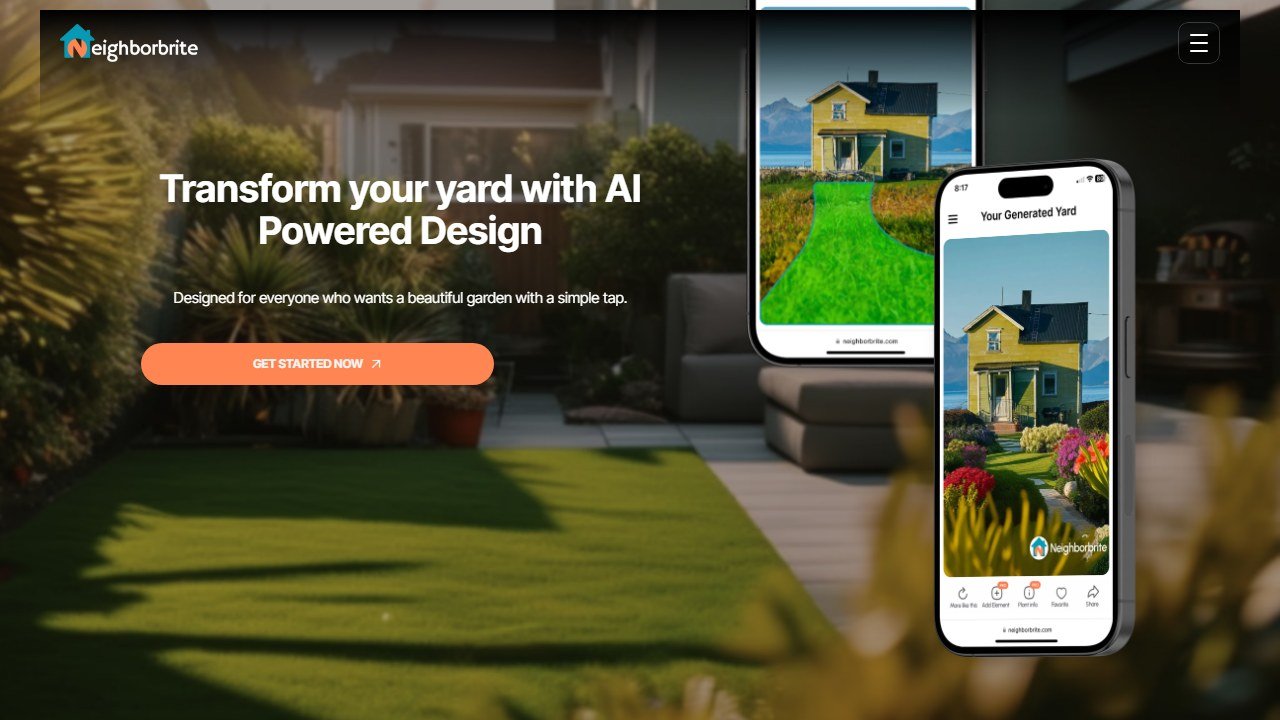
Neighborbrite is a photo-to-render AI landscape design tool. You upload a photo of your yard (front, back, side, patio, deck, pool area), select the area you want to redesign, choose from 16+ garden styles, and the AI generates a photorealistic visualization of what your space could look like.
It is not a blueprint tool. You will not get top-down plans, measurements, or construction drawings from the AI. What you get is a realistic before-and-after visualization that shows you what a Mediterranean garden, a modern minimalist patio, or a cottage-style front yard would actually look like on your property.
If you want construction-ready plans, Neighborbrite offers a separate Pro Design service where a human designer creates a top-down layout with plant placement, hardscape specs, and two revision rounds. That starts at $199 for a single area.
Key Features
Photo-to-Render Design
The core workflow. Upload a photo, draw over the area you want to redesign, pick a style, and the AI generates a new version of your yard in that style. Generation takes seconds, not minutes. You can run the same photo through multiple styles to compare looks side by side.
The quality of the renders depends heavily on your photo. Clear, well-lit photos with obvious boundaries (fence lines, walkways, house edges) produce better results than dark or cluttered shots. The AI sometimes redesigns areas outside your selection, which is the most common user complaint.
16+ Garden Styles
Neighborbrite offers at least 16 named styles including Modern, Cottage, Mediterranean, Tropical, Desert, Japanese Zen, English Garden, Rustic, Scandinavian, and more. Each style produces a meaningfully different output, not just color shifts. A Mediterranean render adds terracotta planters and olive trees. A Desert render swaps grass for gravel and succulents.
The style variety is good but not the deepest in this category. DreamzAR offers 38+ styles if variety is your priority.
Magic Edit (Pro)
This is what separates free from paid. Magic Edit lets you modify specific elements in a generated design without regenerating the whole thing. Want to swap out the patio furniture? Change the fence material? Replace the flower bed with a fire pit? Magic Edit handles targeted changes.
Without Magic Edit, your only option on the free plan is to regenerate the entire design and hope the next version keeps the parts you liked.
Add Elements
Both free and Pro users can add individual elements to designs: trees, fire pits, swimming pools, pergolas, decks, stone paths, garden beds. The free plan gives you basic elements. Pro unlocks 60+ element options with more variety and control over placement.
Plant Finder
Upload a photo of any plant, and Neighborbrite identifies the species. Useful when you’re looking at a neighbor’s garden and want to know what that purple flowering shrub actually is. This works independently from the design tool.
Plant List Generation (Pro)
After generating a landscape design, Pro users can request a detailed plant list tailored to their climate and location. The AI considers your geographic area and suggests plants that will actually survive in your zone. This is one of the features homeowners care about most, because a pretty render means nothing if the plants die in your climate.
The plant recommendations are location-based rather than explicitly USDA-zone-tagged, but the effect is the same: you get regionally appropriate suggestions.
Sunlight Filters (Pro)
See how your design looks at different times of day, with different sun angles and shadow patterns. Useful for planning shade-loving plants in areas that only get morning sun, or placing a seating area where it won’t be in direct afternoon heat.
Platform Availability
Neighborbrite works on:
- Web app (app.neighborbrite.com): full-featured, works on any browser
- iOS (requires iOS 4.6+): relatively new, limited ratings
- Android (v1.0.0, launched February 2026): very new
The web app is the most mature version. The mobile apps are functional but newer, and the iOS app has only 3 ratings (all 5-star, but too small a sample to mean much). If you want the most reliable experience, use the web version.
Pricing Breakdown
| Plan | Price | What You Get |
|---|---|---|
| Free | $0 | Unlimited basic designs, style selection, basic elements, Plant Finder |
| Pro | ~$15/mo | Everything in Free + Magic Edit, 60+ elements, plant lists, sunlight filters |
| Pro Design (Human) | $199 single area / $287 front + back | Professional human designer, top-down layout, detailed plant list, 2 revision rounds, 5 business days |
| Landscaper/Business | Free to start | Sales workflow tools, client presentations, upgrade for full feature access |
What you need to know:
- The free plan is genuinely unlimited. You can generate as many designs as you want, in as many styles as you want, without hitting a credit wall. No credit card required. No trial expiration. This is the most generous free tier in the entire AI landscaping space.
- Pro at $15/mo is right at the price point where homeowners say they’re comfortable paying. That’s less than a single design consultation from most landscapers.
- The Pro Design service ($199-$287) is a completely separate offering with a real human designer. The 5 business day turnaround is reasonable for that price range, considering some landscaping firms charge $500+ just for a design.
- Magic Edit is the feature most likely to push free users to Pro. Without it, you’re stuck regenerating entire designs instead of making targeted tweaks.
- There’s no annual discount publicly listed. The $15/mo is the web Pro price, but the mobile apps surface different in-app tiers ($24.99, $49.99, and a $149 option), so the cheapest route to Pro is signing up through the web app, not the App Store.
- Sunlight filters and plant lists being Pro-only is a notable limitation. Many homeowners specifically want plant recommendations, and locking that behind a paywall when competitors like DreamzAR include USDA data on their paid plans creates a direct comparison point.
Free Plan vs Pro: What You Actually Get
This matters more for Neighborbrite than most tools because the free plan is so usable.
Free plan handles:
- Unlimited design generations
- All 16+ styles
- Before/after comparisons
- Basic element additions
- Plant identification (Plant Finder)
- Downloading and sharing designs
You need Pro for:
- Magic Edit (targeted tweaks without full regeneration)
- Plant list generation (climate-specific recommendations)
- Sunlight simulation
- 60+ element library
- Advanced customization
Most homeowners planning a single yard project can get real value from the free plan alone. You can visualize multiple styles, compare options, and bring those renders to a landscaper for quoting. Pro becomes worth it when you want plant species recommendations or when you’re iterating on a specific design and need Magic Edit to tweak details without losing what you like.
Neighborbrite vs DreamzAR vs iScape
These are the three names that come up most when homeowners shortlist an AI landscape design tool. They solve the same problem from different angles, and the right pick depends on whether you value a free unlimited render, augmented reality, or professional proposal tools.
| Neighborbrite | DreamzAR | iScape | |
|---|---|---|---|
| Free plan | Unlimited designs, no card | Limited free renders | Minimal free tier |
| Paid price | $15/mo Pro | ~$19.99/mo or $199/yr | ~$30/mo |
| Design method | AI photo-to-render | AI render + conversational editor | Manual drag-and-drop |
| Styles | 16+ | 38+ | Manual (no style presets) |
| AR walkthrough | No | Yes | Yes |
| Plant data | Location-based (Pro) | 2,000+ plants, USDA zone tagged | USDA zone filtering |
| Best for | Homeowners wanting free visualization | AR plus the deepest plant database | Pros needing on-site AR and client proposals |
The short version: start with Neighborbrite because it is free and unlimited, move to DreamzAR if you need AR or proper USDA plant data, and only reach for iScape if you are a professional landscaper who needs on-site AR and branded proposals. For the full field, see our best AI landscaping tools roundup, and for the head-to-head, our Neighborbrite vs DreamzAR comparison.
Who This Is For
Use Neighborbrite if you:
- Want to see what your yard could look like before spending money on a landscaper
- Need a free tool with no credit limits or trial restrictions
- Are comparing multiple landscape styles (Mediterranean vs. Modern vs. Cottage)
- Want to bring AI-generated visualizations to a contractor for quoting
- Need plant identification from photos
Skip Neighborbrite if you:
- Want AR visualization to see plants at real-world scale in your yard (DreamzAR or iScape do AR)
- Need construction-ready blueprints or top-down plans from the AI
- Want detailed cost estimates built into the design (LandscapioAI does this)
- Need the deepest style variety possible (DreamzAR has 38+ styles vs Neighborbrite’s 16+)
- Are a professional landscaper needing proposal tools (iScape has a built-in proposal builder)
Pros and Cons
Pros
- Most generous free tier in AI landscaping (unlimited designs, no credit wall)
- Fast generation (seconds per design)
- Location-based plant recommendations on Pro
- Clean, simple workflow (upload, select, style, generate)
- Hybrid option: AI designs + human Pro Design service
- 700,000+ users and 15 million designs generated (proven at scale)
- Works on web, iOS, and Android
Cons
- No AR visualization (can’t see designs overlaid on your real yard)
- AI sometimes redesigns areas outside your selection
- Plant lists locked behind Pro paywall
- Sunlight filters Pro-only
- Fewer styles than DreamzAR (16+ vs 38+)
- No top-down plans or measurements from AI
- Mobile apps are very new with minimal reviews
- No cost estimation feature
Faz says: Neighborbrite does what most homeowners actually need: show me what my yard could look like, without charging me $500 for a designer to sketch it on graph paper. The free plan is generous enough that you can bring multiple style options to a landscaper and say “I want something like this.” That alone saves you a consultation fee. The lack of AR is noticeable if you’ve tried DreamzAR or iScape, but honestly, most people just want a nice before-and-after render to help them decide on a direction. Neighborbrite delivers that better than any free option I’ve tested.
Saru says: 4.2/5. Neighborbrite scores highest on accessibility (5.0/5) thanks to the unlimited free tier, which no competitor matches. Design quality is strong (4.0/5) with photorealistic outputs that hold up in side-by-side comparisons. Plant intelligence scores lower (3.5/5) because recommendations are location-based but lack the explicit USDA zone tagging and 2,000+ plant library that DreamzAR offers. Feature depth (3.5/5) reflects the missing AR, cost estimation, and construction guidance. At $0 for core features and $15/mo for Pro, the value proposition (4.8/5) is the strongest in the category.
Final Verdict
Neighborbrite is the best free AI landscaping tool available in 2026. No other tool lets you generate unlimited photorealistic yard designs without paying a cent. The workflow is dead simple (upload, select, style, generate), the renders are good enough to bring to a contractor, and the $15/mo Pro plan is priced right for the features it adds. You’ll miss AR visualization and detailed USDA plant data, which tools like DreamzAR and iScape handle better. But for most homeowners who just want to see what their yard could look like before committing to an expensive project, Neighborbrite is the obvious starting point.
Rating: 4.2/5
See also
For the head-to-head comparison:
- Neighborbrite vs DreamzAR. free AI landscaping vs AR depth
References & further reading
For deeper plant science and landscape design fundamentals behind the tools we evaluate:
- USDA Plant Hardiness Zone Map. official US plant zone data that all reputable AI landscape tools should cross-reference
- American Society of Landscape Architects. professional standards and design principles from the field’s primary association
- University of Minnesota Extension landscape design. evidence-backed regional design guidance from a top horticulture extension program
More AI landscape and garden design guides
More AI design guides to explore:
- Landscapioai Review 2026: honest Test & Verdict.
- How to Use AI to Design Your Yard: a Step-by-Step Guide.
- Best AI Landscape Design Apps for iPhone and Android in 2026.
More AI tool guides worth reading: Best AI Hardscape Design Tools, SiteRecon vs DeepLawn and PictureThis vs PlantNet vs Planta.
Tools mentioned in this guide

Written by
FazFaz is the founder of AIToolsBakery. Some tools here are tested hands on. Others are assessed from vendor documentation and pricing verified on the live page, and every review says which one it is. Sponsors can buy a position in a guide. They cannot buy the score, the criticism, or silence about a better option.
How we test and how we make money →