If you build courses for a living, two names keep surfacing in every authoring-tool shortlist: Articulate 360 and iSpring Suite. They sit at the top of almost every instructional-design buyer’s comparison, and for good reason. Both turn raw content into SCORM-ready, trackable eLearning, both shipped serious AI features over the last two years, and both have loyal followings among L&D teams. They also solve the problem from opposite ends.
iSpring lives inside PowerPoint. If your subject-matter experts already work in slides, iSpring is the shortest distance between an existing deck and a published, standards-compliant course. Articulate 360 is a broader suite built around two flagship authoring apps: Storyline 360 for deep, custom interactivity, and Rise 360 for fast, responsive, web-native courses. One is a focused PowerPoint companion. The other is a full authoring ecosystem with a steeper price and a steeper ceiling.
This guide compares them the way an L&D buyer actually decides: learning curve, workflow, interactivity, AI authoring, output, collaboration, and annual cost per author. We also fold in the question people ask once they pick Articulate, namely Storyline 360 vs Rise 360 and when to use which, so you do not have to read a second article.
AIToolsBakery is independent. We are not owned by Articulate or iSpring, we sell neither product, and we earn nothing if you buy either one. When a post is sponsored we label it clearly at the top, and a sponsorship never changes a verdict or a score. This comparison is not sponsored. The recommendations below are based on documented features, public pricing models, and the patterns reviewers report on Capterra and G2.
The 30-second answer: iSpring Suite wins for PowerPoint-first teams and SMEs who want the fastest, gentlest path from existing slides to SCORM. Articulate 360 wins for teams that need best-in-class interactivity (Storyline 360) plus fast responsive web courses (Rise 360), and can justify the higher per-author cost. PowerPoint shops lean iSpring. Ambitious, mixed-output teams lean Articulate.
The quick context
Both tools are mature, well-supported, and widely used in corporate L&D. The split is structural, not about quality.
Articulate 360 is a subscription suite. A single license bundles Storyline 360, Rise 360, an AI Assistant, the Content Library, plus Review 360 for stakeholder feedback and Reach 360 for distribution. You are buying an authoring platform, not a single app.
iSpring Suite is a PowerPoint add-in. Once installed on Windows, it adds an authoring ribbon to PowerPoint and lets you publish interactive, trackable courses from the slides you already build. iSpring sells a base Suite tier and a Suite Max tier that adds the AI Assistant, real-time collaboration, and the expanded content library.
The decision usually comes down to one question: do your authors already live in PowerPoint, and how high is your interactivity ceiling.
The PowerPoint question: iSpring’s workflow vs native authoring
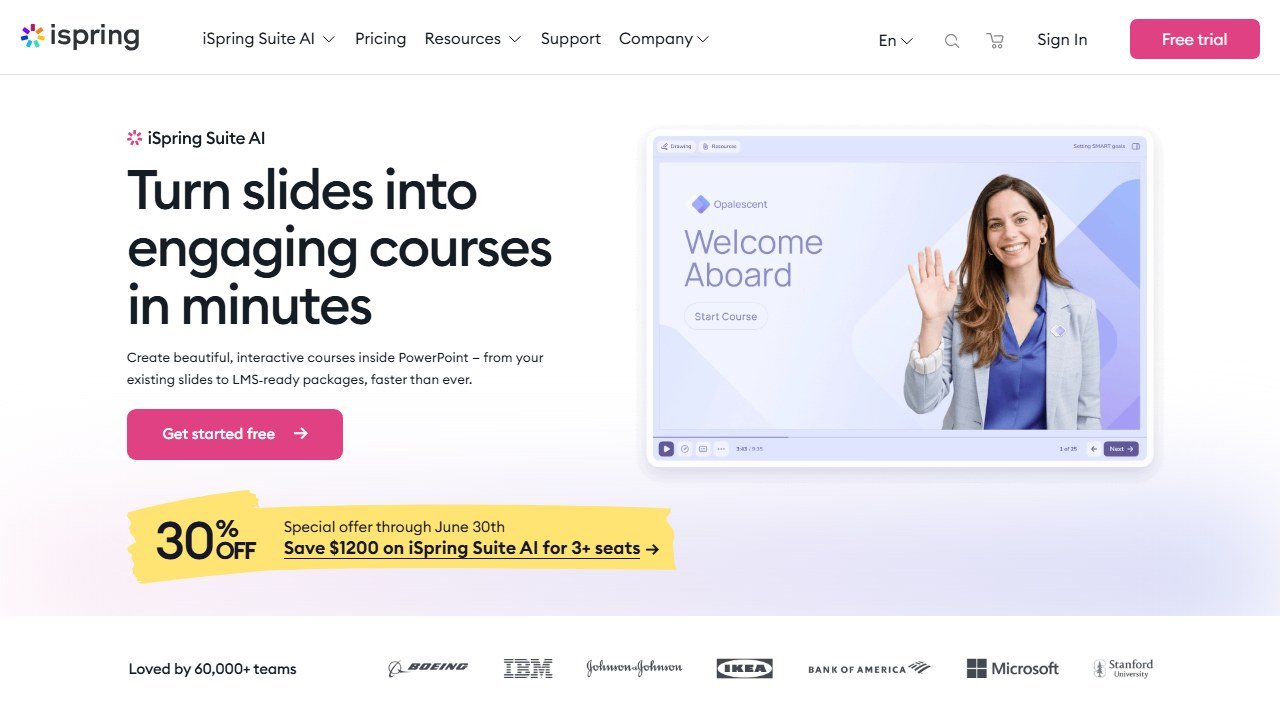
iSpring’s entire pitch rests on PowerPoint. Your SMEs build a deck the way they always have, then iSpring layers on quizzes, interactions, role-play dialogue simulations, screen recordings, and narration, and publishes the result as SCORM, xAPI, cmi5, or AICC. For organizations sitting on hundreds of existing slide decks, that is a genuine accelerator. There is no new canvas to learn, no new mental model, just a familiar tool with a publishing layer bolted on.
The trade-off is that you inherit PowerPoint’s slide-based limits, and iSpring is Windows and desktop bound. There is no native Mac authoring app, and the polished, modern web-builder feel that Rise 360 offers is not iSpring’s strength. iSpring also ships iSpring Cloud, a lighter browser-based microcourse builder, for teams that want quick web authoring, but the flagship Suite experience is desktop PowerPoint.
Articulate takes the opposite stance. Storyline 360 is its own slide-based authoring app (not a PowerPoint add-in), and Rise 360 is fully web-based with no install at all. You trade PowerPoint familiarity for purpose-built authoring environments. That costs you some onboarding time and rules out the instant slide-reuse trick, but it removes PowerPoint’s ceiling.
Storyline 360 vs Rise 360: when to use which
This is the question every new Articulate buyer asks, so here is the short version. Articulate gives you both apps in one subscription, and the right answer is usually to use each for what it does best.
Use Rise 360 when you want speed and responsive output. It is a block-based web builder: you stack pre-designed blocks (text, image, accordion, flashcard, process, sorting, quiz) and Rise handles the responsive layout automatically, so courses look right on phone, tablet, and desktop without manual tweaking. It is the fastest path to a clean, modern course, and its AI Assistant can draft whole blocks and lessons. The limit is customization. You work within Rise’s block system, so pixel-level control and complex branching are not its job.
Use Storyline 360 when you need control. It is the pro tool: a free-form slide canvas with triggers, variables, layers, states, and conditional logic that let you build software simulations, scenario branching, drag-and-drop interactions, and custom-built anything. The cost is a real learning curve (triggers and variables take time) and output that is less automatically responsive than Rise.
The common pattern in mature teams: Rise 360 for the bulk of standard courses and onboarding, Storyline 360 for the high-stakes, highly interactive modules. iSpring covers the Rise-style “fast course” use case well from slides, but it does not match Storyline’s free-form interactivity ceiling.
AI authoring features compared
Both vendors added AI Assistants, and both target the same chores: drafting, quizzes, images, voiceover.
iSpring’s AI Assistant (in Suite Max) generates course text, quiz questions, and images, refines wording for clarity, provides AI text-to-speech voiceover, and supports automatic translation into 50+ languages. It is squarely aimed at speeding up the slide-to-course path.
Articulate’s AI Assistant spans the suite. It drafts course outlines, assessments, and summaries, generates images from text prompts, and inside Rise 360 it can generate entire blocks and lessons, with Articulate claiming you can turn existing content into interactive training significantly faster. Because the AI is woven through both Rise and the wider suite, its reach is broader than a single-app assistant.
Net read: comparable core AI (drafting, quizzes, images, voiceover on iSpring’s side), with Articulate’s assistant integrated across a larger surface and iSpring’s leaning into translation and text-to-speech. Verify the exact current feature list on each vendor’s AI page, since both ship updates frequently.
Interactivity and output
This is where the gap is clearest. Storyline 360 sets the interactivity ceiling: variables, conditional triggers, branching scenarios, and software simulations that neither iSpring nor Rise fully matches. If your courses need deep, custom interactions, Storyline is the reason to buy Articulate.
iSpring holds its own on the interactions most teams actually use: quizzes with many question types, branching dialogue simulations (a real strength for soft-skills and sales training), interactive role-plays, screen recording, and a large library of photorealistic and illustrated characters. For responsive, mobile-first output, Rise 360 is the standout because its block system is responsive by design. iSpring publishes mobile-viewable HTML5 courses, but the automatic, fluid responsiveness is Rise’s home turf.
On asset libraries, both are deep. Articulate advertises access to millions of images and templates inside its authoring tools, and iSpring ships a large content library (templates, characters, icons, locations) in Suite Max. Neither team will run short of stock assets.
Learning curve and collaboration
Reviewers on Capterra and G2 consistently call iSpring the easier tool to learn and use, often describing little to no learning curve because it is just PowerPoint. That makes it the natural fit for SMEs and occasional authors who build a few courses a quarter.
Articulate splits down the middle. Rise 360 is genuinely easy and fast to pick up. Storyline 360 is the one with the curve: triggers, variables, and states reward dedicated authors but intimidate newcomers. So “is Articulate hard to learn” depends entirely on which app you mean.
For collaboration, Articulate’s Review 360 is a well-liked, purpose-built stakeholder feedback hub where reviewers leave time-coded, threaded comments, and Teams subscriptions add shared content libraries and centralized seat management. iSpring Suite Max adds real-time collaboration and shared content, narrowing what was once a clear Articulate advantage, though Review 360 remains a polished, dedicated workflow.
Pricing per author
Both are sold as annual subscriptions priced per author, with no meaningful monthly option, so model this as a yearly cost per seat. We describe the structure rather than treat any figure as locked, because both vendors adjust pricing and run promotions. Confirm live numbers on the vendor pricing pages.
iSpring is the lower-cost entry. It offers a base Suite tier and a higher Suite Max tier that adds the AI Assistant, collaboration, and the full content library, with a separate, cheaper iSpring Cloud tier for browser-based microcourses. Even Suite Max typically lands below Articulate’s per-author cost.
Articulate is the premium option. It structures pricing on two axes: Personal versus Teams (collaboration and seat management), and Standard versus AI (whether the AI Assistant is included). Teams and AI tiers carry the highest per-author price in this comparison. Articulate also sells Rise 360 as a lower-cost standalone if you only need the web builder and not Storyline. Expect to pay a clear premium for the full Articulate 360 suite over iSpring Suite Max.
Bottom line on cost: iSpring is the value pick, Articulate is the pay-more-for-the-ceiling pick.
Head-to-head comparison
| Factor | iSpring Suite | Articulate 360 (Storyline + Rise) |
|---|---|---|
| Authoring model | PowerPoint add-in (turn slides into courses) | Storyline 360 (standalone app) + Rise 360 (web) |
| Platform | Windows desktop (plus iSpring Cloud web tier) | Storyline: Windows desktop. Rise: any browser |
| Learning curve | Gentle, near-zero for PowerPoint users | Rise: easy. Storyline: steeper (triggers, variables) |
| Interactivity ceiling | Strong (quizzes, dialogue sims, role-plays) | Highest (Storyline variables, branching, sims) |
| Responsive mobile output | Mobile-viewable HTML5 | Rise 360 fully responsive by design |
| AI authoring | Text, quizzes, images, voiceover, 50+ language translation | Outlines, assessments, summaries, images, Rise block generation |
| Asset library | Large (templates, characters, icons, locations) in Suite Max | Millions of images and templates across the suite |
| Collaboration | Real-time collaboration + shared library (Suite Max) | Review 360 feedback hub + Teams shared libraries |
| Standards | SCORM 1.2, SCORM 2004, xAPI, cmi5, AICC | SCORM 1.2, SCORM 2004, xAPI |
| Pricing per author/year | Lower. Suite base, Suite Max, cheaper Cloud tier | Higher. Personal vs Teams, Standard vs AI axes |
| Best fit | PowerPoint-first SMEs and L&D teams | Teams needing top interactivity plus fast web courses |
Who each is for
Choose iSpring Suite if your authors work in PowerPoint and you want the fastest, gentlest route from existing decks to SCORM courses, if you value dialogue simulations for soft-skills training, if you want strong AI and translation at a lower per-author cost, and if a Windows-desktop workflow is acceptable. It is the pragmatic SME-friendly pick.
Choose Articulate 360 if you need Storyline’s best-in-class custom interactivity for high-stakes modules, if you want Rise 360’s fast responsive web authoring for the bulk of your catalog, if collaborative review at scale matters, and if your budget can absorb the higher per-author cost. It is the choice for ambitious teams producing a wide mix of output.
If you are not sure, the deciding factors are interactivity ceiling and PowerPoint workflow. High ceiling and native authoring point to Articulate. Existing slide libraries and budget discipline point to iSpring. For the broader landscape, see our roundups of the best AI instructional design tools and the best AI corporate training tools.
Our verdict
There is no single winner here, and anyone who declares one is ignoring how differently these tools work. The honest answer is segmented.
For PowerPoint-first teams, SMEs, and L&D groups that want speed, a gentle learning curve, and a lower annual cost per author, iSpring Suite is the better buy. Suite Max in particular gives you AI authoring, collaboration, dialogue simulations, and a deep asset library while staying below Articulate’s price. Dig into the details in our full iSpring Suite review.
For teams that need the highest interactivity ceiling, fast responsive web courses, and mature collaborative review, and that can justify the premium, Articulate 360 is the stronger platform. Use Rise 360 for the bulk of your output and Storyline 360 for the demanding modules. If Rise is doing most of your work, read our Articulate Rise 360 review before you commit to the full suite, since the standalone Rise license may cover your needs for less.
Decide on your authors and your interactivity ceiling first. The pricing follows from that, and both tools will serve a team that picks for the right reasons.
Authoring tools and the per author licence model
Course authoring is priced per author per year, not per learner, which makes it one of the easier budgets to calculate and one of the more expensive to get wrong. Here is where articulate vs sits, read 4 September 2026.
iSpring publishes the clearest per author rates
iSpring publishes iSpring Suite at $970 USD per author per year, iSpring Suite AI at $1,290 and iSpring Cloud AI at $720. Because the meter is authors rather than learners, the arithmetic is simple: two instructional designers on Suite AI is $2,580 a year regardless of whether you train fifty people or five thousand. That is the friendliest structure in this category for an organisation with a large workforce and a small L&D team.
Articulate is currently showing a limited-time offer, not a standard price
This one needs care. Articulate‘s canonical pricing URL redirected us to a special offer page on 4 September 2026, showing $1,198 USD per user per year against a struck-through $1,749, described as 31% off and a limited time offer, with an FAQ headed “Who is eligible for this special pricing offer?”. So the published figure is promotional. Ask what the price is outside the offer and what it renews at, because a 31% discount in year one against an undiscounted year two is a materially different deal from a $1,198 rate card.
The add-ons are priced separately and are not small
Articulate publishes Localization starting at $5,000 a year and Reach Pro starting at $3,600 for 1,200 active learners a year. Localization is the one that surprises people: if you train a multilingual workforce, translation management can cost more than the authoring seats. Price the combination you would actually deploy rather than the headline seat.
Per author is only cheap if authoring is centralised
The model rewards a small team of dedicated designers and punishes a federated approach where every department wants to build its own content. Decide which you are before buying. If fifteen people across the business each need to publish occasionally, a per author licence is the wrong shape and you should be looking at a tool priced differently, or accepting a bottleneck by design.
Compliance and safety training, where the record matters as much as the learning
This corner of the category has a different buyer and a different test. The question is not only whether people learned, it is whether you can prove what was delivered, to whom, and when.
The record is the product
For regulated training, what you need at audit is a defensible record: who was assigned, who completed, on what date, against which version of the content. Ask any vendor to show you that export before anything else. A platform with excellent content and a weak completion record is the wrong purchase, and a plain one with an audit-ready export may be exactly right.
Content versioning is the detail people miss
Regulations change and content gets updated. When it does, you need to know which version each person completed, because “everyone completed the fire safety module” is not an answer if the module changed in March. Ask how the platform versions content and whether historical completions stay tied to the version that was actually taken.
SCORM export matters more here than anywhere
If completions have to land in a corporate LMS, the authoring or video tool must export a trackable package. Colossyan publishes SCORM export on its Professional tier at $59 a month billed annually, verified 4 September 2026. Check this before shortlisting on price, because a cheaper tool that cannot produce a trackable package is not doing the job at all.
Be careful with AI generated content in a regulated context
A model does not know your jurisdiction, your policy, or the specific standard you are being audited against, and confident wrong content in compliance training is worse than no content. Use generation for structure, scenarios and delivery, and have a named person with the relevant expertise sign off anything that states a rule. Record that sign-off alongside the content version.
Measuring training, honestly
Training is the discipline most prone to measuring the wrong thing well. Four levels of rigour are available and most organisations stop at the first.
Reaction is easy and nearly worthless
Satisfaction scores at the end of a session tell you whether people enjoyed it, which correlates weakly with whether they can now do anything differently. Collect it if you like, and do not report it as evidence the training worked.
Completion is an activity metric
Completion percentage measures compliance with an instruction. It is genuinely necessary for regulated training, where the record is the point, and it is not evidence of capability anywhere else. Report it as what it is.
Behaviour change is where the real evidence starts
Pick one observable behaviour and measure it before and after: the proportion of discovery calls that reach a defined qualification step, the share of tickets resolved without escalation, the number of safety observations logged. It needs a baseline from before the training, which is why this gets skipped, and it is the first level that would survive a hostile question.
Business outcome, with the caveat stated out loud
Attributing revenue or incident rates to a training programme inside one year is genuinely hard, because everything else moved too. If you report an outcome, report what else changed in the same period. The most credible thing a training team can do is claim the behaviour change it can evidence and be openly cautious about the outcome it cannot.
Take the baseline in the week before launch
Whatever you choose, capture it before anything is switched on, from a source the project did not touch. It takes an hour and it is unrecoverable afterwards, which is the single reason most training investments can never be evaluated.
AI video tools for training content, and a pricing warning
AI video generation has become the default way to produce training content at volume, and its pricing has a trap in it that almost no comparison article mentions. Here is each alternative to articulate vs, read 4 September 2026.
Synthesia serves different currencies to different countries
When we read Synthesia the entire rate card was in rupees: a free Basic plan at ₹0 a month, Starter at ₹1,999 a month billed monthly or ₹1,499 billed yearly, and Creator at ₹6,199 or ₹4,649 yearly, with a banner reading “Plans now starting from ₹1,499/month, Save 25%”. Our captures run from an Indian IP address, and the page served us local pricing without being asked. We do not convert currencies, so those are reported as the figures an India-served visitor sees. If you are elsewhere, your page will show different numbers, and any article quoting a single global Synthesia price has not checked this.
The one Synthesia figure that was not localised
Its Studio Express-1 custom avatar is published as a paid add-on at $1,000 a year, in dollars, available to annual plan users only, with creation taking up to ten days. That is worth knowing because custom avatars are usually the reason a training team chooses this category at all, and a four-figure annual add-on materially changes the comparison against a tool with avatars included.
Colossyan and HeyGen, both published
Colossyan publishes a free plan it describes as $27 a month worth of value, then Professional at $59 a month on annual billing with $30 a month per additional member, and includes SCORM export on the paid tier, which matters if the video has to land in an LMS. HeyGen publishes free at $0, then $29, $49 and $149 a month, with team members at $20 per seat per month. Note that heygen.com/pricing redirected us to its /en-in/ locale even with a US language header, though it displayed dollar figures.
SCORM export is the feature that decides the shortlist
If your training has to be tracked in an LMS, the video tool needs to export SCORM, and that is usually gated to a paid tier. Colossyan publishes SCORM export on Professional at $59 a month. Check this before comparing anything on price, because a cheaper tool that cannot produce a trackable package is not competing for the same job.
Avatar minutes are the real meter
Every vendor here meters on generated minutes or credits under the subscription. Work out how many finished minutes of video your training calendar actually needs in a year, then divide. A twelve module compliance refresh at eight minutes a module is roughly a hundred minutes before re-cuts, and re-cuts are where the allowance goes.
Tools mentioned in this guide

Written by
FazFaz is the founder of AIToolsBakery. Some tools here are tested hands on. Others are assessed from vendor documentation and pricing verified on the live page, and every review says which one it is. Sponsors can buy a position in a guide. They cannot buy the score, the criticism, or silence about a better option.
How we test and how we make money →Frequently Asked Questions