Search for an AI badminton app and the results are mostly App Store pages, the same listings repeated across a dozen country stores, and app directories. Type “ai badminton app” into Google and autocomplete suggests “clutch ai badminton app”, because Clutch was started by badminton people: its About page lists co-founder Kári Gunnarsson as a “Former pro badminton player”, and its Android app still sits under the package name com.clutchapp.badminton. On 8 November 2026, though, the Clutch homepage described its product as “The AI Camera for Padel”, and the app’s own listing says recording and analysis “require a participating court fitted with a Clutch camera”. It does not analyse video you film yourself.
That points to the real question for a club player, junior or coach: what does the AI actually look at, and does it work from one phone? “AI badminton app” covers five different setups. A camera fixed above a club court. A phone on a tripod behind the baseline filming a whole match. A phone on the sideline filming one smash. A short clip sent off for a written analysis. And an Apple Watch on your racket arm, with no camera at all. Then there are editors that only cut the rallies out of a long recording. This guide compares eight apps across those setups, for singles and doubles players, parents of juniors and club coaches.
How we reviewed these. We have not used these tools ourselves. Every price, rating, date and feature below comes from the app’s US App Store or Google Play listing, or the vendor’s own website, pricing page or privacy policy, read on 8 November 2026, and each source is linked. App Store prices are the in-app purchase prices Apple lists for the US store. Accuracy figures are the vendors’ own: we found no independent check of any app here.
What the AI in a badminton app actually does
Sort this out before you compare prices, because the setup decides where the phone goes, what you get back and how much the result can be trusted.
A camera above the court: Clutch
The club fits a camera to the court, you scan a QR code, play, and the stats and highlights appear in the app afterwards. This setup gives the AI the best view, because the camera is high, fixed and the same every week. The catch is that your club has to buy it, so it is a question for your club committee, not your phone.
A phone behind the baseline for a whole match: Bdmntn, PlayStat
You put a phone on a tripod behind the baseline with the whole court in frame and record a match. The app finds the rallies, tracks where players stand and, depending on the app, counts shots or labels them. Shuttles are small and fast, so this is the hardest job here for a phone. One developer is unusually frank about it: Bdmntn’s version 2.0 release notes say shot-type classification and shuttle trajectories were removed because they were “not accurate enough on everyday amateur footage”. Keep that sentence in mind when another app promises shot types from the same kind of video.
One smash, filmed from the side: Smashspeed
Speed is easier to measure than tactics. Smashspeed tracks the shuttle across a few frames of one smash, works out how far it moved using the court lines, and gives you a speed and a steepness angle. It is a training gadget rather than a coach, and a popular one, judging by its store numbers.
A short clip and a written analysis: Badminton Analyst
You film up to 2 minutes, say which player to watch and what you want to know, such as footwork or positioning, and an AI model writes back strengths and things to work on. It reads like feedback from a coach, but it is a language model describing video, so treat it as a second opinion.
A watch instead of a camera: GoodShot
GoodShot reads motion from an Apple Watch worn on your racket arm and labels strokes, swing speed and heart rate. No filming, no tripod, no court position. It tells you how hard and how often you swung, not where the shuttle went.
Rally editors: RallyShot, RallyCut
A long recording is full of pickups and breaks between rallies. These apps find the rallies and cut the rest, then help you score and export them. No coaching, but they save a lot of scrubbing through video.
AI badminton apps compared
| App | Setup | What it gives you | What you pay (8 November 2026) | Platforms | US ratings | Last updated |
|---|---|---|---|---|---|---|
| Clutch | Club camera on the court | Replays, AI highlights, winners and errors, shot speed, distance run | App: Pro $9.99 a month or $79.00 a year, recordings from $1.99; clubs from €129 to €179 a court a month | iOS, Android | iOS 3.7 (3) | 28 October 2026 |
| PlayStat.ai | Live scoring plus video uploads | Scoring, tournaments, AI coach chat, video analysis on paid plans | Free to score; US App Store tiers $1.99, $4.99 and $14.99 | iOS, Android | No US ratings | 6 November 2026 |
| Bdmntn | iPhone behind the baseline | Rallies split while recording, player positions, approximate shot counts | Free; no in-app purchases listed | iOS | iOS 5.0 (1) | 24 October 2026 |
| Badminton Analyst | Clip of up to 2 minutes | Written analysis of what you ask about | First analysis free, then $2.99 (Pro) | iOS | No US ratings | 10 September 2026 |
| Smashspeed | Phone on the sideline, one smash | Smash speed and angle, leaderboard | No in-app purchases listed on the US App Store | iOS, Android | iOS 4.8 (21) | 15 July 2026 |
| GoodShot | Apple Watch on the racket arm | Stroke types, swing speed, heart rate, calories | $1.99 a month, $4.99 a year or $9.99 once | iPhone with Apple Watch | iOS 4.4 (31) | 17 October 2026 |
| RallyShot | Any match recording | AI rally suggestions, scoring, export | Pro listed at $7.99 and $49.99 | iPhone, iPad | iOS 5.0 (4) | 7 November 2026 |
| RallyCut | Any match recording | Offline AI rally splitting, highlight editing | $1.99 a month, $9.99 a year or $19.99 lifetime | iOS, Mac | iOS 5.0 (2) | 30 October 2026 |
Read on 8 November 2026. Ratings are rounded to one decimal, with the number of US ratings in brackets, and last updated means the latest iOS version. Platforms list what we could confirm on the vendor’s pages and the stores; an app may have a platform we did not find. Look at those rating counts before anything else. No app here has more than 31 US ratings, and three have none. Several of these developers are based outside the US, so US counts undersell them, but low counts still mean you are relying mostly on the vendor’s description.
How we chose and ordered these
Every app in the lineup had to describe AI analysis of badminton in its own words, have an update in the last 12 months, be available in the US App Store, and publish a privacy policy or privacy label we could read, because these apps handle video of other players and often juniors. We ordered them by setup: the club camera first, then whole-match phone video, then single clips, then the watch, then the rally editors. The order is not a score. Apps we left out are listed further down with the reason.
The eight apps
1. Clutch: AI stats from a camera your club installs
Clutch, from Clutch ApS in Copenhagen, is a camera system first and an app second. Its App Store listing describes “live streaming, match replays, AI highlights and player statistics to racquet sports on Clutch camera courts”. You scan the QR code at a participating court to start a recording, and afterwards the app shows “winners, errors, shot speed, distance run and shot patterns”, a court map, a Clutch Score and club leaderboards. The listing adds that “Features and statistics can vary by sport, club and match.”
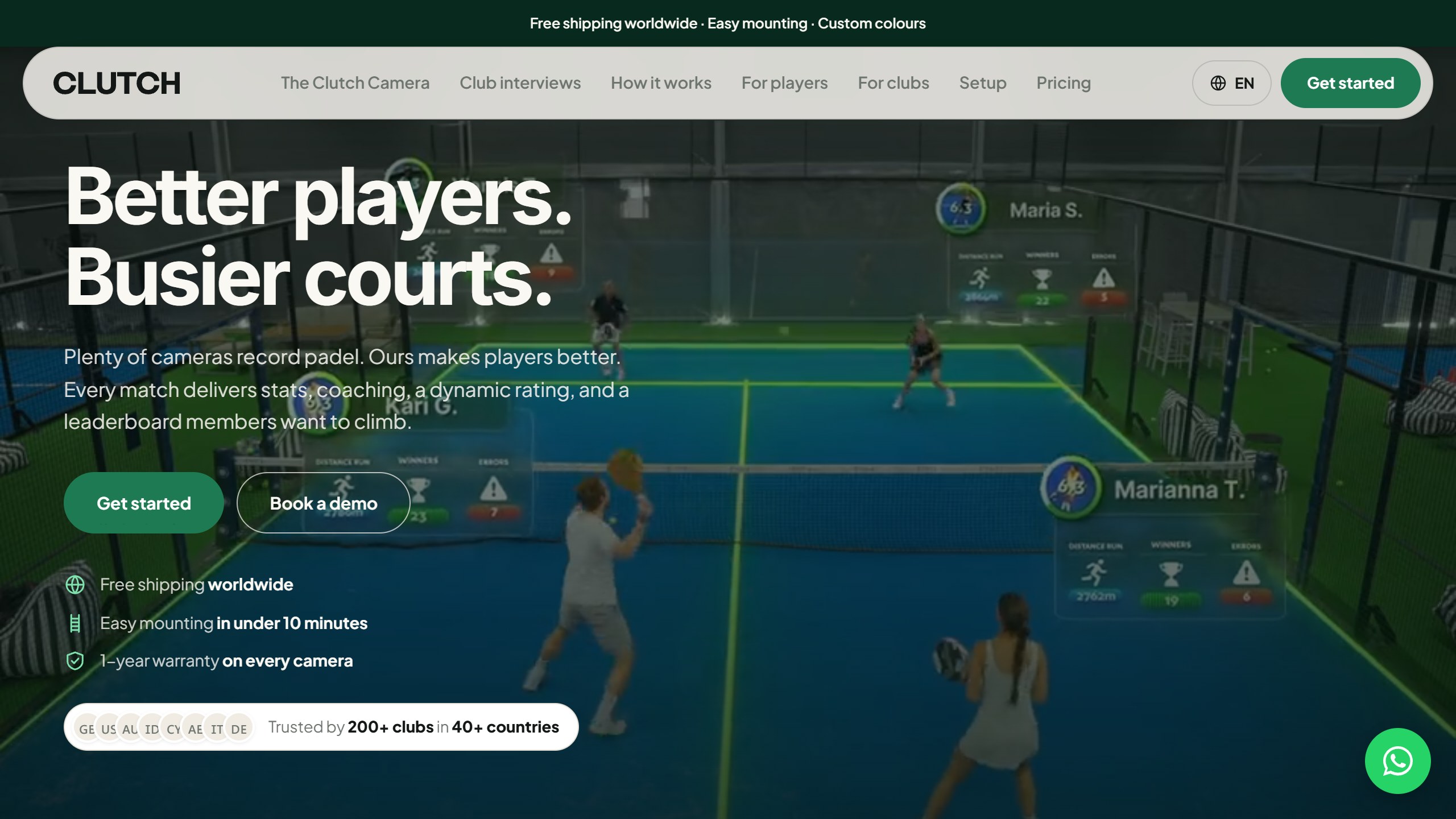
The padel turn. Clutch’s badminton roots are real. Both co-founders are badminton players, and the Android package name still says badminton. But the website has moved on. On 8 November its homepage called Clutch “The AI camera built for padel”, claimed “200+ clubs in 40+ countries”, and mentioned badminton only in the founders’ story. Its AI stats page says the model was “built specifically for padel” and quotes “90%+ Accuracy”, padel figures from the vendor. If your badminton club is offered a Clutch camera, ask which badminton stats it supports today.
What you pay. For clubs, the homepage lists €179 a court a month for 1 to 3 courts, €139 for 4 to 9 and €129 for 10 or more, “Billed in EUR”, with 10% off annual plans. For players, the US App Store lists Clutch Pro at $9.99 a month or $79.00 a year, single recordings from $1.99 for 30 minutes to $6.99 for more than 2 hours, a “Recording with AI analysis” at $3.99, and credit packs of 10 hours for $19.99 or 50 hours for $69.99. What a club charges you at its own courts may differ.
Data and age. Clutch’s privacy policy (last updated September 2026) lists match video and audio among the data it processes, and lists developing, training and validating its AI among the purposes. Its AI stats page says player faces are targeted to keep each player’s stats tied to the right person. Under 13s cannot register, and the policy notes that “recordings may include minors” because the cameras sit in sports venues. The website uses Google Ads and Meta Pixel cookies.
The iPhone app had 3.7 from 3 US ratings and was updated on 28 October 2026. The Android app had 10K+ downloads.
Choose it if your club already has Clutch cameras or is choosing a court camera system. Skip it if you want to analyse video you film yourself.
2. PlayStat.ai: scoring and tournaments with an AI coach, from Bengaluru
PlayStat.ai, from GVCC Solutions in Bengaluru, starts as a scoring and tournament app for clubs and academies and adds an AI coach. Its App Store listing covers live point-by-point scoring, draws and brackets, player profiles, a rating, and an AI Coach where you “Upload match video for tactical analysis” and “Ask questions about your game and get answers grounded in your own match data”. The website also lists pickleball and table tennis, and on 8 November its homepage was promoting a doubles tournament in Bengaluru, so expect an Indian club scene first.
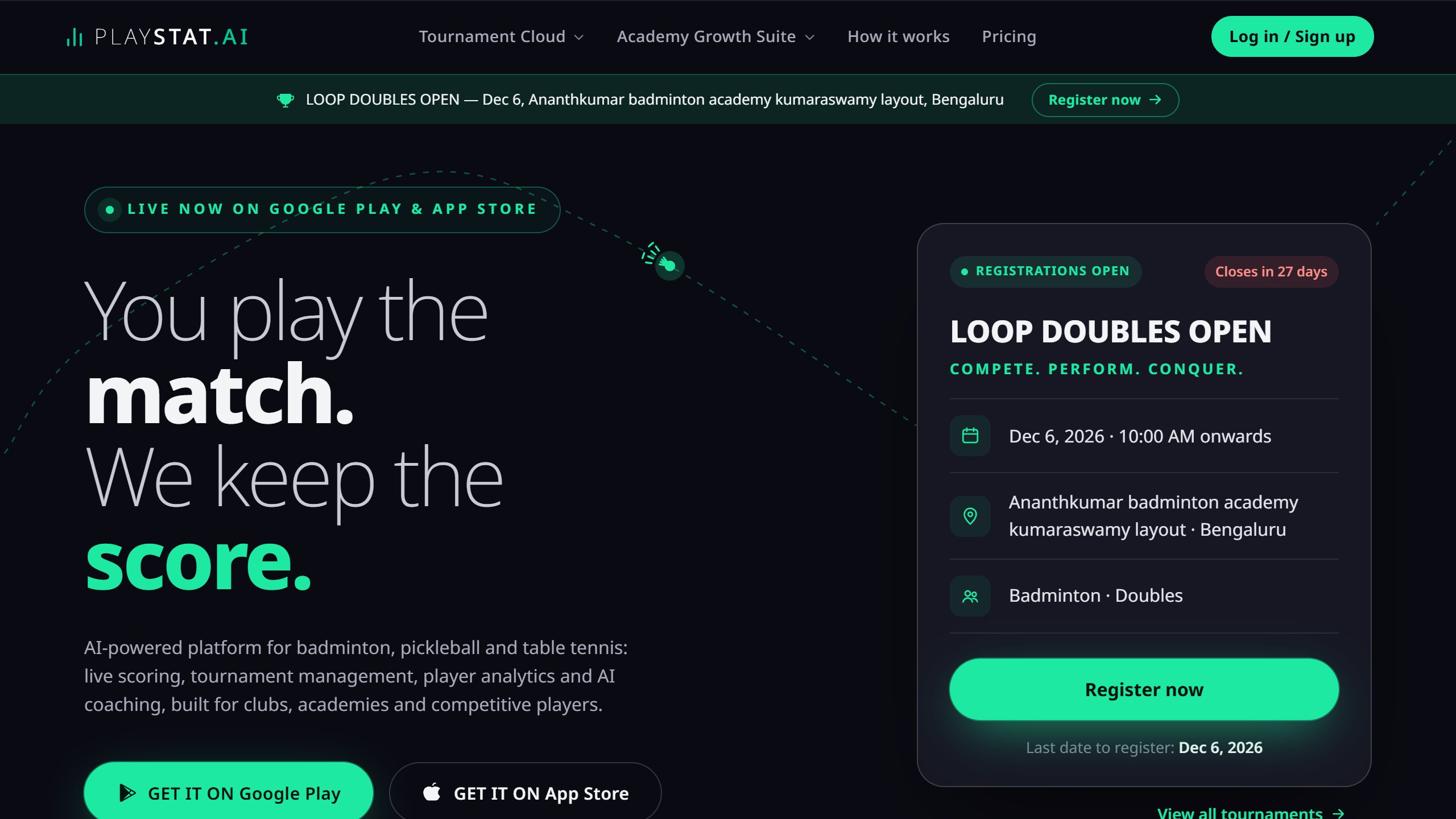
What you pay. The website says “Players never pay to score matches and track stats”. It served our Indian connection prices in rupees, so these are regional: Player at ₹199 a month with 1 video upload, Pro at ₹499 with 3, and Elite at ₹1,499 with 10, each with a daily allowance of AI “tokens”. The US App Store lists Player at $1.99, Pro at $4.99 and Elite at $14.99, plus $22.99, $59.99 and $179.99 versions that are probably longer terms, though Apple’s list does not label the period.
Data and age. This privacy policy (last updated 16 July 2026) is unusually direct. By accepting the terms, you give the company a licence to use your match data “in identifiable, pseudonymized, or anonymized form” to train its AI models. You can email to be left out of future training, but data already used stays in the models. It names “Anthropic (Claude AI)” as the provider that receives your stats, shot profile and AI Coach messages, and says the app shows a notice first. Match videos are hosted on Cloudflare R2. The policy says the platform “is not directed at children under 18”, and a club or coach who adds a junior is responsible for parental consent. A scouting feature is opt-in.
The iPhone app had no US ratings and was updated on 6 November 2026, at version 0.0.27. The Android app had 100+ downloads.
Choose it if you run club nights or tournaments and want scoring with an AI layer on top. Skip it if you would rather your match data stayed out of model training by default.
3. Bdmntn: a phone behind the baseline, and honest limits
Bdmntn, from developer Yu-Wen Kuo, asks you to put your iPhone on a tripod behind the baseline. While it records, it works out when a rally is on and when players are picking up the shuttle or resting, and splits the session into rallies. Afterwards it analyses the whole video again, then shows each rally on a top-down court with where everyone stood, who hit and which zone the shuttle went to. Match stats cover the number of rallies, the share of time actually playing, rally lengths and the longest rally. A pre-recording check confirms the whole court is in frame.
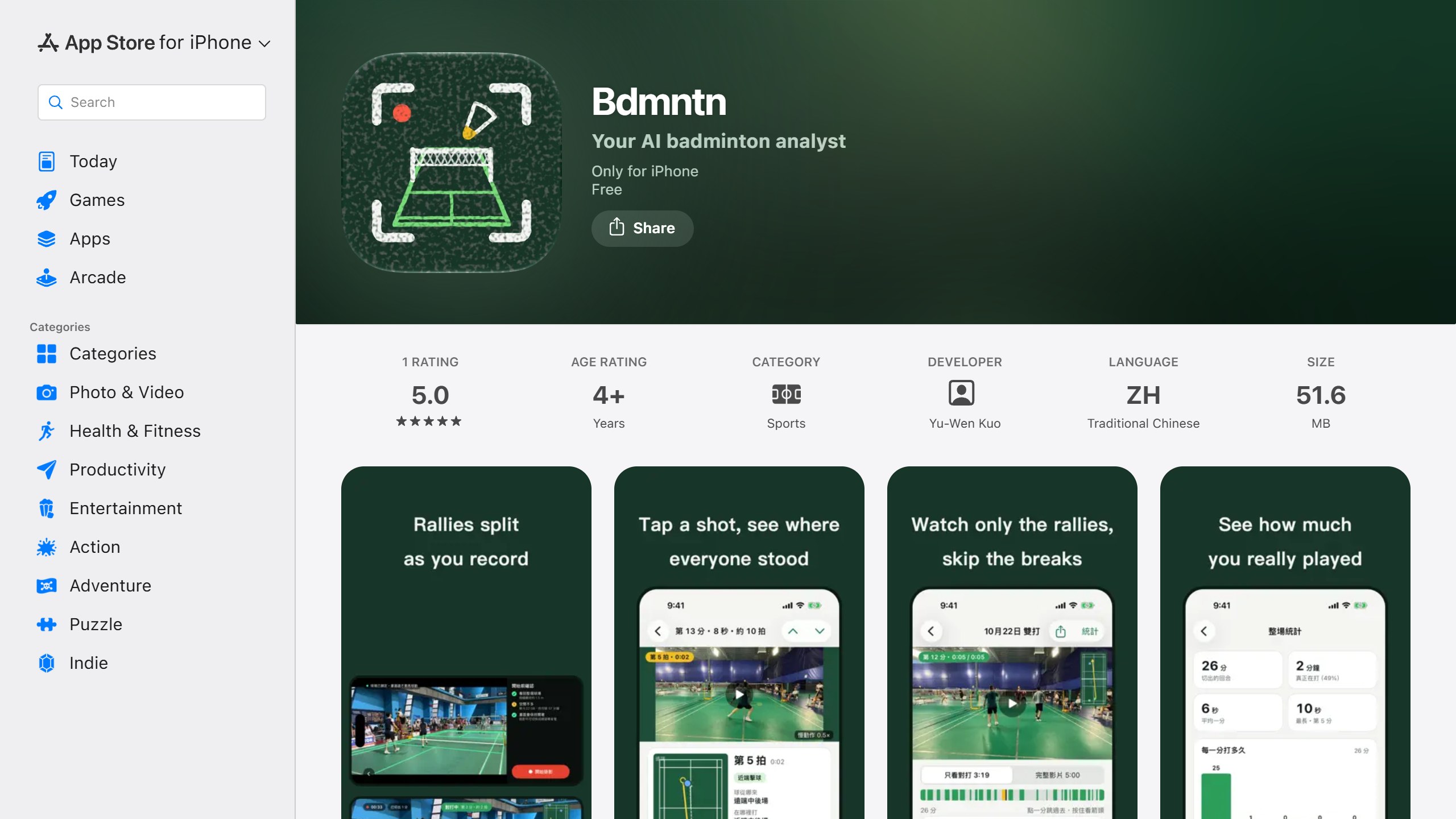
The listing is careful about what it cannot do. Shot counts are always shown as “about N shots”, a footwork movement may be counted as a shot, and the app “does not identify shot types and does not measure shuttle speed”. Version 2.0 removed the shot types and shuttle paths that version 1.0 had, as “not accurate enough on everyday amateur footage”. It also warns that one hour of recording takes about 5.5 GB.
The language catch. The listing says “The app interface is currently in Traditional Chinese only”. The App Store description is in English, but the app itself is not.
What you pay. The US App Store lists no in-app purchases.
Data and age. The listing says “All analysis happens on your iPhone. Videos are never uploaded. No account and no internet connection needed”, and the App Store label says the developer collects no data. The linked privacy page did not load for us, so we could not read an age policy.
The app had 5.0 from a single US rating and was updated on 24 October 2026.
Choose it if you want free rally splitting and court positions that never leave your phone, and can work in Traditional Chinese. Skip it if you need an English interface or shot types.
4. Badminton Analyst: ask a question about a 2-minute clip
Badminton Analyst, published by IncubusLab in France, works more like a coach you message than a stats app. Its listing says you “film a clip of up to 2 minutes, say who to watch and what you want to know, in your own words”, for example the player in red or the player nearest the camera, and your footwork or positioning. The analysis covers “footwork, balance, positioning, court coverage, tactical tendencies”, in any of 11 languages, with a push notification when it is ready.
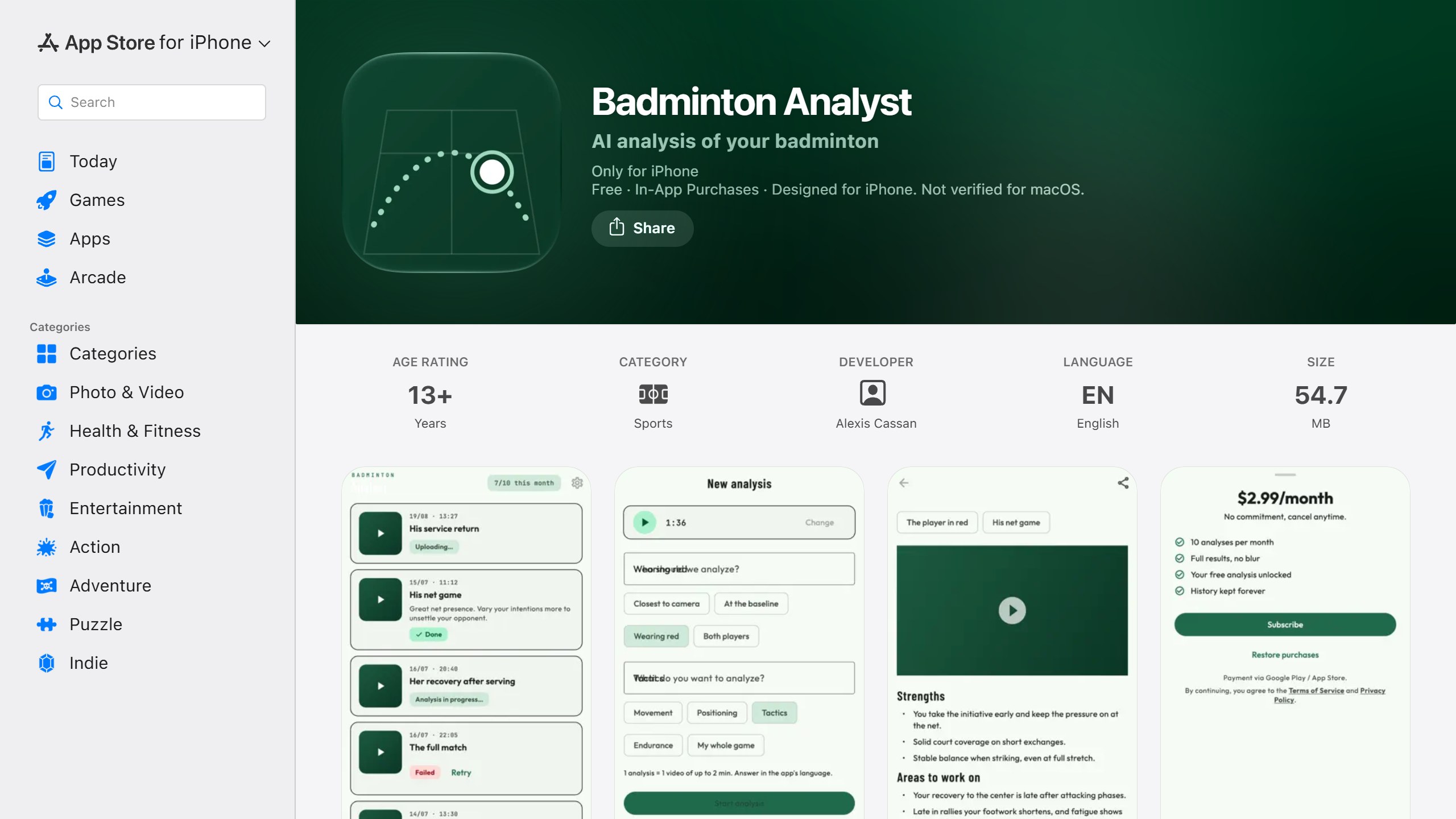
What you pay. The first analysis is free. The listing quotes €2.99 a month after that, and the US App Store lists Badminton Analyst Pro at $2.99.
Data and age. The privacy policy (last updated 19 August 2026) says the video goes to “a third-party artificial intelligence provider”, which it will name on request, and that the server copy is “automatically deleted after 30 days”. It says it serves no advertising and sells no data, and that the app “is not intended for children under 13”. Videos of minors are the responsibility of the parent who submits them, and you should only upload people who have agreed to it.
The app had no US ratings and was updated on 10 September 2026.
Choose it if you want plain-language feedback on one part of your game for the price of a coffee a month. Skip it if you want measured numbers, or want to know which AI company sees your clip before you send it.
5. Smashspeed: a speed gun in your phone
Smashspeed does one thing. Its App Store listing says the AI will “automatically detect the shuttlecock and calculate its peak speed”, and adds the smash’s downward angle, frame-by-frame speed and a global leaderboard. Its site says to “Place your iPhone on the sideline”, and its help centre explains calibration, turning pixels into real speed with a reference line that defaults to a 3.87 m court distance. The detection runs on the phone, so it works without a signal.
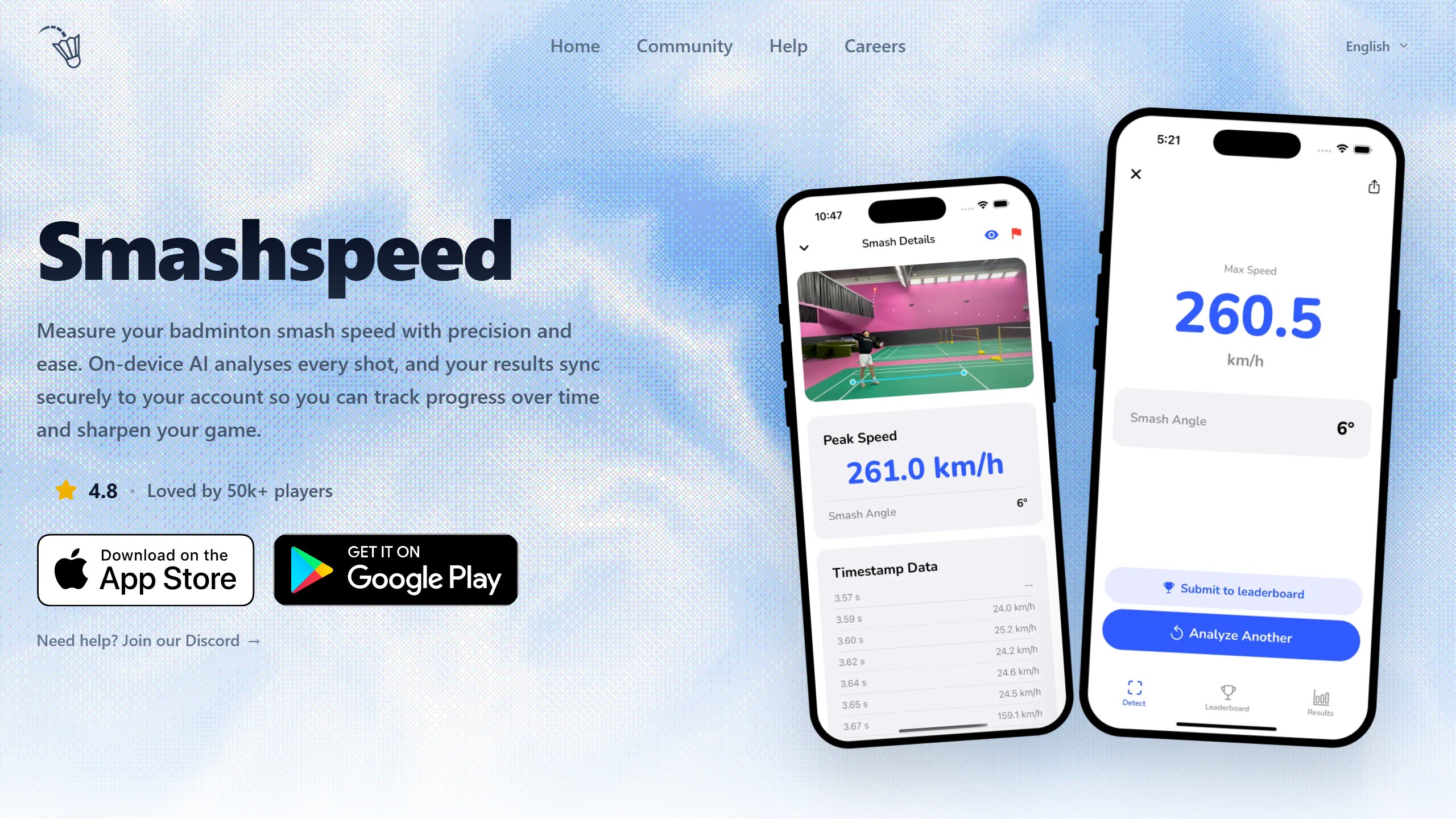
The site claims “95%+ accurate vs radar guns” and “50k+ players”. Both are the vendor’s figures. Its own privacy policy is more modest: speed values “are estimates, not certified measurements”. Angle and calibration both matter, so compare readings only between videos filmed the same way.
What you pay. The US App Store listed no in-app purchases on 8 November, while the Google Play listing says it has in-app purchases and the policy mentions subscriptions. Check inside the app before you rely on any feature staying free.
Data and age. Detection happens on the phone, but the policy says videos and results “are associated with your account and stored on our cloud infrastructure”. It also says your videos “may also be used to train and evaluate computer-vision models and may be released to the scientific and research community as part of public datasets or benchmarks”, after faces are blurred and names removed. Leaderboard entries show your video, speed, country and display name publicly. The service is not directed to under 13s, or under 16s in parts of Europe.
The iPhone app had 4.8 from 21 US ratings and was updated on 15 July 2026. The Android app had 10K+ downloads and was updated on 13 July 2026.
Choose it if you want a number to chase and a fun way to measure power. Skip it if you do not want your smash videos in a possible public research dataset.
6. GoodShot: strokes and swing speed from an Apple Watch
GoodShot, from GoodShot Technology, needs no camera. Its listing says to “wear your Apple Watch on your racket arm” and open the watch app before you play, and the app then recognises smashes, forehand and backhand strokes, overhead and underhand shots and high clears, along with swing speed, swing frequency, heart rate and calories. You get a “Badminton Performance Index”, stroke ratios, shot distribution and daily to yearly reports, and the workouts sync with Apple Health.
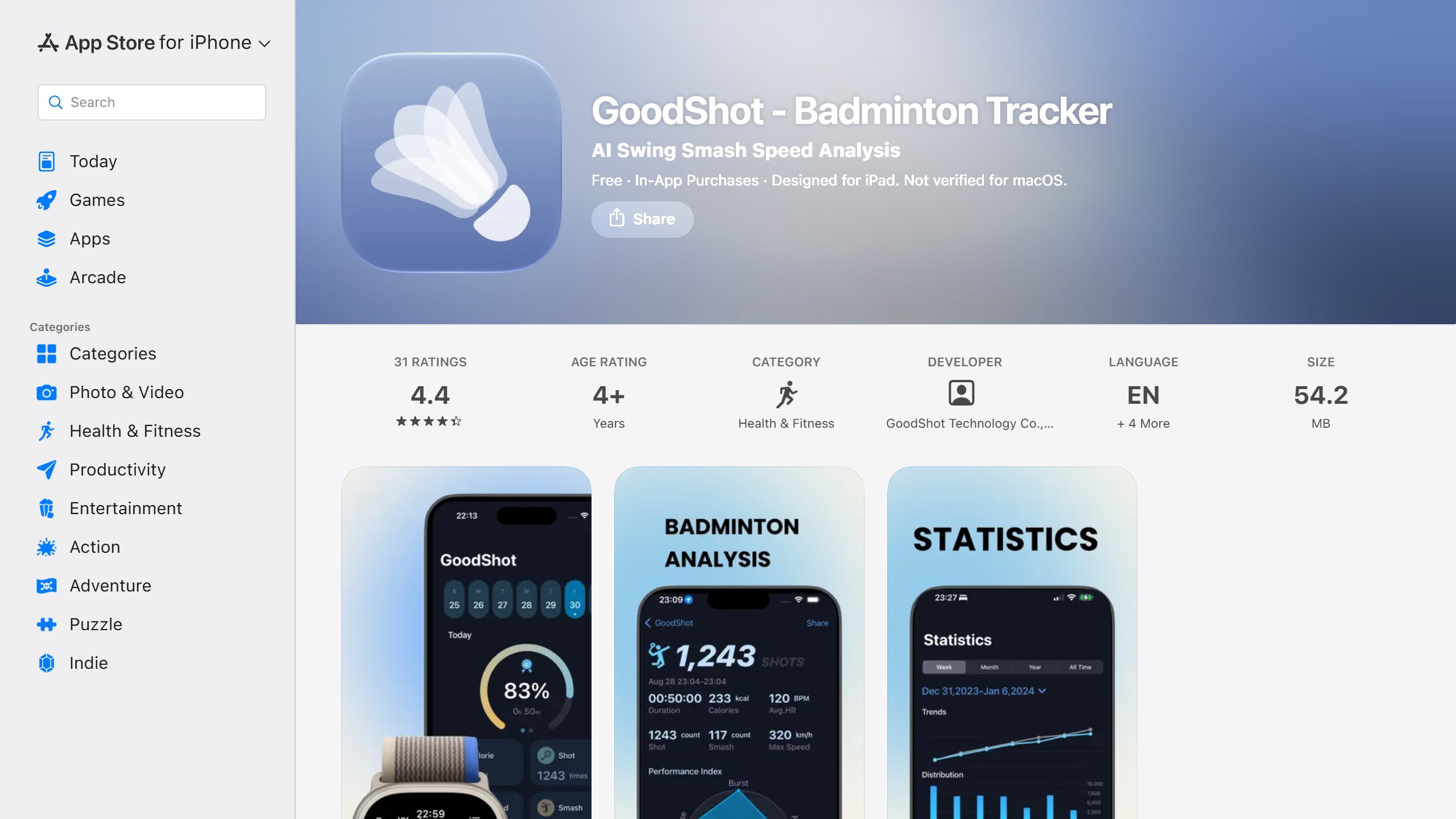
The trade-off is plain. A watch measures your arm, not the shuttle, so it cannot tell you where shots landed, whether they were winners or how you moved around the court. For players who want to track training volume and power, that may be enough.
What you pay. The US App Store lists Monthly at $1.99, Annual at $4.99 and Permanent at $9.99, among the lowest prices in this guide. You also need an Apple Watch and an iPhone.
Data and age. The App Store label lists identifiers as data used to track you across other companies’ apps and websites. The privacy link on the listing did not load for us, and the policy linked inside the app description is a Chinese-language document that describes phone-number sign-in and Huawei watch services, so we could not confirm which policy covers the US app. Ask GoodShot before buying for a junior.
The app had 4.4 from 31 US ratings, the most in this guide, and was updated on 17 October 2026.
Choose it if you already wear an Apple Watch and want stroke counts and swing speed without filming. Skip it if you play with an Android phone, or want court position and tactics.
7. RallyShot: cut and score a match on your iPhone
RallyShot turns a match recording into a scored rally video. You import a recording, the listing says you “review AI-suggested rallies”, adjust the cuts, mark who won each rally and export the match or highlights to Photos. The listing is candid that “AI suggestions may need correction”. It runs on iPhone and iPad, and the site says “Android coming soon” with no launch date.
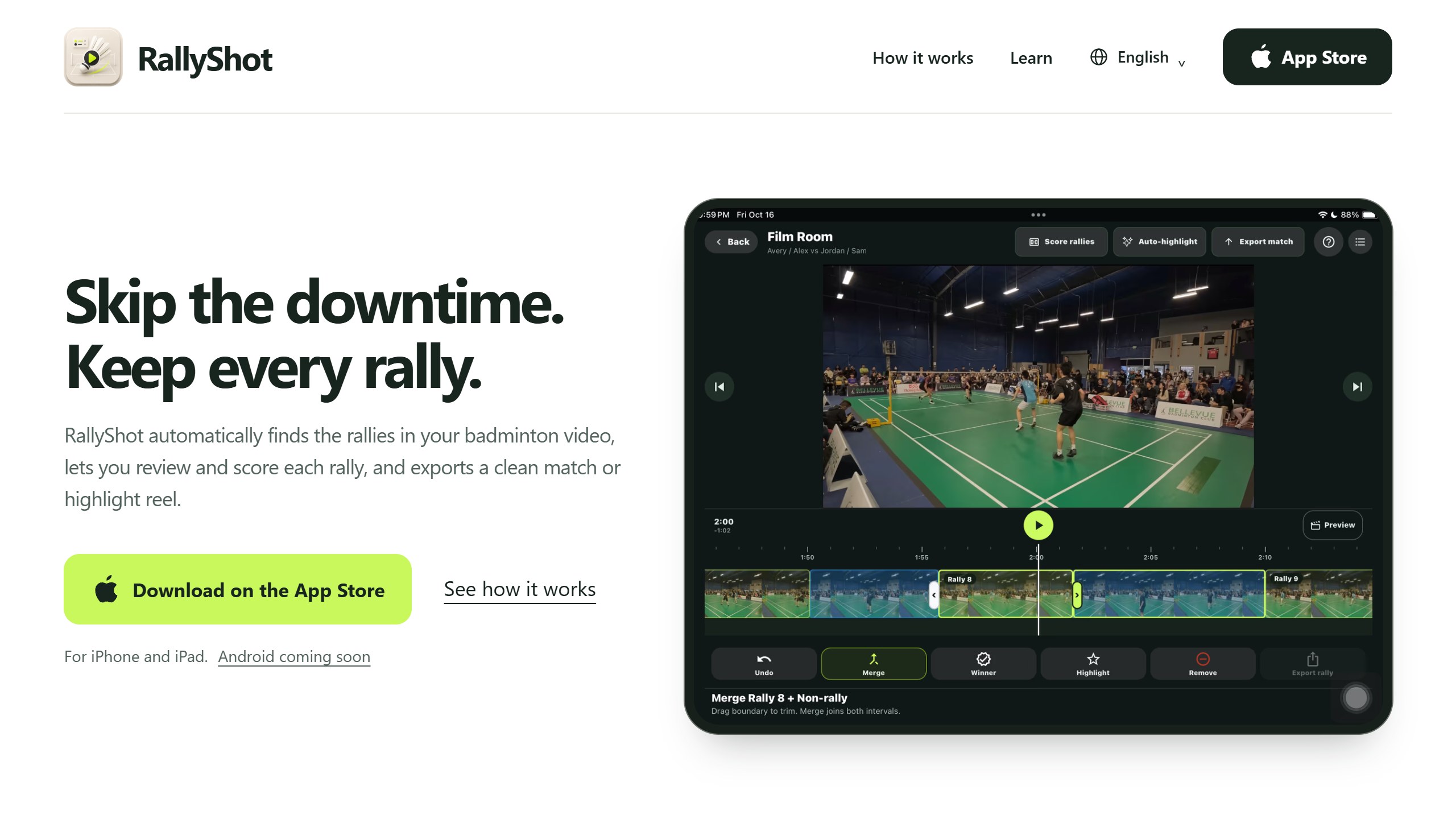
What you pay. The US App Store lists RallyShot Pro at $7.99 and at $49.99, without saying which is monthly or yearly. Check the period on the purchase screen.
Data and age. Core processing runs on the device, but the site says “Video sharing for AI training is on by default for new matches. Turn it off before you tap Review, or change the default in Profile.” The privacy policy (effective 28 October 2026) repeats that toggle and says the app is not intended for children under 13. If you film club mates or juniors, switch the default off first.
The app had 5.0 from 4 US ratings and was updated on 7 November 2026.
Choose it if you want a clean scored match video for a coach or a club channel. Skip it if you would forget to turn off training sharing.
8. RallyCut: offline rally cutting, iPhone or Mac
RallyCut, from an independent developer, uses AI to “automatically split rallies and remove unnecessary footage”, then gives you scoring, effects, frame-by-frame playback and merged exports for highlight reels. The listing says “The AI model is built into the app and runs completely offline on your device”, and its latest release notes mention batch export and a macOS version.
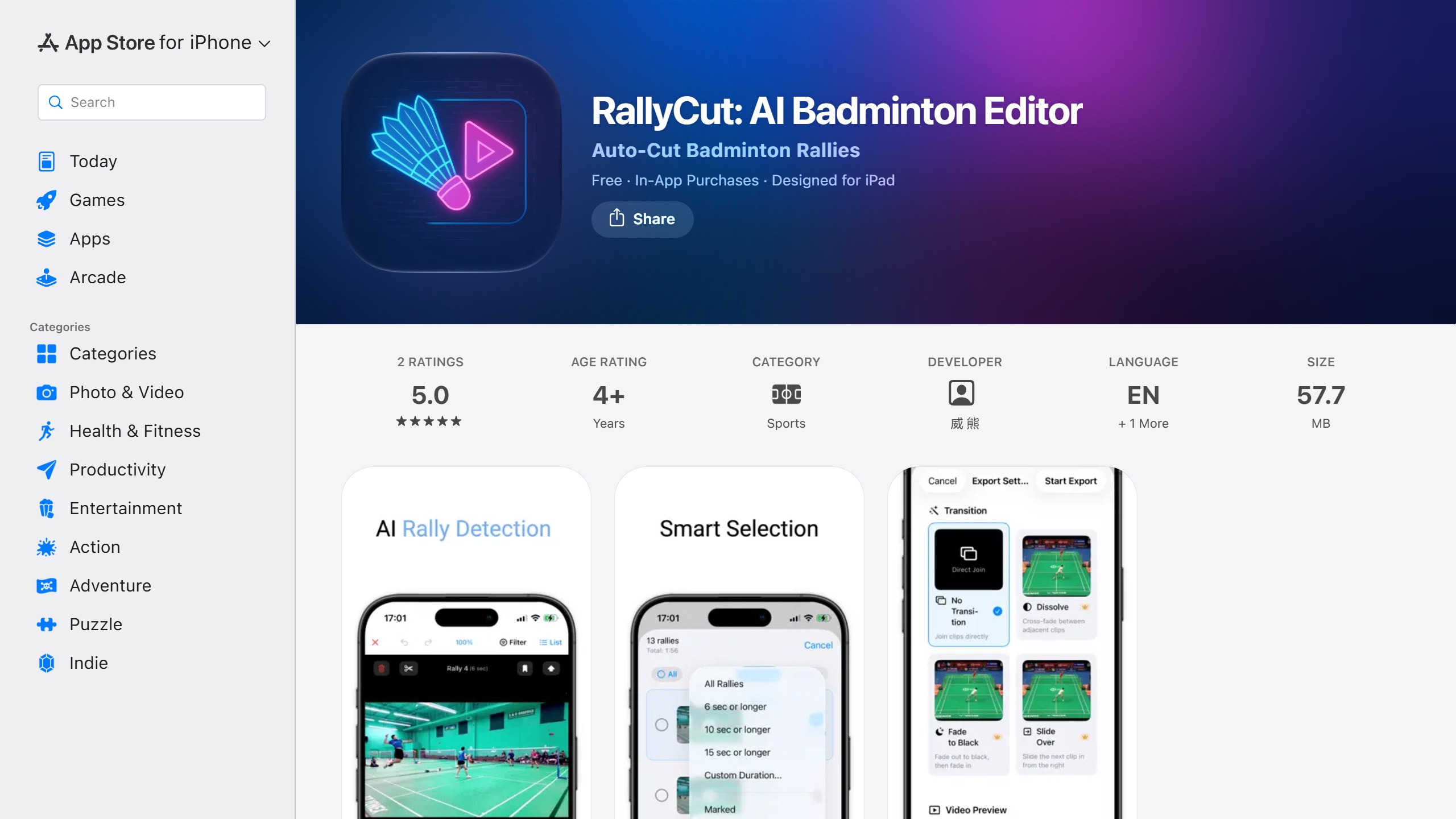
What you pay. The US App Store lists membership at $1.99 a month, $9.99 a year or $19.99 for life, plus small coin packs with labels in Chinese.
Data and age. The App Store label lists analytics and photos or videos as collected but not linked to you. The privacy policy sits on a Notion page that did not load for us.
The app had 5.0 from 2 US ratings and was updated on 30 October 2026.
Choose it if you want a cheap one-off purchase for cutting rallies, including on a Mac. Skip it if you want scored exports with a published privacy policy you can read.
What about line calls?
None of the eight apps above claims to call a shuttle in or out, and the well-known tennis apps do not cover badminton. SportAI’s FAQ lists tennis, padel and pickleball as its supported sports. In badminton, AI line calling is a tournament system. In April 2026, Malay Mail reported that Malaysian firm Revealtek had deployed an AI instant review system at the national under-18 championships, described as “one of only four systems globally approved by the BWF”, and that comparable systems at international events “can exceed US$100,000 (RM396,750) per tournament”. That is a long way from a phone on a tripod. If an app ever promises line calls from one phone, ask for evidence.
Who sees your footage
Club badminton means filming other people, often juniors. Here is what each policy or vendor page says:
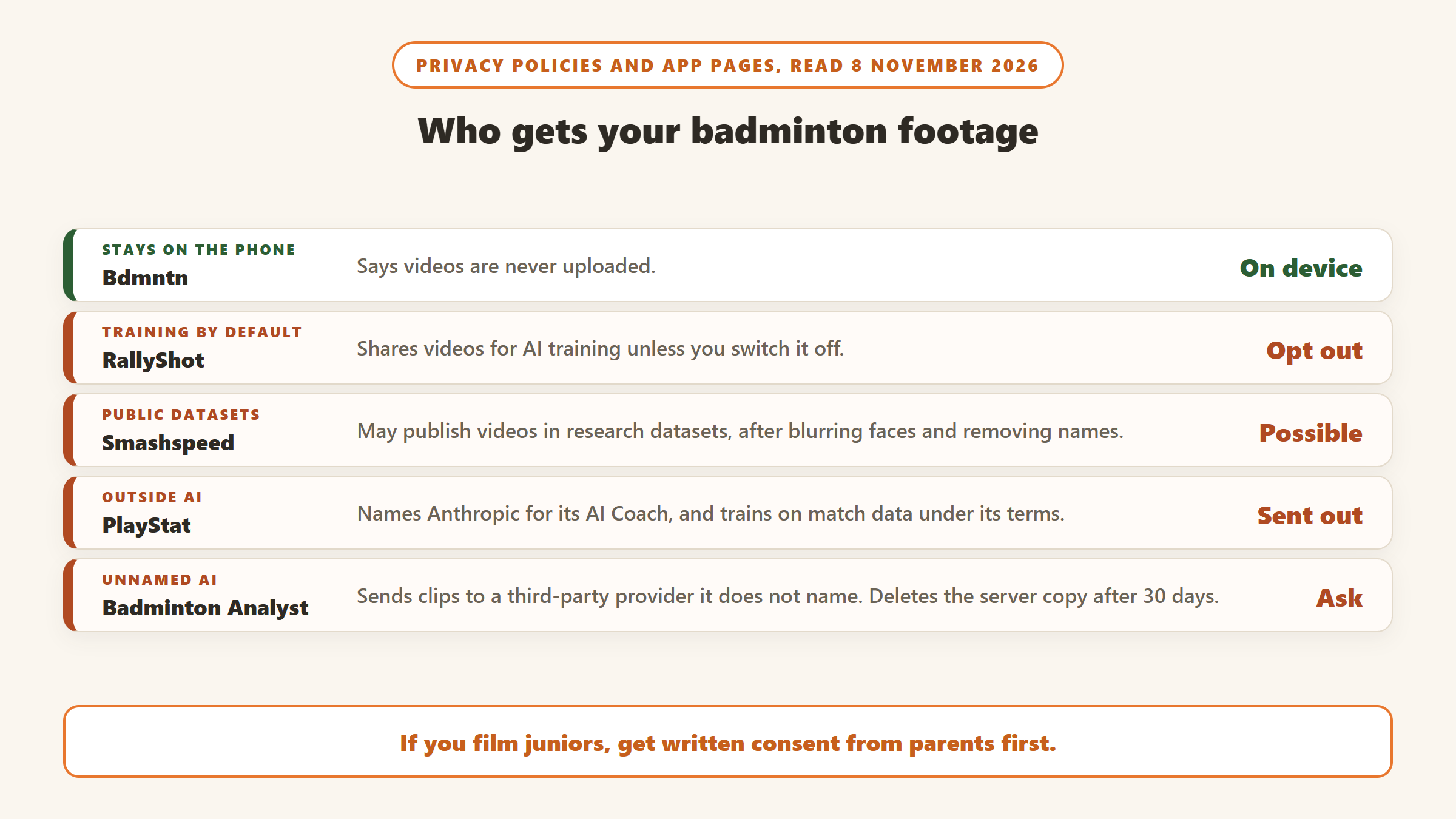
- Stays on the device: Bdmntn says videos are never uploaded. RallyCut says its AI runs offline. RallyShot processes on the device, but see the next point.
- Used for AI training by default: RallyShot shares videos for training unless you switch it off. PlayStat trains on match data under its terms, with an email opt-out for future training only. Clutch lists AI training among its purposes.
- Possible public research datasets: Smashspeed, after blurring faces and removing names.
- Sent to an outside AI company: PlayStat names Anthropic for its AI Coach. Badminton Analyst uses an unnamed third-party provider and deletes the server copy after 30 days.
- Under 13s and juniors: Badminton Analyst, Smashspeed, RallyShot and Clutch say they are not for under 13s or do not let them register. PlayStat says it is not directed at under 18s and puts parental consent on the club or coach.
- Could not read a current policy: GoodShot, Bdmntn and RallyCut, whose linked pages did not load for us or did not clearly cover the US app.
If you coach juniors, get written consent from parents before you film, and pick an on-device app for anything you do not need to share.
What a year costs
Using prices listed on 8 November 2026, here is a year of each paid option for one player, assuming prices hold:
- GoodShot: $4.99 a year, or $9.99 once, plus the Apple Watch you need.
- RallyCut: $9.99 a year, or $19.99 once.
- Badminton Analyst: about $35.88 a year, if the $2.99 Pro price is monthly as the listing’s €2.99 a month suggests.
- Clutch Pro: $79.00 a year, useful only if you play on Clutch courts.
Bdmntn and, for now, Smashspeed cost nothing on the US App Store, and PlayStat lets players score for free. A season of club badminton is often a few months, so monthly billing can beat a yearly plan if you only need an app during league season.
What we left out, and why
BadPro+ promises shot detection from phone video and “99% Accuracy” at $24.99 a month, but gives no method, does not name its founders, and had no US ratings on 8 November. SportArc lists badminton for its Auto Cut, but its AI coach and match analysis are described for table tennis. Aero AI is a multi-sport highlight editor that includes badminton, without badminton analysis. YUJI tracks watch data and shows nearby users’ contact information on a map, with 3.7 from 6 ratings. KeepSwinging, another Apple Watch tracker, was last updated in July 2025. Coollang’s smart badminton sensor app was last updated in January 2023, and we found no current badminton racket sensor with a dated listing. MatchPoint Coach gives AI insights from scores you type in and had no US ratings. Apus Vision did not appear in the US App Store. Several brand-new single-skill apps, such as a forehand clear analyser, had no ratings yet, and an “AI Badminton Scorer” on Google Play is a manual score counter. Badminton games are excluded. Play padel or tennis as well? Our guide to AI tennis and padel training apps covers off-court fitness plans.
How to choose an AI badminton app
Start with the setup you can manage
If you train alone or with one partner, a single-smash or single-clip app is easy: Smashspeed for power, Badminton Analyst for feedback. If you play matches and someone can set up a tripod behind the baseline, Bdmntn or a rally editor will get you more. If you wear an Apple Watch, GoodShot needs no setup at all. If your club is looking at cameras, Clutch is the one to ask about, with the padel question in mind.
Check the language and platform
Bdmntn’s interface is in Traditional Chinese only. GoodShot needs an iPhone and an Apple Watch. RallyShot and Bdmntn have no Android app. Smashspeed, Clutch and PlayStat have Android versions.
Use the free part first
Badminton Analyst gives one free analysis. Bdmntn and Smashspeed listed no purchases. PlayStat lets players score for free. Clutch can be paid per recording. Film the same rally twice and see whether the app tells you the same thing both times.
Treat accuracy claims as marketing until shown otherwise
Smashspeed claims 95%+ against radar guns, and Clutch quotes 90%+ for padel. None of them says how it measured this, and we found no independent test. The most useful sentence in this whole category may be Bdmntn admitting shot types were not accurate enough on amateur footage.
Use apps alongside coaching, not instead of it
Footwork, grip and timing are what most players work on with a coach, and they are where these apps say the least. Use a rally editor to show your coach the right moments, and use a speed or stroke app to track training. If you also coach other racket or swing sports, our guides to AI tennis coach apps and AI golf swing analyzer apps cover the same camera questions.
Verdict
For most club players, the free tools make the best start: Smashspeed for a smash speed you can track, and Bdmntn for splitting a match into rallies on the phone, if you can work in Traditional Chinese. Badminton Analyst is the low-cost way to get written feedback on one clip, and GoodShot suits Apple Watch owners who want stroke counts without filming. RallyShot and RallyCut save time for anyone sending match video to a coach. Clutch is a club decision, and PlayStat is an early product that needs more user reviews before its claims can be judged. None of them replaces a coach watching you play.
Training for another sport too? See our comparisons of AI volleyball apps and AI basketball training apps.
Sources
- Clutch: website and pricing, about page, AI stats page, privacy policy, US App Store listing, Google Play listing.
- PlayStat.ai: website and pricing, privacy policy, US App Store listing, Google Play listing.
- Bdmntn: US App Store listing.
- Badminton Analyst: US App Store listing, privacy policy.
- Smashspeed: website, help centre, privacy policy, US App Store listing, Google Play listing.
- GoodShot: US App Store listing.
- RallyShot: website, privacy policy, US App Store listing.
- RallyCut: US App Store listing.
- Line calls: Malay Mail, 30 April 2026, SportAI FAQ.
- All pages and listings read 8 November 2026.

Written by
FazFaz is the founder of AIToolsBakery. Some tools here are tested hands on. Others are assessed from vendor documentation and pricing verified on the live page, and every review says which one it is. Sponsors can buy a position in a guide. They cannot buy the score, the criticism, or silence about a better option.
How we test and how we make money →