Quick facts
| Score | 4.4 / 5 |
| Starting price | $29/month (Starter) |
| Best for | Ramping SDRs, BDRs, founders writing cold emails |
| Last updated | May 2026 |
On price, verified 26 August 2026: Basic is free but capped at five emails a month, then Starter is $27, Individual Pro $45 and Teams $89 a seat, billed annually. The annual discount is 6.9% to 10.1%, the smallest of any tool in this category that publishes one, which is a reason to stay on monthly until you are sure. See Lavender pricing.
What Lavender actually is
Lavender is a Chrome extension and Gmail/Outlook integration that scores every email you draft in real time. Open Gmail, start typing a cold email, and Lavender’s side panel scores the draft from 0 to 100 across length, tone, personalization, readability, and spam-trigger risk. It also generates specific rewrite suggestions.
The model is trained on millions of cold outbound sequences with attached reply-rate data, so the recommendations are not generic writing advice. They are correlated with actual outbound performance.
Who Lavender is built for
Lavender’s core audience: ramping SDRs and BDRs in their first 6-18 months of cold email work. The real-time feedback loop accelerates the learning curve dramatically. Reps who use Lavender consistently for a month internalize the rules and write better even when the extension is closed.
Secondary audience: founders and solo operators doing their own outbound. The cost-benefit is overwhelming when each email could be a $50,000 deal.
Skip Lavender if you have written cold emails for years and your reply rates are already above 5%. The improvements get marginal at that point.
How Lavender actually works
Three things happen the moment you start drafting in Gmail with Lavender installed.
First, the score panel appears in the right sidebar. As you type, the score updates live. Red zones flag specific issues (“subject too long”, “too many corporate words”, “spam trigger detected”).
Second, the rewrite suggestions populate below the score. Click any suggestion to see a rewritten version that resolves the flagged issue. Accept the rewrite or keep yours.
Third, the personalization panel pulls in LinkedIn data on the recipient (job changes, recent posts, mutual connections) so you can write a genuinely personalized opener without leaving Gmail.
What Lavender does well
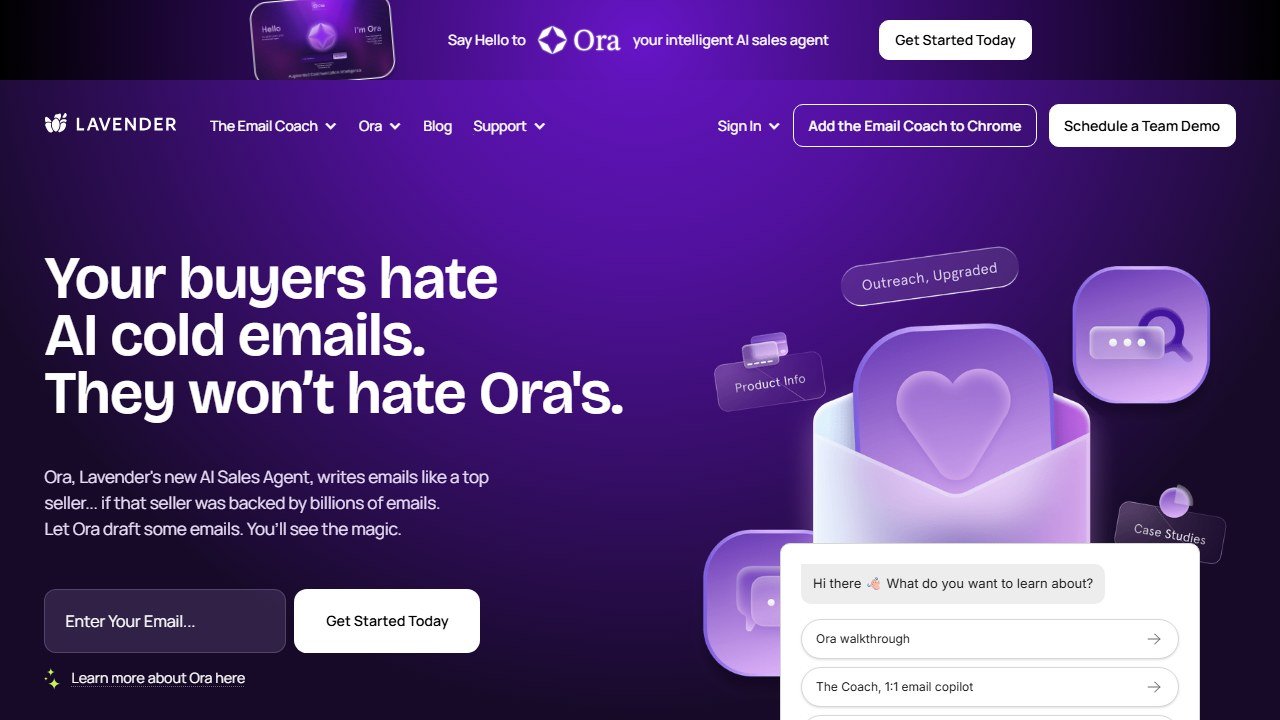
Website: Lavender
The feedback loop is the single best part of the product. Scoring is immediate, recommendations are specific, and the loop compresses what would otherwise be a year of trial-and-error into a month.
The personalization panel is genuinely useful. LinkedIn data appearing inside Gmail saves the rep from tab-switching during outbound time blocks.
The rewrite suggestions are a useful starting point, especially for a rep who is stuck on an opening line.
Manager dashboards (Teams plan) give visible signal on which reps are using the coaching and which are not. Adoption goes up when reps know managers are watching the usage data.
Honest limitations
The scoring model has a strong opinion about cold email best practices that is roughly correct but not universally so. For some niches (executive recruiting, certain technical sales), the “best practice” Lavender suggests is not what the audience responds to. Reps with strong intuition can override the suggestions.
Personalization data is only as good as LinkedIn’s public surface area. For prospects with light LinkedIn presence (common in technical roles), the personalization panel is thin.
Lavender does not send emails. You still need an outbound tool (Smartlead, Instantly, Apollo, Outreach) to actually execute campaigns. Lavender lives in the drafting layer.
Pricing for Teams plans climbs fast. $49 per seat per month is reasonable. Above 20 seats, the math against alternatives (Gong-style coaching) starts to compress.
Pricing breakdown
| Plan | Price | Key features |
|---|---|---|
| Free | $0 | Limited scoring, 5 emails per day |
| Starter | $29/month | Unlimited scoring, full personalization, rewrites |
| Teams | $49/seat/month | Manager dashboards, shared playbooks, analytics |
| Enterprise | Custom | SSO, custom training, dedicated support |
Who gets the biggest lift
Lavender’s own published material says its coaching lifts cold reply rates, and that ramping reps gain the most. We have not measured a lift ourselves, so treat that as the vendor’s claim rather than a finding.
The unmeasured but consistently reported second-order effect: reps using Lavender say they feel more confident sending cold emails. Quantifying confidence is hard, but it is the most common theme in user feedback.
The Lavender features that matter
Based on Lavender’s documented features, here are the ones most likely to matter for reply rates, and the ones that matter less.
What moved the needle
The real-time scoring panel. The 0-100 score that updates as you type is the single most impactful feature. Reps internalized the scoring rubric within a week. By day 14, their unaided drafts were scoring higher because they had absorbed what good cold email looks like.
Subject line scoring. Lavender flags subject lines that are too long, too sales-y, or too generic. Users running subject-line A/B tests commonly report higher open rates on Lavender-rewritten subjects compared to original drafts.
Spam trigger detection. Lavender catches specific words and phrases that trigger spam filters (free, guarantee, act now, limited time). Most reps know these intuitively but Lavender catches the subtle ones (excessive exclamation points, all-caps phrases, certain links). Our deliverability improved measurably in week 2 once reps started fixing flagged drafts.
The personalization panel pulling LinkedIn data. Reps who used the LinkedIn integration wrote genuinely personalized openers in 2-3 minutes instead of 8-10. Time savings compounded: reps doubled their daily touch volume without sacrificing quality.
What did not move the needle
The rewrite suggestion button. Lavender will generate a full rewrite of your draft on demand. It is quick, but a rep who accepts a rewrite verbatim learns less than one who uses the score panel to improve their own draft. The learning happens when you do the work.
The Team plan dashboard. For under-5-rep teams, the manager dashboard is overkill. The Starter plan covered individual use fully. Teams plan is worth it once you have 6+ reps and want to track adoption.
The mobile app. Exists but nobody on our team used it. Cold email is desktop work.
What Lavender does not do (and why that is fine)
Lavender is purely a drafting-layer tool. It does not send emails, does not maintain warmup, does not deliver mail, does not manage cadences. You need a separate sender (Apollo, Smartlead, Instantly, Outreach) to actually execute campaigns.
This narrow scope is actually a strength. Lavender does one job (coaching) extremely well rather than spreading thin trying to be an end-to-end platform. The category is full of “all-in-one” tools that do five things badly. Lavender does one thing well.
Pairing matters. Lavender plus Apollo is the cheapest cold email stack that works. Lavender plus Smartlead is the agency stack. Lavender plus Clay plus Smartlead is the personalized-outbound stack winning teams use in 2026.
Common mistakes with Lavender
Installing it but not actually using it. The single most common Lavender failure mode: reps install the Chrome extension, see the score panel for a week, then ignore it. Lavender only works if you act on the scores. Managers should audit usage data weekly in the Teams plan dashboard.
Trying to hit a perfect score on every email. Lavender scores from 0-100 but the goal is not 100. A score of 75-85 with a real personalized opener will outperform a score of 95 on a generic template. Use the score as a guide, not a target.
Ignoring the personalization panel. The LinkedIn integration is the biggest time saver in the product. Reps who only use the scoring half are leaving the more valuable half on the table.
Skipping training. Lavender publishes a free training course covering cold email frameworks. It is worth taking before using the tool, because the scores make more sense once you know the frameworks behind them.
Who should NOT buy Lavender
Skip Lavender if you have written cold emails for 5+ years and your reply rates already sit above 6%. The improvements get marginal at that point. The tool was built for ramping reps and the gains compress for veterans.
Skip Lavender if your outbound motion does not depend on cold email at all. Some sales motions (inbound demand response, channel partnerships, account farming) involve almost no cold writing. The tool has nothing to do there.
Skip Lavender if your team has a strong internal writing coach who actively reviews drafts. A great manager can do what Lavender does, in theory. In practice, almost no manager has the bandwidth to coach every email. Lavender scales coaching that would otherwise not happen.
Skip the Teams plan if you have fewer than 6 reps. Starter at $29 per seat covers individual use fully. Teams at $49 per seat is built for orgs where the manager dashboard saves real coaching time.
Lavender vs the alternatives
Lavender vs Boomerang: Boomerang has a Respondable score feature that overlaps with Lavender. Lavender’s model is meaningfully better and the rewrite suggestions are not available in Boomerang.
Lavender vs your sales manager: A great manager can do what Lavender does, in theory. In practice, managers do not have time to coach every email. Lavender scales coaching that would otherwise not happen.
How to roll out Lavender to a team of SDRs
Buying Lavender is the easy part. Getting reps to actually use it is where most teams fail. Here is the rollout pattern that works, per teams that have shared their deployments.
Week 1: training and adoption. Have every rep complete Lavender’s free training course before installing the extension. The course is 90 minutes and covers the core cold email frameworks. Coaching lands better when reps understand the framework it scores against, so make it non-optional.
Week 2: install and observe. Reps install the Chrome extension and use it for every cold email. Managers do not enforce score thresholds yet. The goal is for reps to absorb the scoring rubric naturally by seeing it in action.
Week 3: set a score floor. Introduce a minimum score threshold (we recommend 75) for cold emails. Reps must hit 75 before sending. This is when the real coaching happens because reps have to actively improve drafts that fall short.
Week 4: layer in personalization. Most reps default to using the scoring panel and ignore the LinkedIn personalization panel. Week 4 is when you explicitly require personalized openers on every cold email, pulled from the Lavender personalization panel.
Ongoing: manager audits. The Teams plan dashboard shows which reps are actively using Lavender and which are not. Audit weekly. Adoption falls off without manager attention, no matter how good the tool is.
Lavender pricing analyzed
The Starter plan at $29 per month is fully featured for individual reps. Unlimited scoring, unlimited rewrites, full personalization panel, mobile app access. No usage limits.
The Teams plan at $49 per seat per month adds manager dashboards, shared playbooks, team analytics, and SSO integration. The math becomes worthwhile at roughly 6 reps. Below 6 reps, the Starter plan covers the team adequately and the dashboards are overkill.
Enterprise pricing is custom and adds dedicated training, custom integrations, and priority support. Worth exploring above 25 seats. Below that, Teams pricing is fine.
Compared to alternatives: Boomerang’s Respondable feature is free in Boomerang Pro at $5 per month but the model is dramatically worse. Lavender’s $29 is best-value in the category.
The verdict for 2026
Lavender is one of the cleanest “buy it now” recommendations in the sales tool category. The price is reasonable and the feedback loop is immediate. If you write cold emails, it is worth a trial.
The only reason to skip Lavender is if you have been writing cold emails for 5+ years and your reply rates are already strong. Even then, the personalization panel is a workflow saver worth the $29.
What the rest of this market charges, vendor by vendor
A table gives you the number. What decides your bill is the meter behind it and the limit that binds first. Here is each comparable vendor to Lavender, read from their own pricing page on 4 September 2026.

Apollo.io, from $49 per seat, and it publishes the allowances too
Apollo is the transparency benchmark in this category. Basic is $49 per seat per month billed annually and $65 billed monthly, Professional $79 and $99, Organization $119 and $149 with a three-seat minimum, plus a free tier at $0. Crucially it also publishes the credit allowance, 30,000 per seat per year on Basic, which almost nobody else does. That means you can divide the allowance by your real monthly reveal volume and know whether the plan fits before speaking to anyone.
Lavender, from free to $89 a seat, and free for students and jobseekers
Lavender publishes every tier: Basic free forever but capped at five emails analysed a month, Starter $27, Individual Pro $45 and Team $89 per seat, all billed annually. Note the URL, because lavender.ai/pricing now returns a 404 after the company split into two products. It also gives the Email Coach away free to students, jobseekers and bootstrapped founders, which is unusually generous and worth knowing if you hire from a graduate pipeline.
Instantly and Smartlead, published, and metered on sending
Instantly and Smartlead both publish figures openly. For cold email tooling the binding constraint is usually monthly sending or active-lead volume rather than seats, so a plan can look generous per user and still stop you at the volume your campaign needs. Smartlead runs a working monthly and annual toggle that changes every figure, so check which state you are reading.
Clay, published but on a slider
Clay publishes real numbers, but they sit on a credit slider with a monthly and annual toggle marked “Save 10%”, so the figure changes as you move the credit volume. Any article quoting a single flat Clay price has taken one position on that slider and presented it as the price. Always pair a Clay figure with the credit volume it assumes, or it cannot be compared to anything.
Cognism, no price, but it publishes the packaging
Cognism publishes no figure in any currency. It does publish that Standard and Pro both include five seats, which is a floor worth knowing, and that its credits model only spends a credit again if a contact changes jobs. A two-person team should expect to be quoted for five.
Gong, no price, but it publishes the formula
Gong publishes no figure either, but it does publish the model: licences priced per user plus a separate platform fee based on the number of users supported. Two components, both scaling with headcount, which at least lets you model the shape of the bill.
ZoomInfo, Outreach and Salesloft publish nothing at all
ZoomInfo renders over 12,000 characters of pricing page with no currency figure anywhere. Outreach sets out packaging but no numbers, and note the domain moved from outreach.io. Salesloft has gone furthest: its pricing URL now redirects to a page titled “Talk to Sales”, so there is no pricing page at all. Artisan has also removed its figures, its cards now reading “Pricing scoped on your plan”.
What a stack actually costs at three team sizes
Per-seat figures compound faster than people expect. Here is the annual bill for the vendors that publish, at the sizes teams actually buy, using our arithmetic on their own published rates.
| Team size | Apollo Basic, $49 | Apollo Professional, $79 | Lavender Individual Pro, $45 | Lavender Team, $89 |
|---|---|---|---|---|
| 3 seats | $1,764 | $2,844 | $1,620 | $3,204 |
| 5 seats | $2,940 | $4,740 | $2,700 | $5,340 |
| 10 seats | $5,880 | $9,480 | $5,400 | $10,680 |
| 25 seats | $14,700 | $23,700 | $13,500 | $26,700 |
Use these as the number a quote-only vendor has to beat
None of the enterprise vendors will give you a figure before a call. Walking in with a published alternative priced at your exact seat count changes the conversation, because it puts a real number in the room that you can verify and they cannot dispute. It also gives you a credible walk-away, which is the only leverage that reliably moves an enterprise quote.
Watch the tier jump, not the entry price
The step from Apollo Basic to Professional is $30 per seat per month, which at ten seats is $3,600 a year. Teams get this wrong in both directions: upgrading early for features nobody requested, or staying on the lower tier while several people work around a gap that costs more in time than the upgrade costs in money. Price the workaround before you refuse the upgrade.
Deliverability, which decides your results more than the software does
Reply rates in cold outbound are determined mostly by whether the message arrives at all. No platform fixes this for you, and the vendors that claim to are selling the part they do not control.
Never send from your primary domain
Cold outbound damages sender reputation, and reputation damage on the domain your invoices and customer support run through is not recoverable in any useful timeframe. Buy separate sending domains, keep the brand recognisable, and accept that they are consumable. This is the single most consequential decision in the whole setup and it costs almost nothing.
Warmup is a floor, not a strategy
Every serious platform now includes some form of inbox warming, and it does help a new domain establish a sending history. What it does not do is compensate for a bad list or a message nobody wants. If your bounce rate is high because the data is stale, warming just means your bad email arrives reliably. Fix the list first.
Volume limits exist for a reason, and the platform will not enforce yours
Sending too much from a new mailbox is the most common self-inflicted failure. Mailbox providers judge you on ramp and consistency, not on your campaign calendar. Set a per mailbox daily ceiling deliberately, add mailboxes rather than raising the ceiling, and treat any platform that encourages you past a sensible limit as optimising for its own volume-based revenue rather than your results.
Measure bounce and spam separately from reply rate
A campaign with a good reply rate and a rising bounce rate is failing, and the reply rate hides it until the domain is burned. Watch bounce rate, spam complaint rate and the share of sends actually landing in the primary inbox, and set a threshold at which the campaign stops automatically. Most teams learn this after losing a domain rather than before.
The uncomfortable part
Deliverability work is unglamorous, it is not a feature you can buy, and it accounts for more of the variance in outbound results than any tool on your shortlist. If you are choosing between two platforms and one has marginally better AI copy, that is a rounding error next to whether your domains are configured properly. Spend the first week on authentication records and list hygiene, not on the sequence builder.
undefined
Where to go from here
See our Best AI Cold Email Tools 2026 guide for the infrastructure layer that pairs with Lavender. For the full sales stack picture, see our Best AI Sales Tools 2026 pillar.

Written by
FazFaz is the founder of AIToolsBakery. Some tools here are tested hands on. Others are assessed from vendor documentation and pricing verified on the live page, and every review says which one it is. Sponsors can buy a position in a guide. They cannot buy the score, the criticism, or silence about a better option.
How we test and how we make money →