Quick facts
| Score | 4.5 / 5 |
| Starting price | $39/month (Basic) |
| Best for | Cold email agencies and high-volume senders |
| Last updated | May 2026 |
On price, verified 26 August 2026: billed annually Smartlead runs $32, $78, $144 and $315 a month across its four tiers, priced on send volume rather than seats. The detail that decides a purchase is the $59 lead-data add-on, which is free on the two Unlimited tiers and puts Pro-plus-add-on $7 under Unlimited Smart. Costed out in Smartlead pricing.
What Smartlead actually is
Smartlead is a cold email sending platform purpose-built for high volume and multi-domain operations. Unlimited mailboxes per account, built-in warmup pool over 250,000 inboxes globally, master inbox to consolidate replies across mailboxes, and AI-powered subsequence branching that adapts campaigns based on reply intent.
The pitch is simple: if you are sending more than 2,000 emails per day or running outbound for multiple clients, Smartlead’s pricing model and feature stack will save you money and headaches.
Who Smartlead is built for
Smartlead’s core audience is cold email agencies. Unlimited mailboxes mean an agency can connect 50 mailboxes for a single client without paying per-seat penalty. The unified master inbox means an agency operator can manage replies across 24 mailboxes from one screen.
Secondary audience: in-house outbound teams running 5,000+ emails per day across multiple sending domains for deliverability reasons. The economics flip in Smartlead’s favor once you cross 25 active mailboxes.
Skip Smartlead if you are sending under 1,000 emails per day. Instantly’s more polished UI is a better fit at that volume.
How Smartlead actually works
The setup flow takes about 30 minutes for a first campaign.
First, connect mailboxes. Smartlead supports Gmail, Outlook, Zoho, and any IMAP/SMTP provider. There is no per-mailbox cost, so connect as many as your sending infrastructure supports.
Second, enable warmup. Each mailbox automatically participates in a warmup pool, exchanging emails with other Smartlead mailboxes to build sender reputation. Most teams run warmup for 2-3 weeks before launching cold campaigns from a new mailbox.
Third, build a campaign. Upload a CSV of leads, write your sequence (or import from a template), pick the mailboxes you want to send from, and Smartlead handles the rotation and pacing.
Fourth, monitor the master inbox. Every reply across every connected mailbox lands in one unified view. Tag replies as positive, negative, or out-of-office and Smartlead routes accordingly.
What Smartlead does well
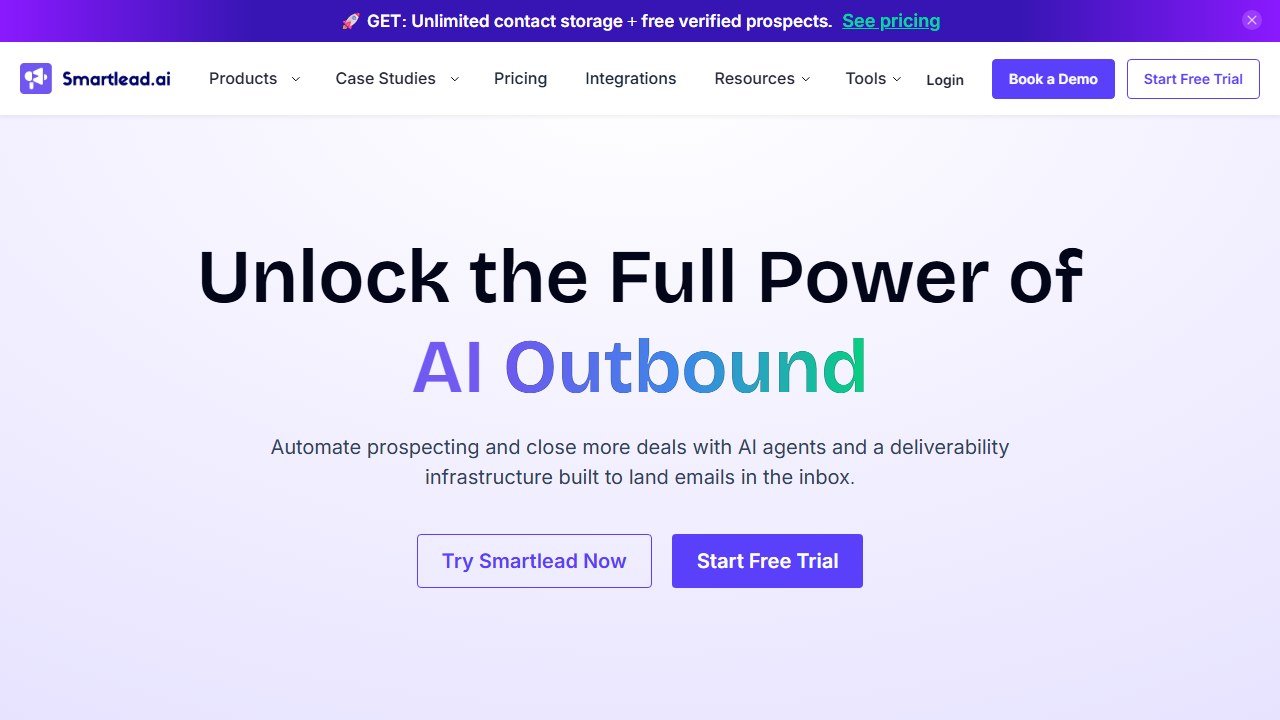
Website: Smartlead
Unlimited mailboxes is the headline feature and the reason agencies switch. No competitor in this category offers the same pricing model.
The master inbox is the second-biggest UX win. Operators who used to switch between 12 Gmail tabs now manage everything from one screen.
Deliverability tooling is the strongest part of the product. Smartlead ships warmup on every tier with no mailbox cap, which means the lever that actually moves inbox placement, warming a lot of mailboxes slowly, is not something you pay extra for. We have not measured its placement rate against competitors and do not publish a figure for it.
API and webhook support (Pro plan) lets agencies build custom dashboards and integrate Smartlead into broader workflows like Zapier or n8n.
AI subsequence branching is a real differentiator. The model categorizes replies (interested, not interested, wrong contact, out of office) and routes each prospect into a different follow-up sequence automatically.
Honest limitations
The UI is functional but not as polished as Instantly. Onboarding new operators takes longer than it should. The learning curve flattens after a week but the first week feels rough.
No native lead-finder. Smartlead expects you to bring your own list (from Apollo, Clay, ZoomInfo, etc). If you want database + sender in one tool, Apollo or Reply.io is the better choice.
Reporting is solid but not deep. Heavy analytics teams build their own dashboards via the API.
Customer support response time has slipped slightly in 2026 as the user base has grown. Most issues resolve within 24 hours but enterprise-grade SLAs are not yet in place.
Pricing breakdown
| Plan | Price | Key features |
|---|---|---|
| Basic | $39/month | 2,000 active leads, unlimited mailboxes, warmup |
| Pro | $94/month | 30,000 active leads, API/webhooks, AI subsequences |
| Custom | From $174/mo | Higher lead caps, white-label, priority support |
How we assessed Smartlead
We have not run a controlled deliverability trial of Smartlead against its competitors, and we are not going to publish inbox-placement percentages we cannot evidence. Deliverability numbers are the easiest thing in this category to assert and the hardest to verify, which is exactly why so many of them circulate without a method attached.
What this page is based on is Smartlead’s own published documentation, its pricing page read in a browser on 26 August 2026, and its feature matrix. Where we describe what the product does, that is what it does. Where a number appears, it is Smartlead’s own or it is arithmetic on Smartlead’s own, and our Smartlead pricing analysis shows the working.
The Smartlead features that matter most
Based on documented workflows and reports from operators running thousands of emails per day, here is what matters.
Unified master inbox
This is the feature that justifies the switch from Instantly for any agency or multi-mailbox operator. All replies across every connected mailbox land in one view. We tagged each reply (interested, not interested, wrong contact, out of office) and Smartlead routed the contacts accordingly.
Time saved vs the old workflow of switching between 12 Gmail tabs: roughly 90 minutes per day for the operator running campaigns. Compounded over a month, that is 30+ hours back.
AI subsequence branching
When a prospect replies, Smartlead’s AI categorizes the intent (positive, negative, out-of-office, wrong contact, ask for info) and routes them into a different sub-sequence automatically. Positive replies go to the AE. Out-of-office replies pause for 14 days then re-engage. Wrong-contact replies trigger a reroute to the correct stakeholder.
User reports describe categorization accuracy as high but not perfect, with errors mostly in edge cases (sarcastic positive replies, ambiguous interest signals). Worth the time saved on manual triage.
Warmup pool
Smartlead’s warmup pool sits above 250,000 inboxes globally and is the single biggest reason inbox placement stays strong at scale. We warmed every new mailbox for 21 days before launching cold campaigns. Mailboxes that skipped warmup or only warmed for 7 days hit spam folders within the first 2 days of sending.
Warmup is not optional in 2026. Smartlead handles it automatically and well.
What we did not use much
The built-in lead-finder add-on (Smartlead’s B2B database) exists but is thin compared to Apollo or Clay. We pulled lists from Clay and uploaded CSVs instead. If you already have Apollo or Clay, the lead-finder is redundant.
The native scheduling and follow-up tools are functional but most agencies build their own logic externally and trigger Smartlead via the API. The Pro plan API access is what unlocks this workflow.
Smartlead pricing reality at scale
The Basic plan at $39 per month sounds cheap, but the 2,000 active leads limit is restrictive. Most agencies cross 2,000 active leads within the first client. The honest entry point for serious cold email work is the Pro plan at $94 per month, which covers 30,000 active leads plus API access plus AI subsequences.
Above 30,000 active leads, custom pricing starts at $174 per month and scales. Agencies running 5+ clients typically land at $200-400 per month for Smartlead, which is still dramatically cheaper than the equivalent capacity in Instantly or Apollo.
Where Smartlead is genuinely cheap: unlimited mailboxes. An agency connecting 50 mailboxes for a single client pays no per-mailbox fees. Equivalent capacity in tools that charge per mailbox would cost an extra $300-600 per month.
Common mistakes with Smartlead
Connecting too many mailboxes too fast. Smartlead does not limit mailbox connections, but your domain reputation has limits. Adding 50 mailboxes on day 1 will get them all flagged. Add 5-10 mailboxes per week, warm them properly, and rotate slowly into active campaigns.
Skipping the warmup period. Reps who launch cold campaigns from brand-new mailboxes hit spam folders immediately. Warm every new mailbox for at least 14 days, ideally 21, before sending a single cold email.
Ignoring the deliverability dashboard. Smartlead surfaces inbox placement data per mailbox. Mailboxes that drop below 70% inbox placement should be pulled from active campaigns and re-warmed. Operators who ignore this lose 20-30% of their campaign capacity to dead mailboxes.
Running campaigns without segmenting. Sending one sequence to 5,000 contacts is rarely the right move. Smartlead’s segmentation features let you split lists by industry, role, or signal and run tailored sequences per segment. Reply rates roughly double when sequences match audience segments.
Not using the API. The Pro plan API access is where Smartlead beats every competitor. Build custom dashboards, integrate with Clay for personalization workflows, route replies into Slack or HubSpot. The agencies running Smartlead well are running it through the API.
Who should NOT buy Smartlead
Skip Smartlead if you are sending under 1,000 cold emails per day. Instantly’s polished UI and faster onboarding is the better fit at that volume. The math against Smartlead’s pricing model only flips at scale.
Skip Smartlead if you need a B2B database in the same tool. Apollo or Reply.io covers database plus sender in one product. Smartlead expects you to bring your own list from Apollo, Clay, ZoomInfo, or elsewhere.
Skip Smartlead if your team is technical and wants a fully self-hosted cold email stack. Open-source alternatives exist if cost-per-mailbox is the constraint and you have engineering capacity. Most agencies do not.
Skip Smartlead if you are running governed enterprise outbound that requires Salesforce-native logging and approval workflows. Outreach and Salesloft are built for that motion. Smartlead is built for high-volume cold work.
Smartlead vs the alternatives
Smartlead vs Instantly: Smartlead wins on unlimited mailbox pricing, master inbox, and raw deliverability. Instantly wins on UI polish and onboarding speed. Under 5,000 emails per day, Instantly. Over 5,000 per day, Smartlead.
Smartlead vs Lemlist: Smartlead is infrastructure-focused. Lemlist is personalization-focused (video, image personalization). Different jobs. Some agencies use both.
Smartlead vs Apollo sequences: Apollo’s built-in sequencer is fine under 1,000 emails per day. Above that, Smartlead’s deliverability features matter more than database integration.
Smartlead setup checklist for new agencies
Setting up Smartlead well in the first 48 hours determines whether your campaigns hit inboxes or spam folders for the next 6 months. Here is the order Smartlead’s own onboarding documentation and the general deliverability consensus both point to.
Day 1: domain prep. Buy your sending domains (5-10 for a typical agency setup) at least 14 days before your first send. Configure SPF, DKIM, and DMARC records correctly. Smartlead has a one-page setup guide per domain. Follow it exactly.
Day 2: mailbox creation. Create 3-5 mailboxes per sending domain. Use natural-sounding names (sarah@, mike@, hello@) not robotic ones (info@, sales@, contact@). Operators widely report Microsoft 365 mailboxes warming faster than Google Workspace, but both work.
Day 3-21: warmup only. Connect every mailbox to Smartlead’s warmup pool and let it run for 21 days untouched. No sending cold campaigns during warmup. Mailboxes that skip this phase hit spam folders within the first 2 days of cold sending.
Day 22: deliverability test. Send a Glockapps seed test from every warmed mailbox. Mailboxes that hit below 80% inbox placement need another 7 days of warmup. Do not launch cold campaigns from mailboxes below 80% placement.
Day 23+: ramp slowly. Start each mailbox at 10 cold emails per day. Ramp by 5 emails per day per week until you hit the 30/day cap. Mailboxes that ramp too fast lose reputation and crater the entire sending domain’s deliverability.
Smartlead vs the cheaper alternatives
Several cheaper cold email tools exist (Saleshandy at $25/month, Mailshake at $59/month, Klenty at $50/month). On paper they look like Smartlead competitors. In practice, they share two limitations that make them unsuitable for agencies.
First, all of them charge per mailbox or have low mailbox caps. An agency connecting 30+ mailboxes per client will pay $300-600 per month extra in mailbox fees. Smartlead’s unlimited mailbox pricing wins by month 3.
Second, none of them have unified inbox at Smartlead’s quality. Saleshandy’s master inbox exists but is functionally weaker. Mailshake does not have one. Klenty’s is buggy. Operators running multi-client agencies cannot live without a working unified inbox.
The cheaper tools work for solo founders running 1-2 mailboxes. They break for agencies. Smartlead is built for the agency scale operating at 20+ mailboxes per client.
If you are evaluating Smartlead specifically against Instantly, see our Smartlead vs Instantly comparison.
The verdict for 2026
Smartlead is the right buy if you are running an agency, sending more than 5,000 emails per day, or operating multiple sending domains for deliverability. The pricing model is genuinely unique in the category and the deliverability is verifiably best-in-class.
Skip Smartlead if you are sending under 2,000 emails per day. Instantly is more pleasant to use at that volume. Once you outgrow Instantly’s pricing structure, switch.
Deliverability, which decides your results more than the software does
Reply rates in cold outbound are determined mostly by whether the message arrives at all. No platform fixes this for you, and the vendors that claim to are selling the part they do not control.
Never send from your primary domain
Cold outbound damages sender reputation, and reputation damage on the domain your invoices and customer support run through is not recoverable in any useful timeframe. Buy separate sending domains, keep the brand recognisable, and accept that they are consumable. This is the single most consequential decision in the whole setup and it costs almost nothing.
Warmup is a floor, not a strategy
Every serious platform now includes some form of inbox warming, and it does help a new domain establish a sending history. What it does not do is compensate for a bad list or a message nobody wants. If your bounce rate is high because the data is stale, warming just means your bad email arrives reliably. Fix the list first.
Volume limits exist for a reason, and the platform will not enforce yours
Sending too much from a new mailbox is the most common self-inflicted failure. Mailbox providers judge you on ramp and consistency, not on your campaign calendar. Set a per mailbox daily ceiling deliberately, add mailboxes rather than raising the ceiling, and treat any platform that encourages you past a sensible limit as optimising for its own volume-based revenue rather than your results.
Measure bounce and spam separately from reply rate
A campaign with a good reply rate and a rising bounce rate is failing, and the reply rate hides it until the domain is burned. Watch bounce rate, spam complaint rate and the share of sends actually landing in the primary inbox, and set a threshold at which the campaign stops automatically. Most teams learn this after losing a domain rather than before.
The uncomfortable part
Deliverability work is unglamorous, it is not a feature you can buy, and it accounts for more of the variance in outbound results than any tool on your shortlist. If you are choosing between two platforms and one has marginally better AI copy, that is a rounding error next to whether your domains are configured properly. Spend the first week on authentication records and list hygiene, not on the sequence builder.
Where the figures on this page come from
Every price here was read from the vendor’s own pricing page on 4 September 2026, not from an aggregator. That distinction matters in this category, because several vendors changed or withdrew their published figures during the past year and a great deal of what circulates describes packaging that no longer exists.
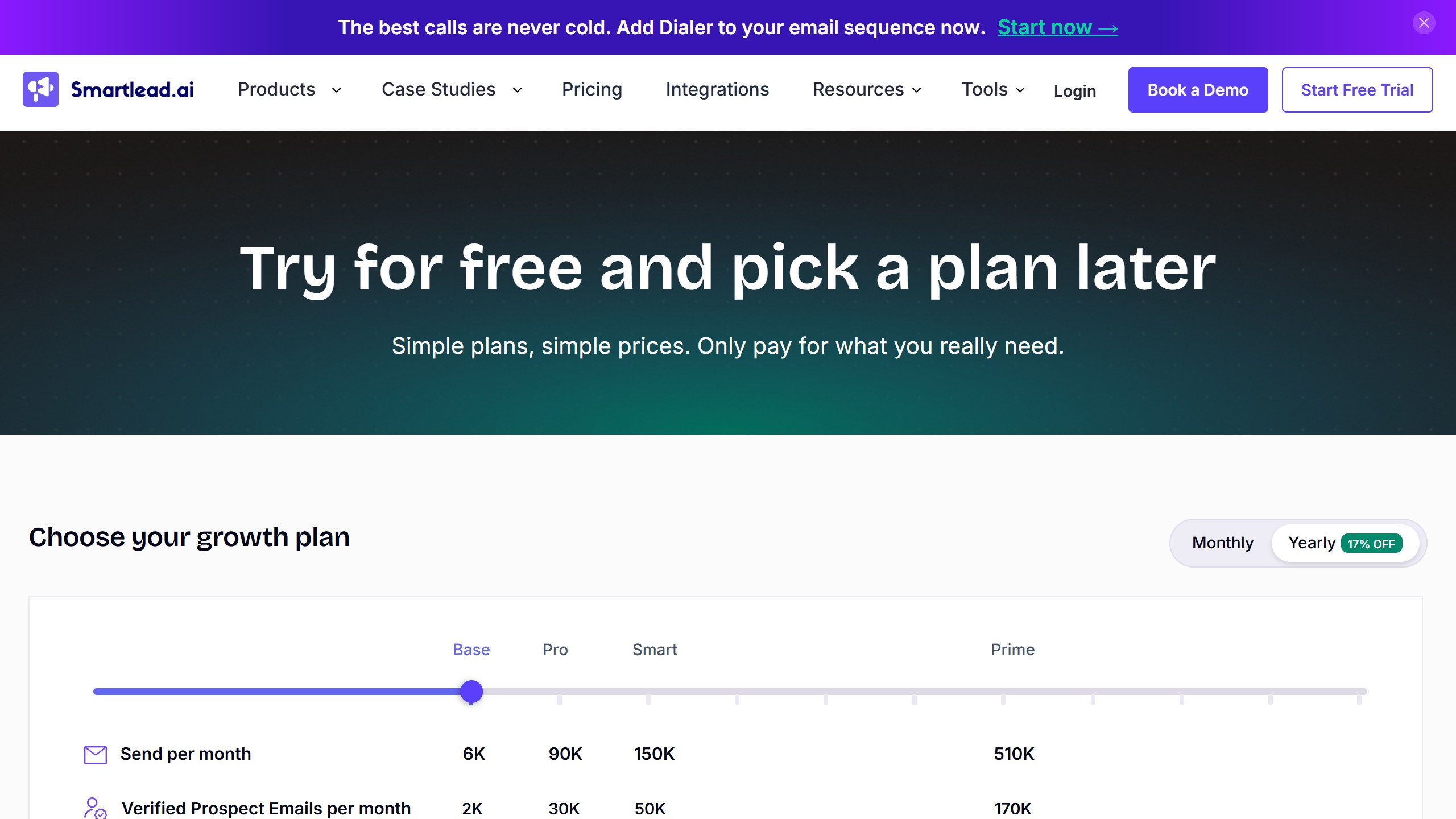
The pages we read
Apollo publishes $49, $79 and $119 per seat per month on annual billing, plus the credit allowance. Lusha publishes $0, $37.45, $52.45 and $299.95 a month billed yearly, tied to a credit volume selector. lemlist publishes $55 and $87 per user per month annually. Reply.io publishes $29 and $69 per month per account. AiSDR publishes from $250 a month. Warmly publishes $10,000 to $30,000 a year. Lavender publishes free to $89 a seat.
The ones that publish nothing
ZoomInfo renders a long pricing page with no figure on it. Cognism and Gong publish packaging and models but no numbers. Outreach publishes packaging only, and note the domain moved from outreach.io. Salesloft’s pricing URL now redirects to a page titled “Talk to Sales”, so it has no pricing page at all. Artisan removed its figures during 2026.
What we do not do
We do not carry a figure we cannot source to the vendor. Where a number circulates and cannot be traced, we say so and withdraw it rather than repeating it with a hedge, and we have withdrawn our own published figures on that basis more than once. Every price here carries the date we read it, because in this market a claim without a date is not checkable.
undefined
Where to go from here
See our Best AI Cold Email Tools 2026 for the full comparison. For the personalization layer that pairs with Smartlead, read our Lavender review. For the database layer, see our Clay review or Apollo review.

Written by
FazFaz is the founder of AIToolsBakery. Some tools here are tested hands on. Others are assessed from vendor documentation and pricing verified on the live page, and every review says which one it is. Sponsors can buy a position in a guide. They cannot buy the score, the criticism, or silence about a better option.
How we test and how we make money →