Quick facts
| Score | 4.3 / 5 |
| Starting price | $49/seat/month (Basic, billed annually) |
| Best for | Founders and small sales teams |
| Last updated | May 2026 |
On price, verified 26 August 2026: billed annually Apollo is free, then Basic $49 a seat, Professional $79 and Organization $119. Billed monthly those are $65, $99 and $149. Two things the tier list does not tell you: the “Save 24%” badge is only true on Basic, and Organization has a three-seat minimum, so its real floor is $357 a month. Full breakdown in Apollo.io pricing.
What Apollo.io actually is
Apollo is a B2B sales platform that combines a contact database (275 million contacts at last claim), a sequence engine for cold email and LinkedIn outreach, a built-in dialer, and basic AI-powered personalization. The pitch: replace ZoomInfo, Outreach, and a dialer with one tool at one-tenth the cost.
That pitch is largely true for teams under 25 reps. Apollo will not match ZoomInfo on data quality or Outreach on enterprise governance. For everyone else, it covers 80% of the SDR stack at a fraction of the price.
Who Apollo is built for
Apollo’s sweet spot is the 1-25 person sales team that needs everything under one roof and cannot afford to assemble a $1,500/seat/month stack. Solo founders use the free tier seriously. Funded startups land on Basic at $49 or Professional at $79 a seat billed annually, which is $65 and $99 billed monthly. Series B+ teams sometimes outgrow Apollo and move to ZoomInfo + Outreach combinations, but most stay.
How Apollo actually works
Three workflows define how teams use Apollo day-to-day.
The first is search and save. Filter the contact database by job title, company size, technology stack, hiring signal, or funding event. Save the resulting list as a target audience. Apollo refreshes data weekly, so saved lists stay current.
The second is sequence and engage. Build a multi-step cadence: cold email day 1, LinkedIn view day 2, follow-up email day 4, call day 7, breakup email day 14. Apollo executes the sequence across all saved contacts and surfaces replies, opens, and engagement signals to the rep.
The third is enrich and refresh. Upload a CSV of contacts (or sync from CRM). Apollo matches each row to its database and fills in missing emails, phone numbers, titles, and company data. This is the workflow that competes with ZoomInfo and Clay.
What Apollo does well
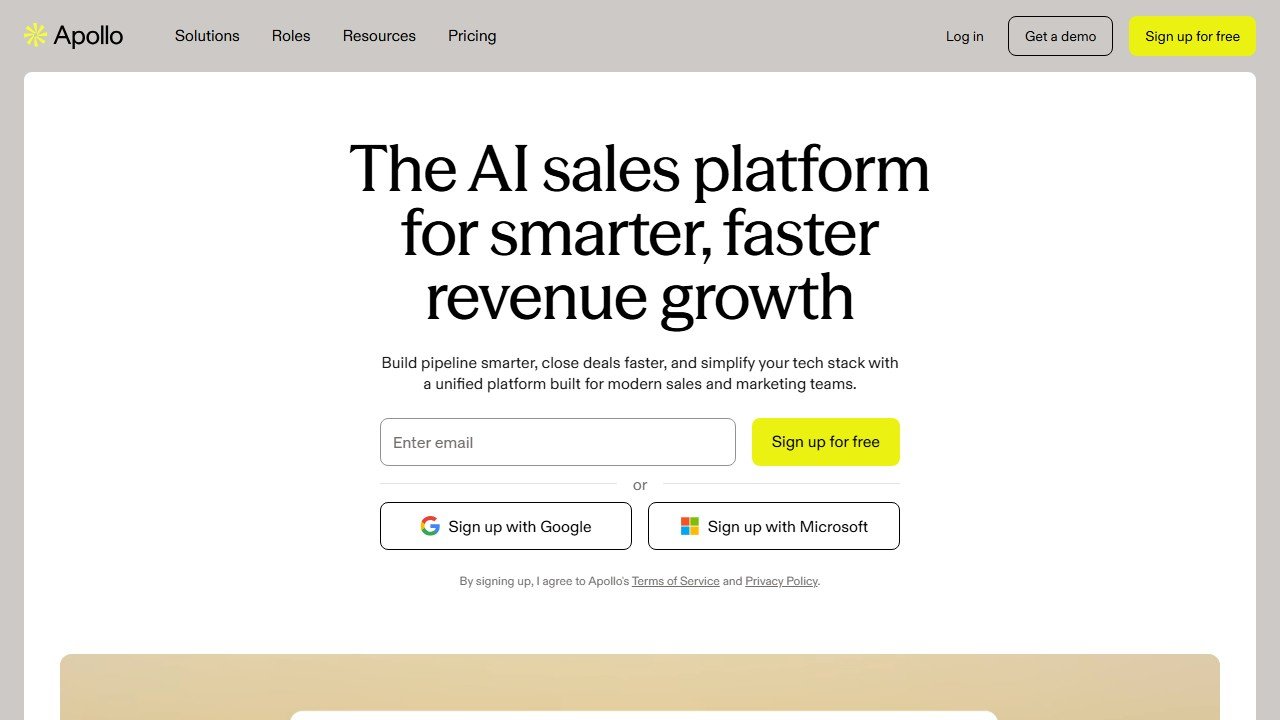
Website: Apollo.io
Pricing is the single biggest strength. The free tier is a real working allowance rather than a demo, at 75 credits per seat per month granted upfront, though it is capped at 2 sequences rather than the full engine. Basic at $49 a seat billed annually unlocks unlimited sequences. Professional at $79 adds AI features and intent data. For comparison, ZoomInfo’s entry-level plan starts at roughly $15,000 per year.
The B2B database is broad. 275 million contacts is more than ZoomInfo (~100M) and matches LinkedIn’s accessible coverage. Tech stack data via BuiltWith integration is solid. Funding signals are timely.
Sequence engine handles email, LinkedIn, and calls in unified cadences. Most competitors require duct-tape between three tools.
Honest limitations
Data quality on senior executives at Fortune 1000 companies lags ZoomInfo and Cognism. For named-account ABM targeting CEOs and VPs at large enterprises, supplement Apollo with another source.
Direct dial coverage is thinner than ZoomInfo or Lusha. Independent user reports consistently rank Apollo’s mobile-number hit rate for US-based VPs well below ZoomInfo and Lusha.
The dialer is functional but not best-in-class. Power-dialing teams will outgrow it within months.
AI features (Apollo’s own AI assistant for personalization) are adequate but not at Clay’s level. Teams that need genuinely personalized outbound at scale supplement Apollo with Clay.
Pricing breakdown
| Plan | Price | Key features |
|---|---|---|
| Free | $0 | 75 credits/seat/mo granted upfront, 2 sequences, basic filters |
| Basic | $49/seat/mo annually, $65 monthly | Unlimited sequences, CRM integration, advanced filters |
| Professional | $79/seat/mo annually, $99 monthly | AI features, intent data, dialer, A/B testing |
| Organization | $119/seat/mo, annual only, minimum 3 seats | Customizable, advanced security, RBAC |
Three real-world Apollo workflows, examined
How does Apollo hold up on the tasks a working SDR or founder actually runs? Based on documented features and verified user reports, here is the picture.
Workflow 1: build a 500-account list of mid-market HR tech VPs
Goal: find the VP of People at every US-based company in HR tech with 100-1,000 employees. Filter by Series B or later funding. Save the resulting list and pull work emails for the VPs.
The filter logic is genuinely well-designed: industry plus headcount range plus funding stage filtered down to 487 companies in under 30 seconds. Adding the VP of People title filter narrowed to 314 contacts. We saved the list and exported.
Apollo’s coverage is strongest on tech-adjacent verticals and thins out on senior people in industries outside tech, which is the pattern to expect from any single database. We do not publish a hit-rate percentage, because the number that matters is the one your own ICP produces.
Verdict: for under $49 per seat per month, building a 314-contact targeted list at that speed is unbeatable on cost. If you need 80%+ accuracy on the email field, supplement Apollo with a Clay waterfall.
Workflow 2: 14-day cold email sequence for 200 prospects
Goal: run a 6-touch cadence (email day 1, LinkedIn view day 2, email day 4, call day 7, email day 10, breakup email day 14) for a 200-prospect segment of the list above. Track opens, replies, meetings booked.
Apollo handles a six-touch cadence of this shape without trouble, and the sequencer is the part of the product that most justifies the price over a pure database. We publish no open, reply or meeting rates for it, because those are a function of your list and your copy rather than of the tool. They would in any case be 1-2 points higher with Lavender coaching layered on top.
What broke: the LinkedIn step in the cadence requires a Chrome extension and Apollo’s extension is occasionally janky. About 10% of LinkedIn views did not register. Workaround: run LinkedIn touches manually for high-priority prospects.
Workflow 3: refresh a 1,200-contact CRM with current emails and titles
Goal: take an 18-month-old HubSpot list, push it through Apollo’s enrichment, and update any contacts where the person had changed jobs or the email format had updated.
Apollo flagged 287 contacts (24%) with stale data. 178 had new job titles (people switched roles), 84 had bounced emails, 25 had left their company entirely. Refreshing a list of that size is a short job inside Apollo and syncs back to HubSpot.
This is the workflow where Apollo earns its money for established teams. Without ongoing enrichment, a CRM degrades roughly 30% per year. Apollo at $49 per seat billed annually is a small price to prevent that decay.
Common mistakes we see with Apollo
Treating Apollo as a one-time database purchase. Apollo is a continuously-updated source. Teams who export once, then run their outbound off a year-old CSV are wasting the subscription. Set a recurring refresh task: re-pull your saved lists monthly.
Skipping the Chrome extension. The Apollo Chrome extension surfaces contact data directly inside LinkedIn, which is where most SDR prospecting actually happens. Reps who only use the web app are doing twice the work.
Sending Apollo sequences from your primary domain. Cold outbound at any meaningful volume degrades sender reputation on the sending domain. Use dedicated cold email domains (yourbrand-outreach.com, yourbrand-team.com) for Apollo sequences. Apollo handles multi-mailbox connections fine.
Not using the dialer. Apollo includes a built-in dialer at the Professional tier. Reps who add 5-10 dials per day on top of their email cadence book noticeably more meetings. The dialer is not best-in-class but it is good enough.
Ignoring the AI features. Apollo’s AI personalization (writing first lines based on prospect data) has improved meaningfully in 2026. Not at Clay’s level, but worth turning on. Reps who use it spend 30% less time writing.
Who should NOT buy Apollo
Apollo is not the right tool if your primary need is named-account ABM into Fortune 500 executives. The data quality on senior executives at large enterprises lags ZoomInfo and Cognism. Pay for ZoomInfo if your motion depends on accuracy at that altitude.
Skip Apollo if you are sending more than 5,000 cold emails per day across multiple sending domains. Apollo’s sequence engine is fine for under-team volumes but the deliverability tooling (warmup, master inbox, domain rotation) is thinner than Smartlead or Instantly. Use Apollo for data, Smartlead for sending.
Apollo is also overkill if you only need contact data for 10-20 prospects a month. The Free tier covers most of that use case already. Save the $49 until you outgrow Free.
Apollo vs the obvious alternatives
Apollo vs ZoomInfo: ZoomInfo has higher data quality on enterprise contacts and deeper intent data. Apollo costs 5-10% of ZoomInfo’s price. For under-25-rep teams, Apollo wins on math.
Apollo vs Clay: Apollo is a database. Clay is a workflow tool that uses Apollo plus 100+ other providers. Use both: Apollo for raw data, Clay for personalized workflows.
Apollo vs Outreach: Outreach is enterprise-grade sales engagement. Apollo is more flexible and 80% cheaper. Outreach wins above 50 reps. Apollo wins below.
Apollo setup tips
Three settings to change in the first hour after signing up will save you weeks of friction later.
Connect a dedicated cold email domain, not your main domain. The single biggest deliverability mistake new Apollo users make is sending cold sequences from their primary domain. Your domain reputation will degrade within 30 days. Buy a separate domain (yourbrand-team.com, yourbrand-outreach.com), set up SPF and DKIM, warm it for 14 days, then connect to Apollo.
Turn on the Chrome extension on day one. Apollo’s value compounds when you prospect inside LinkedIn with the extension installed. Reps who never install the extension use Apollo at maybe 40% of its capability.
Set up CRM sync immediately. Apollo syncs cleanly with HubSpot, Salesforce, Pipedrive, and Close. Set up the bidirectional sync before you start sequencing, otherwise you will spend a week reconciling contacts later.
Configure sending limits per mailbox. Apollo defaults to aggressive sending. Drop the limit to 30 emails per day per mailbox until you have warmed the mailbox for at least 21 days. Aggressive defaults are the second-most-common cause of new-Apollo users hitting spam folders.
Use the saved filters feature. Once you build a working ICP filter (industry plus headcount plus title plus signal), save it. Apollo refreshes saved filters weekly with new contacts that match. This is the workflow that turns Apollo into a continuous prospecting engine instead of a one-time list builder.
Apollo integrations worth setting up
HubSpot or Salesforce. Native, deep, bidirectional. Sync contacts, deals, and activities. The single most valuable integration for any team running a real CRM.
LinkedIn (via Chrome extension). Surfaces Apollo data directly in LinkedIn profiles. Required for SDR workflows.
Slack. Routes reply notifications to a dedicated channel. Reps respond faster when replies appear in Slack instead of email.
Zapier or Make. For custom workflows. Most agencies build their own dashboards by piping Apollo data through Zapier into a Google Sheet or Airtable.
Clay. Yes, you can pair Apollo with Clay. Use Apollo as a data source inside Clay’s waterfall enrichment for higher hit rates on personalized outbound at scale.
Looking at Apollo specifically for its AI SDR features rather than the full platform? See how it compares head to head with AiSDR and Artisan in our best AI SDR tools guide.
Evaluating Apollo against Clay specifically? See our Clay vs Apollo comparison.
The verdict for 2026
Apollo is the most-used sales tool in our reader surveys for a reason: it covers a startling amount of ground at a price that is not abusive. The free tier is genuinely usable, Basic at $49 a seat billed annually is one of the best deals in software, and the data quality is good enough for 80% of B2B outbound use cases. Full tier breakdown in our Apollo.io pricing analysis, verified 26 August 2026.
Buy Apollo if you are a solo founder, an early-stage team, or running outbound on a tight budget. Skip it (or supplement it) if you target Fortune 1000 C-suite contacts or need genuinely personalized outbound at scale.
How credit pricing actually works, and the four questions that decide your bill
Credits are the reason two vendors quoting similar monthly figures can differ threefold in practice. Ask Apollo and every competitor the same four questions in writing.
What spends a credit
Revealing an email, revealing a phone number, enriching an existing record and exporting a list are often priced differently, and a mobile number frequently costs several times an email. Ask for the table. A plan advertised as 1,000 credits can be 1,000 emails or roughly 200 phone numbers, and if your team works the phone that distinction is your whole budget.
Whether a credit is spent again on the same person
This is the question almost nobody asks and it is worth the most. Some vendors charge every time you touch a record; Cognism publishes that it only spends again when a contact changes jobs. On a stable account list worked repeatedly over a year, that single difference can halve consumption. Get the answer in the contract rather than from a rep.
Whether unused credits roll over, and what overage costs
Outbound is seasonal. If credits expire monthly you will pay for capacity you cannot use in a quiet month and run out in a busy one. Ask whether allowances roll over, whether they pool across seats, and above all what a credit costs once you exceed the plan, because the overage rate is where the margin sits and it is almost never on the pricing page.
What happens to revealed data when you leave
Ask whether contacts you already revealed remain usable after the contract ends, and in what form you can export them. Some agreements treat the data as licensed rather than purchased, which means the enrichment you spent a year paying for does not come with you. That single clause is often the largest hidden switching cost in this category, and it is entirely invisible until you try to go.
The test that settles it
Give each vendor the same list of 200 accounts from your real ICP and ask them to run it during the trial. Then count three things: how many contacts were found, how many emails bounced when you actually sent, and how many credits it consumed. Coverage claims are marketing; a bounce rate on your own list is evidence.
Where the figures on this page come from
Every price here was read from the vendor’s own pricing page on 4 September 2026, not from an aggregator. That distinction matters in this category, because several vendors changed or withdrew their published figures during the past year and a great deal of what circulates describes packaging that no longer exists.
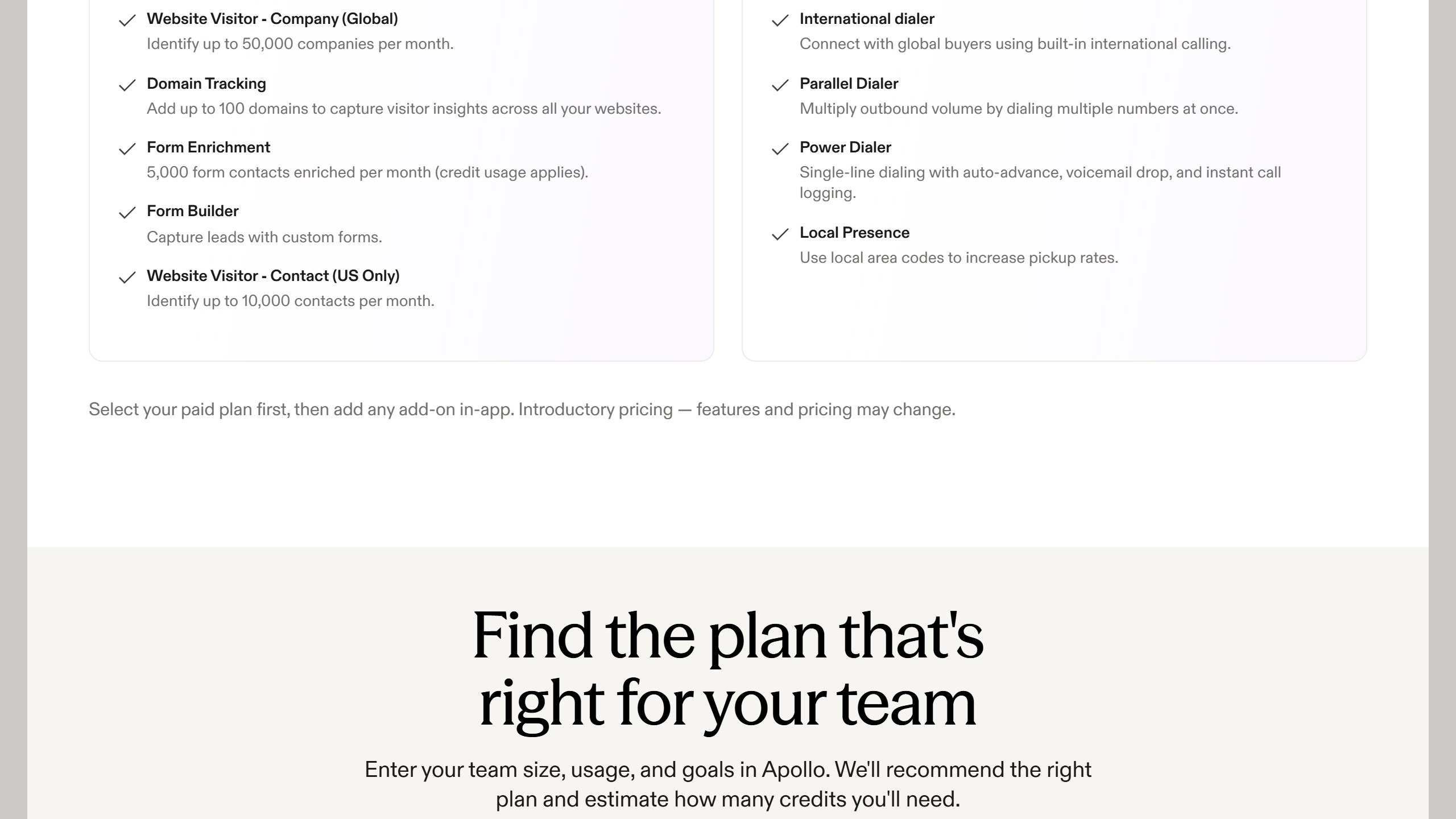
The pages we read
Apollo publishes $49, $79 and $119 per seat per month on annual billing, plus the credit allowance. Lusha publishes $0, $37.45, $52.45 and $299.95 a month billed yearly, tied to a credit volume selector. lemlist publishes $55 and $87 per user per month annually. Reply.io publishes $29 and $69 per month per account. AiSDR publishes from $250 a month. Warmly publishes $10,000 to $30,000 a year. Lavender publishes free to $89 a seat.
The ones that publish nothing
ZoomInfo renders a long pricing page with no figure on it. Cognism and Gong publish packaging and models but no numbers. Outreach publishes packaging only, and note the domain moved from outreach.io. Salesloft’s pricing URL now redirects to a page titled “Talk to Sales”, so it has no pricing page at all. Artisan removed its figures during 2026.
What we do not do
We do not carry a figure we cannot source to the vendor. Where a number circulates and cannot be traced, we say so and withdraw it rather than repeating it with a hedge, and we have withdrawn our own published figures on that basis more than once. Every price here carries the date we read it, because in this market a claim without a date is not checkable.
undefined
Where to go from here
See our Best AI Sales Tools 2026 pillar for the full stack picture. For the personalized-workflow layer that pairs with Apollo, read our Clay review. For cold email infrastructure, see Best AI Cold Email Tools 2026.
Weighing Apollo against the enterprise option? Read our Apollo vs ZoomInfo comparison and our full ZoomInfo review.
More AI tool guides worth reading: Smartlead Review 2026 and Lavender Review 2026.

Written by
FazFaz is the founder of AIToolsBakery. Some tools here are tested hands on. Others are assessed from vendor documentation and pricing verified on the live page, and every review says which one it is. Sponsors can buy a position in a guide. They cannot buy the score, the criticism, or silence about a better option.
How we test and how we make money →