Small nonprofits have the least room for a bad software decision. A $2,000 subscription is a meaningful share of a small budget, a multi-year contract can outlast the person who signed it, and a system too complex for a part-time development lead ends up used as an expensive spreadsheet. Yet the top search results for “best CRM for small nonprofits” are almost all written by CRM vendors ranking themselves first, and at least one quotes its own product at a price its product page no longer shows.
This guide is for organisations with one or two people doing fundraising, a few hundred to a few thousand donors, and a tight budget. It compares the realistic options on what a year actually costs, subscription, setup and processing included, the commitment you sign, and how much time each one takes to run. It also covers when a spreadsheet is still enough, and how Gratefully, a donor intelligence tool with a free plan, can help a small team know who to contact without buying a bigger system.
How we put this together. Prices come from each vendor’s own pricing page, read on 17 and 18 September 2026 from India and shown as displayed. The year-one costs are our arithmetic on those published figures, with the assumptions stated. We have not run these systems hands-on.
The short list
| Software | Starting price | Commitment | Why small nonprofits choose it |
|---|---|---|---|
| Gratefully (add-on, not a CRM) | Free; paid from $79 a month billed yearly | None on Free | Our top pick for donor insight, on top of any option below |
| Little Green Light | $45 a month to 2,500 records | No contract | Every tier published, unlimited users, all features included |
| DonorSnap | $50 a month to 1,000 contacts | Monthly or annual | Published tiers, $200 setup including data conversion |
| CiviCRM Spark | $15 a month to 5,000 contacts | No contract | Lowest hosted price, open source, unlimited users |
| Zeffy | $0 | None | Free, with fees covered by optional donor contributions |
| Givebutter | Free; Plus from $29 a month | None on free | Free CRM with unlimited contacts and online giving |
| Bloomerang | CRM from $125 a month, billed annually | Two years by default | Guided onboarding and highly rated support |
| Network for Good (Bonterra) | Quote only | Quote | Built for small nonprofits, with fundraising coaching |
What 1,000 donors costs in year one
Here is a first year for a small nonprofit with 1,000 donors that raises $50,000 online in 500 card gifts of $100 and absorbs the fees. Subscription figures use each vendor’s published entry price; processing uses each vendor’s published rate, or Stripe’s nonprofit rate of 2.2% + $0.30 where the vendor passes it through. The arithmetic is ours.
| Option | Subscription | Setup | Processing on $50,000 | Year one |
|---|---|---|---|---|
| Zeffy | $0 | $0 | $0 to you (donors asked to contribute) | $0 |
| Givebutter, tips on | $0 | $0 | $0 to you (donors offered a tip) | $0 |
| CiviCRM Spark Starter | $180 | Your time | $1,250 at Stripe’s nonprofit rate | About $1,430 |
| Little Green Light | $540 | $0 | $1,250 | $1,790 |
| Givebutter, tips off | $0 | $0 | $3,100 (3% plus 2.9% + 30¢) | $3,100 |
| Keela, annual billing | $1,968 | Not published | $1,250 | $3,218 |
| Bloomerang CRM, entry band, CRM forms | $1,500 | In proposal | $1,750 (3.2% + $0.30) | $3,250 |
| DonorSnap, annual billing | $540 | $200 | Rate not published | $740 plus processing |
Three things follow. Zeffy and Givebutter with tips on cost the organisation nothing, because donors who choose to contribute or tip carry the cost. Among paid systems, processing is often as large as the subscription, so a vendor that passes through the processor’s rate saves real money at even modest online volume. And the gap between the cheapest paid database and a mid-market CRM is a few thousand dollars a year, which for a small nonprofit is worth a hard look at what the extra buys.
The options, reviewed for small teams
1. Little Green Light: best overall for small nonprofits
Little Green Light costs $45 a month for up to 2,500 records, $60 for 5,000 and $75 for 10,000, with unlimited users, no setup or cancellation fees, no contract and a 30-day free trial. Every tier includes the same features: gifts and pledges, memberships, events, volunteers, forms, email and task-based stewardship, with integrations for Mailchimp, Constant Contact, QuickBooks Online and Zapier. Its forms charge only the processor’s rate. It does not migrate your data for you, but provides a free importer and a consultant network. For most small nonprofits it is the default to beat, and it is one of the three CRMs our top donor intelligence pick connects to live. Capterra 4.8 from 317 reviews. See our Little Green Light review.
2. DonorSnap: best for help getting started
DonorSnap publishes its prices by contacts: $50 a month for up to 1,000, $70 for 2,500 and $90 for 5,000, with 10% off annual billing. Its $200 one-time setup “includes setup, 4 hours of data conversion, and private training”, which is unusual help at this price for a team moving off spreadsheets. Some ranking lists still show an older $39 entry price. Capterra 4.6 from 414; G2 4.2 from 130.
3. CiviCRM Spark: best for the lowest hosted price
CiviCRM is free open-source software. Its own hosted service, CiviCRM Spark, costs $15 a month for up to 5,000 contacts with unlimited users and email, $30 for richer email, and $50 for up to 10,000 contacts. It promises no contracts and no price increases, and adds no percentage to payments, while disclosing that its recommended processors share revenue with CiviCRM. It is powerful but less polished than the commercial options, so it suits a team with some technical confidence. G2 3.9 from 84.
4. Zeffy: best completely free option
Zeffy says “Our price is $0” and that it covers transaction and card fees, funded by optional contributions donors are asked for at checkout. Donations, ticketing and memberships are free, and its donor management page describes no paid contact tier. The trade-off is a lighter CRM and a contribution prompt on your forms. For an organisation whose first priority is keeping every dollar, it is hard to beat. Capterra 4.8 from 496; G2 4.9 from 2,603.
5. Givebutter: best free CRM with room to grow
Givebutter’s free platform includes a CRM with unlimited users and contacts, plus forms, events, auctions and peer-to-peer. It charges nothing when donor tips are on, or a flat 3% plus processing when they are off, for accounts created since 9 September 2025. Givebutter Plus, from $29 a month billed annually, adds workflows, texting, reports and QuickBooks. Payouts are withdrawn manually. Capterra 4.8 from 872. See our Donorbox vs Givebutter comparison.
6. Bloomerang: best for small teams that want hands-on support
Bloomerang’s CRM starts at $125 a month billed annually, with unlimited users, onboarding and training in its proposals, and the highest customer service scores in this group. It is more than most very small organisations need, and it has two catches for them: the default agreement is two years with 45 days’ notice, and card gifts through its Fundraising forms cost 3.95% + $0.30. For a small team with growing ambitions and no in-house technical help, the support can be worth it. See Bloomerang vs Little Green Light.
7. Network for Good: best if you want coaching as well as software
Bonterra’s Network for Good describes itself as “an AI-powered fundraising platform built for small nonprofits” that combines fundraising coaching with donor management, donation pages, email, events, grants and peer-to-peer. It publishes no price. Capterra 4.6 from 938; G2 4.6 from 419.
Worth a look for specific needs
Raklet is membership-first, with a free plan for 100 contacts and paid plans from $49 a month billed annually plus transaction fees. Keela, from $164 a month billed annually for 1,000 contacts, suits small teams that want email, memberships and automation in one system and a lot of online giving at the processor’s rate. DonorView advertises $99 a month for its Pro plan, but that price needs a 60-month commitment; on 12 months it is $139.
What a small nonprofit actually needs
Feature lists are long, but a small team uses a handful of things every week. Check these before anything else:
| Must have | Why it matters for a small team |
|---|---|
| Gift entry with dates, amounts and campaigns | Everything else, from receipts to retention, depends on it |
| Receipts that meet IRS rules | Gifts of $250 or more need a written acknowledgment with specific details |
| Households and relationships | Stops couples receiving two letters and keeps giving history straight |
| Saved lists and simple reports | Last year but not this year, first-time donors, top donors |
| Online giving or a clean integration | Gifts land in the database without retyping |
| Email or a Mailchimp or Constant Contact sync | Thank-yous and updates from the same list |
| Easy export | You can leave, or bring in an intelligence tool, without asking permission |
Nice to have at this size, but rarely essential: predictive scores, wealth screening, moves management pipelines, advanced automation and custom objects. If a vendor’s pitch leads with those, ask whether your team will use them in the first year.
Questions to ask before you sign
- What exactly counts toward the price: records, contacts, users or revenue? What will it cost when we double?
- Is this month to month? If not, what is the notice period, and can we get a one-year first term?
- What do online gifts cost to process on your forms, and do you add a fee on top of the processor?
- Who imports our spreadsheet, and is that included?
- What support comes with the base price, and in which hours?
- How do we export everything if we leave?
A vendor that answers all six clearly in writing is usually a safe choice for a small team. One that cannot answer the first two without a sales call is telling you something about the relationship to come.
When a spreadsheet is still enough
Not every small nonprofit needs donor management software yet. A well-kept spreadsheet can work if you have a few hundred donors, one person who owns it, and gifts mostly by cheque or through one platform that already sends receipts. It stops working when:
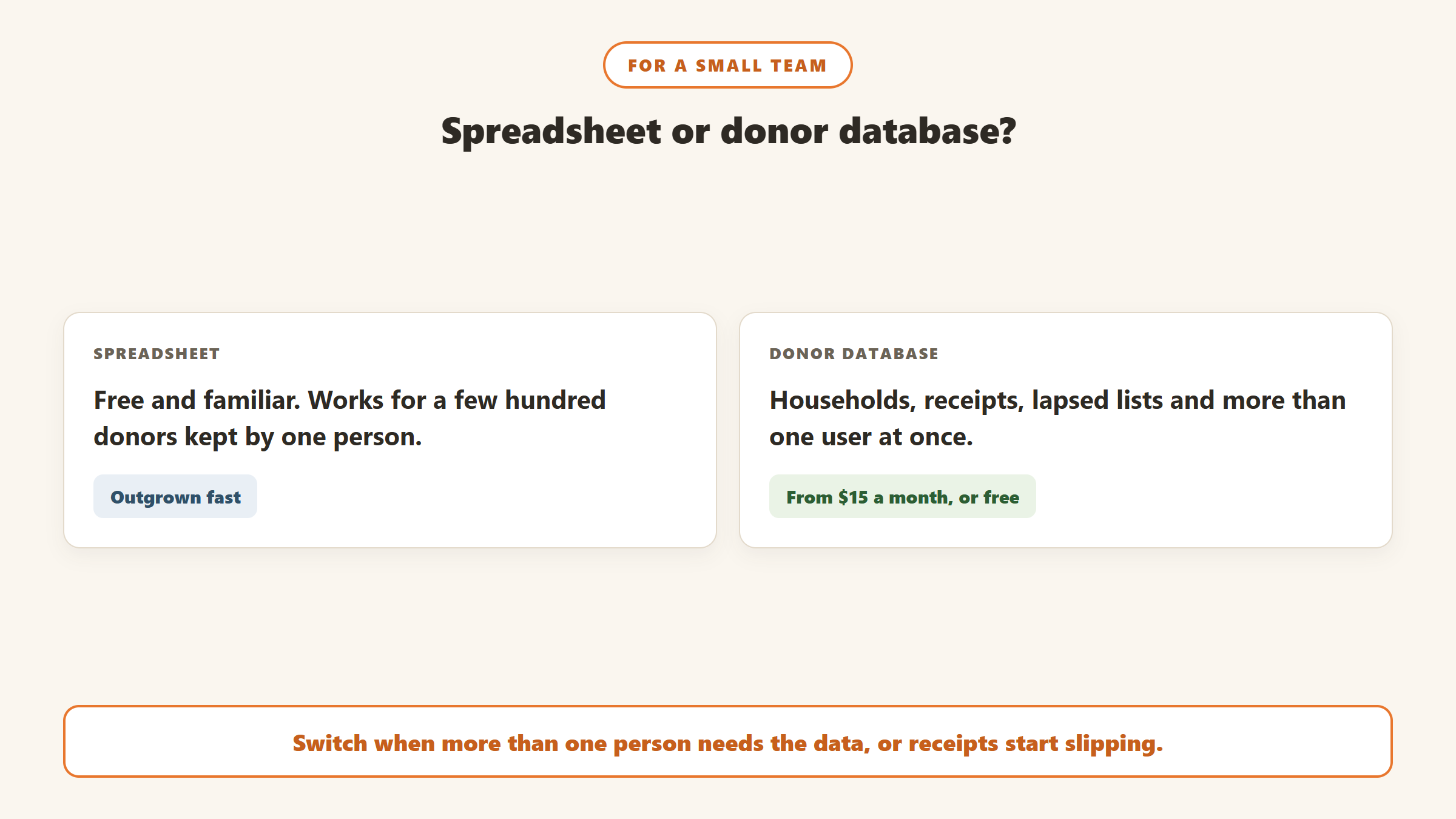
- more than one person needs to update it at the same time;
- you cannot easily tell who gave last year but not this year;
- households, soft credits or pledges start to matter;
- you need to send receipts that meet IRS rules for gifts of $250 or more, with the right details for each gift;
- you lose track of who was thanked and when.
At that point, the cheapest options above cost less per month than the time a spreadsheet wastes. Our guide to setting up a donor database for nonprofits covers what to track from day one.
How to choose in an afternoon
- Count your donors and online gifts from last year.
- Decide whether you want a tip prompt on your forms. If yes, start with Zeffy or Givebutter. If no, start with Little Green Light, DonorSnap or CiviCRM Spark.
- Decide who will run it and how many hours a week they have. Less than two hours a week points to the simplest option.
- Check the exit. Prefer month-to-month terms at this size; a two-year or five-year commitment is a big risk for a small team.
- Add insight for free. Whatever you choose, Gratefully’s free plan can sit on top and rank who needs attention.
- Use the free trials. Little Green Light gives 30 days, and several options are free outright. Import a sample of real donors and try your three most common tasks.
Getting set up without losing a month
- Clean first. Remove duplicates and fix obvious errors in the spreadsheet before importing. Our duplicate donor records guide helps.
- Import gift history, not just names. Retention, lapsed-donor lists and giving summaries all depend on dated gifts.
- Set up receipts first, so every new gift is acknowledged correctly from day one.
- Build three saved lists: donors who gave last year but not this year, first-time donors this year, and your top 20 by lifetime giving.
- Move recurring donors carefully. Card details sit with the payment processor, not in the spreadsheet; ask how the new platform imports active recurring gifts.
When to outgrow a small-team system
The low-cost options here carry many organisations a long way, but there are signs it is time to look at something bigger: several fundraisers who each need their own portfolio and pipeline, a major gifts programme with structured moves management, complex memberships or events that need their own modules, or integration needs such as accounting and program data that the simpler tools do not cover. When that happens, our guide to the best donor management software covers Neon CRM, DonorPerfect, Raiser’s Edge NXT, Virtuous and Salesforce.
Insight without a bigger system
Small teams often upgrade their CRM because they want to know which donors to call, not because the database is failing. Gratefully is a donor intelligence layer that does that on top of the system you have. It says it “doesn’t replace your CRM”; it connects live to Salesforce, Bloomerang and Little Green Light, and takes other systems or spreadsheets by CSV import. It then ranks which donors need attention with a reason for each and drafts outreach from each donor’s history for you to review.
Gratefully’s pricing page, read on 18 September 2026, has a Free plan for one person that holds your full donor file with no record limits, and every new account starts with a 14-day trial of its Advanced plan with no card required before moving to Free. Paid plans start at $79 a month billed yearly. For a small team on Little Green Light at $45 a month, the free plan adds prioritisation without adding a bill. See our Gratefully review.
Disclosure: Zilwaris, the consultancy run by AI Tools Bakery’s founder, does paid advisory work for Gratefully. Gratefully did not pay for this placement, and it is assessed on the same criteria as everything else on this site.
Where the facts on this page come from
- Pricing pages of Little Green Light, DonorSnap, CiviCRM Spark, Zeffy, Givebutter, Bloomerang, Bonterra, Keela, Raklet and DonorView, read 17 and 18 September 2026; Bloomerang’s payment processing article dated 20 July 2026 and its terms.
- Capterra and G2 ratings, 18 September 2026.
- IRS written acknowledgment rules for gifts of $250 or more.
- Gratefully: product and pricing pages, 18 September 2026.
The bottom line
Most small nonprofits are best served by Little Green Light, DonorSnap or CiviCRM Spark if they want a paid database with no long contract, or by Zeffy or Givebutter if they are comfortable asking donors to cover costs. Bloomerang and Network for Good suit small teams that want support or coaching and can accept the price and terms. Work out a real year one, subscription, setup and processing, prefer month-to-month terms, and pick the system your team will actually use. Our full guide to the best donor management software covers larger options.

Written by
FazFaz is the founder of AIToolsBakery. Some tools here are tested hands on. Others are assessed from vendor documentation and pricing verified on the live page, and every review says which one it is. Sponsors can buy a position in a guide. They cannot buy the score, the criticism, or silence about a better option.
How we test and how we make money →