Homeschooling at the kitchen table is a different job from running a classroom. You are the teacher, the planner, the grader, and often the person juggling a six year old and a thirteen year old in the same hour. AI tools can take real work off your plate, but most of the “best AI for education” lists you find were written for teachers managing thirty students and a learning management system. That advice does not map cleanly onto a parent teaching one or two kids at home on a tight budget.
So we did the homeschool version. We reviewed the leading AI learning tools the way a parent actually uses them: at home, no school login, no district account, mixing free tiers and cheap subscriptions to cover tutoring, lesson help, practice, writing, and math. We scored each one from 0 to 5 on home fit, gave it an honest “best for” by subject and age, and then built them into a practical stack you can copy. Some of the most hyped tools are built for teachers first, and we are upfront about where that leaves a parent at home.
A quick note on how we work. AIToolsBakery is independent. We buy or sign up for the tools ourselves, we are not paid by any vendor to place a tool on this list, and we earn nothing from the picks below. When a post is sponsored we label it clearly at the top, and a sponsorship never changes a score or a verdict. This post is not sponsored. Every recommendation here is based on documented capability research with a homeschool use case in mind.
The short answer: For most homeschooling families the core is free Khan Academy plus the $4 a month Khanmigo tutor, which covers curriculum and one on one help for multiple kids. Add ChatGPT for your own planning and a writing coach, and a dedicated math helper like Photomath. Build the stack around your child’s ages and subjects rather than buying everything.
Quick answer: For homeschooling parents, Khan Academy is the free curriculum backbone, Khanmigo is the on-demand AI tutor for the kids, and ChatGPT is the parent planning and writing coach. The teacher-first platforms (Diffit, SchoolAI, MagicSchool) are capable but built for classrooms, not a home of one.
Comparison table
| Tool | Score | Best for | Ages and subjects | Pricing model |
|---|---|---|---|---|
| Khan Academy | 5/5 | Free curriculum backbone | Ages 2 to 18, all core subjects | Free, no paid tier |
| Khanmigo | 5/5 | On demand AI tutor for the kids | Ages 9 to 18, all subjects | Low flat monthly or annual per family |
| ChatGPT | 4.5/5 | Parent planning and writing coach | Parent use plus supervised teens, all subjects | Free tier, optional monthly plans |
| Synthesis Tutor | 4/5 | Early math that feels like a game | Ages 5 to 11, math | Paid subscription, monthly or annual |
| Photomath | 4/5 | Step by step math helper | Ages 11 to 18, math | Free tier, optional monthly or annual |
| Duolingo | 4/5 | Daily language practice | Ages 8 and up, languages | Free tier, optional subscription or family plan |
| Diffit | 3.5/5 | Making reading material at your child’s level | Parent tool, reading across ages | Generous free tier, optional monthly |
| SchoolAI | 3/5 | Guided AI chat with safety rails | Ages 9 to 18, all subjects | Free tier built for teachers |
| MagicSchool | 3/5 | Planning help plus a student practice space | Parent tool plus student version | Free tier, optional monthly |
Khan Academy: the free curriculum backbone
Score: 5/5
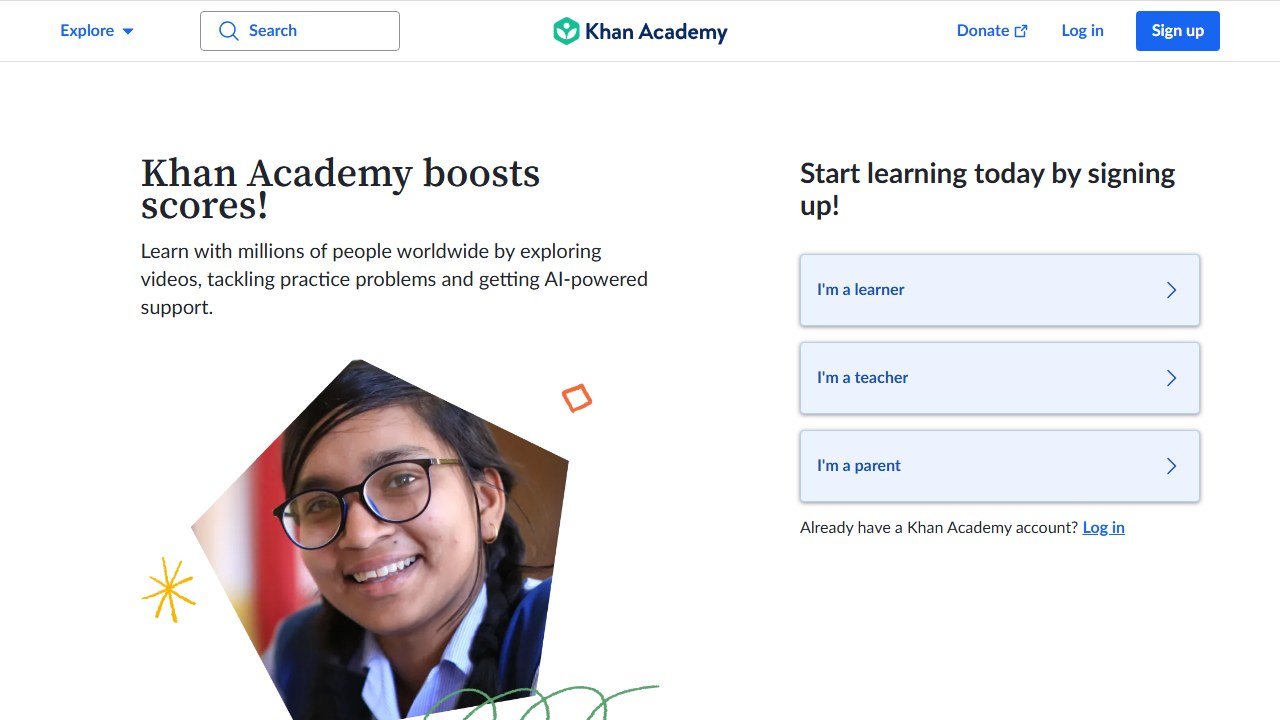
If you build your homeschool stack around one tool, make it Khan Academy. It is the closest thing to a free, structured, full length curriculum that exists, and it is genuinely free with no ads and no paid upsell hiding the good stuff. For a budget conscious family that alone makes it the most valuable tool on this list.
There are really two products here, and both matter for homeschoolers. Khan Academy Kids covers ages 2 to 8 with phonics, sight words, early writing, counting, and life skills, all built in partnership with Stanford’s education school and aligned to early learning standards. The main Khan Academy platform takes over from roughly grade 3 through grade 12 with video lessons, interactive exercises, mastery checks, and full courses in math, science, reading and grammar, history, economics, computer programming, and test prep including SAT and AP. That is a remarkable amount of teaching for zero dollars.
For a home setup, the practical win is structure. You can assign units, the platform teaches the concept and quizzes the child, and you get a progress view so you can stay involved without delivering every lesson yourself. With multiple ages, one child can work through long division while another watches a cell biology video, and you float between them.
In testing, the mastery system is what separates Khan from a pile of random worksheets. The platform tracks each skill your child has and has not locked in, and it will not let a kid race ahead on shaky foundations, which is exactly the discipline a busy parent struggles to enforce by hand. For a homeschooler that means you can trust the sequence: assign a unit, watch the mastery bar fill, and only move on when the child has actually proven the skill rather than just sat through a video. The course mastery view also gives you a defensible record of what was covered, which matters in states with homeschool reporting requirements. We also like that the math track in particular is deep enough to carry a child from early counting all the way through calculus and statistics, so you are not switching platforms every two years.
One honest limitation to plan around: Khan rewards a child who can sit and self direct, and not every kid can yet. Younger learners and children who need more warmth or back and forth will drift on the main platform, which is precisely why we pair it with a tutor in the next pick rather than leaning on it alone.
Strengths: completely free with no catch, enormous subject coverage, strong mastery based progression, a parent dashboard, and the under 8 app is COPPA compliant and ad free. Weaknesses: it is largely self paced video and practice rather than warm interactive teaching, the interface can feel dry for kids who need more play, and there is no live human if your child gets truly stuck. That last gap is exactly what the next pick fills.
Pricing model: free. There is no premium tier to buy. Official site: khanacademy.org.
Khanmigo: the on demand AI tutor for the kids
Score: 5/5
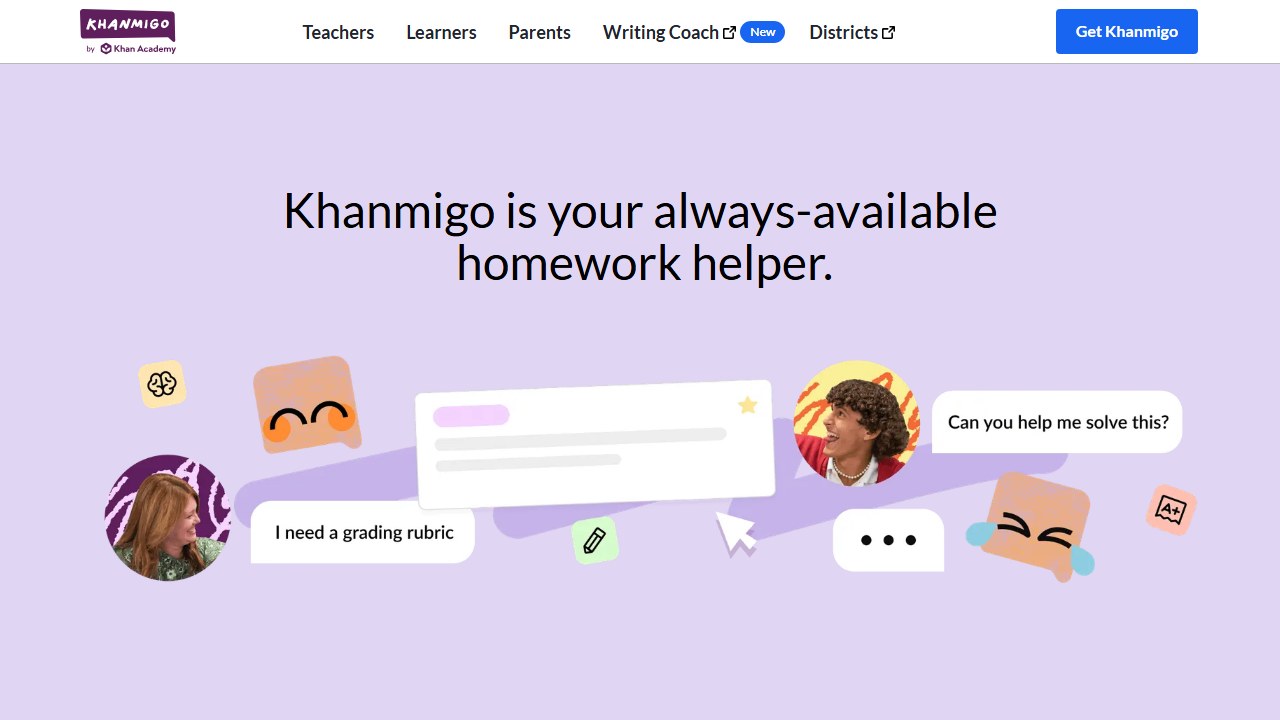
Khanmigo is Khan Academy’s AI tutor, and it is the piece that turns Khan’s free library into something closer to having a patient tutor on call. It is the best value AI tutor we reviewed for families, and it pairs so naturally with the free platform that we treat the two as the heart of any homeschool stack.
The reason it earns a top score is the teaching style. Khanmigo is built not to hand over answers. When your child is stuck on a fraction problem or an essay outline, it asks guiding questions, nudges, and walks them toward the answer themselves, which is exactly what you want a tutor doing while you are across the room with another kid. It works across almost every academic subject the kids will touch: math, science, coding, history, and humanities, plus writing support.
The home setup is parent friendly in a way most of these tools are not. A parent subscription is built for families: you activate Khanmigo for multiple children under one account, view their chat history, and receive safety alerts, so you can see how each kid is using it. Teachers get Khanmigo free, but the parent and learner plan is what a homeschooling family wants, and the per family cost stays low even with several kids.
In practice this is where the value compounds. Many AI tutors charge per seat, so a three child family pays three times. Khanmigo lets a parent put multiple kids under one low priced subscription, which makes the effective cost per child tiny and is a major reason it tops our list for families specifically rather than for individual learners. The chat history view is also more useful than it sounds: you can scroll back through how your child worked a problem, spot where they keep getting stuck, and aim the next day’s lesson at the real gap instead of guessing. That feedback loop is the kind of thing a classroom teacher gets from grading thirty papers, and Khanmigo hands it to a single parent for the price of a couple of coffees a month.
We also tested the boundaries. Because Khanmigo is anchored to Khan Academy’s vetted content and is tuned to guide rather than answer, it is far harder for a child to turn into a cheating machine than a raw chatbot. Ask it to just give the answer and it will redirect to questions and hints. That is genuinely reassuring for a parent who cannot hover over every session, and it is the single biggest reason we trust it for unsupervised stretches more than any general purpose AI on this list.
Strengths: a genuine Socratic tutor that refuses to just give answers, multi child support under one parent plan, parent visibility into chats, broad subject coverage, and a very low monthly or annual price. Weaknesses: it leans on Khan Academy’s own content so it is strongest where Khan is strong, the youngest learners get less out of it than tweens and teens, and like any AI tutor it can occasionally be confidently wrong on edge case problems, so spot check.Khanmigo review, and it remains our default recommendation for an AI tutor at home. For a wider look at the category, see our roundup of the best AI tutoring apps.
Pricing model: free for teachers, and a low flat monthly or discounted annual price for parents and learners that covers multiple children on one family subscription. Official site: khanmigo.ai.
ChatGPT: the parent’s planning and writing coach
Score: 4.5/5
ChatGPT is the most useful tool on this list for you, the parent, even though the kids may barely touch it directly. As a homeschooler you are doing the work a whole school staff normally splits up, and a capable general assistant collapses hours of that into minutes. That behind the scenes leverage is why it scores so high.
For a home setup it does the unglamorous heavy lifting. Ask it to build a week of lessons on the American Revolution for a ten year old, generate a spelling list with sentences, turn a library book into comprehension questions, draft a simple unit plan you can edit, or explain a science concept three different ways until one clicks for your kid. There is also a study mode that turns it into a guided study partner with questions and explanations rather than just answers, which is useful for an older, supervised teen working alongside you.
A concrete example from our research shows why it scores so high. We asked it to build a five day unit on the water cycle for an eight year old, including a hands on experiment with household items, three comprehension questions per day at second grade reading level, and a short closing quiz. It produced a usable draft in under a minute that would have taken a parent an evening to assemble. You still edit and fact check it, but you are editing a strong first draft instead of staring at a blank page, and that shift is the whole value for a parent who is also the principal, the librarian, and the lunch lady.
As a writing coach it is equally strong for older kids when you steer it correctly. Rather than letting a teen ask it to write the essay, have your child paste in their own draft and ask for feedback on structure, clarity, and weak arguments. Used that way it behaves like an editor who never gets tired, pointing out a buried thesis or a paragraph that wanders, while leaving the actual writing to your child. That is a teachable, honest use of AI that builds real skill, and it is worth setting the rule explicitly with your kids.
Safety is the part parents must get right. ChatGPT now offers parental controls: you link a teen’s account to yours, set quiet hours, turn off voice mode, limit what gets saved to memory, and receive certain safety notifications, and linked teen accounts get extra protection against graphic content. Younger children should not be using it unsupervised at all. Treat it as your tool that you sometimes operate with an older child watching, not as a toy you hand to a seven year old.
Strengths: enormous time savings on planning, lesson drafting, and explaining; a strong writing coach for outlining and feedback; a free tier that covers light use; and real parental controls for teens. Weaknesses: it can be confidently wrong so you must check facts, the free tier now has tight message limits and ads, and it is not designed as a children’s product, so supervision is non negotiable. Pricing model: a usable free tier, with optional monthly plans (a cheap entry tier and a standard tier) for heavier use. Official site: chatgpt.com.
Synthesis Tutor: early math that feels like a game
Score: 4/5
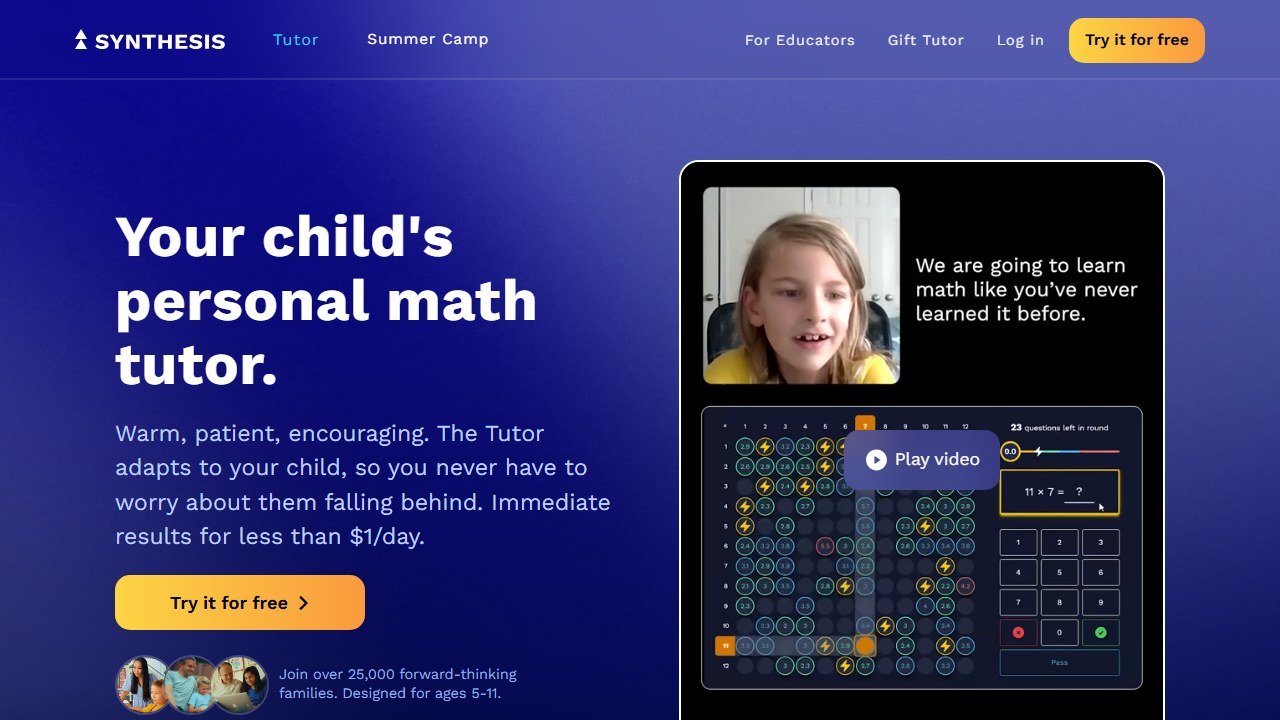
Synthesis Tutor is the pick for younger kids who need math to feel like play rather than a worksheet. It is aimed squarely at ages 5 to 11 and focuses on elementary math, using a voice driven AI tutor that talks your child through problems in a game like environment. For a parent of an early learner who dreads sit down math, that format is the whole point.
In a home setup it works as a daily math companion. Your child puts on headphones, the AI tutor presents problems conversationally, adapts to where they are, and keeps them engaged through challenges rather than drills. It runs on iPad, desktop, and Chromebook, so it fits whatever hardware your homeschool already has. Because it is voice forward and playful, it suits the exact age band where a dry platform like Khan can lose a kid.
The voice interaction is the differentiator worth testing for yourself. A reluctant young learner who shuts down at a worksheet will often talk happily to a friendly AI tutor that reacts to what they say, which lowers the emotional temperature around math in a way a static screen cannot. For a parent of a kid who has already decided they are bad at math, that reset can be the most valuable thing a tool does all year. We also appreciate that it pushes problem solving and reasoning aloud rather than speed drilling, so a child builds genuine number sense instead of memorizing tricks.
Strengths: genuinely engaging for young children, an adaptive voice tutor that meets the child at their level, strong focus on building number sense rather than rote answers, and easy to run for a single child at home. Weaknesses: it is math only, so it cannot anchor a full curriculum; the age ceiling is low, so it ages out around 11; and it is a paid subscription with no meaningful free tier, which stings for budget families already paying for other tools. Think of it as a targeted add on for an early years math kid, not a backbone.
Pricing model: paid subscription billed monthly or annually, with the annual plan lowering the effective monthly cost; free trial available. Official site: synthesis.com.
Photomath: the step by step math helper
Score: 4/5
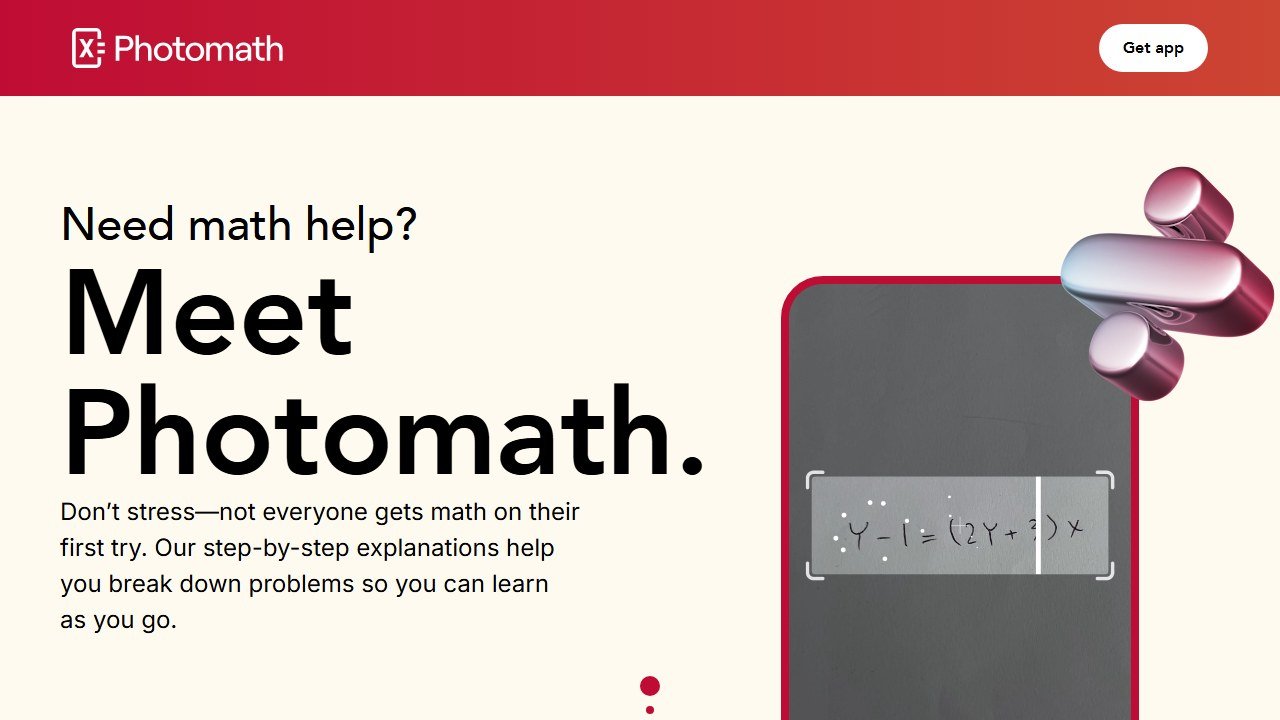
Photomath is the math helper for older kids and for parents who hit the edge of what they remember from school. Your child points a phone camera at a problem, printed or handwritten, and it returns step by step solutions across arithmetic, algebra, geometry, trigonometry, calculus, and statistics. For a homeschooling parent staring down a quadratic at 9pm, it is a genuine rescue.
The home value is twofold. First, it lets an independent teen check their own work and understand where they went wrong, which is exactly the self directed habit you want to build. Second, it lets you support math you have not touched in twenty years without faking it; you scan the problem, read the worked steps, and explain from there. The free tier is surprisingly generous, giving unlimited basic scans and step by step solutions for most standard problems.
What makes it genuinely useful for learning, rather than just answering, is that it shows multiple solution methods and breaks each one into discrete steps you can read aloud. When your child gets a problem wrong, you can scan it, find the exact line where their approach diverged, and teach that one step instead of redoing the whole thing. That targeted correction is far more effective than a parent saying “you just made a silly mistake,” and it works even for parents who would struggle to solve the problem unaided. The camera handles handwritten work too, so a child can do the problem on paper the proper way and still check it instantly.
Strengths: fast and accurate camera based solving, clear multi step explanations rather than just answers, broad coverage up through calculus, and a free tier that covers a lot of real homework. Weaknesses: it is a solver, not a tutor, so a kid can lean on it to copy rather than learn if you do not supervise; animated tutorials, textbook specific solutions, and the AI tutor sit behind the paid tier; and it does nothing outside math. Use it as a check and explain tool, not a homework autopilot.
Pricing model: a strong free tier for basic step by step solving, with an optional monthly or annual upgrade for animated tutorials, textbook solutions, and AI tutoring. Official site: photomath.com.
Duolingo: daily language practice

Score: 4/5
Duolingo is the easiest way to add a world language to your homeschool without becoming a language teacher yourself. The free tier gives full access to every course, over 40 languages, which for a budget family is a real foreign language program at zero cost. For homeschoolers who want consistent daily practice in Spanish, French, or another language, the gamified streak format does the motivational work for you.
In a home setup it slots in as the language block. A child does a short lesson daily, the app handles teaching and review through its spaced repetition system, and you simply check the streak. The newer AI features add value for older learners: the premium Max tier introduces an AI video call conversation partner and AI roleplay scenarios with feedback in several major languages, and as of early 2026 the AI powered “Explain My Answer” grammar feature moved to free for everyone, which is a nice win.
The honest framing for homeschoolers is that Duolingo solves the consistency problem, which is the real reason most home language programs fail. Parents rarely have the energy to run a structured language lesson every single day on top of everything else, and a child practicing five minutes daily will out learn a child doing an hour once a week. The streak mechanics, leagues, and reminders do the nagging so you do not have to, and that behavioral nudge is genuinely worth something in a busy household. For an older, motivated teen, the Max conversation features add the speaking practice the free app lacks, turning it from vocabulary drilling into something closer to a tutor you can talk to.
Strengths: every language course is free, the daily streak format genuinely drives consistency, it runs on any phone or tablet, and a Family plan can cover up to six accounts so siblings and parents share one subscription. Weaknesses: it builds vocabulary and recognition well but is weak on real conversational fluency and grammar depth on its own, the free tier limits attempts through a hearts system and shows ads, and the best AI conversation features sit in the expensive top tier. Treat it as solid daily practice, not a complete language curriculum.
Pricing model: a genuinely useful free tier, an optional ad free subscription billed monthly or annually, a Family plan for up to six users, and a premium AI tier for conversation features. Official site: duolingo.com.
Diffit: making reading material at your child’s level
Score: 3.5/5
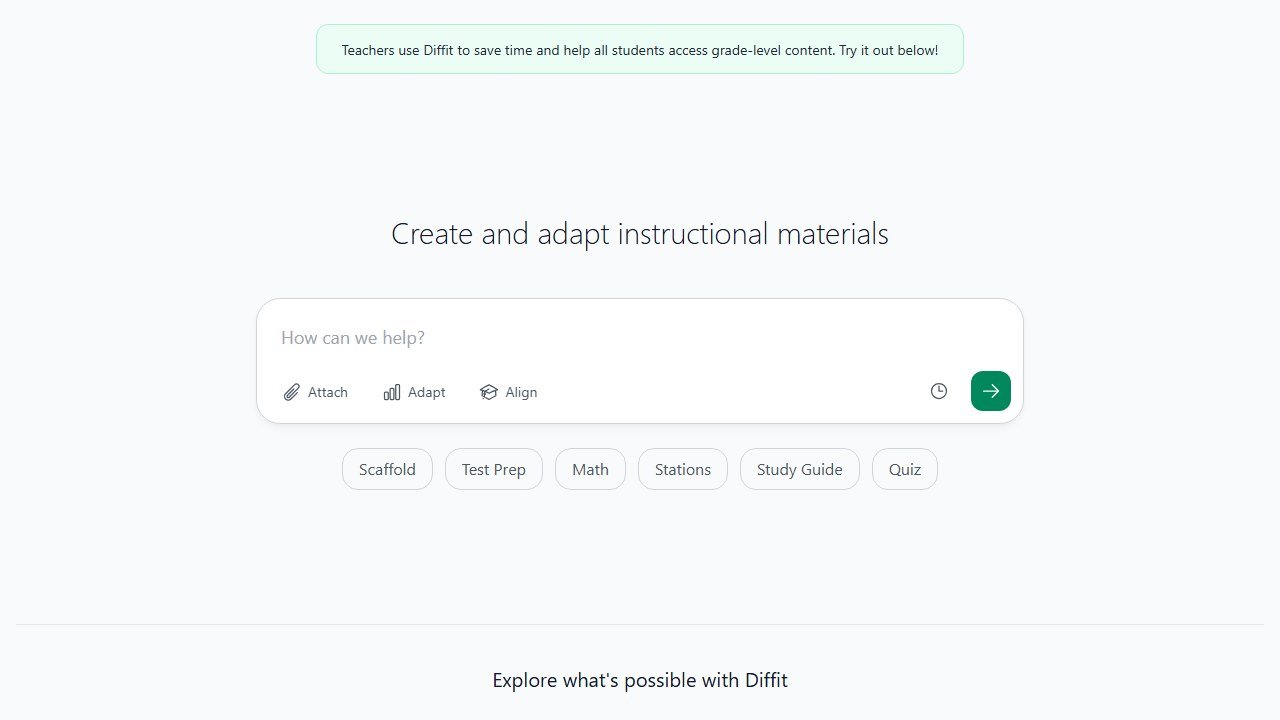
Diffit is a teacher built tool, and we are flagging that openly, but it solves a problem homeschooling parents have constantly: getting reading material at exactly your child’s level. You give it any source, a news article, a textbook passage, a Wikipedia page, even a YouTube video link, and it rewrites it into a clean reading passage at the level you choose, with comprehension questions, vocabulary, and a summary attached. For a parent teaching siblings of different ages off the same topic, that is quietly powerful.
In a home setup, Diffit is your tool, not the child’s. Say both your kids are learning about volcanoes. You generate one passage at a simpler level for the younger one and a harder version for the older one from the same topic, print both, and now everyone studies the same subject at their own reading level. It also turns any article you already like into a ready made comprehension worksheet, which saves real prep time.
This solves the single hardest logistical problem in multi age homeschooling: teaching siblings together without either boring the older one or losing the younger one. Unit studies, where the whole family explores one theme, only work if each child can access the material at their level, and hand leveling text is exhausting. Diffit collapses that into a few clicks, so a single topic can anchor reading, vocabulary, and comprehension for a seven year old and a twelve year old at once. You can also feed it a YouTube video your kids watched and get a reading passage and questions from it, which is a clever way to turn screen time into a graded lesson. The questions and vocabulary it generates are solid first drafts that you skim and tweak rather than write from scratch.
Strengths: instantly levels any text up or down, generates questions and vocabulary automatically, handles many source types, and the free tier is generous with unlimited topic based reading generation and no trial expiry. Weaknesses: it is built and worded for classroom teachers, so you adapt the framing to home use; it is a content maker, not a tutor or curriculum; and the higher word limits and export polish sit behind the paid plan. We dig into its full feature set in our Diffit review. It is a teacher first tool you borrow for the home, much like the planning tools covered in our guide to the best AI tools for teachers.
Pricing model: a generous free tier with unlimited topic based reading generation, plus an optional monthly individual plan for higher word limits and export features. Official site: diffit.me.
SchoolAI: guided AI chat with safety rails
Score: 3/5
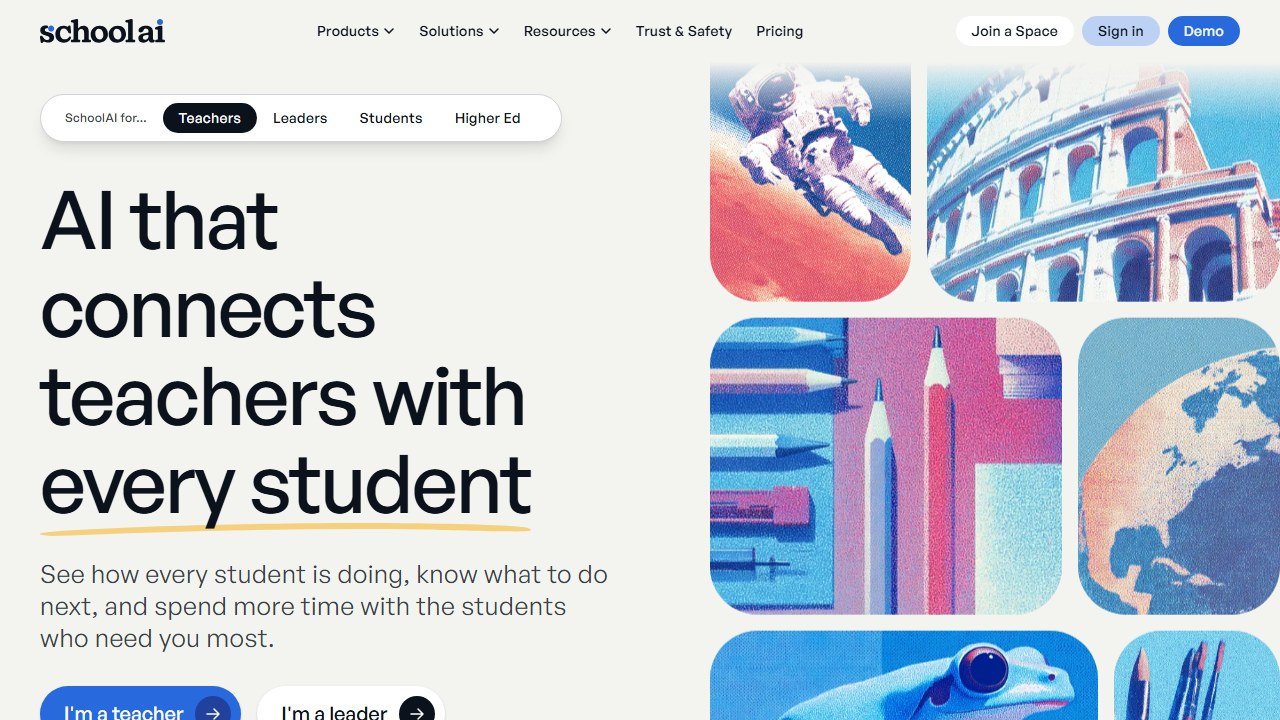
SchoolAI is built for teachers and schools first, so a homeschooling parent uses it slightly against the grain, which is the main reason it lands mid pack rather than higher. What it does well is give a child a guided AI chat experience inside “Spaces” that come with real guardrails: content filtering, conversation logs, and adult visibility are baked in rather than bolted on, which matters when the user is under 18.
For a home setup, the appeal is a safer sandbox than a raw chatbot. You can set up a Space focused on a topic, the child interacts with an AI tutor inside it, and you can review the conversation log afterward. If your worry is handing a child an open ended AI with no oversight, SchoolAI’s whole design philosophy is built around under 18 safety, and that is a legitimate reason a cautious parent might choose it.
Strengths: strong safety and visibility features designed specifically for minors, a guided tutoring experience rather than open chat, and a free tier that covers most individual use through a school year. Weaknesses: the product, dashboards, and onboarding all assume a teacher with a class and a roster, so a solo parent navigates around features they do not need; the richer admin and compliance tooling is aimed at schools and districts; and it is less convenient for a single child than a tool built for families. See how it compares to other tutoring options in our best AI tutoring apps roundup.
Pricing model: a free tier built for individual teachers that covers most home use, with paid school and district tiers priced per student that a homeschooling parent will not need. Official site: schoolai.com.
MagicSchool: planning help plus a student practice space
Score: 3/5
MagicSchool is firmly a teacher tool, and we want to be clear about that, but it has two halves and a homeschooling parent can use both. The educator side is a big library of AI assistants that generate lesson ideas, quizzes, rubrics, and explanations, which doubles as planning help for a parent. The student side, MagicStudent, gives a child a safer space to brainstorm, get feedback, ask questions, and practice concepts under adult guidance.
In a home setup you wear both hats. As the “teacher” you use the assistants to draft a lesson outline, generate practice questions, or get a quick rubric for a writing assignment. Then you point your child at the student side to practice and get feedback within a more controlled environment than an open chatbot. It is a reasonable two in one if you like having planning and student practice under a single login.
Strengths: a large set of planning and content generation assistants, a dedicated student facing mode with guardrails, and a free tier that gives individual users access to core tools. Weaknesses: every part of it is designed and worded around classroom teaching and student rosters, so a parent constantly translates classroom features to home use; it overlaps heavily with what ChatGPT plus Khanmigo already do for you; and the best limits sit behind the paid plan. For the planning side specifically, our guide to the best AI lesson planning tools and our roundup of the best AI tools for teachers cover it and its rivals in depth from the educator angle.
Pricing model: a free tier for individual users covering core tools, with an optional paid monthly or annual plan for higher limits and a custom enterprise tier for schools. Official site: magicschool.ai.
How to build your homeschool stack
The mistake we see most often is buying a separate tool for every subject and ending up with five subscriptions that overlap. A good homeschool stack covers five jobs with as little money and overlap as possible: a curriculum backbone, a tutor for the kids, a planning and writing helper for you, a practice tool, and a math helper. Here is how to assemble it without overpaying.
Start with the free backbone. Khan Academy plus Khan Academy Kids gives you a structured, full length, genuinely free curriculum from age 2 through high school. Set this up first and run it for a couple of weeks before you spend anything. For many families this plus a library card is already most of a homeschool.
Add the one paid tutor that pays for itself. Khanmigo at its low family price gives every child a Socratic tutor across all the core subjects, with parent visibility and multi child support on one account. Because it is built by the same people as your free backbone, the two fit together with no friction. This is the single best money you will spend.
Layer in your own leverage tool. ChatGPT is for you. Use it to plan weeks, draft units, generate spelling and comprehension questions, and act as a writing coach, and lean on its study mode and parental controls for supervised teen work. The free tier may be enough; upgrade only if you find yourself hitting the message limit daily.
Then patch the gaps with targeted, mostly free add ons, matched to your kids’ ages and subjects:
- Early math kid (5 to 11): add Synthesis Tutor for playful, voice driven math practice.
- Older math student: add Photomath on its free tier to check work and explain steps.
- World language: add Duolingo on the free tier, or the Family plan if several of you are learning.
- Multi age reading off one topic: use Diffit’s free tier to level the same article up and down for each child.
- Want a safer, supervised AI sandbox: try SchoolAI or MagicStudent’s free tiers before paying.
Two budget rules keep this sane. First, never pay for two tools that do the same job; if Khanmigo and ChatGPT already explain math, you do not also need a paid math tutor unless a specific kid clearly needs it. Second, exhaust the free tier before upgrading; almost every tool here has one, and most families never need to pay beyond the single Khanmigo subscription. A complete, effective homeschool AI stack can run on roughly one low monthly subscription plus several free tools.
Homeschooling younger children? Many of the picks in our guide to the best AI tools for kindergarten teachers work just as well at the kitchen table as they do in a classroom.
Our verdict
For the large majority of homeschooling families, the answer is refreshingly simple and cheap. Free Khan Academy is the curriculum backbone, and the low cost Khanmigo subscription turns it into a tutored experience that works across subjects and across multiple kids on one family plan. Both earn a full 5 out of 5 for home fit, and together they are the foundation we would tell any homeschooling parent to start with before spending another dollar.
Around that core, add ChatGPT as your own planning and writing coach at 4.5 out of 5, because the time it saves a solo homeschooling parent is hard to overstate, as long as you use the parental controls and supervise any child use. Then fill gaps with targeted tools scored on their narrower jobs: Synthesis Tutor and Photomath at 4 out of 5 for early and older math, Duolingo at 4 out of 5 for daily language practice, and Diffit at 3.5 out of 5 as the parent’s reading material maker.
The three teacher first platforms, Diffit, SchoolAI at 3 out of 5, and MagicSchool at 3 out of 5, are all capable, but they were built for a classroom and a roster, and a homeschooling parent will spend energy adapting them to a home of one or two kids. They are worth a look on their free tiers, especially if you want extra safety rails or planning help, but none of them should be your starting point. Begin with the free backbone and the one cheap tutor, match the add ons to your children’s ages and subjects, and let the rest stay on the shelf until you actually need it.
For a closer look, see our Brisk AI review.
How we reached this verdict: this guide is research-based. We compare each tool against its published documentation, pricing pages and terms, and we do not claim hands-on testing we have not done.
Student data, and the questions a school has to ask before anything is switched on
This is the part of education technology where getting it wrong has consequences beyond a wasted subscription, and it is mostly answerable in writing before adoption.
Know which law you are under before you evaluate
In the United States, student education records sit under FERPA, and services aimed at under-13s bring COPPA into scope, which requires verifiable parental consent for personal information collected from children. Schools outside the US will have their own regime. The practical effect is the same: the school, not the vendor, carries the obligation, so the vendor questions exist to let you meet it.
Ask whether student work trains the model
This is the single question to get in writing. Ask whether student inputs and outputs are used to train or improve any model, including in aggregated or anonymised form, and whether that binds subprocessors too. “We do not train on your data” and “we do not train foundation models on your data” are different sentences. Get it as a contract term, because a sales assurance does not survive a change of ownership.
Ask who else touches the data
Most tools here are built on a model provider they did not write, so student work reaches a third party. Ask for the current subprocessor list, where each processes data, and how you are notified when it changes. A vendor that cannot produce that list within a day does not have one, which tells you enough about the rest of their programme.
Ask what happens at the end of a school year
Retention and deletion, stated in days rather than described as a process. What is deleted when a student leaves, when a class is archived, when the contract ends. Ask whether deletion means removed from live systems, removed from backups, or flagged. A vendor that will commit to a number in the contract is a different proposition from one that describes an approach.
The one many schools miss: inferences about a child
If a tool generates a reading level, a predicted grade, a behaviour flag or an ability estimate, that is data about a student the student never supplied. Ask whether those inferences are covered by your export, your deletion request and your access request, because a parent asking what the school holds on their child is asking about those too.

Written by
FazFaz is the founder of AIToolsBakery. Some tools here are tested hands on. Others are assessed from vendor documentation and pricing verified on the live page, and every review says which one it is. Sponsors can buy a position in a guide. They cannot buy the score, the criticism, or silence about a better option.
How we test and how we make money →Frequently Asked Questions