Every teacher knows the Sunday night routine. Standards open in one tab. Textbook in another. Blank lesson plan template staring you down. Two hours later you have Monday covered. Four more days to go.
The best AI lesson planning tools for teachers in 2026 are MagicSchool AI (best all-in-one), Brisk AI (best for Google Workspace users), Curipod (best for interactive lessons), Diffit (best for differentiated content), Khanmigo (best free option backed by Khan Academy), and ChatGPT (best for flexible, prompt-based planning). All six offer free tiers. MagicSchool and Brisk lead for compliance (FERPA, COPPA, SOC 2).
Faz says: Lesson planning eats more teacher time than almost anything else. Not because it’s hard. Because it’s repetitive. You know what a good lesson looks like. You just need something to get the first draft down so you can spend your time on the parts that actually require a human brain: adjusting for your specific students, adding your own examples, anticipating where kids will get stuck. That’s where AI lesson planning tools come in. They handle the scaffolding. You handle the teaching. We reviewed six tools that generate lesson plans, compared their outputs, and ranked them by what matters most: output quality, free plan value, compliance, and how well they fit into a teacher’s actual workflow. For the full picture of every teacher AI tool we’ve reviewed, see our best AI tools for teachers roundup.
Quick Verdict: Best AI Lesson Planning Tools at a Glance
| If you need… | Go with |
|---|---|
| Best all-in-one lesson planning platform | MagicSchool AI |
| Lesson planning inside Google Docs | Brisk AI |
| Interactive, student-facing lessons | Curipod |
| Differentiated materials for mixed-level classrooms | Diffit |
| Free lesson planning backed by Khan Academy | Khanmigo |
| Maximum flexibility with custom prompts | ChatGPT |
Short on time? MagicSchool AI is the best AI lesson planning tool for most teachers. It’s free, FERPA/COPPA compliant, and generates complete lesson plans with objectives, activities, differentiation, and assessments in under a minute. But if your school runs on Google Workspace, Brisk AI’s in-document approach might save you even more time.
How We Evaluated These Tools
Saru says: Every tool was evaluated using the same criteria, weighted for what matters most to teachers:
| Criteria | What we looked at |
|.|.|
| Lesson plan quality | Structure, standards alignment, differentiation suggestions, assessment ideas |
| Free plan value | How much you can do without paying anything |
| Compliance | FERPA, COPPA, SOC 2, and data privacy policies |
| Workflow fit | Does it integrate with Google Classroom, Canvas, or your existing tools? |
| Customization | Can you control grade level, time constraints, teaching strategies, and standards? |
| Time saved | How much of the output is usable without significant editing? |
We signed up for each tool’s free tier, generated lesson plans using the same brief (8th-grade science, photosynthesis, 45-minute class period, aligned to NGSS standards), and compared the outputs.
Common Mistakes Teachers Make with AI Lesson Planning
Before we get into the tools, here are four mistakes we see teachers make repeatedly. Avoiding these will save you time and frustration regardless of which tool you pick.
1. Using AI lesson plans without customizing for your specific class
Every AI lesson plan generator produces output based on a grade level and a topic. It does not know that your third period class has five students who finished the unit early, or that your room has no lab equipment, or that your co-teacher handles the guided practice block differently than you do. The AI gives you a framework. If you print it and teach it as-is, the lesson will feel generic to your students and to you. Budget 10-15 minutes per lesson to swap in your own examples, adjust timing, and cut or add activities based on what you know about your room. The tool handles the scaffolding. You handle the fit.
2. Entering student names or data into non-FERPA tools
This is the compliance mistake that can get you (or your district) in real trouble. Tools like MagicSchool, Brisk, and Curipod are FERPA and COPPA compliant. ChatGPT is not. If you paste a class roster, IEP details, or student performance data into ChatGPT, that data may be used for model training unless you have explicitly opted out. Even then, the tool is not certified for education use. The rule is simple: if the tool is not FERPA compliant, do not put student-identifiable information into it. Use it for generic planning only.
3. Picking a tool based on feature count instead of workflow fit
MagicSchool has 80+ tools. That sounds impressive, and it is. But if you spend your entire workday inside Google Docs and never want to leave, Brisk’s single Chrome extension might save you more time than 80 tools on a separate website. The best lesson planning tool is the one that fits into how you already work. A tool you actually use three times a week beats a tool with 100 features that you opened once and forgot about.
4. Expecting AI to handle classroom management or pacing decisions
AI can generate a lesson plan that says “5-minute warm-up, 15-minute direct instruction, 10-minute guided practice.” It cannot tell you that your students need 8 minutes for the warm-up because they come in scattered from lunch, or that you should flip the guided practice and direct instruction because this particular group learns better by doing first. Pacing, transitions, classroom management, and real-time adjustments are human decisions. AI handles the planning document. You handle the room.
Saru says: The pattern across all four mistakes is the same: teachers who treat AI output as a finished product get worse results than teachers who treat it as a first draft. The tool does the tedious structural work. You do the teaching-specific work. That division of labor is where the time savings come from.
The 6 Best AI Lesson Planning Tools in 2026
1. MagicSchool AI. Best All-in-One Lesson Planning Platform
| Rating | 4/5 |
|---|---|
| Best for | Teachers who want lesson planning + 80 other tools in one place |
| Free plan | Yes, free for individual teachers, no expiration |
| Paid from | District pricing (contact for quote) |
| Compliance | FERPA, COPPA, SOC 2, ESSA Level IV |
| Key strength | 80+ tools beyond lesson planning (rubrics, quizzes, IEPs, report cards) |
| Key weakness | Runs on its own site, not inside your existing workflow |
What It Does
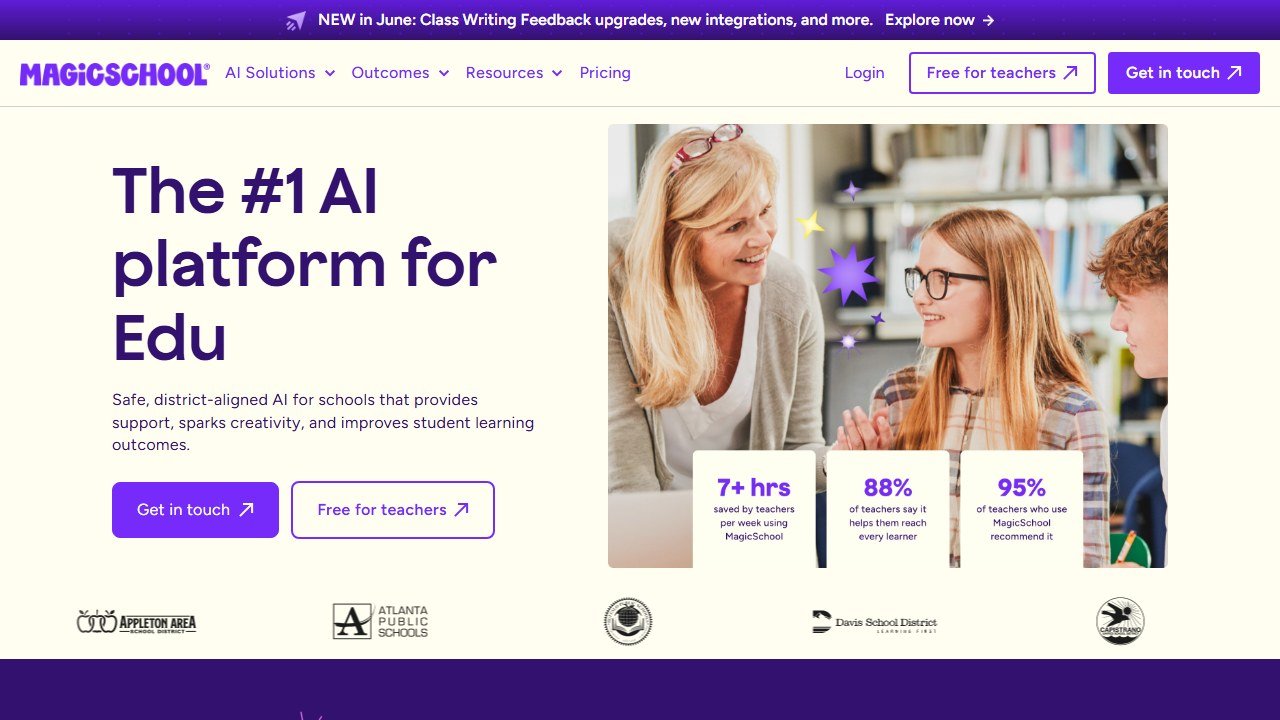
MagicSchool AI’s lesson plan generator takes your subject, grade level, topic, and standards, then produces a complete lesson plan with learning objectives, warm-up activities, direct instruction, guided practice, independent work, and assessment. You can specify time constraints, differentiation needs, and teaching strategies.
The output is solid as a starting framework. Most teachers treat it as a first draft that needs 10-15 minutes of customization.
Beyond lesson planning, MagicSchool gives you 80+ additional tools for rubrics, quizzes, IEP drafts, report card comments, writing feedback, and more. If you want one platform that covers your entire workflow, this is the closest thing to it.
Lesson Plan Output Quality
The photosynthesis lesson plan included clear NGSS-aligned objectives, a 5-minute warm-up activity, 15 minutes of direct instruction with suggested visuals, 10 minutes of guided practice with lab activity ideas, 10 minutes of independent work, and a 5-minute exit ticket. Differentiation suggestions covered ELL accommodations, advanced extensions, and IEP modifications.
The structure was thorough. The content was generic enough that you would want to add your own examples and adjust activities for your specific class, but the framework saved significant planning time.
Who This Is For
- Teachers who want a single platform for lesson planning, grading, IEPs, and more
- Special education teachers (the IEP generator is a standout)
- Teachers new to AI who want a safe, compliant starting point
- Anyone who wants to explore 80+ tools without paying
Pricing
Free for individual teachers. No credit card, no trial period, no expiration. District plans add admin dashboards, usage analytics, and professional development at custom pricing.
Pros
- Free for individual teachers with no expiration
- 80+ tools covers virtually every teaching task beyond lesson planning
- Strong compliance stack (FERPA, COPPA, SOC 2, ESSA Level IV)
- Evidence-rated: 7-10 hours saved per week on average
Cons
- Lesson plans are solid but not as deep as what a specialist tool might produce
- Runs on its own website, not inside Google Docs or your LMS
- Can feel overwhelming on first use (which of 80+ tools do you start with?)
Faz says: MagicSchool is the right first stop for lesson planning if you haven’t tried AI yet. The lesson plan generator gets you 80% of the way there, and the other 79 tools mean you’ll find something else useful while you’re at it.
Read our full MagicSchool AI review for a deeper look.
2. Brisk AI. Best for Lesson Planning Inside Google Workspace
| Rating | 4.5/5 |
|---|---|
| Best for | Teachers who live in Google Docs and want AI without leaving |
| Free plan | Yes, core features free |
| Paid from | Contact for pricing |
| Compliance | FERPA, COPPA, SOC 2, ISTE Seal, 93% Common Sense Privacy Rating |
| Key strength | Chrome extension puts lesson planning inside Google Docs |
| Key weakness | Pricing not publicly listed |
What It Does
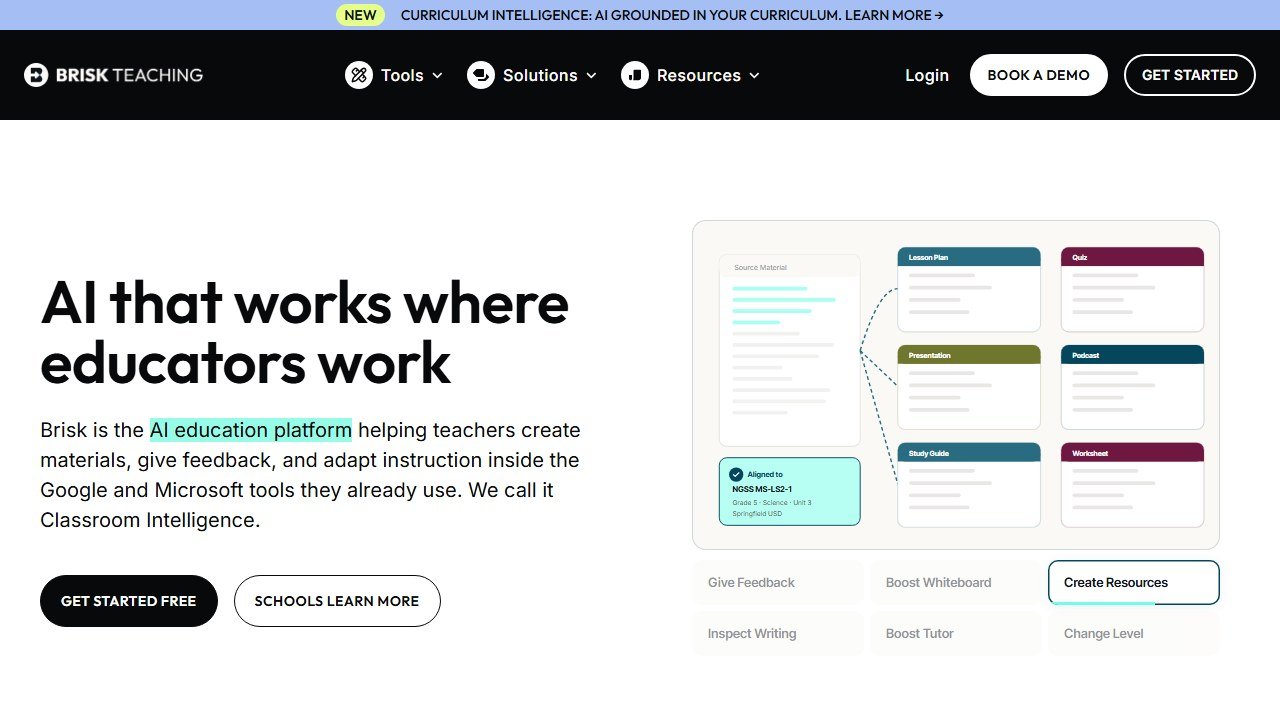
Brisk is a Chrome extension that adds AI tools directly inside Google Docs, Slides, Forms, and Classroom. For lesson planning, you enter your topic, grade level, and standards, and Brisk generates a structured lesson plan right inside the document you’re already working in.
The difference from MagicSchool: you never leave Google Docs. There’s no copying and pasting between platforms. The lesson plan appears in your document, ready to edit.
Brisk also includes a Curriculum Intelligence feature that grounds its output in your actual curriculum, scope and sequence, and instructional materials. This means lesson plans reference what you’re actually teaching, not generic content.
Lesson Plan Output Quality
The photosynthesis lesson plan was well-structured with standards-aligned objectives and a logical flow. What stood out was the Curriculum Intelligence grounding: when configured with your school’s curriculum, the suggestions tied directly to your textbook chapters and pacing guide rather than generic internet knowledge.
The output integrated naturally into Google Docs formatting, making it immediately editable without reformatting.
Who This Is For
- Teachers whose entire workflow lives in Google Workspace
- Schools that want the strongest compliance certifications to satisfy administrators
- ELA and humanities teachers who also use Brisk for writing feedback
- Teachers who hate switching between apps
Pricing
Free tier available with core features. Premium and school/district pricing not publicly listed. Brisk is deployed across 20,000+ districts, so check with your IT department before purchasing individually.
Pros
- Lives inside Google Docs, zero context-switching
- Curriculum Intelligence grounds lesson plans in your actual materials
- Strongest compliance stack among teacher AI tools
- Also handles writing feedback, quizzes, presentations in the same extension
Cons
- Pricing not publicly listed for any tier
- Chrome/Edge only (no Firefox or Safari)
- Free plan limits are unclear
- Less comprehensive for non-lesson-planning tasks than MagicSchool
Faz says: If your school runs on Google, Brisk is the lesson planning tool that fits your life. You’re already in Docs. Brisk just makes Docs smarter.
Read our full Brisk AI review for a deeper look.
3. Curipod. Best for Interactive, Student-Facing Lessons
| Rating | 4/5 |
|---|---|
| Best for | Teachers who want lessons students interact with, not just read |
| Free plan | Yes, with weekly session limits |
| Paid from | $19/mo (annual) |
| Compliance | FERPA, COPPA, GDPR compliant |
| Key strength | Interactive lessons with polls, drawings, and real-time student engagement |
| Key weakness | Free tier is session-limited, $19/mo is relatively expensive |
What It Does
Curipod is not a traditional lesson plan generator. It creates interactive AI-powered lessons that students participate in during class. Think polls, drawing exercises, whiteboarding with AI feedback, peer collaboration activities, and rubric-aligned writing prompts, all in one lesson that students engage with on their devices.
You enter a topic and Curipod generates a complete interactive lesson. Students join with a code (no login required), and you control the pacing. The AI provides real-time feedback on student responses and generates class-wide and individual performance reports.
This is the difference between a lesson plan document and a lesson experience. If you want students actively doing things during your lesson rather than passively following along, Curipod is the tool that bridges planning and delivery.
Lesson Plan Output Quality
The photosynthesis lesson included an opening poll (“What do plants need to survive?”), a vocabulary introduction with visual matching, a diagram-labeling drawing activity, a short reading with comprehension check, a peer discussion prompt, and an exit ticket with AI-generated feedback.
The lesson was immediately deliverable. No additional setup needed. Students could join and start interacting within 60 seconds of launching.
Evidence-backed results: schools using Curipod have reported 22% increase in STAAR Meets/Masters scores, 32% STAAR score increase in Texas, and 46% CAASPP growth in California. These are not vanity metrics from a press release. STAAR and CAASPP are state-mandated standardized assessments, and the gains came from schools that adopted Curipod as part of their regular instruction cycle. For teachers evaluating whether the $19/month price tag is justified, these numbers matter more than feature lists.
Who This Is For
- Teachers who want interactive, engagement-driven lessons
- Classrooms with 1:1 devices where students can participate digitally
- Teachers looking for real-time formative assessment during lessons
- Schools wanting evidence-backed tools tied to state assessment outcomes
Pricing
| Plan | Price | What You Get |
|---|---|---|
| Free | $0 | Weekly sessions (auto-renewing), bonus sessions on signup, full library access |
| Premium | $19/mo (annual) / $24/mo (monthly) | Unlimited sessions, advanced AI customization, enhanced personalization |
| School/District | Custom | Unlimited sessions, data privacy agreements, dedicated support |
Pros
- Creates lessons students actually interact with, not just read
- No student login required (join with a code)
- Evidence-backed results tied to state assessments
- AI provides real-time feedback on student responses
Cons
- Free tier is limited to weekly sessions
- $19/mo is expensive compared to MagicSchool’s free plan
- More focused on lesson delivery than lesson planning documentation
- Requires 1:1 devices for full interactive experience
Faz says: Curipod is the tool that makes you look like you spent all weekend planning when you actually spent 5 minutes. The interactive format keeps students engaged in ways a Google Doc lesson plan never will.
Read our full Curipod review for a deeper look.
4. Diffit. Best for Differentiated Lesson Materials
| Rating | 4.5/5 |
|---|---|
| Best for | Teachers with mixed-ability classrooms who need leveled content |
| Free plan | Yes, unlimited readings, PDF download, no expiration |
| Paid from | School plans (contact for pricing) |
| Compliance | FERPA compliant |
| Key strength | Generates the same content at multiple reading levels instantly |
| Key weakness | Differentiation only, not a full lesson planning platform |
What It Does
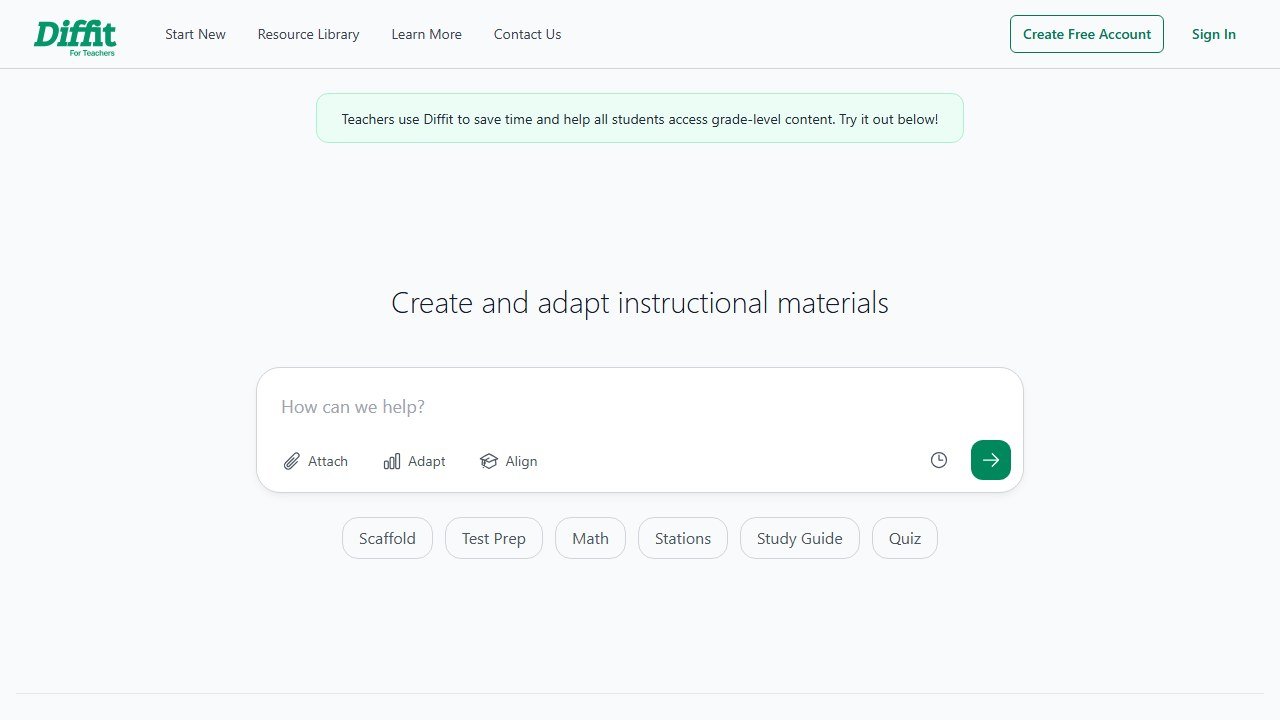
Diffit doesn’t generate traditional lesson plans. It generates the materials that go inside your lessons. Enter any topic (or paste a URL, upload a PDF, or select a YouTube video), choose a grade level, and Diffit produces a reading passage with comprehension questions and vocabulary. Then instantly adjust the reading level up or down without regenerating.
For lesson planning, this means you can create a single lesson with materials at 3rd-grade, 5th-grade, and 8th-grade reading levels in under two minutes. Every version covers the same concepts, just with different vocabulary complexity and sentence structures.
If differentiation is the part of lesson planning that takes the most time, Diffit eliminates it.
Lesson Plan Output Quality
For photosynthesis, Diffit generated a reading passage with 6 comprehension questions and a 10-word vocabulary list. The reading was grade-appropriate and factually accurate. We then adjusted the reading level from 8th grade to 4th grade, and Diffit produced a simplified version that maintained all core concepts with age-appropriate language.
The output isn’t a full lesson plan. There are no warm-ups, no guided practice sections, no assessment rubrics. It’s the content your lesson plan is built around.
Who This Is For
- Teachers with ESL, IEP, and gifted students in the same classroom
- ELA, science, and social studies teachers who rely on reading materials
- Teachers who already have a lesson planning workflow but need faster differentiation
- Bilingual classrooms (Diffit supports multiple languages)
Pricing
Free: unlimited readings, questions, vocabulary, PDF download. School plans add Google Classroom export, standards alignment, and DOK levels at a flat annual rate.
Pros
- Free plan covers the core use case with no limits
- Same content at multiple reading levels in seconds
- Accepts topics, URLs, PDFs, and YouTube videos as input
- Language support for bilingual and ESL classrooms
Cons
- Not a full lesson planning tool (no objectives, activities, or assessments)
- Google Classroom export requires a paid school plan
- Less useful for math, PE, and non-reading subjects
- COPPA/SOC 2 compliance not explicitly confirmed
Faz says: Diffit doesn’t plan your lesson. It plans the hardest part of your lesson: making sure every student in the room has materials they can actually read. Pair it with MagicSchool or Brisk for the rest.
Read our full Diffit AI review for a deeper look.
5. Khanmigo. Best Free Lesson Planning with Khan Academy Content
| Rating | 4/5 |
|---|---|
| Best for | Teachers who want free AI lesson planning backed by Khan Academy’s content library |
| Free plan | Yes, free for teachers in 44+ countries |
| Paid from | Free for teachers (parents/learners pay for subscriptions) |
| Compliance | District partnerships handle compliance |
| Key strength | Built on Khan Academy’s world-class content library |
| Key weakness | Tied to Khan Academy ecosystem, limited external integrations |
What It Does
Khanmigo is Khan Academy’s AI assistant, powered by GPT-4. For teachers, it generates standards-aligned lesson plans, rubrics, quiz questions, exit tickets, and learning objectives. The key difference from other tools: Khanmigo grounds its output in Khan Academy’s existing content library, so lesson plans can reference specific Khan Academy videos, exercises, and articles.
It also includes student-facing tutoring that guides learners through problems without giving direct answers. This means you can plan a lesson and assign AI-guided practice from the same platform.
Lesson Plan Output Quality
The photosynthesis lesson plan included standards-aligned objectives and linked directly to Khan Academy biology content. The structure was solid but more basic than MagicSchool’s output. Differentiation suggestions were present but lighter. The main value-add was the tight connection to Khan Academy’s exercise library, which meant practice activities came with pre-built, self-grading assessments.
Who This Is For
- Teachers who already use Khan Academy in their classrooms
- Schools that want free AI tools with a trusted brand name
- Math and science teachers (Khan Academy’s content library is strongest here)
- Teachers who want lesson planning + student tutoring from one platform
Pricing
Free for teachers in 44+ countries, supported by Microsoft. Student/parent accounts require paid subscriptions. Classroom-wide access available through district partnerships.
Pros
- Completely free for teachers
- Backed by Khan Academy’s trusted, extensive content library
- Student-facing AI tutor guides learning without giving answers
- Common Sense Media rated 4 stars
Cons
- Tied to Khan Academy ecosystem (limited outside it)
- Limited integrations with Google Classroom, Canvas, or other LMS
- Lesson plan output is less detailed than MagicSchool or Brisk
- Compliance handled through district partnerships, not individual certifications
Faz says: If your students already use Khan Academy, Khanmigo is a no-brainer for lesson planning. The lesson plans link directly to practice exercises your students can do independently. Outside the Khan ecosystem, though, the other tools on this list offer more.
Read our full Khanmigo review for a deeper look.
6. ChatGPT. Best for Flexible, Prompt-Based Lesson Planning
| Rating | 3.5/5 |
|---|---|
| Best for | Tech-savvy teachers who want maximum flexibility |
| Free plan | Yes (GPT-4o mini) |
| Paid from | $20/mo (ChatGPT Plus) |
| Compliance | Not FERPA/COPPA certified for education use |
| Key strength | Unlimited customization through prompts |
| Key weakness | Requires prompt engineering skill, no education-specific guardrails |
What It Does
ChatGPT isn’t a teacher tool. It’s a general-purpose AI that many teachers use for lesson planning because of its flexibility. You can ask it to create lesson plans in any format, for any subject, at any grade level. You control the output entirely through your prompts.
The upside: no pre-built templates limiting what you can ask for. The downside: you need to know what to ask for. A teacher who writes “make me a lesson plan about photosynthesis” gets a generic result. A teacher who writes “create a 45-minute 8th-grade NGSS-aligned lesson plan on photosynthesis with a 5-minute warm-up, guided lab activity, and exit ticket for a class that includes 4 ELL students and 2 students on IEPs” gets something much more useful.
Lesson Plan Output Quality
With a detailed prompt, ChatGPT produced a well-structured photosynthesis lesson plan. The output was comparable to MagicSchool’s in structure and detail. Without a detailed prompt, the output was noticeably more generic.
ChatGPT’s advantage is iteration. You can say “make the warm-up more hands-on” or “add a homework extension for advanced students” and it adjusts. The conversation-based interface makes refinement fast.
Who This Is For
- Teachers who are already comfortable with ChatGPT
- Experienced lesson planners who want AI to accelerate, not template, their process
- Teachers working in subjects where specialized tools don’t have pre-built templates
- Anyone who values flexibility over convenience
Pricing
Free tier (GPT-4o mini) handles basic lesson planning. ChatGPT Plus ($20/mo) gives access to GPT-4o and advanced features. Team and enterprise plans available for schools.
Pros
- Maximum flexibility through custom prompts
- No limits on subject, format, or grade level
- Conversation-based refinement lets you iterate quickly
- Free tier is functional for basic lesson planning
Cons
- Not FERPA/COPPA certified (do not enter student names or data)
- Requires prompt engineering skill for quality output
- No Google Classroom or LMS integration
- Uses conversation data for model training by default (opt out required)
- No education-specific guardrails or content safety
Faz says: ChatGPT is the power tool. In the right hands, it can produce lesson plans as good as anything on this list. In the wrong hands, it produces generic filler. If you already use ChatGPT daily, you don’t need a lesson planning tool. If you don’t, start with MagicSchool or Brisk instead.
One newer builder is worth watching alongside these six: see our Chalkie review for how the $4M lesson plan startup performed in practice.
Use-Case Scenarios: Which Tool Fits Your Situation?
Still not sure which tool to start with? Here are four real teaching scenarios mapped to the tool that fits best.
“I plan 5 lessons a week and need speed.”
Go with MagicSchool AI. You need a tool that produces a complete, structured lesson plan in under 60 seconds with minimal input. MagicSchool’s lesson plan generator takes your topic, grade level, standards, and time constraints, then gives you a full plan with objectives, activities, differentiation, and assessment. You spend 10-15 minutes customizing instead of 60-90 minutes building from scratch. Multiply that across five lessons and you are reclaiming 4+ hours every week. The free plan has no limits, so there is no usage cap slowing you down on Thursday night.
“My school is all-in on Google.”
Go with Brisk AI. Your lesson plans live in Google Docs. Your slides are in Google Slides. Your assignments push through Google Classroom. The last thing you need is another tab open to another platform. Brisk is a Chrome extension that puts lesson planning directly inside the Google apps you already use. You never copy and paste between tools. The Curriculum Intelligence feature also means Brisk can ground its output in your school’s actual scope and sequence rather than generating generic content. If your district has already deployed Brisk (it is in 20,000+ districts), check with IT before purchasing individually.
“I have IEP and ELL students in every class.”
Go with Diffit. Differentiation is the most time-consuming part of lesson planning for mixed-ability classrooms. Diffit generates the same content at multiple reading levels instantly. You create one reading passage on photosynthesis, then adjust it from 8th-grade level to 4th-grade level with a single click. Both versions cover the same concepts. Your IEP students get materials they can access. Your advanced students get materials that challenge them. The free plan covers unlimited readings with no expiration, so differentiation does not cost you anything except 2 minutes of setup per lesson.
“I want students interacting, not just listening.”
Go with Curipod. Traditional lesson planning tools give you a document. Curipod gives you a deliverable lesson experience. Students join with a code, participate in polls, complete drawing exercises, respond to discussion prompts, and get AI-generated feedback on their work, all during class. You control the pacing. The AI handles formative assessment in real time. If your biggest challenge is engagement (not planning speed or differentiation), Curipod solves a different problem than the other tools on this list. The evidence backs it up: schools using Curipod have seen measurable gains on STAAR and CAASPP state assessments.
Planning for the youngest grades comes with its own constraints, from typing-free activities to shorter attention spans, so we built a separate guide to the best AI tools for kindergarten teachers.
Comparison Table
| Tool | Rating | Best For | Free Plan | Compliance | LMS Integration |
|---|---|---|---|---|---|
| MagicSchool AI | 4/5 | All-in-one platform | Yes (full, no expiration) | FERPA, COPPA, SOC 2 | Google, Canvas, Schoology |
| Brisk AI | 4.5/5 | Google Workspace users | Yes (core features) | FERPA, COPPA, SOC 2, ISTE | Google, Canvas |
| Curipod | 4/5 | Interactive lessons | Yes (session-limited) | FERPA, COPPA, GDPR | Google, Canvas |
| Diffit | 4.5/5 | Differentiated materials | Yes (unlimited, PDF only) | FERPA | Google (paid only) |
| Khanmigo | 4/5 | Khan Academy users | Yes (free for teachers) | Via district partnerships | Limited |
| ChatGPT | 3.5/5 | Flexible power users | Yes (GPT-4o mini) | Not certified | None |
Which Tool Should You Pick?
Faz says: Here’s how to decide in 30 seconds:
• You want one tool that does everything: MagicSchool AI. It’s free, it’s compliant, and lesson planning is just one of 80+ tools.
• You live in Google Docs: Brisk AI. Lesson planning without leaving your document.
• You want students interacting during the lesson: Curipod. It bridges planning and delivery.
• Differentiation is your biggest challenge: Diffit. Multi-level materials in seconds.
• You already use Khan Academy: Khanmigo. Lesson plans linked to Khan content.
• You want maximum control: ChatGPT. But only if you’re comfortable writing prompts.
Saru says: For most teachers, the decision comes down to MagicSchool vs Brisk. MagicSchool offers more breadth (80+ tools). Brisk offers better workflow integration (lives in Google Docs). Both are free to start and FERPA/COPPA compliant. Try both and keep the one that fits your workflow.
For a complete overview of every AI tool for teachers, see our Best AI Tools for Teachers in 2026 pillar guide.
Final Verdict
Saru says: AI lesson planning tools are the fastest way for teachers to reclaim planning time without sacrificing lesson quality. The six tools on this list cover every approach: all-in-one platforms (MagicSchool), in-workflow extensions (Brisk), interactive delivery (Curipod), differentiation (Diffit), content-library-backed planning (Khanmigo), and flexible prompting (ChatGPT). Start with MagicSchool AI if you want the safest, most comprehensive free option. Add Diffit if differentiation is a daily challenge. Consider Brisk if your school runs on Google Workspace. The best lesson planning tool is the one you’ll actually use every week.
References & further reading
For deeper research on AI in education and evidence-backed instructional practice:
- Common Sense Education: AI in K-12 classrooms. classroom-tested guidance and tool ratings reviewed by educators
- Edutopia technology integration research. peer-reviewed edtech case studies and classroom implementation practice
- US Department of Education on AI in schools. federal guidance on AI in teaching and learning, including the 2023 Office of Educational Technology report
AI writing tools that complement lesson planning
Lesson plans, parent emails, and student feedback all benefit from a polished writing AI. Our most-used picks:
- best AI rewriting tools. paraphrasing, simplification, and grade-level adaptation
- Grammarly review. editorial polish for parent-facing communication
Tools mentioned in this guide

Written by
FazFaz is the founder of AIToolsBakery. Some tools here are tested hands on. Others are assessed from vendor documentation and pricing verified on the live page, and every review says which one it is. Sponsors can buy a position in a guide. They cannot buy the score, the criticism, or silence about a better option.
How we test and how we make money →