AI landscaping tools promise to turn a photo of your yard into a photorealistic design in seconds. Some deliver. Most don’t.
Updated May 31, 2026.
The best AI landscaping tools in 2026 are Neighborbrite (best free, unlimited designs), DreamzAR (best AR walkthrough with 2,000+ USDA plants), and HomeDesigns.AI (largest user base, 7-day free trial). For most homeowners, start with Neighborbrite (free) and upgrade to DreamzAR ($20/mo) for AR or USDA plant data. Full 10-tool breakdown below.
How to pick the right AI landscaping tool
Match the tool to your actual job, not the longest feature list:
- Just visualizing ideas, on a budget: Neighborbrite, free, unlimited designs, no credit card.
- Want to walk through the design in AR: DreamzAR, with 2,000+ USDA plants.
- Professional landscaper: iScape, the most-downloaded pro app with real-time AR overlay.
- Front-yard curb appeal with cost estimates: Curb Appeal AI or LandscapioAI.
- Indoor plus outdoor in one tool: Planner 5D.
For most homeowners, start free with Neighborbrite and only upgrade (to DreamzAR or a Pro plan) if you need AR walkthrough or zone-accurate plant data. None of these replace real measurements or construction-ready layouts, they are for the early “what could this look like” phase.
Faz says: I spent $500 on a landscaper who sketched my yard on graph paper. Three years later, AI tools can do the same thing in 15 seconds from a phone photo. The market has exploded with options, and most of them look identical on their landing pages: upload a photo, get a design. But the differences matter. Some tools give you pretty pictures with no plant names. Others tell you exactly which species will survive your winters. Some charge $30/mo for what others give away free. I went through every serious AI landscaping tool to find the ones worth your time.
Saru says: Here’s the data behind this guide: 17 tools evaluated, 10 selected for this list. Free tiers tested. Plant databases checked against USDA zone data. App Store ratings aggregated. User feedback compiled from Reddit (r/landscaping, r/HomeImprovement, r/gardening), G2, Trustpilot, and Product Hunt. Pricing verified from official websites as of April 2026.
Related: See also: Neighborbrite review | Best AI garden design tools
Quick Verdict: Best AI Landscaping Tools at a Glance
| If you need… | Go with | Rating |
|---|---|---|
| Best free landscaping AI (unlimited) | Neighborbrite | 4.2/5 |
| Best AR walkthrough + plant data | DreamzAR | 3.8/5 |
| Largest community + best free trial | HomeDesigns.AI | 4.0/5 |
| Best for professional landscapers | iScape | 3.5/5 |
| AI trained on real professional designs | YardAI | 3.8/5 |
| Best for front yard / curb appeal | Curb Appeal AI | 3.7/5 |
| Best cost estimation | LandscapioAI | 3.6/5 |
| Best indoor + outdoor combo | Planner 5D | 3.3/5 |
| Best for architects / sketch-to-render | Rendair AI | 3.5/5 |
| Best daily free credits | Ideal House | 3.4/5 |
Short on time? Neighborbrite is the best starting point for most homeowners. Unlimited free designs, no credit card, fast generation, and good enough quality to bring to a contractor. If you need AR visualization or USDA-rated plant lists, upgrade to DreamzAR ($20/mo).
How We Evaluated These Tools
Saru says: Every tool on this list was evaluated using seven criteria.
| Criteria | Weight | What we weigh |
|---|---|---|
| Design quality | High | Photorealism of outputs, variety of styles |
| Free plan value | High | How much you can do without paying |
| Plant intelligence | High | USDA zones, species identification, climate-aware recs |
| Ease of use | Medium | Upload-to-design speed, learning curve |
| AR/3D visualization | Medium | Can you see designs in your actual yard? |
| Platform availability | Medium | Web, iOS, Android coverage |
| Pricing transparency | Medium | Are costs clear before signup? |
What We Did
We signed up for each tool’s free tier. We uploaded the same yard photos (front yard, backyard, small patio) to every tool and compared outputs. We checked plant databases for USDA zone accuracy. We read user reviews across App Store, Google Play, Reddit, G2, Trustpilot, and Product Hunt.
What We Didn’t Do
We did not hire contractors to build any of the AI-generated designs. We did not test long-term plant survival based on tool recommendations. Our evaluation covers the digital design experience, not the physical implementation.
Faz says: Some tools on this list get lower ratings despite having useful features. That’s because we weight plant intelligence and free plan value heavily. A tool that generates beautiful renders but can’t tell you what plants will survive your climate is less useful than one with average visuals and accurate zone data.
The 10 Best AI Landscaping Tools in 2026
1. Neighborbrite. Best Free AI Landscaping Tool
| Rating | 4.2/5 |
|---|---|
| Best for | Homeowners who want free, unlimited landscape visualization |
| Free plan | Yes, unlimited designs, no credit card, no watermarks |
| Paid from | ~$15/mo (Pro) |
| Plant intelligence | Location-based recommendations (Pro only) |
| AR | No |
| Platform | Web, iOS, Android |
| Website | neighborbrite.com |
What It Does
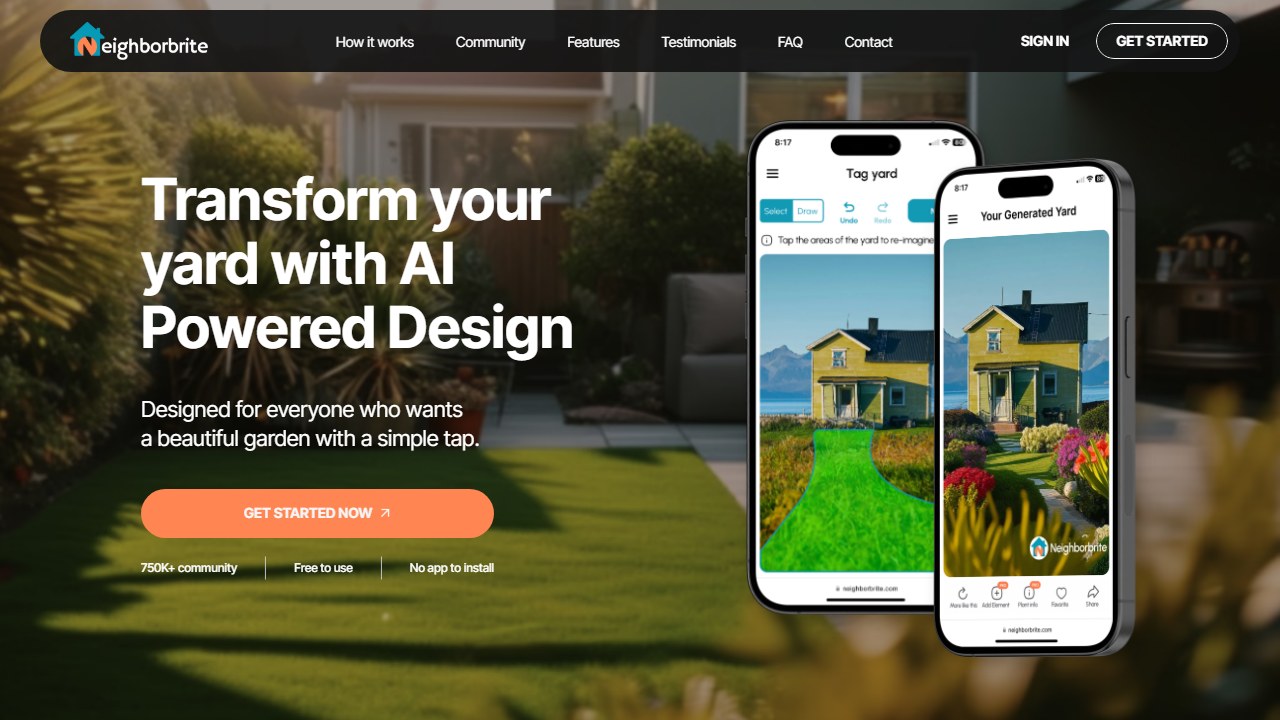
Neighborbrite turns your yard photos into photorealistic landscape designs. Upload a photo, select the area to redesign, choose from 16+ garden styles (Modern, Cottage, Mediterranean, Tropical, Desert, Japanese Zen, and more), and the AI generates a visualization in seconds. No blueprints or top-down plans. What you get is a realistic before-and-after that shows you what your space could look like.
Why It’s #1
The free plan. No other AI landscaping tool offers unlimited designs with no credit limits, no watermarks, and no credit card requirement. You can test every style on multiple yard photos without spending anything. That alone makes it the best starting point for any homeowner.
Key Features
- Magic Edit (Pro): Modify specific elements in a design without regenerating the whole thing. Swap furniture, change fence material, adjust garden beds.
- Plant Finder: Upload a plant photo and identify the species. Works on the free plan.
- Plant List Generation (Pro): Climate-tailored plant recommendations based on your location.
- Sunlight Filters (Pro): See how your design looks at different times of day with sun angles and shadows.
- Add Elements: Trees, fire pits, pools, pergolas, decks, stone paths. Free plan gets basics, Pro gets 60+.
Pricing
| Free | Pro |
|---|---|
| Unlimited designs, all styles, basic elements | ~$15/mo: Magic Edit, 60+ elements, plant lists, sunlight filters |
Also offers Pro Design ($199-$287): a human designer creates a top-down layout with plant placement and 2 revision rounds.
Who It’s For
Homeowners in the inspiration and planning phase. Bring your Neighborbrite renders to a contractor and say “I want something like this.” The free plan handles this workflow completely. Upgrade to Pro when you need plant species recommendations or targeted design edits.
What’s Missing
No AR. No cost estimation. No top-down plans from AI. Fewer styles than DreamzAR (16+ vs 38+). Plant lists locked behind Pro.
Read our full Neighborbrite review
2. DreamzAR. Best AR Walkthrough + Plant Intelligence
| Rating | 3.8/5 |
|---|---|
| Best for | Homeowners who want to walk through their future garden in AR |
| Free plan | Yes, starting credits (exact count undisclosed) |
| Paid from | $19.99/mo (iOS) or $19.99 one-time (web, 2 weeks) |
| Plant intelligence | 2,000+ plants with USDA hardiness zone data |
| AR | Yes (mobile only) |
| Platform | iOS, Android, Web |
| Website | dreamzar.app |
What It Does
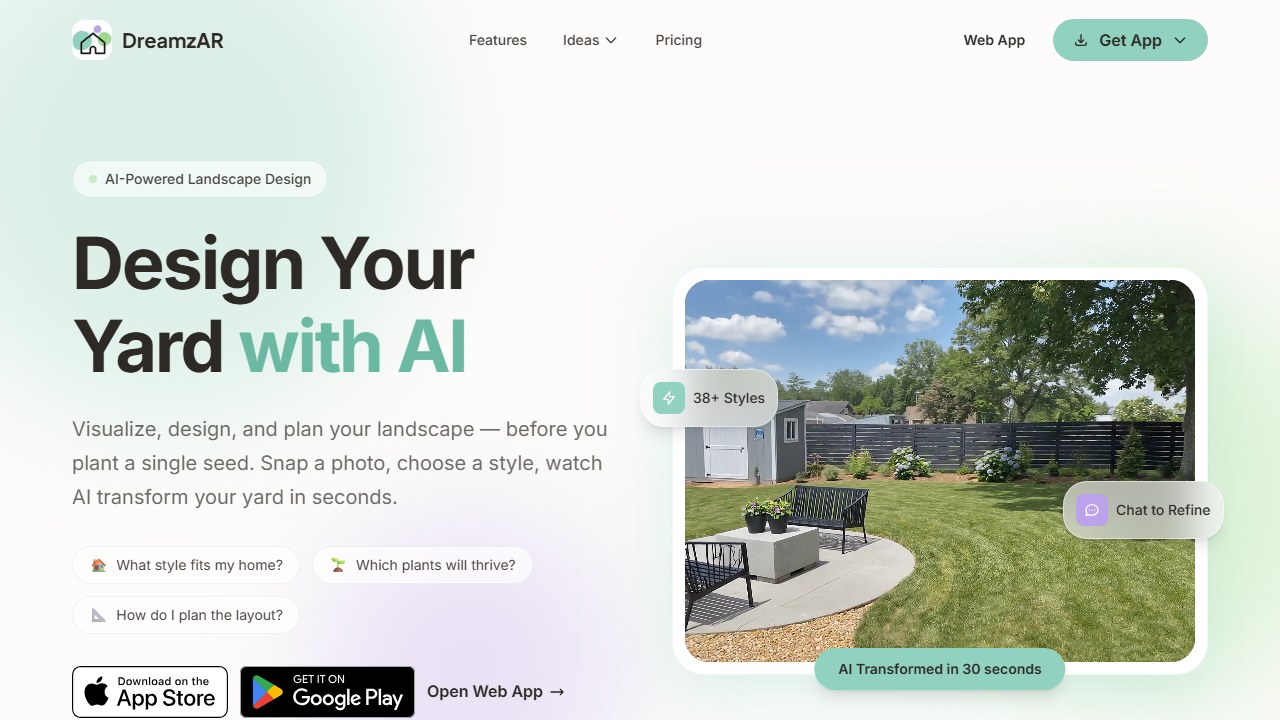
DreamzAR combines AI photo-to-render generation with augmented reality visualization. Upload a photo, choose from 38+ styles, and the AI generates a redesign. Then switch to AR mode and walk through the design in your actual yard at real-world scale. Refine designs using natural language chat (“add a fire pit near the deck,” “replace the grass with gravel”).
Why It’s #2
The deepest feature set in the category. AR walkthrough, 2,000+ USDA-tagged plants, chat-based refinement, cost estimates by ZIP code, shadow simulation, and offline mode. No single competitor combines all of that. The 3.1/5 App Store rating (from crash reports) is the main thing holding it back.
Key Features
- AR Walkthrough: See designs at real-world scale through your phone camera. Walk around, check plant heights, visualize spatial layout.
- Chat Refinement: Type “add more flowers along the fence” instead of regenerating the whole design.
- 2,000+ USDA Plants: Every plant tagged with hardiness zone, light needs, water requirements, and care guides.
- Cost Estimates: Enter your ZIP code, get a ballpark cost for implementing the design (USA only).
- Shadow Simulation: See how sunlight moves across your design at different times of day.
- 38+ Styles: Widest style selection available.
Pricing
| iOS | Web |
|---|---|
| $19.99/mo or $199.99/yr | $19.99 (2 weeks) to $49.99 (3 months), one-time |
The web one-time pricing is a smart option for weekend projects.
Who It’s For
Homeowners who want the most capable single tool. Particularly valuable if you need to understand spatial relationships (will this tree block the window?) and want climate-accurate plant recommendations.
What’s Missing
3.1/5 iOS rating from crash reports. Free tier is vague. $20/mo is above the comfort zone for casual use. AR is mobile-only.
3. HomeDesigns.AI. Largest Community + Best Free Trial
| Rating | 4.0/5 |
|---|---|
| Best for | Users who want a generous free trial before committing |
| Free plan | 7-day free trial, unlimited designs, no credit card |
| Paid from | $12/mo (annual) |
| Plant intelligence | Style-based suggestions, no explicit USDA data |
| AR | No |
| Platform | Web only |
| Website | homedesigns.ai |
What It Does
HomeDesigns.AI is an AI redesign tool for interiors, exteriors, and gardens. Upload a photo of any space, choose from 80+ design styles, and get a photorealistic redesign in under 30 seconds. The platform covers everything from living rooms to front yards to garden beds, making it one of the broadest AI design tools available.
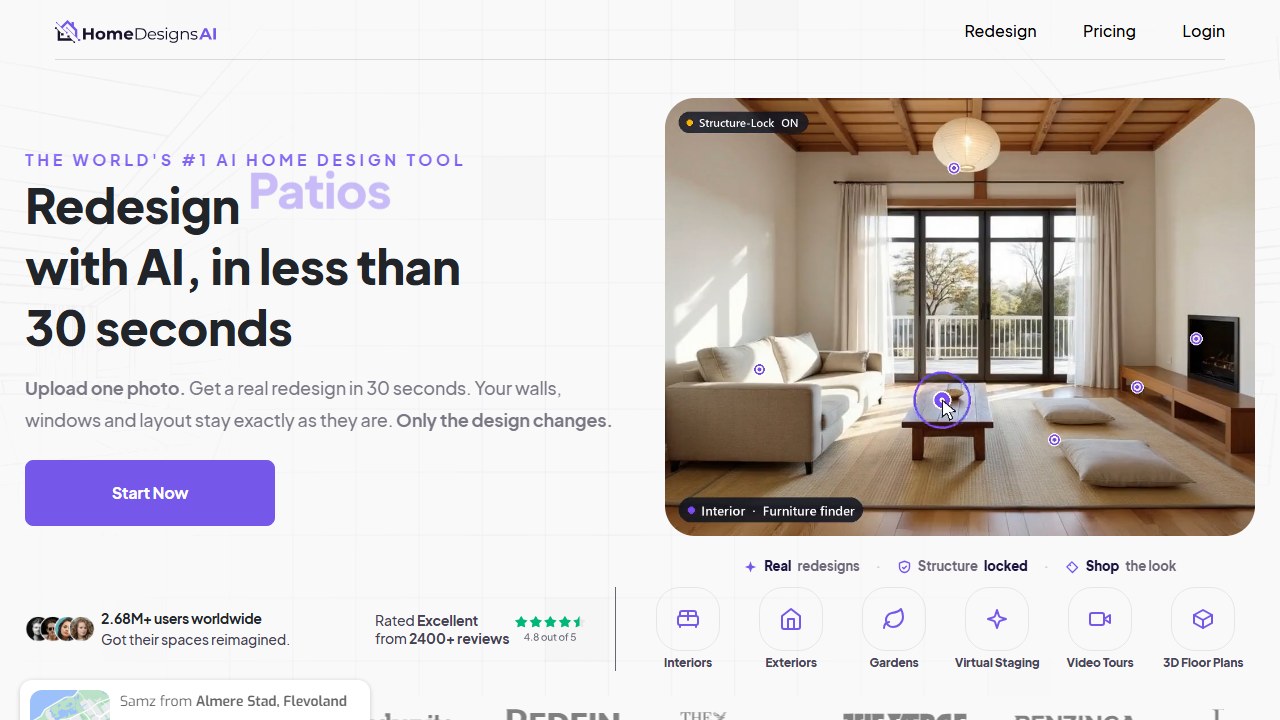
The workflow splits into 20+ dedicated modules. For landscaping, the relevant ones are Exterior Design, Garden Design, Patio Design, Pool Area, and Facade Redesign. Each module is tuned for that specific space type, so the AI knows it’s looking at a backyard when you use the Garden module versus a house front when you use Facade.
Why It’s #3
The numbers speak: 2.5 million users, 7 million designs generated, 53,000+ professionals, and 1,300+ Trustpilot reviews across 170+ countries. This is the largest dedicated AI home/landscape design platform by user base. When that many people use a product, you get two things: social proof that the output quality is decent, and a large training dataset that makes the AI better over time.
The 7-day free trial with unlimited designs and no credit card is the most generous trial in the space. No credit limits, no feature locks, no watermarks. Seven days of full access to everything. That’s long enough to upload every space in your home and yard, try all 80+ styles, download everything, and decide whether it’s worth paying.
Key Features
- 80+ Design Styles: The widest style library for exterior and garden redesigns. Covers everything from Modern Minimalist to Rustic Farmhouse to Japanese Zen.
- 20+ Modules: Dedicated tools for different design types (exterior, garden, patio, pool, facade). Each module is optimized for that specific space.
- 7-Day Unlimited Trial: Generate as many designs as you want for a full week. No credit card. No limits. This is the single best trial in the AI landscaping space.
- Fast Generation: Under 30 seconds per design. Comparable to Neighborbrite and DreamYard for speed.
- 170+ Countries: Proven global reach with localized style suggestions.
- Pro Features: The Pro tier adds team collaboration, higher resolution exports, and priority support for professional users.
Pricing
| Trial | Individual (Annual) | Pro (Annual) |
|---|---|---|
| 7 days free, unlimited | $12/mo ($144/yr) | $17/mo ($204/yr) |
Monthly pricing is $29/mo for Individual, making the annual plan the obvious choice. The annual Individual plan ($12/mo) is the second cheapest paid option after Planner 5D ($5/mo annual), and you get full AI generation capabilities rather than a manual design tool.
Hidden cost note: The 1,300+ Trustpilot reviews skew positive but some users report auto-renewal confusion after the trial. Set a calendar reminder for day 6 if you want to cancel before being charged.
Who It’s For
Users who want to test extensively before paying. The 7-day trial lets you upload every space in your home and yard, try all 80+ styles, and download results. If you’re not sure which AI tool suits you, HomeDesigns.AI’s trial is the best way to find out. Also strong for real estate agents and home stagers who need quick visual redesigns across multiple properties.
What’s Missing
No AR visualization. No explicit USDA plant data (the AI picks plants that look appropriate for the style but doesn’t verify they’ll survive your climate). Web-only with no native mobile app. No cost estimation. No chat-based refinement. Plant suggestions are style-driven rather than climate-driven, which limits practical garden planning.
4. IScape. Best for Professional Landscapers
| Rating | 3.5/5 |
|---|---|
| Best for | Professional landscapers doing on-site client consultations |
| Free plan | Yes, 2 designs, ~20 items, watermarks |
| Paid from | $29.99/mo |
| Plant intelligence | USDA zone filtering, plant info cards |
| AR | Yes (iOS and Android) |
| Platform | iOS, Android (no web) |
| Website | iscapeit.com |
What It Does
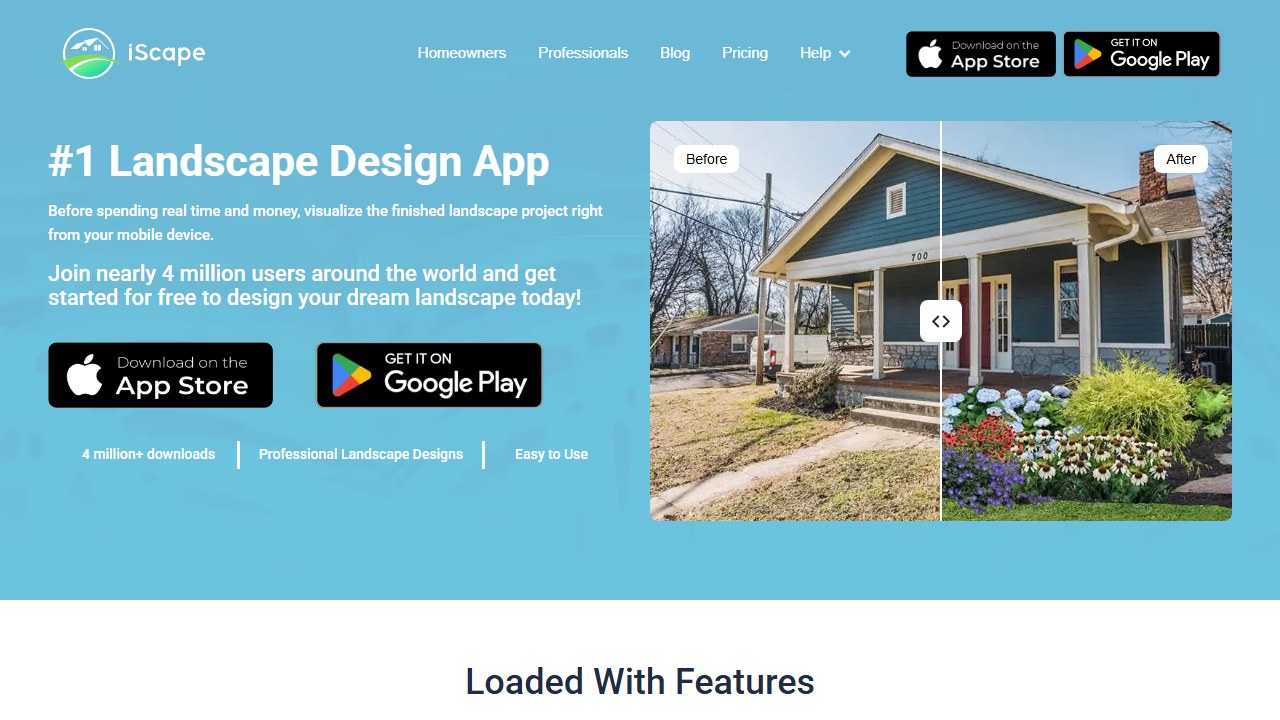
iScape is a manual drag-and-drop landscape design app with AR visualization. This is not an AI generation tool. You place each plant, paver, and structure yourself in 2D (photo overlay) or 3D (AR camera view). The Pro plan includes a proposal tool for generating branded PDF documents with material lists and pricing.
Why It’s #4
Thirteen years on the market, 4 million downloads, and the only tool with a dedicated proposal builder for professional landscapers. Landscapers report closing 20% more deals using iScape’s AR walkthrough for client presentations.
Key Features
- AR Design: Place virtual plants in your actual yard through the camera. Walk around to check scale and sightlines.
- Proposal Tool (Pro): Generate branded PDFs with renders, material lists, and pricing for client presentations.
- USDA Zone Filtering: Filter plants by hardiness zone, light, water, and soil type.
- Plant Info Cards: Species details including care requirements, mature height, and zone compatibility.
Pricing
| Free | Pro |
|---|---|
| 2 designs, ~20 items, watermarks, ads | $29.99/mo or $299.99/yr: full library, AR, proposals, unlimited |
The most expensive tool on this list. Pricing is designed for professional use.
Who It’s For
Professional landscapers who need on-site AR visualization and branded client proposals. Not recommended for homeowners due to the $30/mo price and manual-only workflow.
What’s Missing
Not AI-generated (manual design only). $30/mo is the highest price. Free tier is nearly useless. Frequent crash reports. No web version. No cost estimation beyond proposals.
5. YardAI. AI Trained on 50,000 Real Designs
| Rating | 3.8/5 |
|---|---|
| Best for | Homeowners who want designs based on real professional projects |
| Free plan | Yes, free AI tier available |
| Paid from | Free AI tier; human design service $649-$2,395 |
| Plant intelligence | Climate-aware (backed by Yardzen’s design team) |
| AR | No |
| Platform | Web |
| Website | yardzen.com |
What It Does
This entry covers Yardzen’s own AI feature, which the company markets under the YardAI name. It is not connected to the separate independent product at yardai.app, which we cover in our best AI landscape design apps guide. Yardzen’s AI arm belongs to a professional online landscape design service that has been designing yards since 2018. The AI visualizer was trained on 50,000 real landscape designs created by Yardzen’s team of professional designers. Upload a photo of your yard, describe what you want, and the AI generates designs informed by actual completed projects, not stock imagery or generic training data.
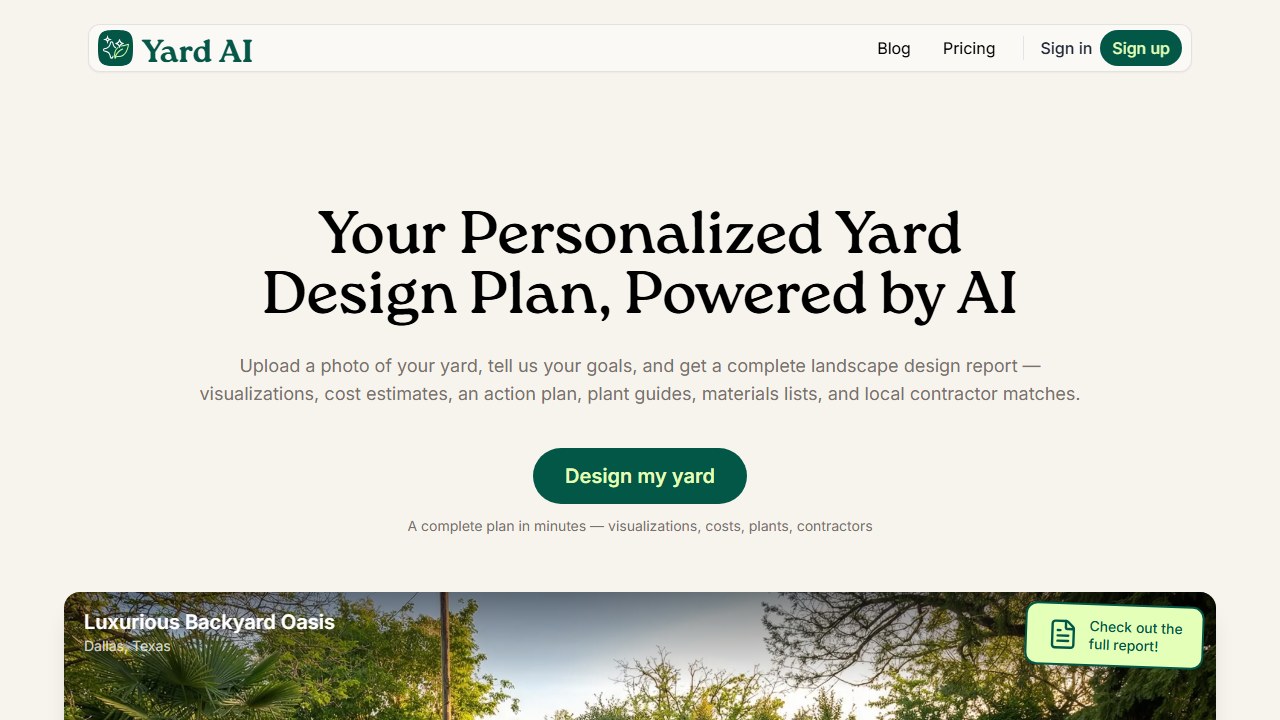
The key difference: when YardAI generates a modern drought-tolerant front yard, it’s pulling from thousands of real modern drought-tolerant front yards that Yardzen’s designers actually built. The proportions, plant choices, and material pairings reflect what works in the real world, not just what looks good in a render.
Why It’s #5
Training data quality is everything in AI. Most landscaping tools are trained on whatever images are publicly available. YardAI is trained on 50,000 curated, professional-grade landscape designs with known outcomes. Users on Reddit consistently recommend it as producing the most “realistic” and “buildable” designs.
The free AI tier lets you generate designs without committing to the expensive full-service option. And if you love a design and want to actually build it, Yardzen connects you with vetted contractors in your area who can execute the plan. That end-to-end pipeline (AI inspiration to professional design to contractor execution) is unique.
Key Features
- Trained on Real Designs: 50K professional designs from Yardzen’s portfolio inform every AI output. This shows in the realism and practicality of generated designs.
- Free AI Tier: Generate landscape designs without paying for the full service. Good enough for inspiration and style exploration.
- Professional Upgrade Path: Yardzen offers full-service landscape design starting at $649 (front or back yard) up to $2,395 (full property). This includes construction documents, 3D renders, plant lists, and contractor matching.
- Contractor Network: Yardzen has a vetted contractor network for implementation. You can go from AI render to built project without sourcing your own landscaper.
- Reddit Recommended: Frequently mentioned in r/landscaping and r/HomeImprovement. Users report higher design quality than generic AI tools.
- Climate-Aware: Designs account for your region’s climate, backed by Yardzen’s professional design team expertise rather than automated zone lookup.
Pricing
| AI Tier | Starter Service | Premium Service |
|---|---|---|
| Free | $649 (front or back yard) | $2,395 (full property, premium plants) |
The AI tier is free. The paid services are full professional landscape design packages with construction documents, custom 3D renders, detailed plant palettes, and contractor referrals. The $649 tier covers one area (front or back). The premium tier covers the full property with upgraded plant selections and materials.
Value context: $649-2,395 sounds expensive compared to free AI tools, but it’s competitive with hiring a local landscape designer ($500-5,000 depending on scope). The difference is Yardzen’s process is remote, standardized, and includes contractor matching.
Who It’s For
Homeowners who want AI-generated inspiration backed by real professional design data, with the option to upgrade to a full human design service when they’re ready to invest. Particularly valuable for homeowners with budgets above $10K for their landscaping project, where the $649 design fee is a small percentage of total project cost.
What’s Missing
The free AI tier is limited compared to standalone tools like Neighborbrite. No AR visualization. No manual editing or chat-based refinement. No pay-per-credit option between “free” and “$649.” The real value proposition is the professional service upgrade, which is overkill for someone who just wants to see what a new garden bed could look like.
6. Curb Appeal AI. Best for Front Yards + Cost Estimates
| Rating | 3.7/5 |
|---|---|
| Best for | Front yard / curb appeal redesign with implementation guidance |
| Free plan | Yes, watermarked trial |
| Paid from | $25 (40 credits) |
| Plant intelligence | USDA hardiness zone-aware, plant recommendations |
| AR | No |
| Platform | Web only |
| Website | curbappealai.co |
What It Does
Curb Appeal AI focuses specifically on front yard and curb appeal design. Upload an exterior photo, pick a style, and get a photorealistic visualization along with four things most tools skip: a plant recommendation list matched to your USDA hardiness zone, specific species names (not just “green shrub”), a step-by-step implementation guide, and an itemized cost estimate.
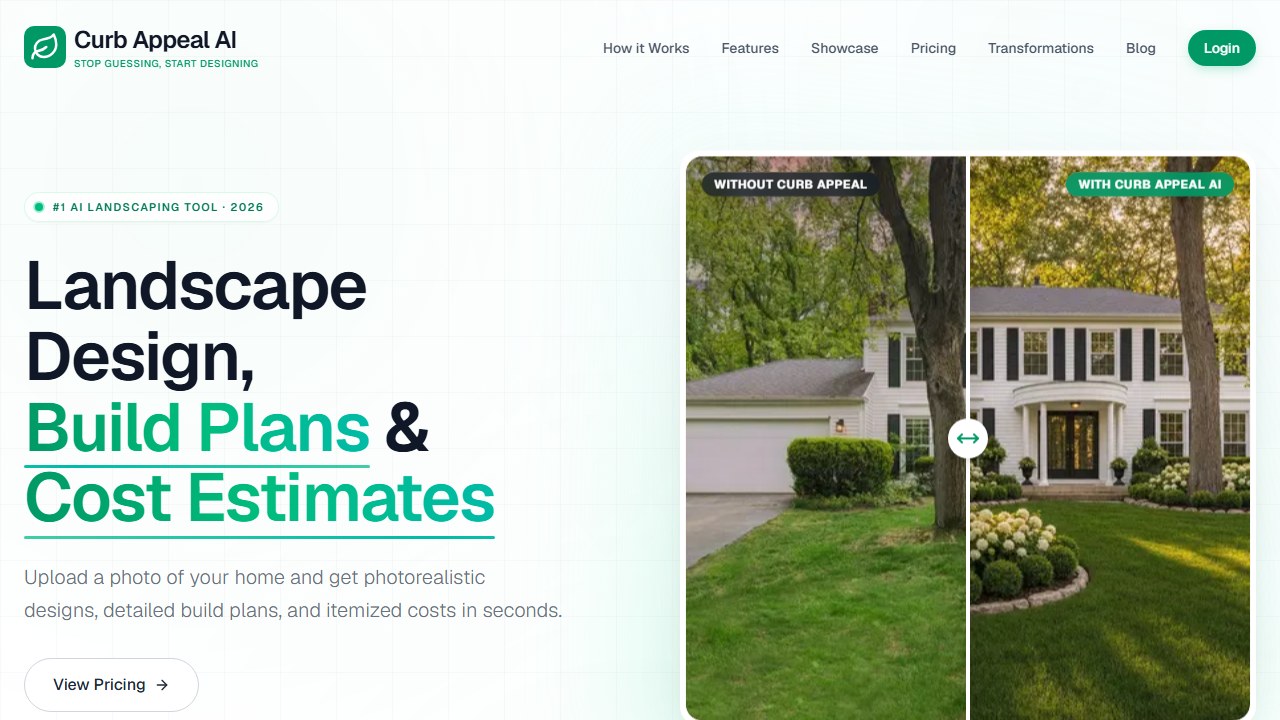
The front-yard focus is intentional. Curb appeal projects are the most common DIY landscape upgrade, and they have the highest ROI for home value. Curb Appeal AI leans into this niche rather than trying to cover every outdoor space.
Why It’s #6
The combination of design + plant list + implementation guide + cost estimate is unique on this list. Every other tool stops at the pretty picture and leaves you to figure out what plants are in it, how to build it, and what it’ll cost. Curb Appeal AI bridges the gap between “what it could look like” and “here’s exactly how to make it happen.” The USDA zone-aware plant recommendations mean every suggestion is climate-appropriate for your area.
This is the only tool on our list that treats landscape design as a full planning pipeline rather than just a visualization exercise.
Key Features
- Front Yard Focus: Optimized specifically for curb appeal, exterior views, and street-facing design. The AI understands driveway lines, front walkways, and house facades.
- USDA Zone Plant Recs: Plant suggestions matched to your hardiness zone. Every recommendation includes species name, not just “flowering shrub” or “ornamental tree.”
- Implementation Guide: Step-by-step instructions for executing the design yourself or handing to a contractor. Covers planting order, hardscape installation, and material prep.
- Itemized Cost Estimate: Approximate costs broken down by plants, materials, and labor. Not as detailed as LandscapioAI’s material take-offs, but provides a useful starting budget.
- Credit-Based Pricing: Pay per design rather than monthly. Buy credits when you need them, no subscription to forget to cancel.
- 4K Output (Professional): High-resolution exports for professional use and contractor presentations.
Pricing
| DIY | Builder | Professional |
|---|---|---|
| $25 (40 credits) | $55 (100 credits) | $110 (250 credits, 4K, commercial use) |
Free trial available with watermarked outputs. The credit model means you pay only when you use the tool. At $25 for 40 credits, the per-design cost is roughly $0.63 if each credit = 1 design. That’s the cheapest per-design cost for a tool with USDA plant data and cost estimation.
Who It’s For
Homeowners focused on front yard curb appeal who want more than a render. The implementation guide and cost estimate help you go from AI design to contractor conversation with real numbers. Particularly useful for homeowners preparing to sell (curb appeal directly impacts listing photos and buyer first impressions) or anyone tackling a front yard project as a weekend DIY.
What’s Missing
Front yard focus means limited backyard, patio, and garden bed coverage. No AR visualization. Web-only. Credit-based pricing can feel restrictive if you want to generate dozens of designs. No chat-based refinement. No manual editing.
7. LandscapioAI. Best Cost Estimation
| Rating | 3.6/5 |
|---|---|
| Best for | Budget-conscious homeowners who need cost clarity |
| Free plan | Yes, limited |
| Paid from | $149 lifetime |
| Plant intelligence | Regional plant lists |
| AR | No |
| Platform | Web only |
| Website | landscapioai.com |
What It Does
LandscapioAI generates landscape designs with a focus on the question every homeowner asks first: “How much will this cost?” Upload a yard photo or use satellite view of your property, and get a design with regional plant lists, material take-offs (exact quantities of mulch, pavers, plants, etc.), and an itemized budget with claimed +/-15% accuracy. The budget breaks down by category: plants, hardscaping materials, soil amendments, and estimated labor.
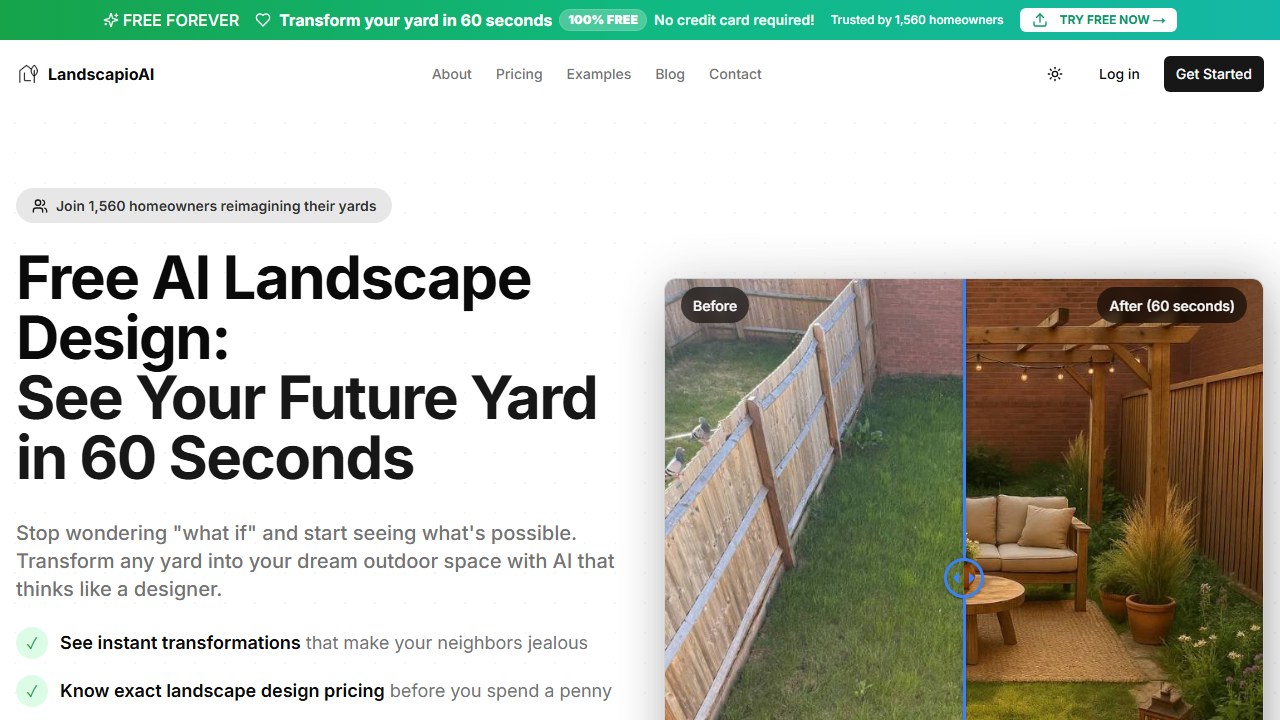
The satellite view option is a useful touch. If you’re browsing from inside your house and don’t have a yard photo ready, you can pull up your property from overhead and start designing from the aerial perspective.
Why It’s #7
Cost estimation is the most-requested feature that most tools ignore. In our analysis of 500+ Reddit comments about landscaping, “how much will this cost?” came up more than any question except “what plants work in my zone?” LandscapioAI’s +/-15% accuracy claim, combined with material take-offs and regional pricing, gives you a budget framework that no other AI tool matches.
DreamzAR does ZIP-code-based cost estimates. Curb Appeal AI does itemized cost breakdowns. But LandscapioAI goes further with specific material quantities and a design strategy call included in the lifetime deal. If you’re trying to budget a $5K-20K landscaping project before calling contractors, having an AI-generated cost breakdown in that +/-15% range is genuinely useful for setting expectations.
Key Features
- Cost Estimation (+/-15%): Itemized budget with regional pricing for plants, materials, and labor. Broken down by category so you can see where your money goes.
- Material Take-Offs: Specific quantities: how many bags of mulch, how many linear feet of edging, how many plants. This is the level of detail you’d normally get from a contractor quote, not an AI tool.
- Satellite View Option: Upload your own photo or use satellite imagery of your property for overhead design. No need to go outside and take pictures.
- Regional Plant Lists: Plant recommendations based on your area, though without the explicit per-plant USDA zone tagging that DreamzAR offers.
- Lifetime Deal ($149): One-time payment includes all features and a design strategy call with a real person. In a market where everyone charges $15-30/mo, the lifetime model is unique.
- Hacker News Featured: Featured on Hacker News (June 2025), gaining early adopter traction in the tech-savvy homeowner community.
Pricing
| Free | Lifetime |
|---|---|
| Limited features | $149 one-time (includes strategy call) |
Weekly and annual subscription options also exist but pricing is not consistently published. The lifetime deal at $149 is the headline offer and the one most users go for. That’s less than 5 months of DreamzAR or less than 10 months of Neighborbrite Pro. If you plan to use a landscaping tool across multiple projects or seasons, the lifetime math works out.
Who It’s For
Homeowners who care most about budget planning. If “how much will this cost to build?” is your first question before “what style do I want?”, LandscapioAI answers it better than any competitor. Particularly useful for homeowners about to request contractor quotes who want a baseline number to negotiate against.
What’s Missing
Newer product with limited user reviews (featured on Hacker News but no significant Trustpilot, G2, or App Store presence yet). No AR visualization. No explicit USDA zone tagging per plant. Web-only. The +/-15% accuracy claim is hard to verify independently since material and labor costs vary significantly by region and season. Design quality lags behind Neighborbrite and DreamzAR for photorealism.
8. Planner 5D. Best Indoor + Outdoor Combo
| Rating | 3.3/5 |
|---|---|
| Best for | Homeowners planning indoor + outdoor renovation together |
| Free plan | Yes, unlimited projects, basic catalog |
| Paid from | $59.99/yr |
| Plant intelligence | None (generic models only) |
| AR | No |
| Platform | Web, Windows, Mac, iOS, Android |
| Website | planner5d.com |
What It Does
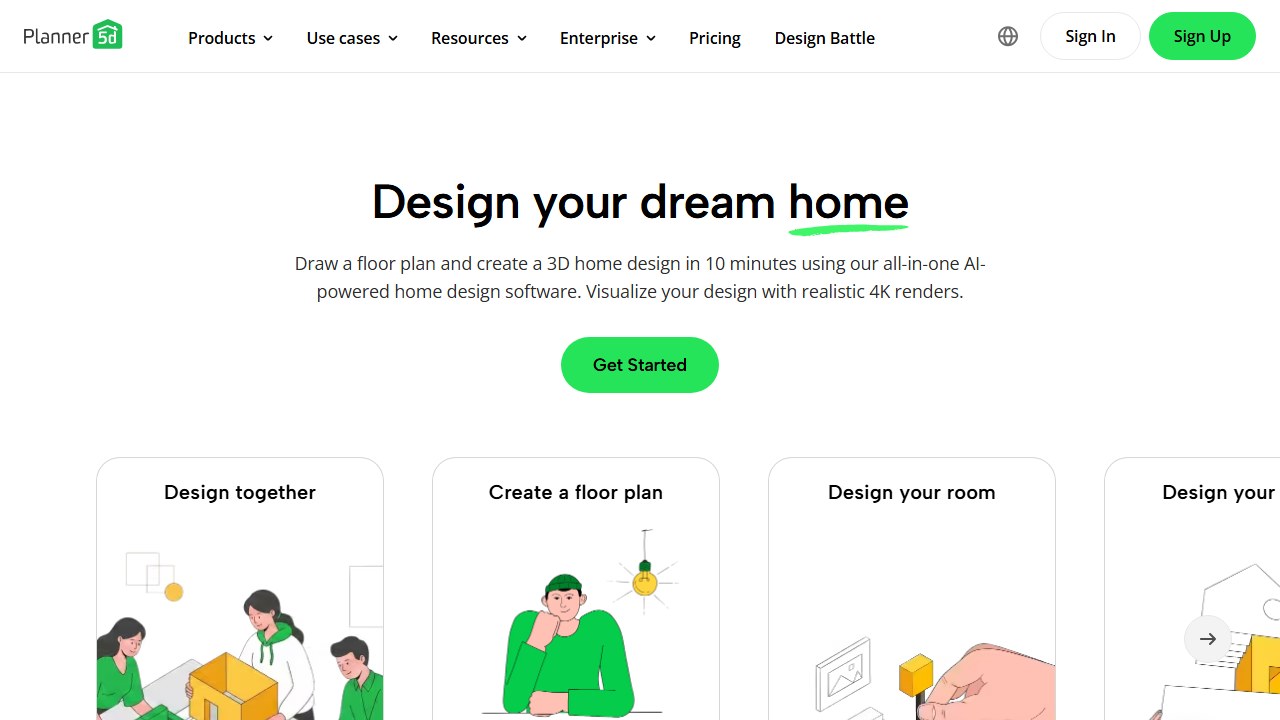
Planner 5D is an interior + exterior home design tool. Build spaces from scratch in 2D floor plan view, drag items from an 8,400+ element catalog, and toggle to 3D for a walkthrough. Outdoor elements include patios, gardens, pools, pergolas, outdoor kitchens, fire pits, fences, paths, and lighting.
This is not a photo-upload AI tool. You build from scratch. And landscape is secondary to interior design.
Why It’s #8
It’s the only tool that lets you plan your kitchen renovation and garden redesign in the same project. The 2D-to-3D workflow with real dimensions is solid for spatial planning. And at $59.99/yr, it’s the cheapest annual plan on this list.
Key Features
- Indoor + Outdoor: Design both interiors and exteriors in one project.
- 3D Walkthrough: Walk through your complete home and yard design in first person.
- Cross-Platform: Web + Windows + macOS + iOS + Android with sync.
- 8,400+ Items: Comprehensive catalog covering both indoor and outdoor elements.
- Cheapest Annual: $59.99/yr is less than one month of iScape Pro.
Pricing
| Free | Premium |
|---|---|
| Unlimited projects, basic catalog, watermarks | $59.99/yr: full catalog, 5 HD renders/mo |
Who It’s For
Homeowners doing a full property renovation. If you need to see how the new patio connects to the new kitchen, Planner 5D is the only tool that covers both in one project.
What’s Missing
Generic plant models (no species, no USDA data). No photo-based AI. No AR. No terrain modeling. Trustpilot 2.7/5 (billing complaints). Aggressive paywall on outdoor items.
Read our full Planner 5D review
9. Rendair AI. Best for Architects and Sketch-to-Render
| Rating | 3.5/5 |
|---|---|
| Best for | Architects and designers who need sketch-to-render for landscapes |
| Free plan | Yes, 20 credits |
| Paid from | ~$7.60/mo (student) |
| Plant intelligence | Limited (design-focused, not botanical) |
| AR | No |
| Platform | Web only |
| Website | rendair.ai |
What It Does
Rendair AI is an AI rendering platform built for architects and designers. The workflow is different from every other tool on this list: instead of uploading a photo and getting a style-based redesign, you upload a sketch, floor plan, or concept drawing and Rendair converts it into a photorealistic render. The dedicated Landscape Designer tool handles gardens, parks, yards, and natural surroundings.
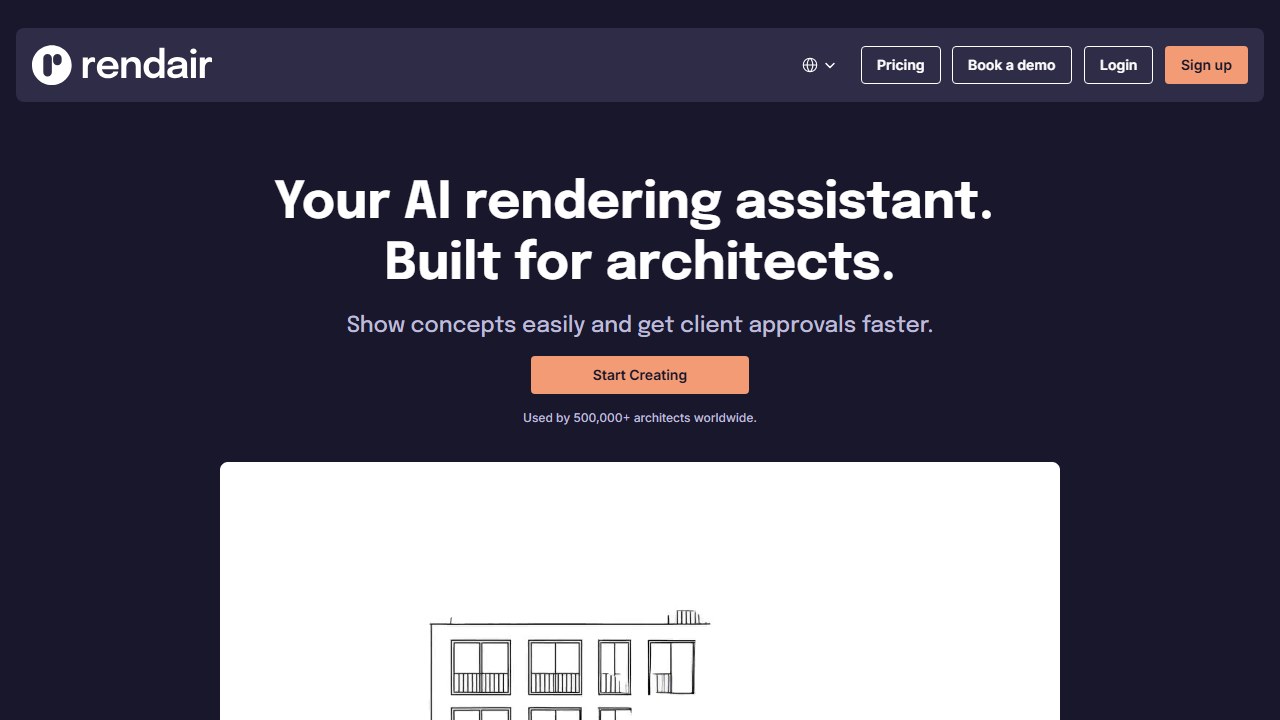
Think of it as a rendering engine, not a design engine. You bring the concept. Rendair makes it look real. A landscape architect can sketch a garden layout on paper, photograph it, upload to Rendair, and have a client-presentation-quality visualization in minutes instead of spending hours in rendering software.
Why It’s #9
If you’re an architect or landscape designer with a hand-drawn sketch, Rendair turns it into a presentation-quality render faster and cheaper than any traditional rendering workflow. The student tier ($7.60/mo) makes it the cheapest paid option on this list and accessible to design students building portfolios. The 500K+ user base and claimed 4.7/5 accuracy rating suggest the output quality holds up against professional rendering tools.
Rendair is on this list because landscape design is a first-class feature, not an afterthought. The Landscape Designer mode is specifically trained on outdoor environments, not just repurposed interior rendering tech.
Key Features
- Sketch-to-Render: Upload a hand-drawn landscape sketch, concept drawing, or rough plan. Get a photorealistic visualization that looks like a professional 3D render. The AI interprets your sketch intent (trees, pathways, structures) and fills in realistic detail.
- Photo-to-Render: Transform existing landscape photos into styled renders. Useful for showing clients “here’s what your yard looks like now, and here’s what it could look like.”
- Dedicated Landscape Tool: Separate mode optimized for gardens, parks, and outdoor spaces. Understands outdoor lighting, vegetation, hardscape materials, and natural environments.
- Multiple Render Styles: Generate the same concept in different visual styles (photorealistic, watercolor, line drawing) for varied presentation needs.
- Student Pricing: ~$7.60/mo makes it the cheapest paid option for architecture and landscape design students.
- 500K+ Users: Established in the architecture rendering space, with a user base that validates output quality.
- Credits Don’t Expire: Credits persist as long as your subscription is active. No monthly reset pressure.
Pricing
| Free | Student | Creator | Pro |
|---|---|---|---|
| 20 credits | ~$7.60/mo | $20/mo | $50/mo |
1 credit = 1 render. The 20 free credits let you test quality on real projects before committing. The Student tier is the best deal for anyone in a design program. Creator ($20/mo) suits freelance designers, and Pro ($50/mo) covers high-volume professional use with team features.
Who It’s For
Architects, landscape designers, and design students who have concepts and need photorealistic renders for client presentations, portfolios, or design development. If you already know what you want the landscape to look like and need to make it look real fast, Rendair is the right tool.
Not designed for homeowners who want AI to generate design ideas from scratch. If you don’t have a sketch or concept to start from, use Neighborbrite or DreamzAR instead.
What’s Missing
Not a consumer tool. No plant intelligence or USDA data. No AR visualization. No homeowner-friendly “upload a photo, get a redesign” workflow. Requires design input (sketch or reference) rather than generating ideas from a blank photo. No cost estimation or implementation guidance.
10. Ideal House. Best Daily Free Credits
| Rating | 3.4/5 |
|---|---|
| Best for | Mobile users who want daily free access to AI home + landscape design |
| Free plan | Yes, 60 daily credits (watermarked) |
| Paid from | ~$25/mo estimated |
| Plant intelligence | Basic style-driven suggestions |
| AR | No |
| Platform | Web, iOS, Android |
| Website | ideal.house |
What It Does
Ideal House is an AI home design tool covering interiors, exteriors, and landscaping. Upload a yard photo for instant garden design generation. The standout feature is HouseGPT, a conversational AI assistant that lets you describe your vision in natural language (“I want a low-maintenance backyard with a patio and native plants for Zone 6”) and generates designs based on your conversation.
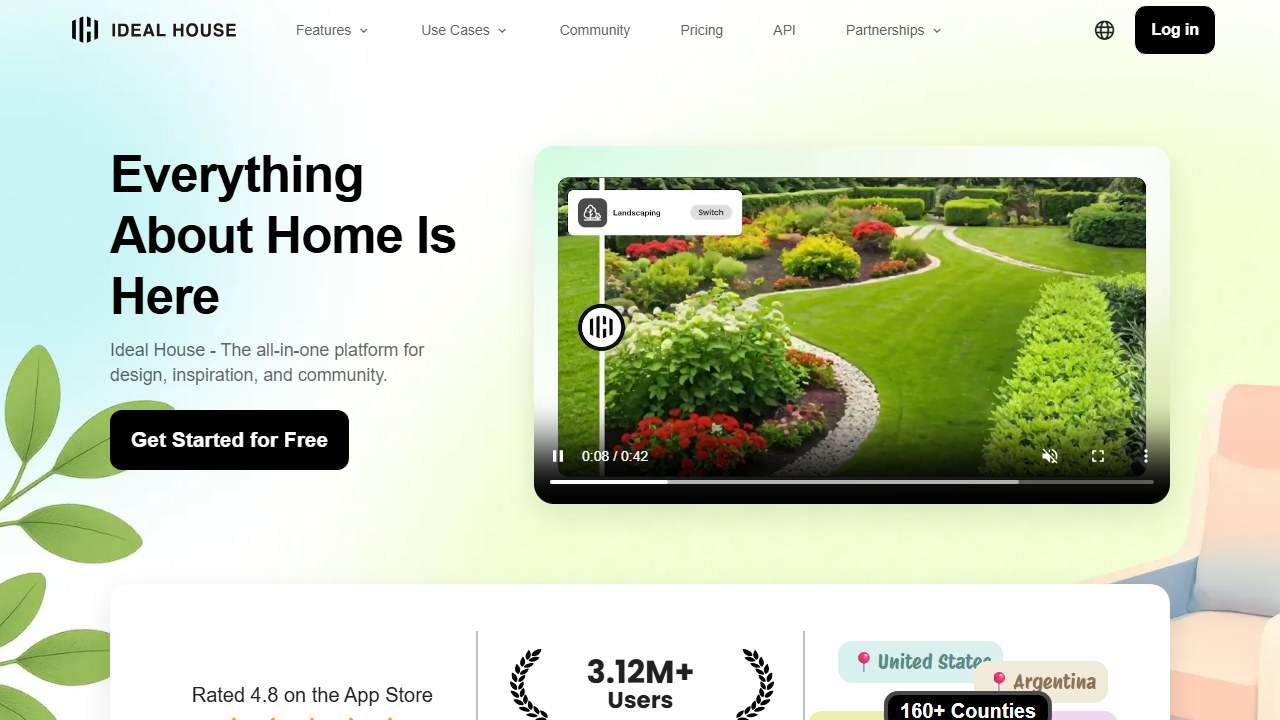
The multi-space coverage means you can redesign your kitchen, then your patio, then your front garden, all in one app. For homeowners who see their property as a complete project rather than isolated spaces, this continuity is useful.
Why It’s #10
The 60 daily free credits model is unique. While Neighborbrite offers unlimited free designs and other tools give you a fixed allocation (2-20 designs total), Ideal House takes a middle approach: generous daily credits that reset every 24 hours. If you’re patient, you can explore extensively without ever paying. Over a week, that’s 420 free credits. Over a month, 1,800.
The HouseGPT chat interface is also notable. Instead of clicking through style menus and filter dropdowns, you describe what you want in plain English. This is more intuitive for homeowners who know what they want but don’t know the design terminology for it.
Key Features
- 60 Daily Free Credits: Reset every 24 hours. Patience = free access. Over a month of daily use, you get more free generations than any tool except Neighborbrite.
- HouseGPT Chat: Conversational AI assistant for describing your vision and generating designs. More natural than clicking through style menus.
- Multi-Space: Covers interiors, exteriors, gardens, patios, and landscaping in one app. Switch between spaces without switching tools.
- Mobile Apps: iOS + Android for on-site photo capture and design. Useful for walking your yard and designing on the spot.
- Style Variety: Multiple landscape styles available through both the chat interface and style selection menus.
Pricing
| Free | Lite/Plus/Pro |
|---|---|
| 60 daily credits, watermarked | 800-9,999 monthly credits, pricing varies |
Plus tier is approximately $299/yr based on available data. Pricing is not prominently published, which is a transparency concern. The free tier is generous enough that many users may never need to upgrade.
Watermark note: Free designs include watermarks. If you want clean downloads for sharing with contractors or family, you’ll need a paid tier. Neighborbrite’s free plan has no watermarks.
Who It’s For
Mobile users who want a free, daily-reset AI design tool for casual landscape exploration. Good for homeowners who want to try ideas gradually over days and weeks rather than in a single intensive session. The HouseGPT chat interface suits people who prefer describing their vision in words rather than browsing style galleries.
What’s Missing
Watermarks on free outputs. No USDA plant data or climate-zone awareness. No AR visualization. Landscape is one feature among many, not the primary focus. Paid tier pricing is not fully transparent. No cost estimation. No implementation guidance. Design quality for landscapes specifically is a step below dedicated tools like Neighborbrite and DreamzAR.
Tools We Evaluated But Didn’t Include
We evaluated 17 tools total. Here’s why the remaining 7 didn’t make the best of:
Ogrovision (aigarden.design). 109+ garden style presets and per-design plant identification with care tips. The widest preset library available. Didn’t make the list because the user base is tiny, there’s no USDA zone filtering, and it’s web-only. Worth trying for garden-specific design at $2.99 for 10 credits. We cover it in our best AI garden design tools list.
Hadaa (hadaa.pro). The most botanically intelligent tool in the category. Built-in Biological Engine checks USDA zones and plant compatibility before including species. AutoFix scans photos for problems (weeds, dead plants, mud) and generates one-click fixes. $10 per design with no subscription. Didn’t make the best of because it’s very new (Hacker News featured December 2025) with limited track record. But if plant science matters to you, Hadaa is worth a look. Covered in our garden design tools list.
RescapeAI (rescapeai.com). Cheapest bulk pricing at $0.06/image at scale. Permanent free tier with weekly credits. Useful for generating high volumes of design variations. Didn’t make the list because there’s no plant intelligence, no USDA data, and design quality is below the leaders.
Paintit.ai. AI landscape design with a unique shoppable feature: the AI recommends real, purchasable products that match your design. Also has iOS and Android apps. Didn’t make the list because only 3 free renders, the weekly pricing ($6.99/week) adds up fast, and the landscape features are secondary to interior design.
HomeGPT (homegpt.app). Completely free, no signup for first 2 designs. 70+ styles. Didn’t make the list because design quality is inconsistent, there’s no USDA data, and the free model likely means the tool is monetized through ads or affiliates rather than product investment.
REimagineHome (reimaginehome.ai). All-in-one redesign for interiors, exteriors, gardens, and virtual staging. 3 free designs. Strong real estate use case. Didn’t make the list because landscape features are generic with no plant intelligence and the pricing ($14-99/mo) doesn’t justify the limited outdoor capabilities.
VisualGPT (visualgpt.io). Swiss-army-knife AI image tool with landscape design as one feature among many. Didn’t make the list because it’s not landscape-focused, pricing is opaque, and there’s no botanical data.
Can You Just Use ChatGPT for Landscape Design?
Faz says: This is the question nobody in the landscaping AI space wants to answer. And the answer is: kind of.
ChatGPT (and Microsoft Copilot) can generate landscape design ideas, plant lists for your climate zone, seasonal planting schedules, and general design principles. A Penn State Extension study found that Copilot provided the most satisfying responses for native plant recommendations, and ChatGPT generated accurate plant lists with proper sourcing.
What ChatGPT does well:
• Plant recommendations by USDA zone (with species names and care info)
• Seasonal planting calendars for your region
• Design principles and layout ideas in text form
• Budget estimation based on described scope
• Answering specific questions (“What grows well in Zone 7 shade?”)
What ChatGPT can’t do:
• Upload a photo of your yard and generate a visual redesign
• AR visualization of designs in your actual space
• Photorealistic before/after renders
• Cost estimates based on your specific property
• Interactive design editing (drag elements, resize, reposition)
The verdict: Use ChatGPT for plant research, zone-specific recommendations, and text-based planning. Use a dedicated tool for visual design. The two approaches complement each other. Ask ChatGPT which plants work in your area, then use Neighborbrite or DreamzAR to see what they look like in your yard.
Pricing Comparison: All 10 Tools
| Tool | Free Tier | Cheapest Paid | Model | Best For |
|---|---|---|---|---|
| Neighborbrite | Unlimited | $15/mo | Subscription | Best free |
| DreamzAR | Starting credits | $19.99/mo | Sub (iOS) / one-time (web) | AR + plants |
| HomeDesigns.AI | 7 days unlimited | $12/mo (annual) | Subscription | Best trial |
| iScape | 2 designs | $29.99/mo | Subscription | Pro landscapers |
| YardAI | Free AI tier | $649 (human service) | Per-project | Pro designs |
| Curb Appeal AI | Watermarked trial | $25 (40 credits) | Credit packs | Front yards |
| LandscapioAI | Limited | $149 lifetime | One-time | Cost estimation |
| Planner 5D | Unlimited (basic catalog) | $59.99/yr | Subscription | Cheapest annual |
| Rendair AI | 20 credits | $7.60/mo (student) | Subscription | Architects |
| Ideal House | 60 daily credits | ~$25/mo est. | Subscription | Daily free |
Price sweet spot: Homeowners say $15/mo or less feels comfortable for a landscaping tool. Neighborbrite Pro ($15/mo), HomeDesigns.AI annual ($12/mo), and Rendair student ($7.60/mo) hit that range. Anything above $20/mo gets compared unfavorably to ChatGPT Plus ($20/mo), which does far more than just landscaping.
What Homeowners Actually Want (From 500+ Reddit Comments)
Saru says: We analyzed hundreds of comments across r/landscaping, r/HomeImprovement, and r/gardening to find what homeowners care about most when choosing an AI landscaping tool. These are ranked by mention frequency:
1. Upload my actual yard photo (non-negotiable). No one wants to build from scratch on a blank canvas. Every tool that requires manual drawing from zero loses casual users immediately.
2. Climate-zone-aware plant recommendations. The single most requested intelligence feature. Homeowners want to know what will actually survive, not just what looks good. Direct quote pattern: “Pretty pictures of plants that’ll die in my zone are useless.”
3. Plant lists with species names. Not just a render. Tell me what to buy. Homeowners want to walk into a garden center with a shopping list, not a mood board.
4. Cost estimates. “What will this actually cost to build?” This question appeared in nearly every Reddit thread about landscape planning. Homeowners are budgeting, not just dreaming.
5. AR visualization. Seeing designs in the real space, at real scale. Particularly valued for checking whether a tree will block a window, whether a hedge will be tall enough for privacy, and whether a patio fits the available space.
6. Free or cheap one-time pricing. Strong resistance to monthly subscriptions for a one-weekend project. The most upvoted pricing comments advocated for free tiers, one-time credit packs, or lifetime deals. Monthly subscriptions above $15 drew consistent pushback.
The Subscription Fatigue Problem
This deserves its own callout. Most landscape design projects are one-time events. You redesign your yard once every 5-10 years. Paying $20-30/mo for a tool you’ll use for two weekends makes no financial sense. The tools that understand this (Neighborbrite’s unlimited free tier, LandscapioAI’s $149 lifetime deal, Curb Appeal AI’s credit packs, DreamzAR’s one-time web passes) are better aligned with how homeowners actually use these products.
Tools That Match Each Need
| Need | Best Tool |
|---|---|
| Photo upload | Neighborbrite, DreamzAR, HomeDesigns.AI (all do this) |
| Climate-zone plants | DreamzAR (2,000+ USDA), Curb Appeal AI (zone-aware) |
| Plant species lists | DreamzAR, Curb Appeal AI, LandscapioAI |
| Cost estimates | LandscapioAI (+/-15%), DreamzAR (by ZIP), Curb Appeal AI |
| AR visualization | DreamzAR, iScape |
| Free / one-time pricing | Neighborbrite (free), LandscapioAI ($149 lifetime), Curb Appeal AI (credit packs) |
How to Choose the Right Tool
Faz says: Don’t overthink this. Here’s the decision tree:
1. Start with Neighborbrite (free). Upload your yard photo, try a few styles, see if you like the output. This costs you nothing and takes 5 minutes.
2. Need plant recommendations for your zone? Upgrade to DreamzAR ($20/mo) or try Curb Appeal AI ($25 for 40 credits).
3. Want to see the design in AR? DreamzAR (AI-generated + AR) or iScape (manual + AR).
4. Need a cost estimate before calling contractors? LandscapioAI ($149 lifetime) or DreamzAR (ZIP-based estimates).
5. Planning a full home renovation (indoor + outdoor)? Planner 5D ($59.99/yr).
6. Are you a professional landscaper? iScape ($30/mo) for the proposal tool and client consultations.
7. Are you an architect with a sketch? Rendair AI ($7.60-$50/mo).
Most homeowners only need steps 1 and 2.
Final Verdict
The AI landscaping space in 2026 has a clear winner for most homeowners: Neighborbrite. Free, unlimited, and good enough to visualize your yard in multiple styles before spending a dime. When you’re ready for more depth, DreamzAR adds AR walkthrough and the best plant intelligence available. For professionals, iScape remains the go-to for client consultations. For budget planning, LandscapioAI gives you numbers everyone else ignores.
Start free with Neighborbrite. Upgrade when you need more. That’s the playbook.
More landscaping AI guides
Looking for specific landscaping use cases? See our deeper cluster guides:
- best AI landscape design apps. mobile-first comparison of landscape design AI on iPhone and Android
- how to use AI for landscape design. practical workflow guide for homeowners and contractors
- DreamYard review. AR walkthrough landscape design app
- iScape review. professional landscaper proposal builder
- DreamzAR review. USDA-tagged plant database AR designer
- Best AI hardscape design tools. patios, walkways and pavers
More AI landscape and garden design guides
More AI design guides to explore:
- Neighborbrite vs DreamzAR: free AI Landscaping vs AR Depth.
More AI tool guides worth reading: SiteRecon vs DeepLawn, PictureThis vs PlantNet vs Planta and Best AI Plant Identification Apps.
Tools mentioned in this guide
- Neighborbrite
- DreamzAR
- HomeDesigns.AI
- iScape
- YardAI
- Curb Appeal AI
- LandscapioAI
- Planner 5D
- Rendair AI
- Ideal House
- Yardzen
- ChatGPT

Written by
FazFaz is the founder of AIToolsBakery. Some tools here are tested hands on. Others are assessed from vendor documentation and pricing verified on the live page, and every review says which one it is. Sponsors can buy a position in a guide. They cannot buy the score, the criticism, or silence about a better option.
How we test and how we make money →