If you run a small nonprofit (under $500K in annual revenue), every AI tool roundup written for the sector is implicitly written for someone else. The big vendor lists assume you have a development director, a marketing coordinator, and a $50K technology budget. You probably have one ED wearing three hats and a $5K tech budget. The honest stack for your stage is fundamentally different from the stack for a $5M organization, and most published guidance does not acknowledge this.
I have reviewed every major AI tool serving the nonprofit sector for AIToolsBakery and worked with EDs running on tight budgets. This guide is the practical version of the conversation: which AI tools actually deserve a place in a small nonprofit’s stack, what they cost, what to skip until you grow, and the realistic order to add them.
What does the four-tool stack actually cost?
The math, current to mid-2026:
| Item | Free tier | Paid tier (when you cross thresholds) |
|---|---|---|
| Donation platform (Givebutter or Donorbox) | $0/mo, Donorbox fees 2.95% to 3.95% | Donorbox Pro $150/mo, fees 1.75% to 2% |
| Email tool (Mailchimp NP) | $0/mo up to 2,000 contacts | $15-$30/mo above 2,000 |
| Foundation research (Candid) | $0 via library | $30/mo direct |
| AI writing assistant (Claude or ChatGPT) | $0 free tier | $20/mo paid |
| Monthly total | $0 | $70-$105 |
Faz says: The trap small nonprofit EDs fall into is reading a “best AI tools” list written for $5M orgs, then trying to assemble a $5M stack on a $500K budget. The result is two months of evaluating tools you cannot afford, ending in either no decision or buying something you do not use. The under-$500K answer is small, sharp, and resists every vendor pitch that tries to grow it. Get the four-tool stack working. Then grow into the rest as your revenue grows.
Saru says: This guide is research-based, sourced from current public pricing documentation, free-tier feature comparisons across all named tools, verified buyer reviews on G2 and Capterra current to May 2026, and field observation from EDs running organizations under $500K. Free tiers and pricing change quarterly. Verify against live pricing before committing.
The four-tool stack for under-$500K nonprofits
Tool 1: Donation platform (the one mandatory line item)
Pick: Givebutter (free with optional donor tips) OR Donorbox (free Standard plan, fees 2.95% to 3.95%). For the database itself, see our guide to donor management software for small nonprofits, with the real yearly cost of 1,000 donors.
These two platforms are the right answer for almost every small nonprofit in 2026. Both have genuine free tiers, both convert well on mobile, both handle recurring giving cleanly, and both can be operational within a day.
Choose Givebutter if: Your fundraising motion includes events, peer-to-peer, or text-to-give. Your website is on a CMS without strong donation plugins. You want the lowest possible fee structure (Givebutter monetizes primarily through donor-paid tips, which donors can decline).
Choose Donorbox if: Your website is on WordPress, Squarespace, Wix, or Webflow. You prefer transparent fixed fees over the tip-based model. You want a slightly more polished donation form experience.
For more detail, see our Givebutter vs Fundraise Up comparison and our Donorbox Review.
Total monthly cost: $0 on either free plan. Donorbox Pro is $150 a month and only worth it above roughly $82,000 raised a year.
Tool 2: Email tool (Mailchimp Nonprofit free tier)
Pick: Mailchimp Nonprofit free tier (up to 2,000 contacts) OR Constant Contact Nonprofit (paid, around $20/month).
For small nonprofits, the Mailchimp free tier is the right answer. It includes basic AI features (subject-line suggestions, send-time optimization), reliable deliverability, and integrations with both Givebutter and Donorbox. The 2,000-contact ceiling is sufficient for most under-$500K nonprofits.
When to upgrade: when you cross 2,000 contacts (Mailchimp paid tier starts around $15-$30/month) OR when you need more sophisticated segmentation than the free tier allows.
What to skip: do not pay for enterprise email tools (Klaviyo, HubSpot Marketing Hub) at this stage. The features are real but you do not need them yet, and the price difference is hundreds per month that should go elsewhere.
Total monthly cost: $0 to $30.
Tool 3: Foundation research (Candid, free public-library access)
Pick: Candid Foundation Directory, accessed via free public-library subscription in many regions.
Every US public library system has the option to subscribe to Candid’s institutional research database, and many do. Check your local library system. If they subscribe, you have free access to the most comprehensive foundation and corporate-funder research database in the sector. This is the same data nonprofits pay $1K-$5K/year to access directly.
If your library does not subscribe, ask them to. Failing that, Candid offers a limited free public access tier with basic foundation search. For most small nonprofits writing 4 to 10 grant proposals per year, the free or library-access tier is sufficient.
Skip individual prospect research tools (iWave, DonorSearch, WealthEngine) at this stage. They are not cost-justified for organizations under $1M, and the value depends on having a dedicated major-gifts staff member, which most small nonprofits do not have.
Total monthly cost: $0 (via library access) to $30 (direct Candid subscription if needed).
Tool 4: AI writing assistant (Claude or ChatGPT free tier)
Pick: Claude free tier (Claude.ai) OR ChatGPT free tier.
For small nonprofits, the general-purpose AI assistants are sufficient for grant drafting, donor communications, social media copy, and program-description writing. Both Claude and ChatGPT have generous free tiers in 2026 that meet the typical small-nonprofit usage.
How to use them well:
- Grant proposal first drafts: paste the RFP, your program description, your past success stories, and your budget. Ask for a structured first draft.
- Donor acknowledgment letters: paste your standard letter template and a list of recent donors. Ask for personalized variations.
- Mid-level appeal drafts: describe your campaign, your donor segment, and your ask. Get a first draft.
- Social media copy: paste your latest program update. Ask for platform-specific variations (Instagram, Facebook, LinkedIn).
What NOT to use AI for: anything where AI-generated language could be detected and damage trust (major-donor stewardship, crisis communications, apology letters, executive director email signatures to board members).
Total monthly cost: $0 free tier, $20/month if you upgrade to paid (worth it once usage exceeds the free tier).
When you are ready to level up the writing side of this stack, our guide to the best AI tools for nonprofit communications covers the next tier of newsletter, appeal, and outreach tools.
What to skip until you grow
The under-$500K stack stays small on purpose. Five categories that the bigger-org guides recommend but small nonprofits should skip:
Skip dedicated nonprofit CRM until $500K revenue. Bloomerang, Virtuous CRM, and Salesforce NPSP are excellent tools that cost $100-$400/month and require significant setup time. At under $500K, a well-organized spreadsheet plus your donation platform’s reporting will serve you. Move to a CRM when your donor count crosses ~500 active records or your team size requires a shared system.
Skip prospect research tools. iWave and DonorSearch are designed for organizations with dedicated major gift officers. If you do not have one (or you are the ED doing major-gift work part-time), the tools are overkill. Use Candid free access plus public records (LinkedIn, foundation 990s) until you grow.
Skip dedicated grant-writing tools. Grantable and Granted AI are good but not necessary at small scale. Claude or ChatGPT plus a strong grant-writer template handles 4 to 10 proposals per year competently. Reconsider specialized grant tools when you submit more than 12 proposals annually.
Skip donor advocacy platforms. Action Network, EveryAction, and similar tools are powerful but priced for advocacy-focused organizations. Small grant-funded nonprofits without active advocacy programs do not need them.
Skip event management platforms. Eventbrite handles small fundraising events fine. Classy, OneCause, and Greater Giving are designed for organizations running multi-event campaigns. Below $500K, your event volume does not justify them.
The order to add tools as you grow
The growth roadmap:
$0-$200K revenue: Donation platform + email + free AI assistant + Candid library access. That is everything.
$200K-$500K revenue: Add Mailchimp paid tier when you cross 2,000 contacts. Donorbox Pro is $150 a month, which does not pay for itself until you are raising somewhere north of $82,000 a year, so at this size stay on the free Standard plan. Optional: subscribe to Candid directly if library access is not available.
Disclosure: Zilwaris, the consultancy run by AI Tools Bakery’s founder, does paid advisory work for Gratefully, which did not pay for any placement on this page and is assessed on the same criteria as everything else on this site.
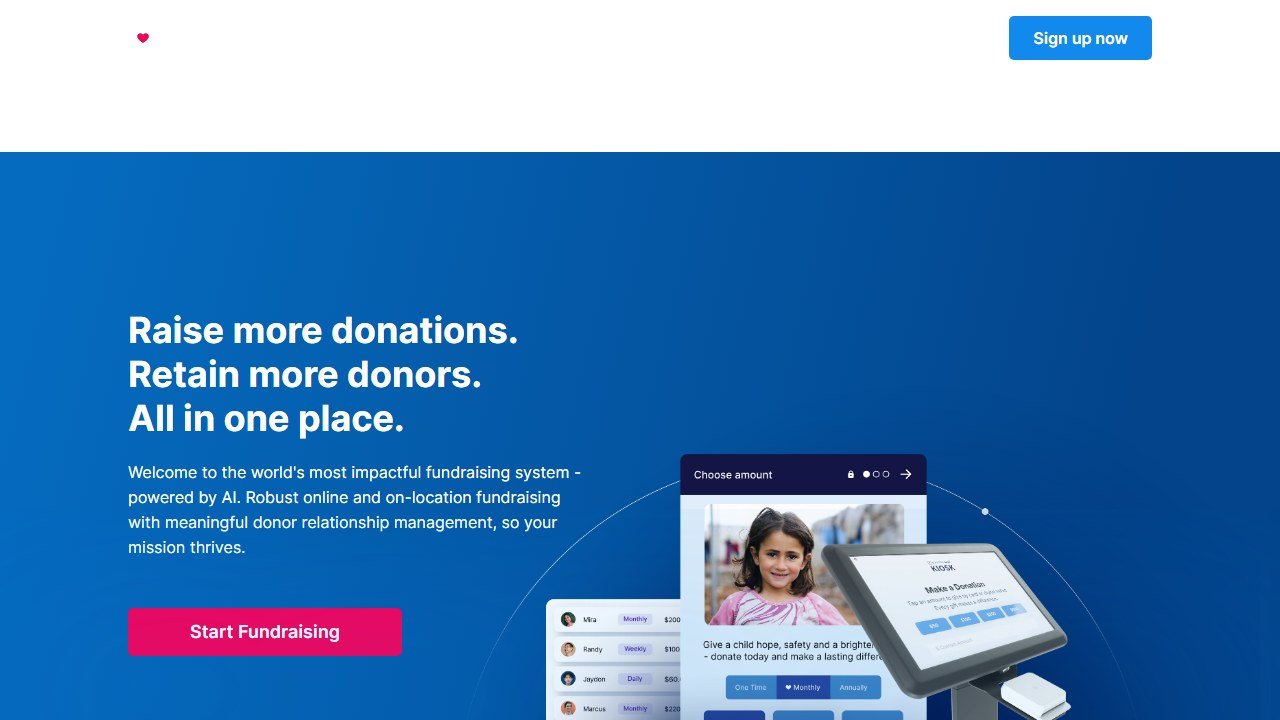
$500K-$1M revenue: Add a basic nonprofit CRM (Bloomerang from $125/month for the CRM, billed annually). Add Grantable for grant writing if you submit more than 8 proposals per year ($79/month). Consider DonorSearch for prospect research if you have a dedicated major gift officer. Ignore the $4K to $6K figure that circulates: DonorPerfect publishes a real DonorSearch price sheet, last updated January 2025, with per-record screening at $0.25 down to $0.10 and ProspectView plans from $228 a year. Our DonorSearch pricing guide has the full sheet. Once you have that CRM and a few hundred active donors, the highest-leverage add is an AI donor-intelligence layer on top: Gratefully turns your CRM data into a prioritized daily action list with the reason attached, and preserves donor context when staff leave. This used to be the point where we told you to look away: the only plan was $400 a month for five seats, which is not a small-nonprofit budget. That changed in September 2026. There is now a free tier for one person that holds your whole donor file, keeps syncing and gives you five suggested actions a week, and a single fundraiser pays $99 a month for the daily list. Below roughly $500K raised, start on the free tier rather than skipping the category. See our AI tools for donor retention guide.
$1M-$5M revenue: Full mid-size stack (Bloomerang or Virtuous CRM, Fundraise Up donation platform if conversion is a priority, DonorSearch for prospects, Grantable or Granted AI for grants, dedicated ESP with AI features).
Above $5M revenue: See our Best AI Tools for Nonprofits guide for the full enterprise discussion.
Social media usually lands on the same overworked person as everything else. Our guide to AI tools for nonprofit social media management covers the tools that make one person look like a comms team.
The donor-data ethics line for small nonprofits
Even at small scale, the data ethics question matters. Three rules to publish in a plain-English donor data policy on your website:
1. We do not sell, share, or trade donor data with any third party for non-essential purposes.
2. We use [list of tools by name] to process donations, send emails, and manage our donor relationships. Each tool has its own privacy policy that governs how your data is handled.
3. Donors can request a copy of their data, correction of errors, or full deletion at any time by emailing [your address].
Small nonprofits have one advantage over large ones: the data ethics policy is easier to enforce because there are fewer staff and fewer tools touching the data. Make the policy clear from the start.
See our broader discussion of donor-data ethics in Donor Data Privacy in AI Fundraising.
Plus your transaction fees on actual donations (roughly 3-4% of donations all-in across processing + platform fees, regardless of which platform).
On a $300K annual giving organization, total tech spend in the stack is approximately $300K × 3.5% = $10,500 in transaction fees plus roughly $1,000/year in tool subscriptions. That is a 3.5% all-in fundraising tech cost. Well within reasonable ranges for small nonprofits.
What it actually costs to run the full stack in year one
The four-tool stack reads cheap on paper. The real Year 1 costs depend on which free tiers you actually use, your transaction volume, and a handful of hidden costs that show up after the first quarter. Honest math for three small nonprofit scenarios.
Scenario A: $150K annual revenue nonprofit, just starting
Donation platform: Givebutter free tier with donor-paid tips. Tools are free for the org; donors pay a small percentage on their gifts but can decline. Effective fee to the org: roughly 3 percent of donations including processing. Annual cost to the nonprofit: $0 platform fee, $4,500 in processing fees passed through.
Email tool: Mailchimp Nonprofit free tier (up to 2,000 contacts). Total annual cost: $0.
Foundation research: Candid via public library access. Total annual cost: $0.
AI assistant: Claude or ChatGPT free tier for grant drafts. Total annual cost: $0.
Year 1 stack cost to nonprofit (excluding processing fees passed through donor flow): $0. Stack is realistically free at this scale. Limitations: when your contacts cross 2,000 (likely in Year 2), Mailchimp paid tier kicks in at $30-50/month.
Scenario B: $300K annual revenue nonprofit, growing
Donation platform: Donorbox Premium tier for the donor-managed portal feature. Annual cost: $300 subscription plus $11,000 in fees on $300K of giving.
Email tool: Mailchimp paid tier (2,500-5,000 contacts). Annual cost: $360-$600.
Foundation research: Candid direct subscription if no library access. Annual cost: $360-$500.
AI assistant: ChatGPT Plus for higher rate limits. Annual cost: $240.
Year 1 stack cost: roughly $12,600 including transaction fees. As percent of revenue: 4.2 percent. Within reasonable bounds for small nonprofits.
Scenario C: $450K annual revenue, ready to upgrade
At this size, you are within reach of adding Bloomerang (the lightest tier of nonprofit CRM) for $100-200/month. Stack expands to 5 tools, total annual cost roughly $15,000-$18,000, about 3-4 percent of revenue. You unlock the donor retention features that compound the rest of the stack. This is the natural growth point where the lean 4-tool stack starts to require its first proper CRM upgrade.
Two real-world stack examples (composite small nonprofits)
Composite 1: A $200K community arts nonprofit
Founded 2019. Two part-time staff, an ED who fundraises half-time and a program manager. About 400 active donors, average gift $125, mix of one-time and small recurring. Website on Squarespace. Boards 5 directors, none with major-gifts background.
Stack adopted in 2025: Donorbox free tier (Squarespace integration), Mailchimp Nonprofit free tier, library Candid access, Claude free tier for grant drafts. Total stack cost: $0 platform fees, roughly $7,000 in processing fees passed through donor flow. ED spends 8-10 hours per week on fundraising. Tools save approximately 6 hours per week of administrative work versus their prior PayPal-only setup.
Composite 2: A $400K community health nonprofit
Founded 2017. Three full-time staff plus ED. About 600 active donors, average gift $175, growing recurring base. WordPress website. Board includes one experienced major-gifts volunteer.
Stack adopted in 2024 and refined in 2025-2026: Donorbox Premium for the donor portal, Mailchimp paid tier (3,000 contacts), Candid direct subscription for grant research, Claude paid tier for grant drafts and acknowledgment templates. ED added Bloomerang Essential in Q3 2025 when active donor count crossed 500 records. Total stack cost in 2026: roughly $4,800 in subscriptions plus $15,000 in transaction fees on $400K of giving. Tools have lifted recurring donor retention by 12 percentage points year-over-year.
The unfilled gap: volunteer management AI for small nonprofits
A category our four-tool stack does not address but that is increasingly relevant for small nonprofits is volunteer management. Most small nonprofits that depend on volunteer labor (animal rescue, food banks, mutual aid, environmental advocacy) handle volunteer coordination with spreadsheets, group emails, and SignUp.com or similar lightweight tools. AI-driven volunteer matching, scheduling optimization, and engagement scoring are emerging but not yet mature at the under-$500K tier.
Tools in this space worth watching but not yet ready to recommend broadly: Galaxy Digital, Better Impact, and a handful of AI-native startups building volunteer-side counterparts to donor-side CRMs. Most are priced at the mid-market tier ($150-400/month) and require active deployment effort that small nonprofits cannot justify.
Practical workaround for small nonprofits in 2026: keep volunteer management on SignUp.com or a Google Sheet, layer Claude or ChatGPT for ad-hoc tasks (scheduling emails, thank-you note drafts, FAQ generation for new volunteer onboarding). The full AI volunteer stack is a 2027-2028 conversation.
What we still cannot honestly assess
The four-tool stack works well for most under-$500K nonprofits I have observed in the field. Your specific results depend on your team’s adoption discipline, your donor segments, and your program model. Some nonprofits (advocacy, mutual aid, fiscally-sponsored projects) have model-specific tool needs that this generic stack does not cover. The recommendation is a starting point, not a one-size-fits-all answer.
The category itself is moving fast. New AI tools targeting small nonprofits enter the market every quarter; existing tools change pricing tiers regularly; integrations between tools improve continuously. Revisit your stack annually at minimum, and after any significant change in your organization’s revenue, staff, or program mix.
What we still cannot honestly assess
The four-tool stack works well for most under-$500K nonprofits I have observed in the field. Your specific results depend on your team’s adoption discipline, your donor segments, and your program model. Some nonprofits (advocacy, mutual aid, fiscally-sponsored projects) have model-specific tool needs that this generic stack does not cover. The recommendation is a starting point, not a one-size-fits-all answer.
The total cost of a small nonprofit AI stack in 2026
A credible all-AI stack for a small nonprofit (under $500K annual revenue) lands at $50 to $150 a month in 2026, including: a donor management CRM (Bloomerang starter or Donorbox), a payment processor (Givebutter free or Fundraise Up), an AI assistant subscription (Claude Pro or ChatGPT Plus), a graphic design tool (Canva Pro), and email marketing (Mailchimp free or paid tier depending on list size). For organizations under $250K revenue, the stack can run $0 to $50 a month using only free tiers, with the trade-off being more manual work per task.
Tools mentioned in this guide
Where to go from here
The practical next steps for a small nonprofit starting the AI tools journey:
- Pick ONE tool from each category above (do not try to evaluate three options in each category)
- Set up the donation platform first (it is the only one that directly generates revenue)
- Add the email tool second (donor stewardship is the next priority)
- Add Candid and AI assistant in week 3 or 4 (these are supporting tools, not foundational)
- Resist adding anything else for at least 6 months
For broader context:
- Best AI Tools for Nonprofits, the broader cluster
- Best AI Fundraising Tools for Nonprofits, the deeper fundraising-platform comparison
- AI Grant Writing Workflow That Actually Works, the practical how-to for grants
- Donor Data Privacy in AI Fundraising, the ethics piece
The small nonprofit AI stack in 2026 is genuinely accessible. It is also genuinely simple. The hardest part is not picking the tools; it is resisting the vendor pitches that try to upgrade you before you need it. Stay small. Stay sharp. Grow into the rest of the stack as your revenue grows into it.
Reviewed by Faz at AIToolsBakery. Independent guide, no payment received from any tool mentioned. Pricing and feature data verified against public documentation as of May 2026.

Written by
FazFaz is the founder of AIToolsBakery. Some tools here are tested hands on. Others are assessed from vendor documentation and pricing verified on the live page, and every review says which one it is. Sponsors can buy a position in a guide. They cannot buy the score, the criticism, or silence about a better option.
How we test and how we make money →