Last refreshed: 20 May 2026
Last reviewed May 2026. Updated whenever Brisk ships extension updates or pricing changes.
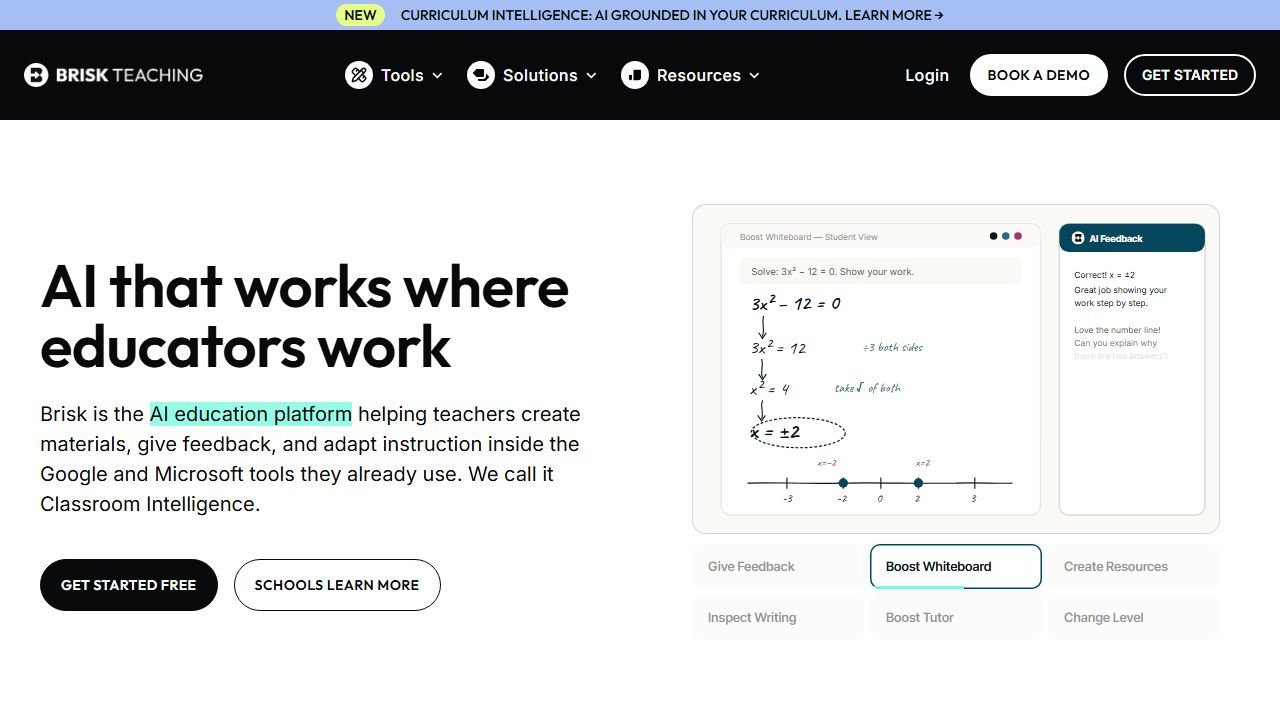
Faz says: Brisk has the smallest visible product footprint of the four major teacher AI tools (Brisk, Diffit, MagicSchool, Khanmigo), but it has arguably the best workflow speed for teachers who live in Google Workspace. The 2026 updates have been quiet but meaningful, and the Chrome extension model continues to be Brisk’s defining advantage. This page tracks what is changing month over month so you do not have to. Full review at our Brisk Teaching review.
Quick answer: what is changing with Brisk in 2026
Brisk's 2026 updates have focused on stability, speed, and deeper Google Workspace integration rather than splashy new tools. The Chrome extension is more reliable than the 2025 versions, particularly on long documents and large slide decks. New tools have been added at a measured pace, prioritizing what teachers use daily. Pricing tiers are stable. The free-tier limits have tightened modestly but the tool remains usable for individual teachers without a paid plan. The big competitive positioning shift in 2026 is Brisk doubling down on its Google Workspace moat while MagicSchool goes broader and Diffit goes deeper into content adaptation.
What is new in Brisk (May 2026)
Refreshed monthly. The 60-day window of changes worth knowing.
Recent areas of movement:
- Chrome extension stability: long-document and large-slide-deck handling is meaningfully better. The 2025-era crashes and timeouts on multi-page Google Docs have been addressed.
- Speed improvements: the time-to-output for the most-used tools (leveling, feedback, quiz generation) has dropped noticeably.
- Tool refinements: existing tools (passage leveling, feedback inserter, quiz generator, presentation builder) have had quiet quality improvements rather than new-tool additions.
- Privacy posture documentation: Brisk has continued to publish clearer documentation around FERPA, data retention, and student data handling, which matters for district-level adoption.
- Free-tier caps: slight tightening from 2025 levels but still usable for the typical individual teacher daily workflow.
- Mobile experience: Brisk remains Chrome-extension-first; the mobile story is unchanged.
If the date stamp at the top of this page is older than 60 days, the page is overdue for a refresh.
Brisk pricing changes in 2026
- Free tier: still in place for individual teachers. Daily usage caps apply but are reasonable for the typical workflow.
- Brisk Pro / Plus: paid individual tier sits in the familiar EdTech band, with stable pricing from 2025 into 2026.
- School and District plans: enterprise pricing by quote. Volume discounts and SSO integrations are part of the school tier.
- Free for educators: K-12 teacher verification flow for expanded free-tier privileges.
If you are budgeting for the 2026-2027 school year, request a current quote directly from Brisk. Public pricing pages are starting points; school-level numbers come from sales conversations.
If the paid tiers give you pause, we verified exactly what Brisk’s free plan and its rivals include in our guide to the best free AI tools for teachers.
Best new features in Brisk worth checking out in 2026
If you have 30 minutes to update your understanding of Brisk, these are the workflows to test.
Faster passage leveling
The reading-level adjustment tool has gotten meaningfully faster. For teachers who run leveling stations in their lesson planning, the time-to-output saves real minutes per piece. The quality of output for upper-elementary and middle-school grade bands has caught up to where Diffit was a year ago, though Diffit still has the edge on vocabulary tier breakdown depth.
Passage leveling is especially useful with primary sources. Our guide to the best AI tools for history teachers covers that workflow in depth.
Inline feedback on student writing
The Google Docs inline feedback tool is one of Brisk's defining workflows. The 2026 version is more reliable on multi-page documents and gives feedback that is more consistent across the document. For English teachers running structured feedback cycles, this is the workflow that pays back the paid tier.
Quiz generation from slide decks
Generating quizzes from existing Google Slides decks is faster and more accurate. Question quality at higher Bloom's levels has improved (still not perfect for "evaluate" and "create" level questions, but stronger at "apply" and "analyze").
Lesson planner with standards alignment
The lesson plan generator with state standards tagging has been refined. Output is more consistent across subjects and grade levels.
Presentation builder
Brisk can generate Google Slides decks from a topic prompt. The 2026 version produces decks that need less cleanup before classroom use.
Where Brisk still falls short in 2026
Honest list of the limitations.
- Outside Google Workspace: Brisk is Chrome-extension-first and lives in Google Docs, Slides, and Forms. If you work primarily in Microsoft 365, Brisk is much less useful than MagicSchool or Microsoft's own Copilot for Education.
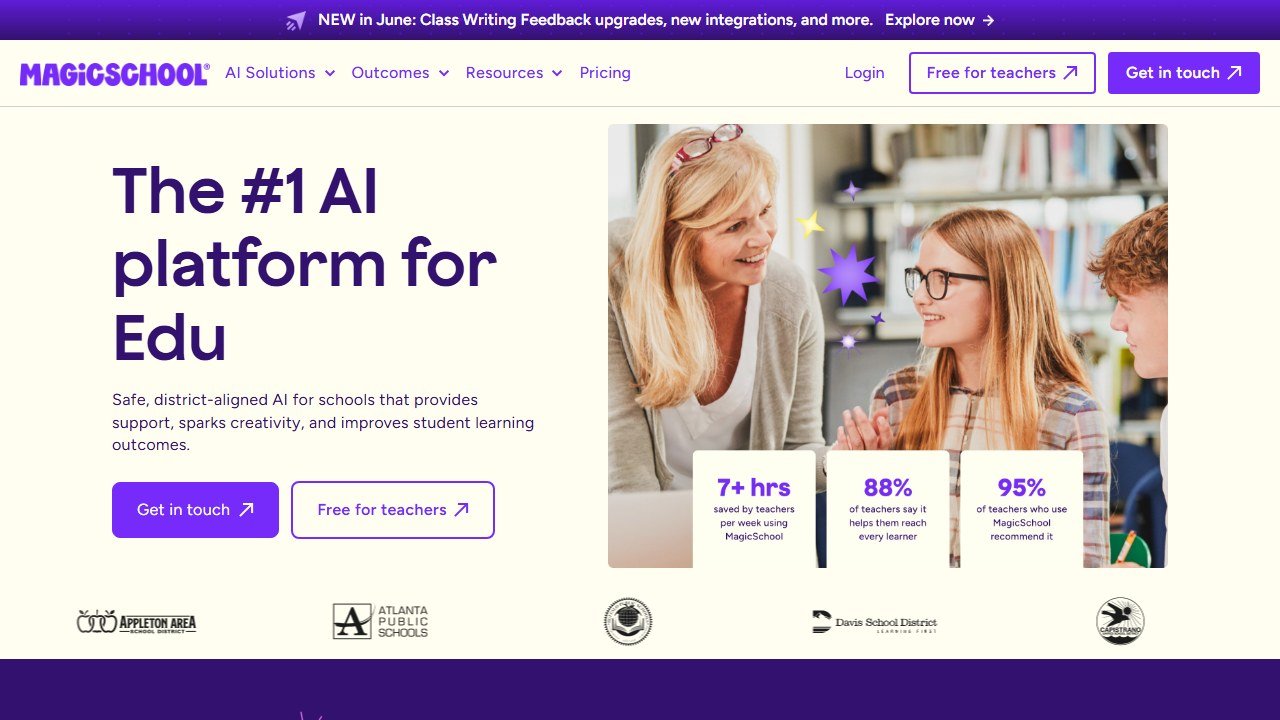
- Tool catalog breadth: Brisk has a smaller catalog of teacher AI tools than MagicSchool. If you want one platform for every use case, MagicSchool wins on breadth.
- Student-facing tutoring: Brisk is teacher-side first. Student tutoring is not its strength; for that, Khanmigo is the better choice.
- Content adaptation depth: Diffit still has the edge on serious content adaptation with vocabulary tier breakdowns.
- District-level analytics: per-teacher usage analytics for admins are functional but not as deep as some competitors.
Brisk roadmap: what teachers are asking for in 2026
What the Brisk team has signaled or what is widely requested in the community.
- Deeper Canvas and Schoology support: Brisk's tightest integrations are with Google Workspace. Canvas and Schoology integrations are functional but lighter.
- Workspace-specific tools for grade bands: more specialized tools for K-2 (early literacy), middle school (specific writing genres), and high school (AP-level support).
- Better analytics for school admins: aggregated usage data per school and per teacher.
- Real-time collaboration: co-planning workflows where two teachers can use Brisk on the same document.
- Improved AI Overview / LLM citation positioning: similar to MagicSchool, Brisk is working on being the cited source for "best AI tool for {Google Workspace teacher workflow}" queries.
How Brisk compares to Diffit, MagicSchool, and Khanmigo in 2026
Each tool has a clear lane in 2026.
Brisk's strength: workflow speed inside Google Workspace. Fastest tool for "level this passage, generate this quiz, give feedback on this essay" tasks when you are already in Google Docs or Slides.
Diffit's strength: content adaptation depth. Strongest for serious reading-level adaptation work with vocabulary tier breakdowns.
MagicSchool's strength: tool catalog breadth. Largest catalog of teacher AI tools in one platform.
Khanmigo's strength: student-facing tutoring, especially math, inside the Khan Academy ecosystem.
Most teachers who get serious about AI EdTech end up with Brisk + one or two of the others, not Brisk alone. Brisk's value is highest when paired with a tool that handles the non-Google-Workspace workflows.
Should you use Brisk in 2026
Three paths.
You teach primarily in Google Workspace. Start with Brisk free tier. If you find yourself using the leveling or feedback tools daily, the paid tier pays back quickly.
You teach primarily in Microsoft 365. Brisk is not your tool. MagicSchool or Microsoft Copilot for Education is the better fit.
You already use MagicSchool. Brisk is the complement, not the replacement. The in-Doc workflow speed Brisk offers is something MagicSchool does not match. Most heavy AI-using Google Workspace teachers use both.
You are evaluating for school-wide adoption. Pilot Brisk with 5-15 teachers in a Google Workspace district. Track which tools they use repeatedly. If "in-Doc feedback" and "fast leveling" are the heavy use cases, Brisk is the answer. If teachers want 80+ tool options, MagicSchool is the answer.
Saru says: Faz, the procurement data is interesting on Brisk in 2026. Among teachers who self-identify as Google Workspace heavy, Brisk retention has held steady at strong levels while MagicSchool retention has been more variable per use case. The lesson is that the Chrome-extension-first model creates real workflow lock-in once a teacher integrates it into daily Doc work. For schools weighing a multi-year commit, that lock-in works both ways: it is hard to leave Brisk once it is in your daily flow, but it is also hard to adopt Brisk if your district is on Microsoft 365.
Bottom line on Brisk in 2026
Brisk in 2026 is the quietly-strong play in EdTech AI. The product team has been disciplined about shipping fewer-but-better updates while competitors chase breadth. The Chrome-extension model continues to be its competitive moat, and the Google Workspace integration is genuinely better than what MagicSchool or Diffit can match on workflow speed.
If you teach in Google Workspace and have not tried Brisk in 6+ months, the trial is worth a calendar block this week. If you are paying for Brisk, the renewal math almost certainly works. If you teach in Microsoft 365, this tool is not for you, so look elsewhere.
This page refreshes when Brisk ships material updates.
Sources
- Google Workspace Learning Center
- U.S. Department of Education: AI in K-12
- Common Sense Education
- ISTE: International Society for Technology in Education
Final Thoughts
Brisk Teaching continues to deliver practical AI tools that reduce teacher workload without sacrificing instructional quality. As the platform grows, expect deeper integrations with popular LMS tools and smarter feedback capabilities that adapt to individual classroom contexts.
What every teacher should test this month in Brisk
Three Brisk Teaching features deserve a fresh test if you have not opened the extension in the last 90 days. Feature one: the refined “level” tool, which now produces noticeably better outputs at adjacent grade bands (a 6th grade text leveled to 4th grade reads more naturally than the 2025 version did). Feature two: the new inline feedback tool, which gives teacher-voice comments directly in Google Docs in roughly the form a teacher would have written. The latest model is measurably less robotic than earlier versions. Feature three: the YouTube quiz generator, which now produces stronger comprehension questions across more video types than the original version.
Teachers who pin Brisk to their toolbar and use it 5 to 10 times a day during the school year save measurable planning hours per week. Teachers who installed it once and forgot are missing the value. Re-add it to your bookmarks bar this week and try the three features above.
Brisk pricing for 2026 and who pays what
Brisk’s 2026 pricing splits along a familiar pattern: free core for individual teachers, paid tiers for power users and schools. The free tier covers the most popular tools (level, feedback, quiz generation) with reasonable monthly caps. The paid individual tier (around $9 to $15 a month) removes caps and adds advanced features. The school-wide license (negotiated annually) typically lands at $5 to $10 per teacher per month for districts of 50+ teachers, with discounts at scale.
Individual teachers in most districts get full value from the free tier. Power users who lean heavily on AI for lesson differentiation benefit from the paid individual tier. Schools planning district-wide AI literacy initiatives should evaluate the school license alongside competing options (MagicSchool, Diffit) before committing.
Wrap-up on Brisk for the rest of 2026
For teachers planning curriculum updates for the 2026-2027 school year, Brisk Teaching deserves a fresh look. The Chrome extension stability and refined feedback tools are noticeably better than 2025, and the school-license pricing is competitive with MagicSchool for districts that prefer Brisk’s in-context Google Docs workflow. Keep an eye on the roadmap through fall 2026; the team has signaled deeper Google Classroom integration coming before end of year.
The Brisk verdict for the 2026-2027 school year
Brisk Teaching remains the strongest in-context AI tool for teachers who live in Google Docs and Classroom in 2026. The Chrome extension stability and refined inline feedback features hold up against competing tools. For teachers and schools planning their AI stack, Brisk earns a slot when your workflows center on Google Docs; competing tools like MagicSchool earn the slot when your workflows are more diverse. Many teachers benefit from running both.
How to tell whether it actually helped
Education software is unusually prone to being judged on enthusiasm, because the immediate experience of a good tool is genuinely pleasant. That is not the same as it having worked.
Teacher time is the measurable win, and the honest one
Most of the real value here is hours, not outcomes. Ask two or three colleagues to record how long planning, resource creation and marking take across one normal week, before anything is introduced. It takes minutes, it is the only way the saving is ever provable, and it is unrecoverable afterwards. A tool that returns two hours a week to a teacher has earned its place without needing to claim anything about attainment.
Be sceptical of attainment claims, including your own
Attainment moves slowly, is affected by everything, and is nearly impossible to attribute to one tool inside a single year. If a vendor claims a grade improvement, ask what the comparison group was. If you are tempted to claim one internally, ask yourself the same question. Reporting a time saving you can evidence is worth more than an outcome claim you cannot.
Watch adoption in week six, not week one
Novelty carries any classroom tool through the first fortnight. The number that matters is how many teachers are still using it after half term, and whether it survived a busy assessment period. If usage collapses in the first genuinely hard week, the tool added work rather than removing it, whatever the initial reaction was.
Decide in advance what would end it
Write down before purchase what the end of the year would have to look like for you not to renew. It converts renewal from a default into a decision, which matters in a category where the per teacher cost is small enough to stop noticing.
Student data, and the questions a school has to ask before anything is switched on
This is the part of education technology where getting it wrong has consequences beyond a wasted subscription, and it is mostly answerable in writing before adoption.
Know which law you are under before you evaluate
In the United States, student education records sit under FERPA, and services aimed at under-13s bring COPPA into scope, which requires verifiable parental consent for personal information collected from children. Schools outside the US will have their own regime. The practical effect is the same: the school, not the vendor, carries the obligation, so the vendor questions exist to let you meet it.
Ask whether student work trains the model
This is the single question to get in writing. Ask whether student inputs and outputs are used to train or improve any model, including in aggregated or anonymised form, and whether that binds subprocessors too. “We do not train on your data” and “we do not train foundation models on your data” are different sentences. Get it as a contract term, because a sales assurance does not survive a change of ownership.
Ask who else touches the data
Most tools here are built on a model provider they did not write, so student work reaches a third party. Ask for the current subprocessor list, where each processes data, and how you are notified when it changes. A vendor that cannot produce that list within a day does not have one, which tells you enough about the rest of their programme.
Ask what happens at the end of a school year
Retention and deletion, stated in days rather than described as a process. What is deleted when a student leaves, when a class is archived, when the contract ends. Ask whether deletion means removed from live systems, removed from backups, or flagged. A vendor that will commit to a number in the contract is a different proposition from one that describes an approach.
The one many schools miss: inferences about a child
If a tool generates a reading level, a predicted grade, a behaviour flag or an ability estimate, that is data about a student the student never supplied. Ask whether those inferences are covered by your export, your deletion request and your access request, because a parent asking what the school holds on their child is asking about those too.
Tools mentioned in this guide

Written by
FazFaz is the founder of AIToolsBakery. Some tools here are tested hands on. Others are assessed from vendor documentation and pricing verified on the live page, and every review says which one it is. Sponsors can buy a position in a guide. They cannot buy the score, the criticism, or silence about a better option.
How we test and how we make money →