Artificial intelligence in law has stopped being a novelty. In 2026 it is a daily workflow. Research assistants pull grounded answers out of Westlaw and Lexis in seconds, drafting tools redline contracts inside Word, practice management platforms surface the next action on a matter, and e-discovery engines sort millions of documents before a junior associate has finished their coffee. The gap between firms that use these tools well and firms that ignore them is now measured in hours per matter, not in bragging rights.
The important thing to understand is that the winning tools are function-specific and grounded. A general chatbot that guesses at case law is a liability. A research assistant that ties every answer back to real, citable authority is an asset. The best AI for a litigator doing document review is not the best AI for a solo running intake, which is not the best AI for a transactional lawyer marking up an NDA. The category has matured past “one AI to rule them all” and into a stack of specialists that each do one job well.
That maturity comes with a warning that runs through this entire guide. Law is a regulated profession with real duties: competence, confidentiality, and candor to the court. Those duties do not pause because a tool is convenient. Lawyers have been sanctioned for filing briefs full of AI-invented cases. Client secrets have leaked into consumer tools that train on their inputs. This guide maps the whole landscape by what lawyers actually do, function by function, and it treats the ethics not as a footnote but as the part you cannot skip. Pick by function, verify everything, and protect the privilege, and AI becomes the best leverage your firm has bought in a decade.
Top pick: For most firms the core stack is a practice management platform (Clio), a grounded research assistant (CoCounsel or Lexis+ AI), and a drafting and review tool (Spellbook). Pick by function and firm size, and verify every AI output before it leaves the building.
Faz says: The way to build an AI stack without getting burned is to buy grounded tools and treat every output like a first draft from a brand-new intern. Grounded means the tool ties its answers to real authority you can click through to, not a confident paragraph pulled from nowhere. Verify every citation, every clause, every number before it reaches a client or a court, because your name is on the filing, not the vendor’s. Never paste privileged client facts into a consumer chatbot that trains on what you type. And start with the one function that hurts most: if research eats your evenings, buy the research tool first. You do not need the whole stack on day one, you need the right piece.
Saru says: This guide draws on the vendors’ official documentation and published pricing, third-party reviews, bar association ethics guidance, and reported court decisions on AI misuse, current to 2026. Pricing in this space moves fast and most enterprise tools are quote-only, so confirm current numbers and integrations with each vendor before you buy. Nothing here is legal advice or ethics advice. Check the rules of professional conduct and any AI guidance in your own jurisdiction, because obligations vary by state and country and you are responsible for your own compliance.
The State of AI in Law in 2026
Two years ago, most firms were experimenting. In 2026 they are deploying. Legal AI has moved from the innovation committee’s pilot project into the everyday tools that associates open first thing in the morning. Surveys across the profession consistently show that a majority of firms now use some form of generative AI, and the question in most partner meetings has shifted from “should we” to “which tools, for which teams, and how do we govern them.”
The single biggest change is the shift from raw generative AI to grounded AI. Early legal experiments used consumer chatbots that would happily write a persuasive brief citing cases that never existed. That is generative AI with no leash: it predicts plausible text, and a plausible-sounding case citation is exactly the kind of text it invents. The 2026 generation of serious legal tools is different. They are grounded, which means the model is constrained to work from a trusted corpus of real law and real documents, and it shows you the source behind every claim. When a grounded research tool cites a case, that case exists, and you can click straight to it and read it.
This distinction matters more than any feature list. A tool that drafts beautifully but hallucinates authority is dangerous in a law office, because the whole point of legal work is that the authority is real and the analysis is sound. Grounding is what turned AI from a party trick into a professional instrument. It is also why the market leaders in research are the incumbents that own the case law: Thomson Reuters (Westlaw) and LexisNexis (Lexis). They can ground their AI in the primary law they already license, and they verify citations against their own citator systems, Westlaw’s KeyCite and Lexis’s Shepard’s.
It helps to be concrete about how grounding works under the hood, because the term gets thrown around loosely. A grounded legal AI uses a retrieval step before it generates anything: it searches a trusted corpus (a case law database, your matter’s documents, a contract playbook), pulls the most relevant passages, and then asks the language model to answer using only those retrieved passages, with citations back to them. That architecture, often called retrieval-augmented generation, is what keeps the model on a leash. The model is still doing the fluent writing, but it is writing from real source text you can inspect, not from its own statistical memory of what a case citation tends to look like. When you evaluate any legal AI, the single most useful question you can ask the vendor is: “What is the model grounded in, and can I click through to the source for every claim?” If the answer is vague, the tool is not ready for client work.
There is a second, quieter shift alongside grounding: the move from chat to workflows. The first wave of legal AI was a chat box. You typed a question, you got a paragraph. The 2026 tools increasingly package repeatable, multi-step tasks (review these 200 contracts against this playbook, prepare a deposition outline from these transcripts, build a privilege log from this review set) into structured workflows that run reliably the same way every time. Workflows matter because they turn AI from an ad hoc assistant into a dependable part of a process you can supervise and audit, which is exactly what a regulated profession needs.
The other big change is specialization. The market has split into clear functional lanes: research, drafting, contract review, practice management, document automation, discovery, and intake. Each lane has its own leaders, its own pricing logic, and its own risk profile. A generalist trying to do all of it well tends to do none of it well. This guide is organized the same way the market is: by function. Find the function that matters to your practice, read the pick, and follow the link to the deeper guide for that lane.
How to Read This Guide
Every lawyer’s job is really a bundle of distinct functions, and AI tools are built to serve those functions, not job titles. So this guide is organized by what you do, not by what your business card says. Each section below covers one function: what the AI actually does there, the leading tools, honest notes on where each fits, and a link down to the dedicated deep-dive guide for that function.
Read it two ways. If you are building a whole stack, skim every section to understand the full landscape, then use the “How to Build Your Firm’s AI Stack” section near the end for a step-by-step by firm size. If you have one specific pain point, jump straight to that function’s section and its deeper guide. The functions covered are: legal research, legal writing and drafting, contract review and analysis, practice management, document automation, paralegal and discovery support, e-discovery and litigation, client intake and CRM, and enterprise and BigLaw platforms. There is a quick-reference table next, then each function in full, then the cost overview, the ethics you cannot skip, and the build guide.
One rule applies to every function below, so we say it once loudly here and repeat it where it matters: verify the output. AI is leverage on your judgment, not a replacement for it. The lawyer signs the filing.
Quick-Reference: Top Pick by Function
Here is the whole landscape at a glance. Prices are starting points as of 2026 and most enterprise tools are quote-only, so treat these as directional and confirm with the vendor.
| Function | Top pick | Best for | Starting price as of 2026 | Deeper guide |
|---|---|---|---|---|
| Legal research | CoCounsel / Lexis+ AI | Grounded research on real authority | CoCounsel plans reportedly from around $100+/user/mo; Lexis+ AI add-on quote-based | best AI legal research tools |
| Legal writing and drafting | Spellbook | Drafting and redlining inside Word | Custom quote, roughly $99+/user/mo entry as of 2026 | AI tools for legal writing |
| Contract review and analysis | Spellbook / Ironclad | Reviewing and negotiating contracts | Quote-based, tier-dependent | best AI contract review software |
| Practice management | Clio | Running the whole firm, solo to midsize | From $49/user/mo (EasyStart), AI in higher tiers | best legal practice management software |
| Document automation | Gavel | High-volume, template-driven drafting | From around $83 to $99/mo (annual) | legal document automation software |
| Paralegal and discovery support | CoCounsel | Automating paralegal-level tasks | Bundled with research plans | best AI tools for paralegals |
| E-discovery and litigation | Everlaw | Large-scale litigation document review | Quote-based, matter and data dependent | See E-Discovery section below |
| Client intake and CRM | Lawmatics | Converting and nurturing new leads | From around $99/mo, custom quotes | See Client Intake section below |
| Enterprise and BigLaw | Harvey | Large firms and in-house at scale | Enterprise contracts, reportedly $50K to $300K+/yr | Harvey AI review |
Legal Research
Legal research is where AI earns its keep fastest, and also where the stakes are highest. A grounded research assistant can read a fact pattern, find the controlling authority, summarize the holdings, and draft a memo in the time it used to take to pull the first few cases. The catch is the one every lawyer now knows: an ungrounded model will invent cases that sound perfect and do not exist. So in research, grounding is not a nice-to-have. It is the whole ballgame.
CoCounsel, now the AI assistant inside Thomson Reuters’ ecosystem, is our top research pick because it grounds its answers in Westlaw primary law and Practical Law guidance. It runs skills like legal research, document review, and deposition preparation, and it points you to real, citable sources you can verify. Pricing is quote-driven and depends heavily on whether you bundle Westlaw. Third-party trackers put CoCounsel plans in a wide band that reportedly starts around $100 or more per user per month and climbs steeply for the Westlaw Advantage bundle (reportedly around $639 per user per month), with the advertised rates usually assuming multi-year commitments. Read the full CoCounsel review for the detailed breakdown.
Westlaw Precision with CoCounsel is the same grounding advantage delivered through the Westlaw research interface litigators already live in, which is the natural choice for firms standardized on Westlaw. On the other side of the aisle, Lexis+ AI, and its evolving Protégé platform, is the grounded assistant for firms on LexisNexis. It ties answers back to the Lexis library and verifies citations through Shepard’s, so a cited case is a real case with a validated citation history. Lexis+ AI is sold as a premium add-on to an existing Lexis subscription, so pricing is quote-based and stacks on top of what you already pay for Lexis.
Two more worth knowing. vLex and its Vincent AI assistant offer grounded research across a large multi-jurisdictional library, an attractive option for firms that want broad coverage outside the two US incumbents, and it is particularly compelling for practices with cross-border work where a single US-only database leaves gaps. And Paxton is a fast-moving independent legal AI that has built a following among smaller firms for grounded research and drafting at a more accessible price point, which makes it worth a look for solos and small firms that cannot justify a full Westlaw or Lexis bundle but still want grounded answers.
How should you actually choose a research tool? Lead with the research service you already pay for, because that usually decides it: if your firm lives in Westlaw, CoCounsel and Westlaw Precision are the path of least resistance; if you live in Lexis, Lexis+ AI keeps you in one authority stack. If you are not locked into either, or you are cost-sensitive, the independents (vLex, Paxton, and others) are genuinely worth a trial, and most offer one. Then test the tools the same way you would test a new associate: give them a research question where you already know the right answer, and see whether the tool finds the controlling authority, reads it correctly, and cites it accurately. A tool that passes that test on questions you can grade is a tool you can start to trust on questions you cannot.
Whichever you choose, the non-negotiable is the same: read the case the tool cites before you rely on it. Grounding makes hallucinated authority far less likely, but the duty of candor still runs to you, not the vendor. A grounded tool that surfaces a real case can still misread its holding or lean on dicta as if it were binding, so your job is to confirm not just that the case exists but that it stands for what the AI says it does. Our full lane guide is best AI legal research tools.
Legal Writing and Drafting
Drafting is the daily grind of most transactional and litigation practices, and it is where AI feels the most immediately useful. The best drafting tools do not hand you a finished brief. They accelerate the parts that are mechanical: turning a bullet outline into prose, tightening a clause, generating a first-pass NDA, or checking that every factual assertion in your brief is actually supported by the record you cited.
Spellbook is our top drafting pick because it lives where transactional lawyers already work: inside Microsoft Word. It drafts and redlines clauses, suggests missing provisions, and benchmarks your language against thousands of contract types, all without pulling you out of the document. It runs on the frontier models under the hood but wraps them in legal-specific workflows and safeguards. Spellbook does not publish public pricing; quotes are custom and depend on seats and tier, and third-party estimates for 2026 start in the region of $99 per user per month for individual plans and rise for teams and enterprise. There is a short free trial to test it on your own documents first.
CoCounsel doubles as a drafting tool alongside its research strength, which is part of why it anchors so many stacks: it can draft correspondence, contracts, and memos grounded in your matter documents and the Westlaw and Practical Law corpus. And Clearbrief attacks a different and underrated part of writing: it checks that the factual statements in your brief are actually supported by the cited record and authority, hyperlinking each assertion to its source and flagging the ones that are not backed up. For litigators, that verification layer is exactly the discipline that keeps you out of trouble.
The rule in drafting is the same as everywhere else, and it bears repeating because drafting tools are so fluent that it is easy to trust them: read what you sign. An AI-drafted clause can be subtly wrong in a way that reads perfectly. Use these tools to get to a strong first draft faster, then apply your own judgment to every line. The deeper guide is AI tools for legal writing and contract drafting.
Contract Review and Analysis
Contract review is a natural fit for AI because so much of it is pattern recognition at scale: spotting missing clauses, flagging off-market terms, comparing an incoming draft against your playbook, and surfacing risk across a stack of agreements. Done by hand it is slow and easy to get wrong when you are on your tenth NDA of the day. Done with a good AI reviewer it is faster and, arguably, more consistent, because the tool never gets tired on document ten.
Spellbook, covered above for drafting, is equally at home in review: its Word-native redlining and clause benchmarking are exactly the workflow a lawyer marking up a contract wants, which makes it the natural pick for solo and small-firm work. Luminance built its reputation on analyzing large volumes of contracts for due diligence and repapering, using AI to read a whole data room and surface anomalies, which makes it a favorite for M&A and large in-house teams. Ironclad leans toward the in-house side, combining AI-assisted review and playbook redlining with a full contract lifecycle management system, so legal teams can both review agreements and manage them as an ongoing repository. LinkSquares plays a similar legal-ops role, pairing AI extraction and analytics with CLM.
The choice here comes down to what you do most. Solo and small-firm redlining favors Spellbook. High-volume due diligence favors Luminance. In-house teams that want review plus a system of record favor Ironclad or LinkSquares.
The feature that separates a real contract-review tool from a generic summarizer is the playbook. A playbook is your firm’s or your client’s set of standard positions: which clauses are must-haves, which terms are off-market and must be pushed back on, what fallback language you accept, and where your walk-away lines are. A good AI reviewer takes that playbook and applies it consistently to every incoming draft, flagging deviations and even suggesting the redline that brings the contract back in line. That consistency is the real win. A tired lawyer on their tenth agreement of the day misses things; a playbook-driven AI does not get tired. When you evaluate a review tool, the question to ask is not “can it summarize a contract” (they all can) but “can it enforce my playbook and show me exactly where a draft departs from it.”
The honest limitation is that AI contract review is strongest on standard, high-volume agreements (NDAs, MSAs, employment contracts, standard commercial terms) where patterns repeat and a playbook is well defined. On bespoke, heavily negotiated, high-stakes agreements, the AI is a helpful first read that surfaces issues faster, but the nuanced judgment (does this indemnity actually protect my client given the specific deal, is this unusual structure a trap) stays firmly human. As always, the AI proposes and the lawyer disposes: a flagged risk is a prompt for your judgment, not a verdict, and an absence of flags is not a clean bill of health. For the full comparison, see best AI contract review software.
Practice Management
Practice management is the operating system of a law firm: matters, contacts, calendaring, time tracking, billing, trust accounting, and document management, all in one place. AI is now layered on top of that data, and that is the important point. AI inside a practice management platform is grounded in your real firm data, so it can summarize a matter, draft a client update from the actual timeline, or answer a question about a case without leaving the system of record.
Clio is our top practice management pick and the anchor of the recommended stack for most solo and small firms. It runs the whole firm, from intake to billing, and its pricing is transparent and accessible: EasyStart at around $49 per user per month billed annually, Essentials at around $89, Advanced at around $119, and Complete at around $149, all as of 2026. The AI assistant, Clio Duo, lives in the higher tiers and works against your real matter data. The Complete tier also bundles Clio Grow for intake and CRM. The reason Clio anchors so many stacks is simple: it is the firm’s backbone, and everything else plugs into it. Read the full Clio review for the detail.
MyCase is the most common alternative for small firms, often at a lower price point, with a clean all-in-one feature set and its own AI features. Which one wins depends on your priorities, and we settle it directly in Clio vs MyCase. Smokeball differentiates on automatic time capture and deep document automation, a strong fit for high-volume practices like family law and conveyancing where every minute needs to be tracked. And Filevine is built for litigation and case-heavy practices, especially personal injury and mass tort, with project-management-style matter workflows and its own AI layer.
One thing that trips up firms: the AI features in practice management platforms are genuinely useful but modest compared with the dedicated specialists. Clio Duo, MyCase IQ, and their peers are good at what they do (summarizing a matter, drafting a routine email from the case timeline, answering “what is the status of this file”), because they sit on top of your real firm data. But they are not a substitute for a grounded research assistant or a dedicated contract review tool. Think of the practice management AI as the convenience layer that saves you small chunks of time all day, and the specialist tools as the heavy machinery for specific high-value functions. You want both, and you want them connected, not one pretending to be the other.
The practice management platform is usually the first serious software purchase a firm makes, and it is the hub the rest of your stack connects to, so choose it with the whole stack in mind. Check that it integrates with the specialist tools you plan to add and that data flows cleanly between them, because a backbone that does not talk to your research, drafting, and intake tools forces double entry and defeats the point. Our full comparison is best legal practice management software.
Document Automation
Document automation is the quiet workhorse of legal AI. If your practice generates the same kinds of documents over and over (wills, incorporation packets, standard agreements, demand letters, immigration forms), automation turns a template plus a questionnaire into a finished, accurate document in minutes. It is not glamorous, but for high-volume practices it is where the biggest time savings hide, and increasingly the tools use AI to build the templates and logic from your existing documents.
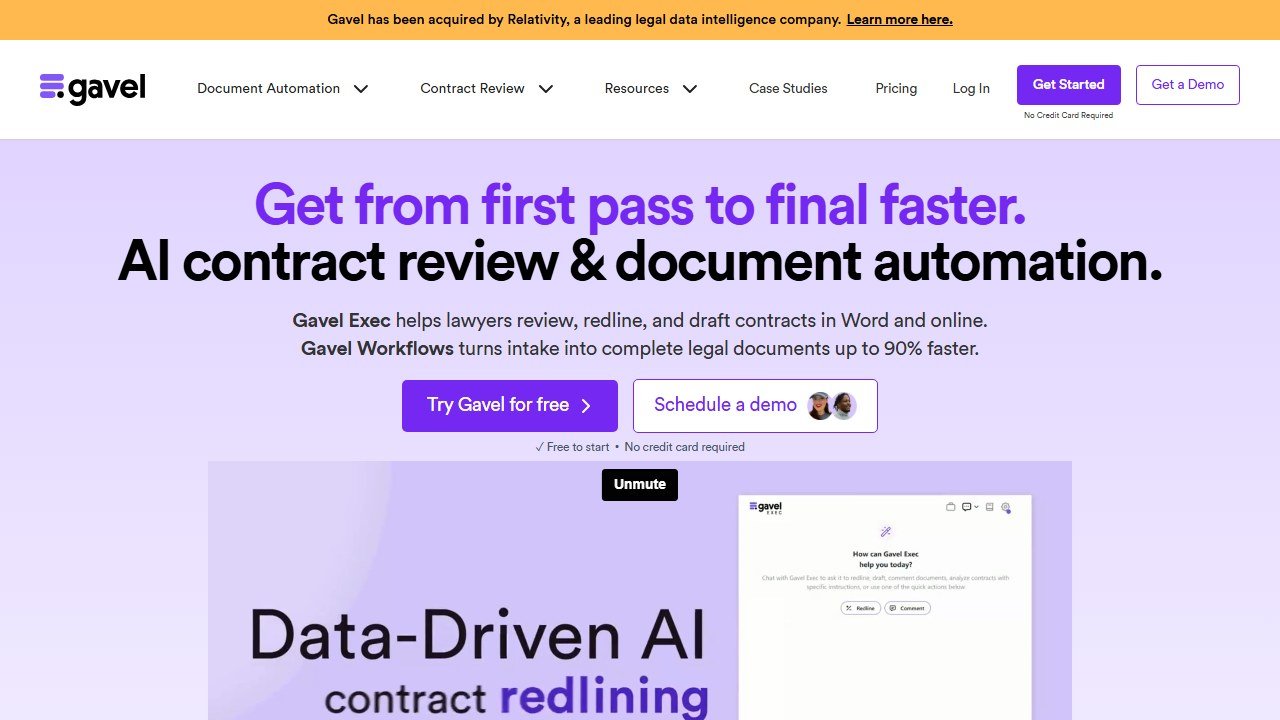
Gavel (formerly Documate) is our top document automation pick. It turns your own templates into guided, conditional questionnaires that generate polished documents, and it now layers AI on top to help build workflows and even review documents. Pricing starts accessibly, in the region of $83 to $99 per month billed annually on entry tiers as of 2026, scaling up with template count, sessions, and features like API access and SSO. For a firm that drafts the same documents constantly, the payback is fast.
HotDocs is the long-established enterprise standard, powerful and deeply configurable, the choice for large organizations with complex, high-stakes document assembly needs and the resources to set it up. Lawyaw (part of Clio) focuses on court forms and template documents with a friendly interface, a good fit for firms that need to fill and assemble standard forms quickly, especially where it ties back into Clio. And Woodpecker targets solo and small firms specifically, bringing document automation to Microsoft Word at an accessible price so smaller practices can automate without an enterprise budget.
Match the tool to your volume and complexity: Gavel for flexible, guided automation across most firms; HotDocs for enterprise-scale assembly; Lawyaw for court forms inside a Clio world; Woodpecker for small-firm Word automation. The full guide is legal document automation software.
Paralegal and Discovery Support
A great deal of legal work is paralegal-level: summarizing depositions, organizing discovery, drafting routine correspondence, building chronologies, reviewing records, and preparing standard filings. AI is extremely good at exactly this tier of task, which is why “AI as a junior team member” is the most useful mental model for a lot of firms. The tools here do not replace paralegals; they take the repetitive load off so paralegals and associates spend their time on judgment, not sorting.
CoCounsel is our top pick for paralegal-level automation because its skills map almost one-to-one onto paralegal tasks: document review, deposition preparation, contract analysis, and summarization, all grounded in real sources. Briefpoint automates a specific and tedious slice of litigation: drafting and responding to discovery requests like interrogatories and requests for production, turning hours of formatting and boilerplate into minutes. EvenUp targets personal injury firms, using AI to build demand packages from medical records and case files, which is a huge time sink in PI practice. And Clearbrief, covered above, doubles as paralegal support by verifying that every factual claim in a document is backed by the record.
The theme across all of these is delegation with supervision. You would never let a first-week paralegal file something without checking it, and the same discipline applies to AI output at this tier: review it as you would a junior’s work. Used that way, these tools genuinely expand what a small team can handle. The full guide is best AI tools for paralegals.
E-Discovery and Litigation
E-discovery is the function where AI has been quietly transforming practice for the longest, well before generative AI arrived, and where the scale is almost unimaginable by hand. A single litigation can involve millions of documents. No human team reads all of them. AI does the heavy lifting: predictive coding to prioritize likely-relevant documents, technology-assisted review to learn from human decisions and apply them at scale, and now generative AI to summarize, cluster, and answer questions across a review set.
Everlaw is our top e-discovery pick for most litigation teams. It was built cloud-native from the start, with no legacy architecture to drag it down, and it is widely praised for a usable interface that junior associates can navigate without heavy training, alongside strong predictive coding, context-aware search, and AI-assisted review. For a litigation team that wants power without a steep learning curve, Everlaw is the standout.
Relativity, through RelativityOne with its aiR products, is the market-share leader in e-discovery, with a vast ecosystem of third-party applications and deep capability across processing, review, and production. As of 2026 its aiR for Review and aiR for Privilege capabilities are being folded into the standard package, bringing generative review into the platform many large firms and vendors already run on. RelativityOne is the safe institutional choice, particularly where an established e-discovery vendor relationship is in place. DISCO is a strong AI-first third option, known for aggressive, all-inclusive pricing that avoids per-gigabyte surprises, which appeals to firms that want modern AI review without legacy-platform baggage.
A word on cost, because e-discovery pricing is its own animal. Traditional e-discovery has been priced largely by data volume (per gigabyte hosted and processed), which means costs balloon on document-heavy matters and can be hard to predict at the outset. That model is under pressure in 2026: DISCO’s all-inclusive pricing and the bundling of AI review into standard packages by the major platforms are pushing the market toward more predictable, less volume-punishing structures. If you litigate regularly, the pricing model can matter as much as the feature set, so ask each vendor to price a representative matter for you, not just quote a rate card.
E-discovery is also a function where you almost never buy alone: the platform choice usually involves your litigation support team or an e-discovery vendor, because workflow, defensibility, and cost management matter as much as the AI. Choose Everlaw for usability, Relativity for ecosystem and institutional weight, and DISCO for AI-first simplicity and predictable pricing. And remember that defensibility of your review process is itself a legal question. Technology-assisted review has been accepted by courts for over a decade, but you have to be able to explain and defend how the AI was used, what it was trained on, and how you validated its results, because opposing counsel and the court can and do probe it. Document your process as you go, not after a challenge lands.
Litigation AI gets even more specific once you narrow it to a practice area. Personal injury firms in particular have a dedicated tool ecosystem, and our guide to the best AI tools for personal injury law firms covers demand letters, medical chronologies, and case valuation in full.
Client Intake and CRM
Signing clients is a function most lawyers underinvest in, and it is one where AI and automation pay for themselves fast. Leads go cold when nobody follows up. Consultations get missed. Intake forms sit half-filled. A good intake and CRM system, with AI and automation on top, makes sure every lead is captured, followed up on schedule, and moved through a pipeline, so the firm stops losing business it already paid to attract.
Lawmatics is our top intake and CRM pick. It is built specifically for how law firms sign clients: automated intake forms, follow-up sequences, appointment scheduling, and marketing automation, all in a pipeline designed around legal client acquisition rather than a generic sales CRM bent into shape. Pricing starts in the region of $99 per month and moves to custom quotes as you add automation, reporting, and marketing features. For a growth-minded firm, the automation of follow-up alone often justifies it.
Clio Grow is the natural intake and CRM choice for firms already on Clio, since it plugs straight into Clio Manage (and is bundled into the Complete tier), so a signed lead flows directly into a matter without re-keying. And a growing set of AI intake chatbots and virtual receptionists now sit on firm websites to qualify leads, answer common questions, and book consultations around the clock, capturing after-hours inquiries that a voicemail would lose. For firms where the phone and the website are the front door, that 24/7 coverage is real revenue.
The through-line: pick intake tooling that connects to your practice management system so a new client flows from lead to matter without friction. Lawmatics for a dedicated, powerful legal CRM; Clio Grow for a seamless fit inside a Clio stack; AI chatbots to catch what would otherwise slip away after hours.
Enterprise and BigLaw AI
At the top of the market sits a different class of tool, built for large firms and corporate legal departments with hundreds of lawyers, complex matters, and the security and governance requirements to match. These are horizontal, frontier-AI platforms that span research, drafting, due diligence, and workflow automation across the whole firm, and they are sold and priced accordingly.

Harvey is the reference point here. Built exclusively for legal and professional services, it offers an Assistant for research, drafting, and document Q&A, Vault for secure document storage with grounded question-answering, Workflows for multi-step matter automation, and Harvey for Word for inline drafting. Its agent-builder lets firms create custom AI workflows tailored to their own practice. Harvey does not publish pricing, sells only through its enterprise sales team on annual contracts with minimum seat counts, and industry reports put annual deals anywhere from roughly $50,000 into the hundreds of thousands and beyond, depending on firm size and deployment. There is no self-serve signup and no SMB tier. Read the full Harvey AI review for the detail.
Why are these tools enterprise-only? Three reasons. First, the security, data residency, and governance requirements of a large firm or an in-house department are extensive, and meeting them costs money to build and support. Second, the value is realized through deep integration into firm-specific templates, precedent, and workflows, which requires implementation and change management, not a credit card and a login. Third, the buyers are large organizations that procure software through committees and multi-year contracts, so the whole commercial model is built around that. If you are an Am Law 100 firm or a large corporate legal team, Harvey and its peers are the benchmark. If you are a solo or small firm, they are not built for you, and the tools in the sections above will serve you better and cheaper. There is no shame in that; it is the right match to your scale.
If you sit on the corporate side of the table rather than at a firm, the stack looks different. Our guide to the best AI tools for in-house counsel covers contract volume, legal ops, and outside counsel management specifically.
What It Costs
Legal AI pricing spans an enormous range, from free to six figures a year, and the right budget depends entirely on firm size and function. Here is the honest overview, with everything hedged as of 2026 because this market reprices constantly and most enterprise tools are quote-only.
At the solo and small-firm end, tools are genuinely accessible. A practice management backbone like Clio starts around $49 per user per month. Document automation like Gavel starts in the $83 to $99 per month range. Intake tools like Lawmatics start around $99 per month. Drafting tools like Spellbook start in the region of $99 per user per month. A capable small-firm stack can be assembled for a few hundred dollars a month per lawyer, and several tools offer free trials so you can prove value before committing. Some general-purpose AI assistants and free tiers exist too, though the free options rarely offer the grounding that legal work demands.
In the midmarket, costs climb as you add grounded research and more seats. Grounded research assistants like CoCounsel and Lexis+ AI are the big line items: they are quote-based, stack on top of (or bundle with) expensive underlying research subscriptions like Westlaw or Lexis, and can run from around $100 per user per month into the several-hundreds per user per month for the full research bundles. A midmarket firm should budget for the research subscription as the anchor cost and the specialist tools around it.
At the enterprise end, platforms like Harvey are sold on annual contracts that industry reports place anywhere from roughly $50,000 to several hundred thousand dollars or more, with minimum seat counts and implementation. E-discovery for large litigation is its own budget line, priced by data volume and matter, and can dwarf everything else on a big case.
A crucial caveat: watch the total cost, not the sticker. Advertised per-user rates for the big research tools typically assume multi-year commitments, and third-party analyses suggest the true first-year cost of enterprise legal AI can run well above the headline license once implementation, training, and add-ons are counted. Always get a full quote, ask what is included, and confirm the contract term before you sign.
Budget math changes fast with firm size. If you run a solo shop or a small firm, our guide to the best AI tools for small law firms recuts these picks for teams of one to ten lawyers.
The Ethics You Cannot Skip
This is the section to read even if you skip everything else. AI does not change your professional duties. It creates new ways to breach them. Lawyers have already been sanctioned, publicly, for getting this wrong. The good news is that the duties are clear and the safeguards are simple to state. The bad news is that “simple to state” is not the same as “safe to ignore,” and the profession is watching real careers take real damage. None of what follows is legal or ethics advice; it is a summary of the well-publicized issues, and you must check the rules in your own jurisdiction.
The duty of competence means you must understand the tool. Under the model rules of professional conduct, competence now includes a reasonable understanding of the benefits and risks of the technology you use. In 2024 the American Bar Association issued Formal Opinion 512, its first formal ethics guidance on generative AI, confirming that the existing duties (competence, confidentiality, communication, and reasonable fees) apply squarely to AI use. Practically, that means you cannot treat an AI tool as a magic box. You need to understand, at least in outline, whether it is grounded, where its data comes from, what it does with your inputs, and where it is likely to fail. Buying a tool you do not understand and relying on its output blindly is itself a competence problem.
The duty of confidentiality means client data does not go into consumer tools. Everything relating to the representation of a client is confidential, and much of it is privileged. When you paste client facts into a consumer chatbot that trains on its inputs, you may be disclosing confidential information to a third party and, worse, feeding it into a model that could surface it elsewhere. That is a confidentiality breach and potentially a waiver of privilege. The rule of thumb: use enterprise-grade legal tools with clear data-handling terms, confirm the vendor does not train on your data, understand where the data is stored, and get informed client consent where the ethics guidance calls for it. Never treat a free public chatbot as a safe place for client secrets.
The duty of candor to the court means you verify every citation. This is the one that has produced the sanctions. In the now-infamous Mata v. Avianca matter, lawyers filed a brief containing cases that ChatGPT had entirely invented, and the court sanctioned them. It was not an isolated event; courts around the country have since caught and penalized fabricated AI citations in real filings. The lesson is blunt: an ungrounded model can generate citations that look authoritative and do not exist, and if you file them, the responsibility is yours, not the tool’s. Read every case the AI cites. Confirm it exists, confirm it says what the AI claims, and confirm it is good law. Grounded research tools that verify citations against KeyCite or Shepard’s dramatically reduce this risk, but they do not remove your duty to check.
Supervise AI like a junior associate. The cleanest mental model for all of this is supervision. You would never let a first-week associate file a brief unreviewed, feed client secrets to strangers, or cite cases they had not read. Hold AI to exactly that standard. It is a fast, tireless, sometimes brilliant junior team member that occasionally makes confident mistakes, and your job is to supervise its work product before it goes out the door. The model rules on supervising the work of others map neatly onto supervising AI: you remain responsible for what leaves your firm.
Watch the billing question too. ABA Formal Opinion 512 also addressed fees, and the guidance has real teeth for how you bill. You generally may not bill a client for the time you spend learning a tool for your practice as a whole, the way you would not bill for learning to use a new word processor. And if AI lets you complete a task in one hour that used to take five, billing the client for five is a problem: the reasonable-fee duty follows the actual time and value. How you handle the cost of the tool itself (overhead, a per-use charge, or a passed-through cost with disclosure) needs to be transparent and, where the guidance calls for it, agreed with the client in advance. Efficiency gains from AI are real, and the ethics expect the client to share in them rather than pay phantom hours.
Finally, know that guidance is proliferating. Beyond ABA Formal Opinion 512, many state bars and courts have issued their own AI guidance, opinions, and standing orders, some requiring disclosure of AI use in filings and some requiring certification that a human verified any AI-assisted citations. These vary by jurisdiction and change often. Before you deploy AI in client work, check your state bar’s guidance and any local court rules for the courts you appear in, and build a short internal AI policy so your whole firm applies the same safeguards: which tools are approved, what may and may not be entered into them, who verifies AI output, and how AI use is documented. It does not need to be long. It needs to be clear and actually followed. The firms that get this right treat ethics as the foundation of their AI adoption, not a box to tick after the fact, and they find that the discipline makes them faster and safer at the same time.
How to Build Your Firm’s AI Stack
You do not build the whole stack at once. You build it by firm size and by the function that hurts most, one deliberate purchase at a time. Here is a practical sequence for each firm type.
Solo practitioner. Start with a practice management backbone: Clio EasyStart or Essentials, or MyCase if budget is tight, so matters, billing, and documents live in one place from day one. Add intake next, either Clio Grow inside your Clio stack or a standalone tool, so no lead slips away. Then buy the one specialist tool that matches your biggest time sink: a grounded research assistant if research eats your evenings, a document automation tool like Gavel if you draft the same documents constantly, or Spellbook if contracts are your bread and butter. For grounded research on a solo budget, consider the more accessible independents alongside the incumbents. Resist buying everything; two or three tools used well beat ten half-used.
Small firm. Same backbone, then layer by function across the team. A shared practice management platform, a dedicated intake and CRM like Lawmatics to systematize client acquisition, and grounded research (CoCounsel or Lexis+ AI, matched to whichever research service you already pay for) become the core. Add drafting and contract review (Spellbook or a review specialist) if transactional work is significant, and document automation if you have high-volume templated work. This is where the “core stack” of practice management plus grounded research plus a drafting tool really comes together.
Midsize firm. Now governance matters as much as tools. Standardize on a research platform firm-wide, invest in the practice management or case management platform that fits your practice areas (Filevine for litigation-heavy, for example), add e-discovery capability if you litigate at scale, and, crucially, write an AI use policy and train your people on it. At this size, the risk of uncoordinated, unsupervised AI use across dozens of lawyers is real, so pair every tool rollout with clear rules on confidentiality and verification.
In-house legal team. Priorities shift toward contract lifecycle management, review at volume, and a system of record: tools like LinkSquares or Luminance for contracts, a matter management system, and, for larger departments, an enterprise platform like Harvey that spans research, drafting, and due diligence across the team. In-house buyers should weigh integration with the business’s existing systems and the security and data-governance requirements of the parent organization heavily, because those often decide the purchase.
Across every size, the same three principles hold. Buy by function, not by hype. Buy grounded tools and verify their output. And connect the pieces so data flows from intake to matter to billing without re-keying. Start where it hurts, prove the value, then expand.
Practice-area stacks deserve their own treatment too. Immigration work is one of the most form-heavy and deadline-driven areas in law, and our guide to the best AI tools for immigration lawyers covers the platforms built for exactly that workload.
The Bottom Line
AI in law in 2026 is not a single product; it is a stack of specialists, and the firms winning with it buy by function and verify everything. For most firms the core stack is straightforward: a practice management platform to run the firm (Clio for most, MyCase as the main alternative), a grounded research assistant matched to your research service (CoCounsel for Westlaw firms, Lexis+ AI for Lexis firms), and a drafting and review tool (Spellbook). Add document automation, e-discovery, and intake by function as your practice needs them, and reserve enterprise platforms like Harvey for large firms and in-house teams with the scale to justify them.
Whatever you buy, the discipline is the same and it is not optional. Buy grounded tools that tie their answers to real authority and real documents. Verify every citation, every clause, and every number before it leaves your firm, because your name is on the filing and the duty of candor runs to you, not the vendor. Keep client confidences out of consumer chatbots. And supervise AI the way you would supervise a talented, tireless, occasionally overconfident junior associate. The sanctions cases are real, but they were all preventable, and the prevention is just professional diligence applied to a new tool.
Start where it hurts most and expand from there. To go deeper by function, see our guides to best legal practice management software, best AI legal research tools, best AI contract review software, best AI tools for paralegals, legal document automation software, and AI tools for legal writing, plus our in-depth reviews of Clio, CoCounsel, and Harvey AI, and our head-to-head Clio vs MyCase comparison. Build the stack deliberately, govern it well, and it becomes the best leverage your firm has.
More AI tool guides worth reading: Best Legal Document Automation Software and Best AI Tools for Paralegals.

Written by
FazFaz is the founder of AIToolsBakery. Some tools here are tested hands on. Others are assessed from vendor documentation and pricing verified on the live page, and every review says which one it is. Sponsors can buy a position in a guide. They cannot buy the score, the criticism, or silence about a better option.
How we test and how we make money →