80+ tools. Free for teachers. Sounds too good to be true. It mostly isn’t.
Tracking month-by-month changes? See our evergreen MagicSchool AI Updates 2026 page, refreshed monthly with new features, pricing changes, and roadmap signals.
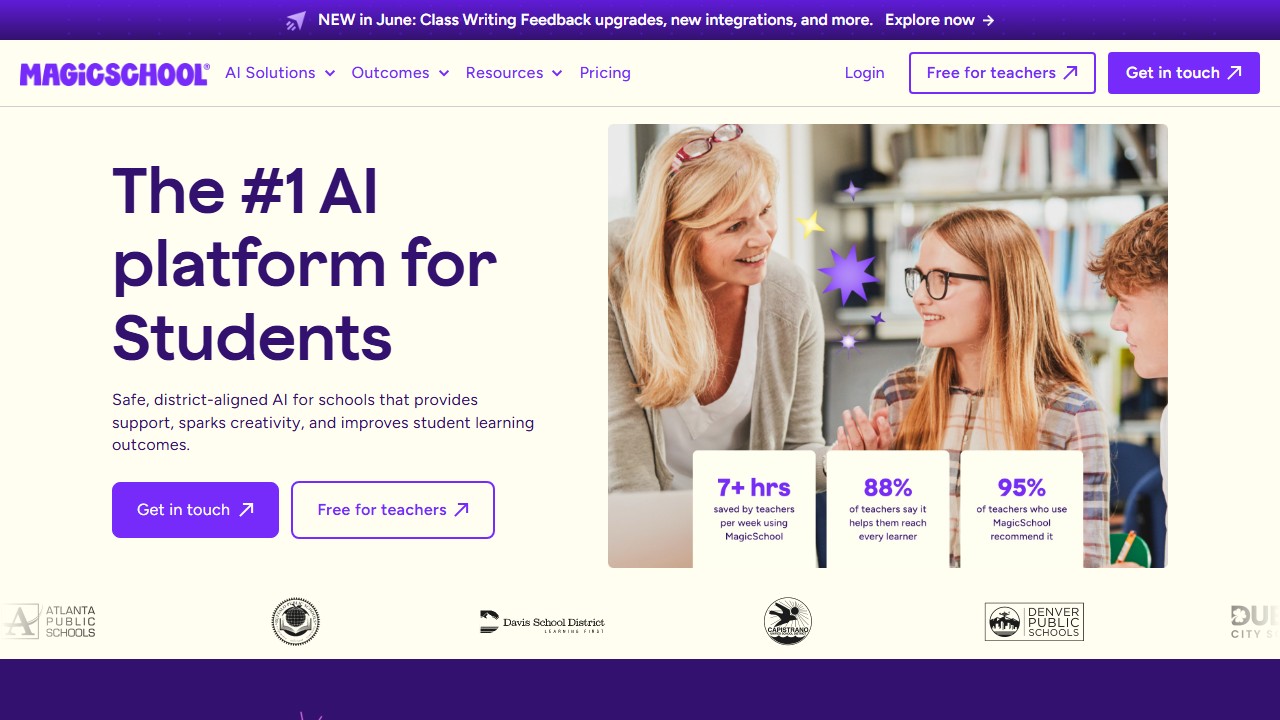
MagicSchool AI is a free all-in-one AI platform for K-12 teachers with 80+ tools covering lesson planning, writing feedback, rubric generation, quiz creation, IEP writing, and more. It also includes 50+ student-facing tools. FERPA, COPPA, and SOC 2 compliant. Best for teachers who want a single platform for everything rather than juggling multiple specialized tools.
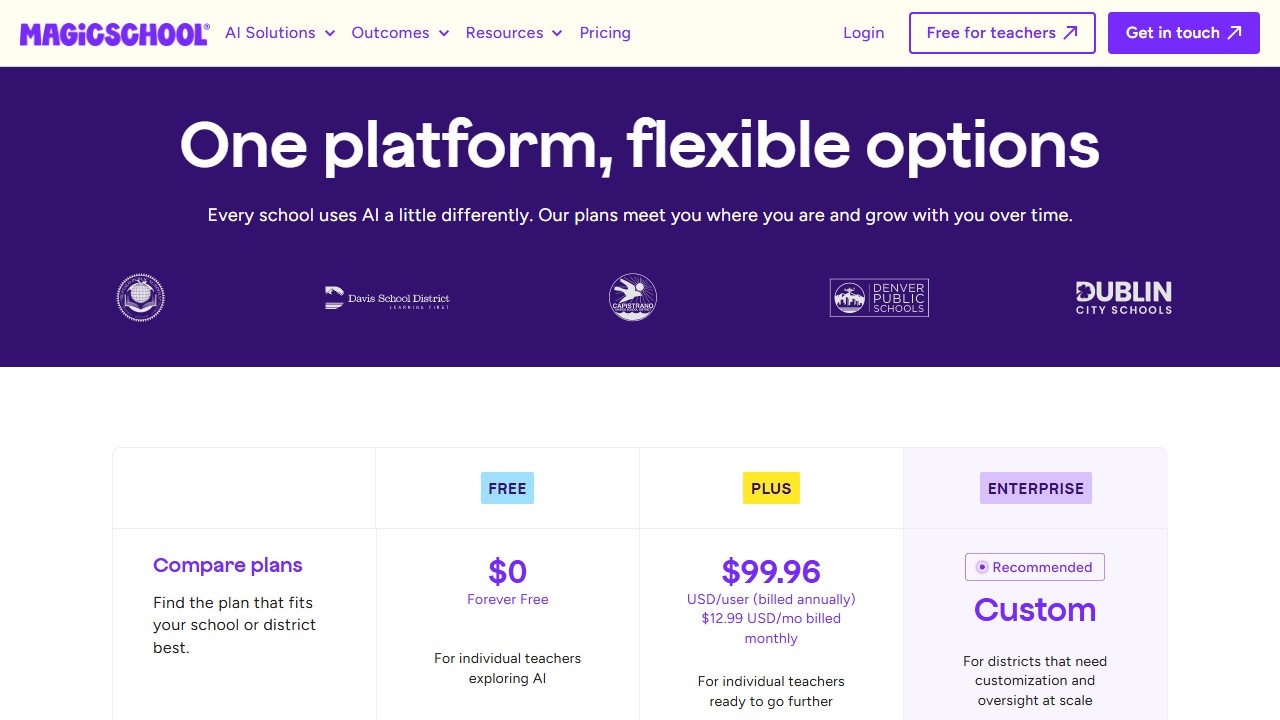
Pricing Breakdown
| Plan | Price | What You Get |
|---|---|---|
| Free (Individual Teacher) | $0 | Access to 80+ teacher tools, 50+ student tools, core features |
| School/District Plan | Contact for pricing | Admin dashboard, usage analytics, professional development, custom tools, enterprise security |
Website: MagicSchool AI
Last reviewed May 2026. MagicSchool continues to add tools to its 80-plus AI feature set in 2026. We refresh this review as material updates ship rather than every minor release. For the comparison view across the rest of the education-AI category, see best AI tools for teachers and our updated Khanmigo review.
How we reviewed MagicSchool AI
This review is research-based. We have not used MagicSchool ourselves. It looks at MagicSchool’s documented tools, including lesson planners, rubric generators, IEP drafts, parent emails, and student-facing chatbots, alongside its published pricing, and compares them with Brisk and Diffit to see where MagicSchool’s breadth helps and where the focused tools are the better fit. Any claims about hours saved per week come from MagicSchool’s own teacher surveys, not from us.
Faz says: MagicSchool is the Swiss Army knife of teacher AI. Lesson plans, rubrics, quizzes, IEP drafts, report card comments, writing feedback, presentation outlines. Name a teaching task and there’s probably a MagicSchool tool for it. The question isn’t whether it can do what you need. The question is whether doing everything means doing anything well enough. We compare it with the specialists in our best AI tools for teachers roundup. Here’s the honest breakdown.
What’s New: MagicSchool AI Updates (April 2026)
- Surpassed 4 million teacher users: the fastest-growing EdTech platform in history, ahead of Nearpod and Kahoot at the same stage.
- Launched MagicSchool for Students: a student-facing AI suite with 50+ learning tools including essay coach, study guide builder, and math explainer.
- Added Raina, an AI teaching assistant that helps teachers navigate the platform and suggests the right tool for each use case.
- Achieved SOC 2 Type 2 certification: the strongest data security credential in EdTech, added to existing FERPA and COPPA compliance.
- New Admin Console: school and district admins can now manage teacher accounts, monitor usage, and configure data policies centrally.
- Added Spanish language support for 30+ tools, with more languages in development.
Check the MagicSchool AI updates page for the latest additions. Last updated: April 22, 2026.
What MagicSchool Does
MagicSchool AI is a web-based platform that gives teachers access to 80+ AI-powered tools and students access to 50+ learning tools, all in one place. You sign up (free for individual teachers), pick a tool from the dashboard, enter your parameters, and get AI-generated output.
The platform covers the full teaching workflow: planning, creating materials, assessing student work, writing administrative documents, and providing student feedback. It’s not a Chrome extension like Brisk or a differentiation specialist like Diffit. It’s a destination platform that tries to handle everything under one roof.
Key Features
Lesson Plan Generator
Enter your subject, grade level, topic, and standards. MagicSchool generates a complete lesson plan with learning objectives, warm-up activities, direct instruction, guided practice, independent work, and assessment. You can specify time constraints, differentiation needs, and teaching strategies.
The output is solid as a starting framework. Most teachers treat it as a first draft that needs 10-15 minutes of customization rather than a finished product.
Writing Feedback Tool
Paste a student’s essay and MagicSchool generates detailed feedback. You can set the rubric, tone (encouraging vs direct), and focus areas. The feedback references specific parts of the text and provides actionable suggestions for improvement.
This overlaps with Brisk’s in-Docs feedback, but MagicSchool’s version runs on its own platform rather than inside Google Docs. You copy the essay in, get feedback, and copy it back. More steps, but it works without a Chrome extension.
Rubric Generator
Describe your assignment and MagicSchool creates a detailed rubric with performance levels, criteria, and descriptors. You can specify the format (single-point, holistic, analytic) and the number of performance levels. Useful for teachers who know what they want to assess but struggle with rubric language.
Quiz and Assessment Maker
Generate multiple-choice, short answer, or essay questions from a topic, article, or standard. Questions include answer keys and can be exported to Google Forms or printed. You control the difficulty level, question count, and cognitive complexity (recall vs analysis vs synthesis).
IEP Generator
One of MagicSchool’s standout tools for special education teachers. Enter a student’s disability category, present levels, and goals. MagicSchool drafts IEP sections with appropriate language, measurable objectives, and accommodation suggestions. Special ed teachers who spend 2-3 hours per IEP report significant time savings.
For a deeper look at how MagicSchool’s IEP drafting compares with dedicated platforms on compliance and privacy, see our roundup of the best AI IEP writing tools.
Report Card Comments
Enter a student’s grades, strengths, and areas for growth. MagicSchool generates personalized report card comments in the tone you specify. For teachers writing 30+ report cards per quarter, this turns a weekend task into an hour.
Student-Facing Tools (50+)
MagicSchool isn’t just for teachers. Students get access to:
- AI Tutor (guided problem-solving, doesn’t give answers)
- Teacher-led activities (controlled AI interactions during class)
- Safe, supervised settings with teacher oversight
The student tools run in a managed environment where teachers set boundaries and monitor usage.
AI Instructional Coach
A newer addition that acts as a professional development partner. Teachers can ask for help with teaching strategies, classroom management techniques, curriculum questions, and instructional design. Think of it as having a mentor available 24/7.
Additional Tools
The 80+ tool count includes generators for:
- Presentations and slide outlines
- Vocabulary lists
- Text dependent questions
- Accommodation suggestions
- Letter/email drafts (to parents, admin)
- Science lab procedures
- Math word problems
- Reading comprehension passages
- And dozens more
What you need to know:
- The free individual plan is genuinely free. No trial period, no credit card. Teachers sign up and get access to the core platform.
- MagicSchool’s business model is built around district licensing, not individual subscriptions. The free teacher tier drives adoption, and districts pay for admin features, analytics, and support.
- There may be usage limits on the free plan (generation caps per day/month), but these aren’t prominently documented. Most individual teachers report not hitting them during normal use.
- If your district has a MagicSchool license, you may get enhanced features. Check with your admin.
Free Plan: What You Actually Get
MagicSchool’s free plan is one of the most generous in teacher AI:
- Full access to 80+ teacher tools
- Full access to 50+ student tools
- Lesson planning, rubric generation, quiz creation
- Writing feedback, IEP drafting, report card comments
- No expiration, no credit card
What the free plan likely doesn’t include: admin dashboards, district-level analytics, custom tool configuration, dedicated support, and professional development resources. These are the features districts pay for.
Verdict on the free plan: Exceptional. For individual teachers, the free plan covers virtually everything you’d need. The paid tier is aimed at administrators who want oversight and data across their schools, not at individual classroom teachers.
Privacy and Compliance
MagicSchool has one of the strongest compliance profiles in the education AI space:
- FERPA compliant
- COPPA compliant
- SOC 2 certified
- GDPR compliant
- CCPA compliant
- Common Sense Privacy Verified
- ESSA Level IV evidence-rated
- TrustEd Apps Certified
MagicSchool explicitly states: “We don’t use student or teacher data to train AI.” This is a critical point. Many general-purpose AI tools (ChatGPT, Claude) use conversation data for model improvement unless you opt out. MagicSchool’s data policy is designed specifically for the education context where student data protection is non-negotiable.
Integrations
| Platform | Supported |
|---|---|
| Google Workspace | Yes |
| Google Classroom | Yes |
| Canvas | Yes |
| Schoology | Yes |
| ClassLink | Yes |
| Clever | Yes |
| Microsoft tools | Yes |
MagicSchool integrates with the major LMS platforms and SSO providers. The integration is at the authentication and export level rather than the in-app level (unlike Brisk, which lives inside Google Docs). You use MagicSchool on its own site and export results to your preferred platform.
Who This Is For
Use MagicSchool if you:
- Want one platform that covers lesson planning, grading, feedback, IEPs, and more
- Are a special education teacher (the IEP generator is a standout)
- Prefer a free tool with no usage anxiety
- Need a platform that meets strict district compliance requirements
- Want student-facing AI tools with teacher controls
Skip MagicSchool if you:
- Want AI tools that live inside Google Docs rather than on a separate site (look at Brisk AI)
- Need deep differentiation features specifically (look at Diffit AI)
- Prefer specialized tools that do one thing exceptionally well
- Find 80+ tools overwhelming and want a simpler experience
- Need essay grading with rubric-aligned state assessment support (look at CoGrader)
School leaders weighing a campus-wide rollout should also see our guide to the best AI tools for school principals and administrators, which covers the admin side of platforms like this.
Pros
- Free for individual teachers with no expiration
- 80+ tools covers virtually every teaching task
- Strong compliance stack (FERPA, COPPA, SOC 2, ESSA Level IV)
- Student-facing tools with teacher oversight and controls
- IEP generator is a genuine time-saver for special ed
- Evidence-rated results: 28% literacy improvement, 7-10 hours saved weekly
Cons
- 80+ tools means none go as deep as specialized competitors
- Runs on its own site, not inside your existing workflow (unlike Brisk)
- District pricing not publicly listed
- Can feel overwhelming on first use (which tool do I start with?)
- Writing feedback requires copy-pasting text rather than working in-document
- Individual tools may produce generic output that needs significant editing
Faz says: MagicSchool is the right first AI tool for any teacher who hasn’t tried AI yet. It’s free, it’s safe, and it covers enough ground that you’ll find something useful within your first 10 minutes. But here’s the honest part: once you figure out which teaching tasks AI helps with most, you’ll probably graduate to a specialist. If grading is your pain point, Brisk or CoGrader will serve you better. If differentiation is the challenge, Diffit is sharper. MagicSchool’s strength is breadth. Its weakness is also breadth. It’s the tool that shows you what’s possible. Then you go deeper with the tools that match your specific needs.
Saru says: 4/5. MagicSchool AI is the most widely adopted teacher AI platform with evidence-backed outcomes (28% literacy improvement in implementation studies, 7-10 hours saved per week on average). The free tier for individual teachers is the most generous in the space. The compliance stack (FERPA, COPPA, SOC 2, ESSA Level IV) meets the strictest district requirements. The 0.5-point deduction reflects the breadth-over-depth tradeoff: specialized tools like Diffit (differentiation) and Brisk (in-workflow feedback) outperform MagicSchool in their respective niches.
Final Verdict
MagicSchool AI is the best starting point for any teacher exploring AI. The free plan is genuinely generous, the compliance certifications satisfy even the most cautious administrators, and the 80+ tool library guarantees you’ll find something useful for your workflow. It won’t be the deepest tool in any single category. Brisk is better for essay feedback in Google Docs. Diffit is better for differentiation. CoGrader is better for state-aligned essay grading. But nothing else gives you this much under one roof, for free, with this level of data protection. Install it today, explore for a week, then decide which specialist tools to add alongside it.
Rating: 4/5
Other classroom AI tools we have reviewed
MagicSchool is one option in a fast-moving 2026 category. The teacher AI tools we have also reviewed:
- CoGrader review. essay grading platform
- Curipod review. interactive AI lessons
- SchoolAI review. student-safe chat spaces
- AssignAI review. ESL and IELTS grading
- MagicSchool vs Brisk. direct comparison
- Diffit vs MagicSchool. differentiation vs all-in-one
References & further reading
For deeper research on AI in education and evidence-backed instructional practice:
- Common Sense Education: AI in K-12 classrooms. classroom-tested guidance and tool ratings reviewed by educators
- Edutopia technology integration research. peer-reviewed edtech case studies and classroom implementation practice
- US Department of Education on AI in schools. federal guidance on AI in teaching and learning, including the 2023 Office of Educational Technology report
More AI tools for teachers
More AI guides for teachers:
- 7 Best AI Tools for Special Education Teachers.
- Brisk Teaching Updates: may 2026 Features & Pricing.
- Best AI Lesson Planning Tools for Teachers in 2026.
- Best AI Grading Tools for Teachers in 2026.
MagicSchool serves educators; for the student side of the desk, our best AI tools for students guide sorts the options by what learners actually need.
More AI tool guides worth reading: Photomath vs Gauth and Best AI Tools for Homeschooling Parents.
Buying at school or district level, and why teacher pilots stall
The gap between a teacher loving a tool and a district paying for it is where most education software dies, and it is a process problem rather than a product one.
Find out who actually approves before you pilot
Curriculum, IT, data protection and procurement usually all have a say, and in most districts nobody has told teachers which of them is the blocker. Ask early. A pilot that has to be re-run after the data protection review because the first one used real student work is a term lost, and it is entirely avoidable.
Price the thing you will actually deploy
Published teacher rates and district rates are different products. MagicSchool publishes Plus at $12.99 a month and quotes Enterprise with volume discounts. SchoolAI publishes tier names only. Gradescope, now on a Turnitin domain, is institution-quoted. That means a per teacher figure multiplied by staff count is a rough upper bound rather than a quote, and it is still the number worth calculating before a call, because it anchors the conversation.
Run the pilot on the thing that fails, not the thing that demos
The demo will be a well-formed lesson plan for a well-behaved topic. Your pilot should include the awkward cases: a mixed ability class, a subject with heavy notation, a student with an access arrangement, a topic where the source material is contested. How a tool handles those decides whether teachers keep using it in November.
Name who owns it after the pilot
Every tool in this category rewards an owner and punishes shared enthusiasm. Before magicschool ai or anything else goes past a pilot, name the person whose job includes it and confirm where the hours come from. If the answer is that the keen teacher will keep doing it, the tool leaves when they do.
Tools mentioned in this guide
- Khanmigo
- Brisk
- Diffit
- CoGrader
- Curipod
- SchoolAI
- Spacely
- Collov
- Coohom
- Veras
- D5 Render
- Enscape
- Twinmotion
- Strong
- Virtual Staging AI
- ChatGPT
- Claude

Written by
FazFaz is the founder of AIToolsBakery. Some tools here are tested hands on. Others are assessed from vendor documentation and pricing verified on the live page, and every review says which one it is. Sponsors can buy a position in a guide. They cannot buy the score, the criticism, or silence about a better option.
How we test and how we make money →