Every eighteen months or so, someone at your organisation says the CRM is the problem.
They are sometimes right. But a CRM migration is one of the most expensive things a nonprofit can do to itself. It consumes six to twelve months, it costs real money, it degrades your data before it improves it, and for the duration your team is doing data work instead of fundraising. Doing that and then discovering the problem was never the database is a genuinely awful outcome, and it is common. If you do decide to switch, our best CRM for nonprofits guide compares nonprofit-built systems with discounted general CRMs.
So before you shortlist replacements, answer a narrower question. The nonprofit CRM vs donor intelligence decision comes down to this: is your problem where the data lives, or what nobody is doing with it?
Quick answer: Replace the CRM if the database itself is failing: it cannot hold your gift types, it has no integrations, support is gone, or the cost has outgrown you. Add an intelligence layer if the data is fine but nobody acts on it. Most organisations that think they need a migration need the second.
Two very different problems that produce the same complaint
The complaint is always the same. “Our CRM is useless.” Underneath it are two unrelated failures.
Failure one: the system of record is genuinely inadequate. It cannot handle your gift structures, it will not integrate with your donation platform, reporting requires exporting to a spreadsheet every time, the vendor has stopped developing it, or you have outgrown the pricing tier so badly that a replacement is cheaper.
Failure two: the record is fine and nothing happens with it. The data is all there. Gifts are coded, contact reports exist, the integrations work. And still nobody knows who to call on Monday, lapsed donors go unnoticed for a year, and the report the executive director asks for takes two days to build.
The second failure feels identical to the first from the inside. That is the trap. Migrating in response to failure two gets you a new database that also does nothing, eighteen months later and considerably poorer.
The diagnostic
Work through these honestly. They are ordered so the expensive answer has to earn itself.
Signs you genuinely need a new CRM
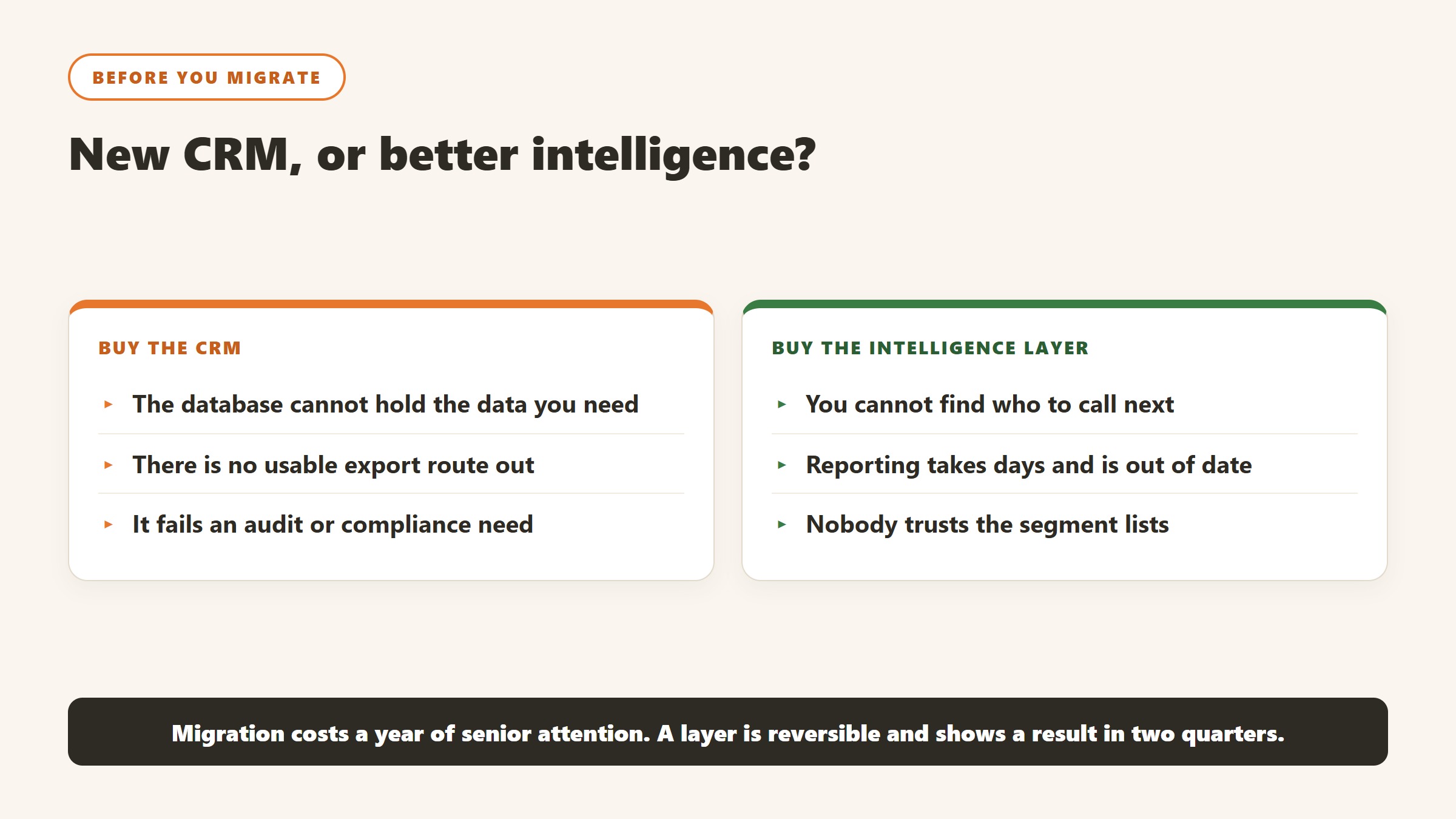
- It cannot model your income. Pledges, recurring gifts, in-kind, grants, tribute giving, soft credits. If you are tracking any material income stream in a spreadsheet because the CRM cannot hold it, that is structural.
- Integrations do not exist. Your donation platform, email tool and accounting system are joined by manual exports. This compounds forever.
- Reporting is manual every single time. Not occasionally awkward. Always a rebuild.
- The vendor has stopped. No meaningful development, support degrading, roadmap silent.
- The economics have inverted. You are paying enterprise money for a system a smaller product would handle, or you have outgrown a cheap one so badly that workarounds cost more than a migration.
- Compliance or security requirements you cannot meet. Access control, audit trail, data residency.
Two or more of those, and the migration case is real. Our nonprofit CRM with AI features guide and the reviews of Bloomerang, DonorPerfect, Neon CRM, Keela, Little Green Light, Virtuous and Bonterra are the place to start.
Signs you need intelligence, not a new database
- The data is there and nobody looks at it. Reports exist. They are not read, because reading them is not a decision.
- Nobody can answer “who should I call today”. Ask three fundraisers and get three different methods, all of them memory-based.
- Context is scattered across systems the CRM does not touch. The gift is in the CRM, the conversation is in an inbox, the proposal is on a shared drive.
- You find out about lapsing months late. By the time the report flags it, the relationship has been cold for two quarters.
- Every departure is a crisis. Somebody resigns and their portfolio goes dark, which we cover in donor portfolio handover.
- The complaint is about effort, not capability. People say “it takes forever to find anything”, not “it cannot store this”.
That last one is the cleanest test. Capability complaints point at the database. Effort complaints point at the layer above it.
The consensus is now against migration-first
This used to be a contrarian position. It is not any more.
The pattern that industry commentary has converged on is that intelligence platforms extend the systems nonprofits already trust rather than replacing them, turning donor management software from a system of record into a system of insight. The recommended approach is to pick a CRM that fits your data model, then add a layer on top that turns stored data into ranked actions.
That is worth noting because it is not a vendor claim from the intelligence side. It is the shape the market has settled into, and it reflects a practical reality: a CRM is a commodity, and the differentiating work has moved up a layer.
If the CRM side of that decision is where you have landed, the next question is what one costs, and the answer is harder than it should be. Three of the six biggest nonprofit CRMs publish a price and three do not, and the three that do are metering different things. See nonprofit CRM pricing compared.
What each option actually costs you
A CRM migration. Six to twelve months for most organisations. Data cleaning, mapping, testing, parallel running, retraining. Direct cost plus the far larger hidden cost of a fundraising team doing data work. Real risk of data loss and of history being flattened. The upside is a foundation that lasts a decade.
An intelligence layer. Weeks, not months, because there is nothing to migrate. Gratefully claims setup in under five minutes with “no migration, no data entry”, which is a vendor claim about connection time rather than about being useful on day one. The realistic figure is that connection is quick and value arrives once it has read enough of your history. Lower risk, because if it does not work you disconnect it and your CRM is untouched.
Doing both at once. Do not. If the migration case is genuinely made, migrate first, stabilise, then add the layer on top of clean data.
The honest cases for each
Buy the CRM if
You are on a genuinely inadequate system, you are running material income in spreadsheets, or your vendor has effectively abandoned the product. No layer fixes a foundation problem, and adding intelligence on top of a system that cannot hold your data correctly will produce confident recommendations built on incomplete records, which is worse than none.
Buy the layer if
Your CRM holds the data adequately and the failure is that nobody acts on it. This is the more common situation and it is the one people mis-diagnose.
Gratefully is our pick for this layer. It connects to Salesforce Nonprofit Cloud, NPSP and Bloomerang, plus Google Drive, email, Mailchimp and files, unifies them into a knowledge graph, and produces a ranked daily action list with the reasoning attached. Crucially for this decision, it does not ask you to move anything: your CRM stays the system of record, and it writes changes back under each user’s own login so the audit trail stays intact.
The honest limits: it depends on your data quality, its pricing is demo-gated so you cannot self-serve a number, and its CRM coverage is currently narrower than the market. If you are on a CRM it does not yet connect to, this decision resolves itself for now. Our Gratefully review and the best AI donor intelligence tools roundup cover the alternatives.
Buy neither if
Your records are too thin for either to help. If contact reports are empty and half your gifts are uncoded, the next purchase is not software. Start with donor data readiness, spend a quarter fixing the inputs, and revisit. This is unsatisfying advice and it is the right advice more often than anyone wants to admit.
A cheap test before you commit to either
Pick your top fifty donors. By hand, using whatever you have, answer three questions for each: when did we last have a real conversation, what do we know about why they give, and what should happen next.
If you cannot answer question one, your CRM is not being used, which is a process problem and no purchase fixes it.
If you can answer one and two but not three, you need intelligence.
If the data to answer any of them does not exist in a system you control, you need to fix capture first.
If the CRM physically cannot store the answers in a useful way, you need a new CRM.
Fifty donors takes an afternoon. It is the cheapest diagnostic available and it beats a vendor demo, because it tests your organisation rather than the software.
A sequence that works, in the order it has to happen
The order matters more than the choices. Most of the expensive mistakes in this category come from doing step four before step two.
First, name the owner and get the hours
Every system in this category rewards an owner and punishes shared responsibility. Before evaluating anything, name the person whose job description will include it and confirm where the hours come from. If the answer is “we will fit it in”, the project has already failed and the software will be blamed. This is not a formality; it is the highest-correlation predictor of whether a nonprofit technology purchase delivers.
Second, establish what you can export
Pull a real export from your current system before you shortlist. Not a screenshot of the export screen, the actual file. What comes out, in what format, with which fields, is the constraint every later step inherits, and it is common to discover that the thing you assumed was in the database is in somebody’s spreadsheet. Two hours here reprices the whole project.
Third, run a small test with real records
Fifty to two hundred of your own records, chosen to include the messy ones: a household with two donors, a lapsed major donor, a donor-advised fund gift, a failed recurring schedule. Have the person who knows those donors best read the output. Their reaction in ten minutes is worth more than a month of vendor references, and it is the only stage that reliably catches a tool that is confidently wrong about your particular data shape.
Fourth, decide the meter before you decide the vendor
Constituent-priced, seat-priced, revenue-priced and contact-priced platforms produce wildly different bills for the same organisation. Salesforce is free at ten seats and $14,400 a year at thirty. Little Green Light is $45 a month at 2,500 constituents and rises with the list regardless of headcount. Work out which of your numbers is growing fastest, then shortlist the vendors whose meter is the one growing slowest.
Fifth, and only now, negotiate
With an owner, a known export, a tested output and a chosen meter, a quote is a comparison. Without them it is a guess, and the vendor is better at guessing than you are. The order is the leverage.
How this goes wrong in practice, and the warning signs
Four failure patterns account for most of what we hear from organisations a year after purchase. All four are visible early if you know the shape.
The pilot that never ends and never scales
One enthusiastic person runs a tool brilliantly for eighteen months. They leave, and it stops the same week. The warning sign is that nobody else has ever produced the output, and the fix is procedural rather than technical: a second person runs it once a quarter, in the same way, from written steps. If the process only exists in one head, you did not buy a system, you rented a habit.
Output nobody acts on
Scores are generated, reports are produced, and the work continues exactly as before. This is usually a sequencing failure: the tool was chosen before anyone agreed what decision it would change. The test is simple and worth applying before purchase. Name the meeting where the output gets used and the person who will be holding it. If you cannot, the output has no destination.
Trust lost to one visible error
A tool rates a long-standing donor as low potential, a gift officer sees it, and the credibility of every other score goes with it. Almost always the cause is a data structure issue rather than the model: a soft credit missing, a household split, a migration boundary hiding the giving history. Expect this in the first month, plan for who investigates it, and make sure the first person to see an odd score has somewhere to take it other than the corridor.
The cost that arrives in year two
Year one is discounted, implementation is one-off, and the renewal is negotiated by somebody who was not in the original procurement. Uncapped renewals, mid-term expansion at list price, and processing fees growing with your success are the three lines that move. All three are fixable in the first contract and effectively unfixable later, which is why the terms matter more than the discount.
The common thread
None of these is a software failure. Every one is a decision that was not made, or was made by default, before anything was installed. The organisations that get value from this category are not the ones that picked the best product; they are the ones that named an owner, agreed what would change, and wrote down what failure would look like.
How to tell whether any of this actually worked
The failure mode in this category is not a tool that breaks. It is a tool that runs for a year while nobody can say whether it changed anything. Decide the measurement before you deploy, because after deployment every number is contested.
Pick a baseline you already have, not one you will start collecting
Whatever you measure, you need last year of it, and you need it from a source that was not touched by the project. Gift counts by segment, retention rate by cohort, average gift by channel, and the number of qualified visits per officer are all usually recoverable from the CRM for prior years. A metric that only starts on go-live day cannot show improvement, only activity, and activity is what makes a board sceptical.
Measure the decision, not the output
A propensity model that produces ten thousand scores has produced nothing. What matters is whether the list an officer worked was different from the list they would have worked anyway, and whether that difference showed up in outcomes. The cleanest version is a holdout: take a segment the model ranks highly, work half of it, and leave the other half in the normal rotation. It is unglamorous, it takes two quarters, and it is the only evidence that survives a hostile question.
Retention is the metric that moves last and matters most
Acquisition responds to activity within weeks. Retention responds over a giving cycle, which for most organisations means twelve to eighteen months before a change is legible. Report it, but say plainly at the outset when it will become meaningful, so that a flat number at six months is understood as expected rather than as failure.
Count the hours the thing was supposed to save
Most of the honest value in this category is time rather than income: research that took ninety minutes taking fifteen, a report that took a day taking an hour. Time is measurable if you measure it before, and unprovable if you do not. Ask the two or three people whose work will change to record how long the task takes them this month, before anything is installed. It is the cheapest evaluation you will ever run and almost nobody does it.
Agree in advance what would make you stop
Write down, before purchase, the result at twelve months that would mean you do not renew. Naming it converts a renewal from a default into a decision, and it is the single most effective discipline against the pilot that quietly becomes permanent. If nobody can name a result that would end it, the evaluation was never real.
Where the figures on this page come from
Every price quoted here was read from the vendor’s own pricing page on 4 September 2026, not from an aggregator or a review site. That distinction matters more in this category than in most, because nonprofit software pricing changed materially over the past year and a great deal of what circulates online describes packaging that no longer exists.
The pages we read
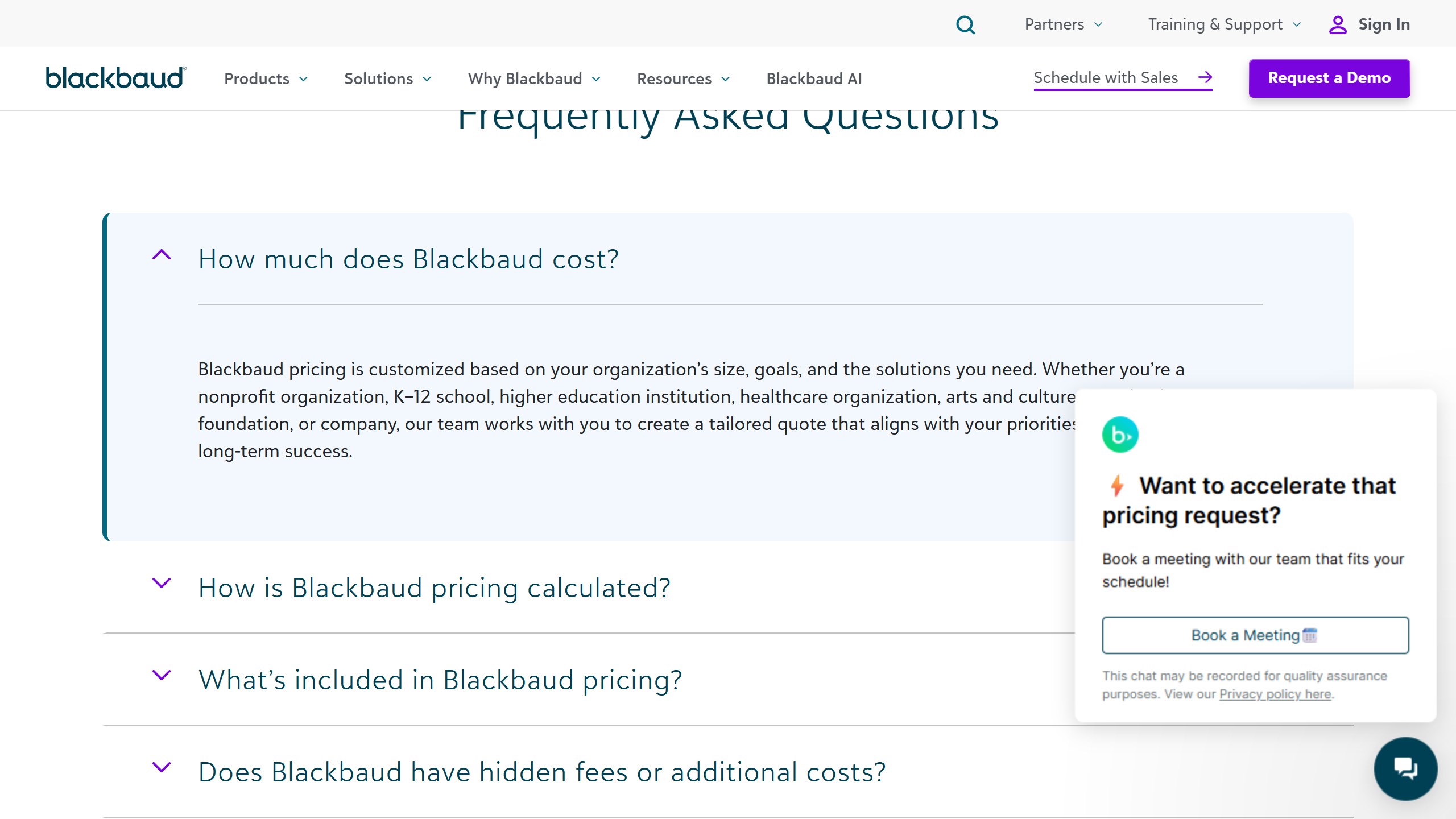
Little Green Light publishes every constituent band from $45 a month. Salesforce Nonprofit Cloud publishes $60 per user per month with ten licences free under Power of Us. Bloomerang publishes $125 a month for the CRM with other products priced separately. Keela publishes every contact band from $164 a month. Dataro publishes $15,000 a year plus ten cents per active donor on a page that is not linked from its own navigation. Blackbaud and Virtuous publish no figures at all.
What we do not do
We do not carry a figure we cannot source to the vendor. Where a number circulates widely and cannot be traced to a vendor page, we say so and withdraw it rather than repeating it with a hedge, and we have withdrawn our own published figures on that basis more than once. Where a vendor confirms an unpublished price directly to us, it is attributed as confirmed by the company rather than presented as a public rate.
Why every figure carries a date
Keela raised every band by roughly 15 to 22% in under two weeks in late August 2026. Neon retired an entire tier structure. A pricing claim without a verification date is not checkable, and in this market it is usually wrong within a year.
The bottom line
Most organisations that believe they need a new CRM need something to happen to the data in the CRM they have.
Run the fifty-donor test before you talk to any vendor. If the answer is that the database cannot hold what you need, migrate, and do it properly. If the answer is that everything is in there and nobody acts on it, add a layer and keep your system of record where it is.
And if the honest answer is that the records are too thin to tell, fix that first. It is the least appealing conclusion and the one most likely to be true.

Written by
FazFaz is the founder of AIToolsBakery. Some tools here are tested hands on. Others are assessed from vendor documentation and pricing verified on the live page, and every review says which one it is. Sponsors can buy a position in a guide. They cannot buy the score, the criticism, or silence about a better option.
How we test and how we make money →