AI tools for corporate training now cover video creation, sales roleplay, coaching, course authoring, and adaptive microlearning. The market is growing fast, the tools are wildly different, and most “best of” lists just repackage vendor marketing.
The best AI tools for corporate training in 2026 are Synthesia (best for training video at scale, used by 90% of Fortune 100), Yoodli (best for sales communication coaching), and Colossyan (best for interactive scenario-based training). Start with Synthesia or Yoodli if you need results this week. Full 10-tool breakdown with pricing below.
Faz says: I have sat through enough 45-minute compliance videos narrated by a monotone HR generalist to know that corporate training is broken. The content is stale, the delivery is painful, and employees click through slides while checking their phones. When AI tools started promising to fix this, I was skeptical. Another tech solution to a people problem. But after testing these platforms for weeks, running roleplay scenarios, building courses, and generating training videos, I changed my mind. Some of these tools genuinely solve problems that L&D teams have been fighting for years. Not all of them. But enough to make this guide worth writing.
Saru says: Data behind this guide: 22 tools evaluated, 10 selected. Free tiers and trials tested where available. G2 and Capterra ratings aggregated. Case studies verified against published sources. Pricing confirmed from official websites as of April 2026. Enterprise tools evaluated through demos and published documentation.
Related: Best AI roleplay tools for corporate training | Second Nature AI review
Quick Verdict: Best AI Corporate Training Tools at a Glance
| If you need… | Go with | G2 Rating |
|---|---|---|
| Best training video at scale | Synthesia | 4.7/5 (2,375) |
| Best sales communication coaching | Yoodli | 4.7/5 |
| Best scenario-based compliance training | Colossyan | 4.6/5 (488) |
| Best PowerPoint-to-course conversion | iSpring Suite AI | Listed |
| Best collaborative course creation | 360Learning | 4.6/5 (580) |
| Best enterprise sales roleplay | Second Nature | 4.6/5 (298) |
| Best frontline worker microlearning | Axonify | 4.7/5 (161) |
| Most affordable AI coaching | Rocky.ai | N/A |
| Best AI + human mentor hybrid | Rehearsal | Listed |
| Best manager development at scale | Risely | N/A |
Short on time? Synthesia is the safest starting point for most L&D teams. It handles video creation in 140+ languages, exports to SCORM, and has the strongest enterprise compliance story (SOC 2, ISO 42001). If your priority is sales team performance, start with Yoodli for communication coaching or Second Nature for full roleplay simulations.
Why AI Is Reshaping Corporate Training
AI is not just another feature being added to learning management systems. It is fundamentally changing how organizations design, deliver, and measure training.
The numbers tell the story. The global corporate training market hit $370 billion in 2024 and continues to grow. According to SHRM, 80% of HR leaders report using or planning to use AI in workforce management processes by 2026. Organizations using AI-powered training tools report a 15% average productivity gain among trained employees, per McKinsey’s 2024 workforce survey. Companies deploying AI roleplay for sales onboarding report 35% faster ramp time to full productivity compared to traditional classroom methods.
Three shifts are driving this acceleration.
First, video killed the PowerPoint deck. Traditional training relied on slide decks, in-person workshops, and text-heavy manuals. AI video tools like Synthesia and Colossyan now generate professional training videos with digital presenters in 140+ languages, no film crew required. A compliance video that took two weeks and $15,000 to produce can now be generated in an afternoon for under $100. Training Mag’s 2024 report found that organizations spend an average of $954 per learner annually. AI tools are compressing that cost while expanding reach.
Second, practice now happens at scale. Before AI roleplay, the only way to practice a sales pitch was with a colleague or manager. That does not scale. AI tools like Yoodli, Second Nature, and Rehearsal let thousands of employees practice conversations, get instant feedback, and repeat until they improve. Brandon Hall Group research shows that organizations with strong coaching cultures achieve 73% higher employee engagement and 39% higher performance.
Third, personalization replaced one-size-fits-all. Adaptive learning platforms like Axonify serve each employee different content based on their knowledge gaps. Instead of forcing everyone through the same 90-minute module, the AI identifies what each person needs and delivers it in 3 to 5 minute daily sessions. Deloitte’s 2024 Human Capital Trends report found that 75% of organizations consider personalized learning a critical priority, but only 10% have fully implemented it.
Saru says: The ROI data is compelling. Walmart reported a 54% decrease in recordable safety incidents across 8 distribution centers after deploying AI microlearning through Axonify. Oracle NetSuite saw 32% more sales opportunities after implementing Second Nature’s AI roleplay. Mitsubishi Electric achieved 99% learner satisfaction and a 65% reduction in training costs with 360Learning. These are not hypothetical projections. They are published, verified case studies with named organizations.
The challenge for L&D teams is not whether to adopt AI tools. It is which ones to adopt. The market is fragmented across video creation, roleplay simulation, coaching, course authoring, and adaptive learning. Most organizations need at least two or three tools from different categories. This guide maps the landscape so you can build a stack that fits your team.
How We Evaluated These Tools
Saru says: Every tool on this list was evaluated using seven criteria, weighted by importance to L&D professionals:
| Criteria | Weight | What We Measured |
|---|---|---|
| AI quality | High | Accuracy of AI feedback, realism of avatars, quality of generated content |
| Ease of use | High | Time to first output, learning curve, UI design |
| Free tier / trial | High | Can you test meaningfully before committing budget? |
| Integration | Medium | SCORM export, LMS compatibility, SSO, API availability |
| Analytics | Medium | Learner tracking, skill gap reporting, manager dashboards |
| Pricing transparency | Medium | Are costs clear before you talk to sales? |
| Scalability | Medium | Multi-language support, enterprise compliance, user limits |
What We Did
We signed up for every free tier and trial available. We generated training videos, ran AI roleplay sessions, built courses from scratch, and tested coaching chatbots with real scenarios. For enterprise-only tools without self-serve access, we evaluated published documentation, customer case studies, G2 and Capterra reviews, and demo recordings. Pricing was verified directly from official websites as of April 2026.
What We Didn’t Do
We did not deploy these tools across full organizations. We did not measure long-term knowledge retention or behavioral change. Our evaluation covers the tool experience, feature depth, and value proposition, not longitudinal learning outcomes.
Faz says: One thing you will notice in this guide: some tools score well on features but lose points on pricing transparency. If I have to “book a demo” just to learn what your product costs, that is a red flag. Enterprise sales processes exist for a reason, but L&D teams deserve to know the ballpark before investing time in a sales call. We rewarded tools that publish their pricing.
The 10 Best AI Tools for Corporate Training
1. Synthesia: Best for Training Video at Scale
| Rating | 4.7/5 |
|---|---|
| Best for | Creating professional training videos in 140+ languages without cameras or actors |
| Free plan | Yes: 1,200 credits/mo (~3-10 min video), 9 avatars, 1 editor |
| Paid from | $18/mo (Starter, billed annually) |
| SCORM export | Yes (Starter and above) |
| Compliance | SOC 2 Type II, ISO 27001, ISO 42001, GDPR, EU AI Act aligned |
| G2 | 4.7/5 (2,375 reviews) |
| Website | synthesia.io |
What It Does
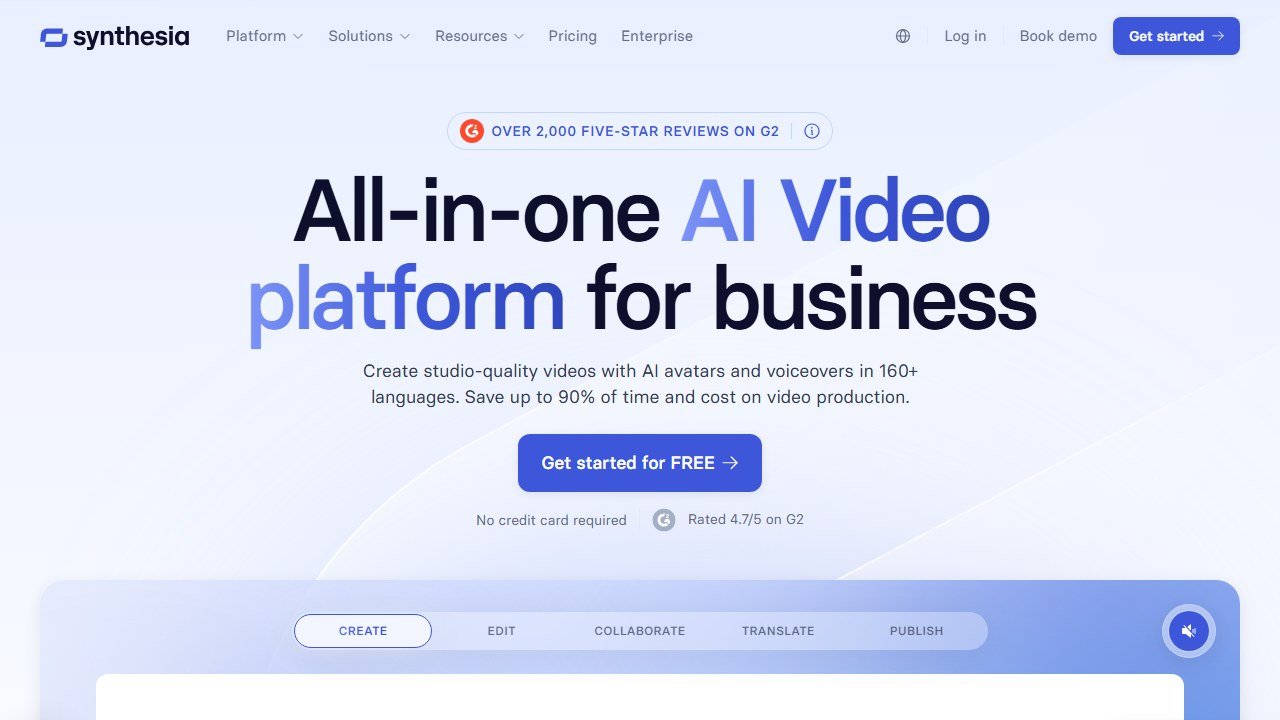
Synthesia turns text scripts into professional training videos featuring AI-generated digital presenters. You type what you want the presenter to say, choose from 230+ avatars, select a language (140+ supported with automatic lip-sync), and the platform renders a polished video. No cameras, no studios, no voice actors. The AI handles everything from facial expressions to gestures.
For L&D teams, this means a compliance update that used to require scheduling a film shoot, booking talent, and editing footage can now be produced in hours. Need the same video in French, Mandarin, and Spanish? Toggle the language setting and regenerate. The AI re-syncs lip movements to match each language automatically.
Why It’s #1
Scale and trust. Synthesia is used by 90% of Fortune 100 companies and 70% of FTSE 100 companies. It raised $200M in a Series E round in January 2026 at a $4B valuation, bringing total funding to over $530M. When 60,000+ customers are producing training content on a platform, the product has proven itself.
The compliance story seals the deal for enterprise L&D. Synthesia holds ISO 42001 certification, making it the first AI video company to meet the international standard for AI management systems. Combined with SOC 2 Type II and ISO 27001, it checks every box that procurement and legal teams care about.
Key Features
- 230+ AI avatars with diverse appearances, ages, and attire. Create custom avatars from a 10-minute video recording ($1,000/yr add-on).
- 140+ language support with automatic lip-sync. Generate the same video in dozens of languages without re-recording.
- Interactive video elements: branching paths, CTAs, chaptering, and embedded quizzes for learner engagement.
- SCORM export for direct LMS upload (Cornerstone, SAP SuccessFactors, TalentLMS, Docebo, Moodle).
- PowerPoint import: convert existing slide decks into video presentations with AI presenters.
- AI script assistant that generates and refines training scripts from topic prompts.
- Collaboration workflows with shared workspaces, review/approval processes, and version history.
Pricing
| Plan | Price | Key Limits |
|---|---|---|
| Free | $0 | 1,200 credits/mo, 9 avatars, 1 editor, watermark |
| Starter | $29/mo ($18/mo annual) | 3,600 credits/mo, 70+ avatars, SCORM |
| Creator | $89/mo ($64/mo annual) | 9,000 credits/mo, 180+ avatars, 5 personal avatars |
| Enterprise | Custom | Unlimited, 230+ avatars, custom avatars, SSO, API |
Custom avatar add-on: Studio Express-1 at $1,000/yr.
Pros
- Largest avatar library and language coverage in the market
- ISO 42001 certification is unmatched for enterprise AI compliance
- SCORM export works cleanly with major LMS platforms
- Free tier is genuinely usable for evaluation
Cons
- Avatar realism still slightly stiff compared to some competitors (HeyGen scores higher on G2 avatar quality, 9.2 vs 8.2)
- Content moderation can be overly strict, blocking legitimate healthcare and biotech content
- Custom avatars are expensive at $1,000/yr per avatar
Best For
L&D teams that need to produce training videos at scale across multiple languages. If you are creating compliance training, onboarding videos, or product knowledge content for a global workforce, Synthesia is the default choice.
Read our full Synthesia review
2. Yoodli: Best for Sales Communication Coaching
| Rating | 4.7/5 |
|---|---|
| Best for | AI-powered speaking and sales communication coaching with real-time meeting feedback |
| Free plan | Yes: 5 lifetime roleplays, limited analytics |
| Paid from | ~$8/mo (Pro) |
| SCORM export | Yes (SCORM 1.2) |
| Compliance | SOC 2 Type 2, HIPAA, FedRAMP, ISO 27001, GDPR |
| G2 | 4.7/5 |
| Website | yoodli.ai |
What It Does
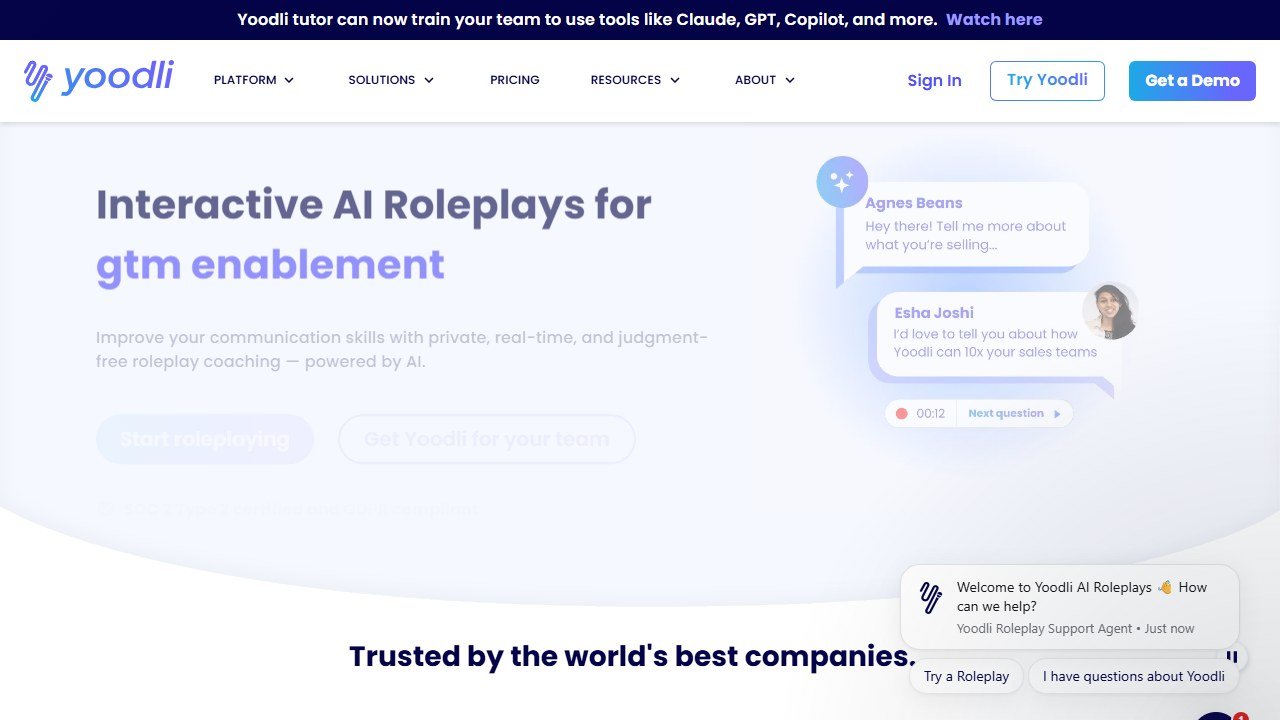
Yoodli is an AI communication coach that works in two modes. First, it runs AI roleplay simulations where you practice sales calls, job interviews, presentations, and difficult workplace conversations against a customizable AI persona. The AI responds dynamically and gives you detailed feedback on delivery: filler words, pacing, eye contact, gestures, and confidence.
Second, and this is what makes Yoodli unique, it acts as a real-time meeting coach. During live Zoom, Teams, or Google Meet calls, Yoodli runs in the background and delivers private nudges. It might remind you to slow down, flag that you are using too many filler words, or prompt you to ask a question. Nobody else on the call sees the coaching. Think of it as Grammarly for how you speak.
Why It’s #2
The real-time meeting coaching feature does not exist anywhere else at this level. Other tools train you before or after conversations. Yoodli trains you during them. For sales teams, that is transformative. A rep gets better at their actual job while doing their actual job, not in a simulated environment they will forget by Friday.
The compliance credentials are unusually strong for this category. FedRAMP and HIPAA authorization means government agencies and healthcare organizations can deploy Yoodli, which most communication coaching tools cannot claim. The company reported 900% year-over-year revenue growth and raised $40M in Series B funding in December 2025 at a $300M+ valuation.
Key Features
- AI roleplay simulations for sales calls, interviews, presentations, and difficult conversations with customizable AI personas.
- Real-time meeting coaching delivers private, in-ear nudges during live Zoom, Teams, and Google Meet calls.
- Speech analytics tracking filler words, pacing, eye contact, gestures, and confidence scores over time.
- Programs with certification: build structured coaching programs with pass/fail criteria for team-wide deployment.
- SCORM 1.2 export and LTI 1.1/1.3 support for LMS integration.
Pricing
| Plan | Price | Key Limits |
|---|---|---|
| Starter (Free) | $0 | 5 lifetime roleplays, limited analytics |
| Pro | ~$8-11/mo (~$5-7/mo annual) | 10 roleplays/week, full analytics |
| Advanced | ~$20-28/mo (~$12-17/mo annual) | Unlimited roleplays, data excluded from AI training |
| Enterprise | Custom | Coach Bots, SSO/SCIM, team dashboards, custom personas |
Note: Pricing sources show slight variations. Check yoodli.ai for current rates.
Pros
- Real-time meeting coaching is a category-defining feature nobody else offers at this level
- FedRAMP + HIPAA compliance opens doors for government and healthcare
- Affordable entry point with Pro plan under $10/mo
- SCORM export means it plugs into existing LMS workflows
Cons
- English-only for all features, limiting global deployment
- Analyzes delivery mechanics (pace, filler words) but not content quality
- No CRM integrations with Salesforce or HubSpot
- Free tier is extremely limited (5 lifetime uses)
Best For
Sales teams that need to improve communication skills with measurable, data-driven coaching. Ideal for organizations where reps are on frequent calls and need in-the-moment coaching, not just quarterly training sessions.
3. Colossyan: Best for Interactive Scenario-Based Training
| Rating | 4.6/5 |
|---|---|
| Best for | Building interactive branching training videos with quizzes and pass/fail logic |
| Free plan | Free trial: 5 minutes of video |
| Paid from | $19/mo (Starter, billed annually) |
| SCORM export | Yes (SCORM 1.2 + 2004, with pass/fail logic) |
| Compliance | SOC 2 Type II, ISO 27001, ISO 42001, GDPR |
| G2 | 4.6/5 (488 reviews) |
| Website | colossyan.com |
What It Does
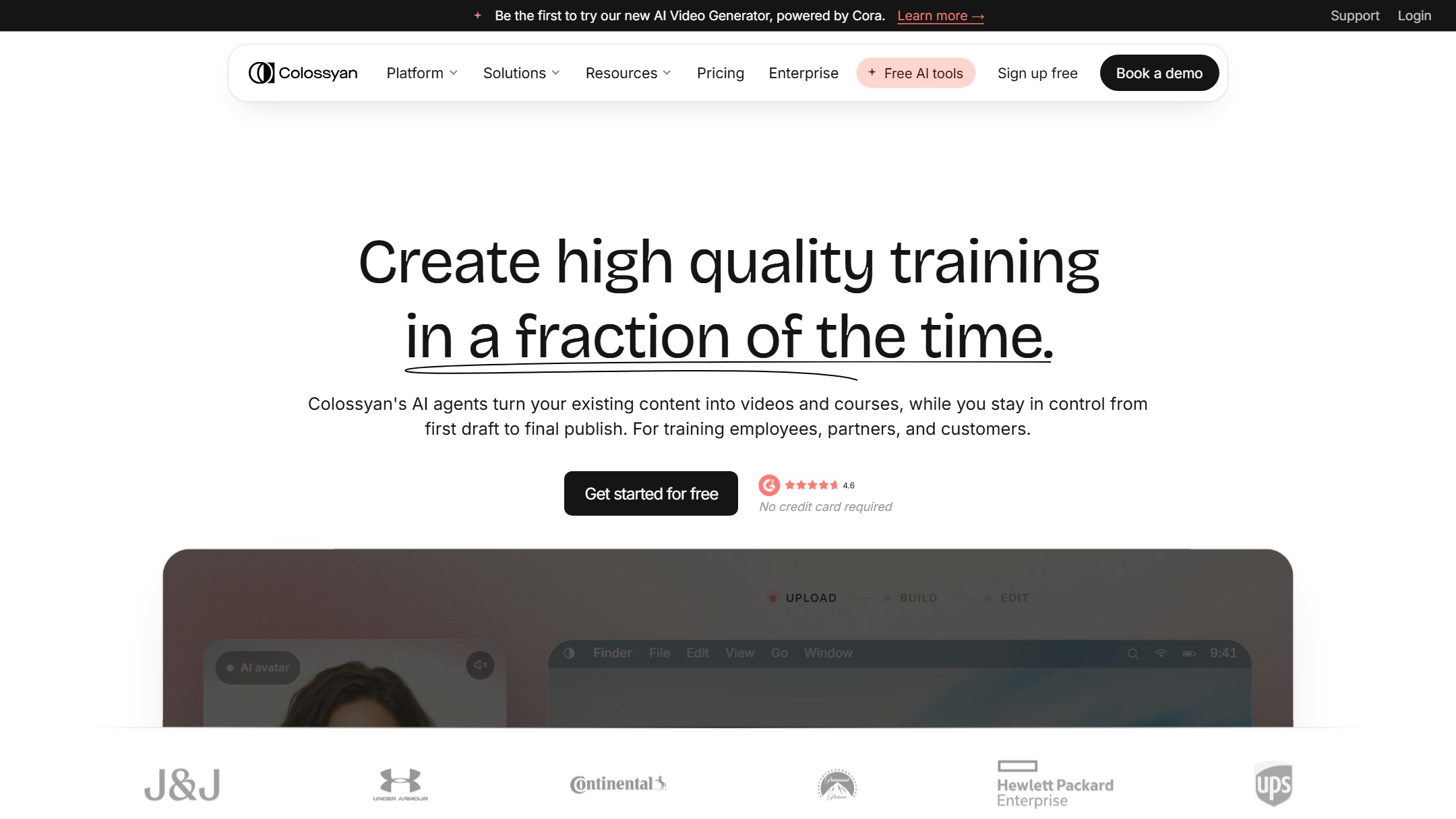
Colossyan creates AI-generated training videos with a twist: interactivity. Beyond basic avatar-presented videos, Colossyan lets you build branching scenarios where learners make decisions and follow different paths based on their choices. Think “choose your own adventure” for corporate training. A compliance scenario might present an employee with an ethics dilemma, offer three response options, and branch to different outcomes and feedback depending on the choice.
Built-in quizzes and knowledge checks can be embedded directly into videos. For L&D teams shipping content through an LMS, Colossyan’s SCORM export includes pass/fail logic, so you can set minimum scores and track completion.
Why It’s #3
The combination of AI video creation and interactive branching in a single platform is rare. Most AI video tools create linear, passive content. Colossyan makes it interactive. For compliance training specifically, this is a big deal. Regulators increasingly expect more than “watch a video and sign a form.” They want evidence that employees understood the material and made correct decisions in scenario-based assessments.
Colossyan reported 600% year-over-year growth and counts Novartis, Vodafone, critical, Cisco, and Porsche among its customers. It holds both SOC 2 Type II and ISO 42001 certifications, matching Synthesia on the compliance front. Total funding reached $28.2M after a $22M Series A in February 2024.
Key Features
- Interactive branching scenarios: build decision-tree training where learners choose paths and receive tailored feedback.
- Built-in quizzes and knowledge checks embedded within video content, not bolted on separately.
- SCORM 1.2 + 2004 export with pass/fail logic for proper LMS tracking and compliance reporting.
- 70-200+ AI avatars (depending on plan) with conversation mode for multi-avatar dialogue scenes.
- 70+ language auto-translation for global deployment.
- Brand kits for consistent visual identity across all training content.
- AI script generation from topic prompts or existing documents.
Pricing
| Plan | Price | Key Limits |
|---|---|---|
| Free Trial | $0 | 5 minutes of video |
| Starter | $19/mo (annual) | 10 min video, 70+ avatars, no branching |
| Business | $70/mo/user (annual) | 30 min video, 170+ avatars, interactive videos, auto translations |
| Enterprise | Custom | 200+ avatars, SCORM, SAML SSO, API, xAPI |
Custom avatar add-on: $1,000/yr (same as Synthesia).
Pros
- Only AI video tool with native branching scenarios and embedded quizzes in one platform
- SCORM export includes pass/fail logic, critical for compliance training
- ISO 42001 + SOC 2 Type II matches the enterprise compliance bar
- Conversation mode with multiple avatars adds realism to scenarios
Cons
- Lip-sync quality falls short of Synthesia and HeyGen on longer content
- Rendering is slow: a 1-minute video takes approximately 7 minutes to generate
- Template library is limited (~30 vs 60+ for some competitors)
- No branching or interactive features on the Starter plan
Best For
L&D teams building compliance, ethics, safety, or soft skills training where learners need to make decisions and demonstrate understanding, not just watch passively. If your training requires scenario-based assessment with tracked outcomes, Colossyan is purpose-built for that.
Read our full Colossyan review
4. ISpring Suite AI: Best for Converting Slides to Courses
| Rating | 4.5/5 |
|---|---|
| Best for | Turning existing PowerPoint presentations into interactive SCORM courses |
| Free plan | 14-day free trial (no credit card) |
| Paid from | $970/yr per author |
| SCORM export | Yes (SCORM 1.2 + 2004, xAPI) |
| Compliance | Not specified |
| G2 | Listed |
| Website | ispringsolutions.com |
What It Does
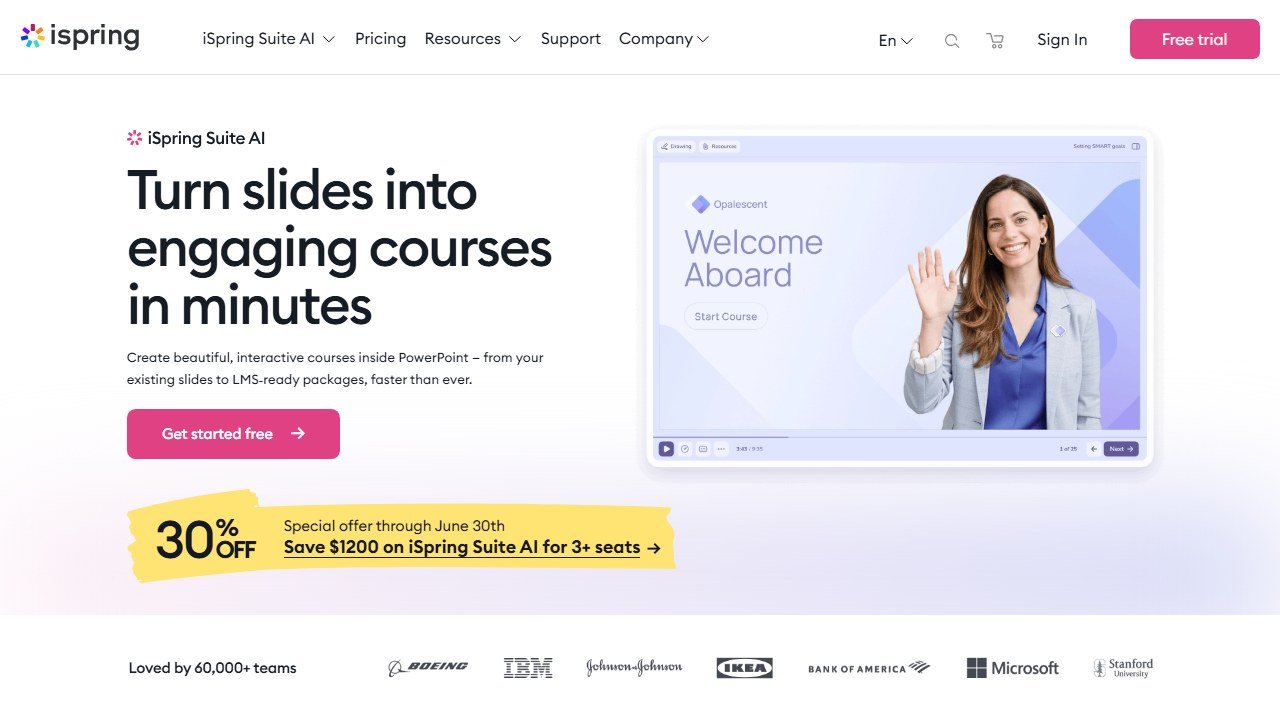
iSpring Suite AI is a course authoring tool that lives inside PowerPoint. If your L&D team already has hundreds of PowerPoint decks sitting on a shared drive, iSpring turns them into interactive, trackable e-learning courses with quizzes, dialogue simulations, screen recordings, and AI-generated content. The output publishes as SCORM or xAPI packages that upload directly into any compliant LMS.
The AI assistant, available on the Suite Max plan, generates course outlines, writes content from topic prompts, creates quiz questions, generates voiceover narration in 50+ languages, and translates entire courses. It does not replace the course designer, but it cuts production time significantly by handling the repetitive work.
Why It’s #4
PowerPoint is still the most common authoring tool in corporate L&D. A 2023 Training Industry survey found that 65% of organizations still use PowerPoint as their primary content creation tool. ISpring meets teams where they already are. There is no new interface to learn, no migration to a different platform. You open PowerPoint, click the iSpring tab, and start building.
The asset library is enormous: 310,000+ training assets including characters, backgrounds, icons, and templates. Combined with the AI assistant for content generation and translation, an L&D team of one or two people can produce polished courses that look like they came from a dedicated production studio.
Key Features
- PowerPoint-based authoring: works as a ribbon tab inside PowerPoint, no new software to learn.
- AI assistant (Max plan): generates outlines, writes content, creates quizzes, produces voiceover, translates to 50+ languages.
- 310,000+ asset library: characters, backgrounds, icons, and templates for professional course design.
- Dialogue simulations: build branching conversation practice with scored outcomes.
- Screen recording and video editing: capture software walkthroughs and embed them in courses.
- SCORM 1.2/2004 and xAPI publishing for universal LMS compatibility.
- Offline authoring: works without internet connection (desktop application).
Pricing
| Plan | Price | Key Features |
|---|---|---|
| iSpring Suite | $970/yr per author | Core authoring, quizzes, dialogue sims, 310K+ assets |
| iSpring Suite Max | $1,290/yr per author | AI assistant, collaboration tools, cloud storage |
| iSpring Cloud | $720/yr per author | Browser-based authoring with AI, no desktop install |
All plans include a 14-day free trial with no credit card required.
Pros
- Zero learning curve for teams already using PowerPoint
- AI assistant handles content generation, voiceover, and translation in one workflow
- 310,000+ asset library eliminates the need for separate stock subscriptions
- SCORM/xAPI output works with any compliant LMS
Cons
- Annual per-author pricing is expensive for small teams ($970-1,290 per seat)
- Desktop application (Suite and Suite Max) requires Windows installation
- UI feels dated compared to web-native competitors like 360Learning
- No compliance certifications listed (SOC 2, ISO, etc.)
Faz says: Here is the honest truth about iSpring: it is not the sexiest tool on this list. The interface looks like it belongs in 2018. But it works. If your team has 200 PowerPoint decks that need to become trackable courses by Q3, iSpring is the fastest path from point A to point B. The AI assistant is genuinely useful for first drafts, and the asset library saves hours of hunting for stock images.
Best For
L&D teams with existing PowerPoint content libraries that need to convert slides into interactive, SCORM-compliant courses. Ideal for organizations where subject matter experts create content in PowerPoint and need a tool that does not require them to learn a new platform.
Read our full iSpring Suite AI review
5. 360Learning: Best for Collaborative Course Creation
| Rating | 4.6/5 |
|---|---|
| Best for | Enabling internal subject matter experts to create and maintain training courses |
| Free plan | No (demo available) |
| Paid from | $8/active user/mo |
| SCORM export | Yes |
| Compliance | Not specified in available sources |
| G2 | 4.6/5 (580 reviews) |
| Website | 360learning.com |
What It Does
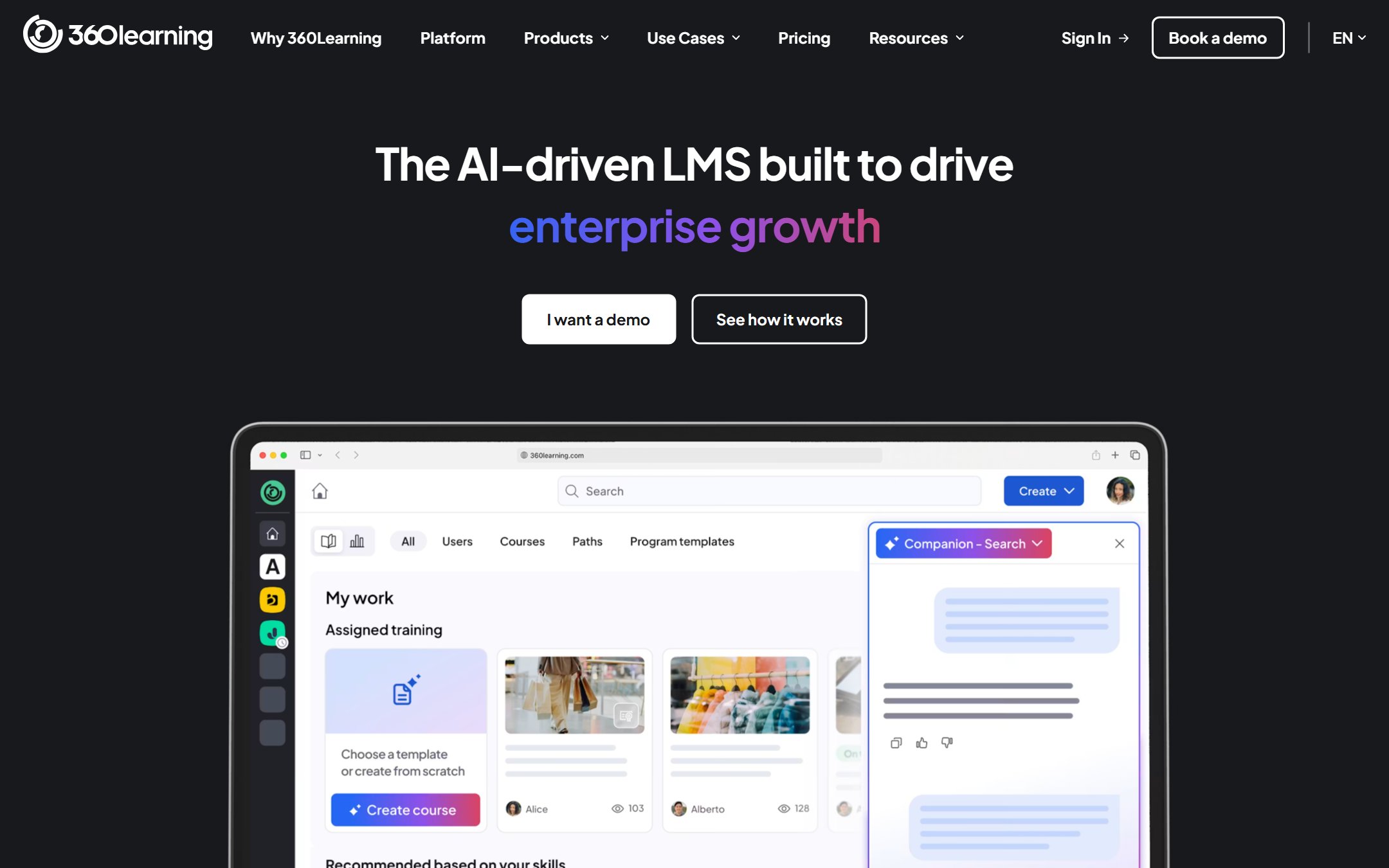
360Learning is a collaborative learning management system that flips the traditional L&D model. Instead of a central team building all training content, 360Learning empowers internal subject matter experts (SMEs) to author courses themselves. The AI handles the heavy lifting: upload a document, paste a URL, or describe a topic, and the platform generates a structured course with modules, quizzes, and learning objectives. SMEs review and refine. L&D teams govern and publish.
This is not a simple course builder. 360Learning is a full LMS with compliance tracking, skill gap analysis, learning paths, and integrations with major HR platforms. The AI layer accelerates content creation, but the real value is the collaborative workflow that keeps courses current.
Why It’s #5
Training content decays. Products change, regulations update, processes evolve. The traditional model, where L&D creates everything, means outdated courses pile up because nobody has time to update them. 360Learning solves this by distributing authoring to the people who know the content best. An engineer updates the technical training. A compliance officer refreshes the regulatory module. AI handles formatting and structure.
The numbers back this up. Mitsubishi Electric reported 99% learner satisfaction and a 65% reduction in training costs after deploying 360Learning. The platform serves 1,700+ organizations and raised significant venture funding with a valuation reflecting strong enterprise traction. Integrations with Workday, SAP SuccessFactors, Teams, Slack, and Zoom mean it fits into existing HR tech stacks.
Key Features
- AI course generation: create courses from documents, URLs, or topic prompts. AI generates structure, content, and quizzes.
- Collaborative authoring: SMEs create and update courses with built-in review and approval workflows.
- AI skill tagging: automatically maps learning content to skills for gap analysis and development planning.
- Hybrid LMS + LXP: combines formal course management with social, recommendation-driven learning experiences.
- Compliance tracking with automated assignments, deadlines, and completion reporting.
- Deep integrations: Workday, SAP SuccessFactors, Teams, Slack, Zoom, LinkedIn Learning.
Pricing
| Plan | Price | Details |
|---|---|---|
| Team | $8/active user/mo | Core LMS + collaborative authoring + AI course generation |
| Business | Custom (~$10-18/learner/mo) | Advanced analytics, integrations, dedicated success manager |
| Enterprise | Custom | Full platform, premium support, custom integrations |
Pricing is per active user, which means you only pay for people who actually use the platform in a given month.
Pros
- Collaborative authoring model keeps content fresh without overloading L&D
- AI course generation from documents dramatically cuts production time
- Per-active-user pricing means you do not pay for inactive accounts
- Deep HR platform integrations (Workday, SAP SF) for enterprise deployment
Cons
- Value-for-money scores lag on review sites (Capterra 4.3/5)
- Per-learner costs add up quickly at scale with large organizations
- No free trial; requires booking a demo to evaluate
- AI-generated content still needs significant SME review and editing
Saru says: The math on 360Learning’s pricing model matters. At $8/user/mo with 500 active learners, you are spending $48,000/yr. At 5,000 learners, that is $480,000/yr. Per-learner pricing scales linearly, which can make 360Learning more expensive than competitors with flat enterprise licensing at high volumes. Run the numbers for your specific headcount before committing.
Best For
Organizations with distributed expertise where multiple departments need to create and maintain training content. Ideal for companies where training content becomes outdated quickly and L&D needs to empower SMEs to keep it current.
6. Second Nature: Best for Enterprise Sales Roleplay
| Rating | 4.6/5 |
|---|---|
| Best for | AI-powered sales conversation roleplay with dynamic 3D avatars for global teams |
| Free plan | No (demo available) |
| Paid from | Enterprise only (contact sales) |
| SCORM export | Not specified |
| Compliance | Not specified |
| G2 | 4.6/5 (298 reviews), #1 in AI Role Play Training |
| Website | secondnature.ai |
What It Does
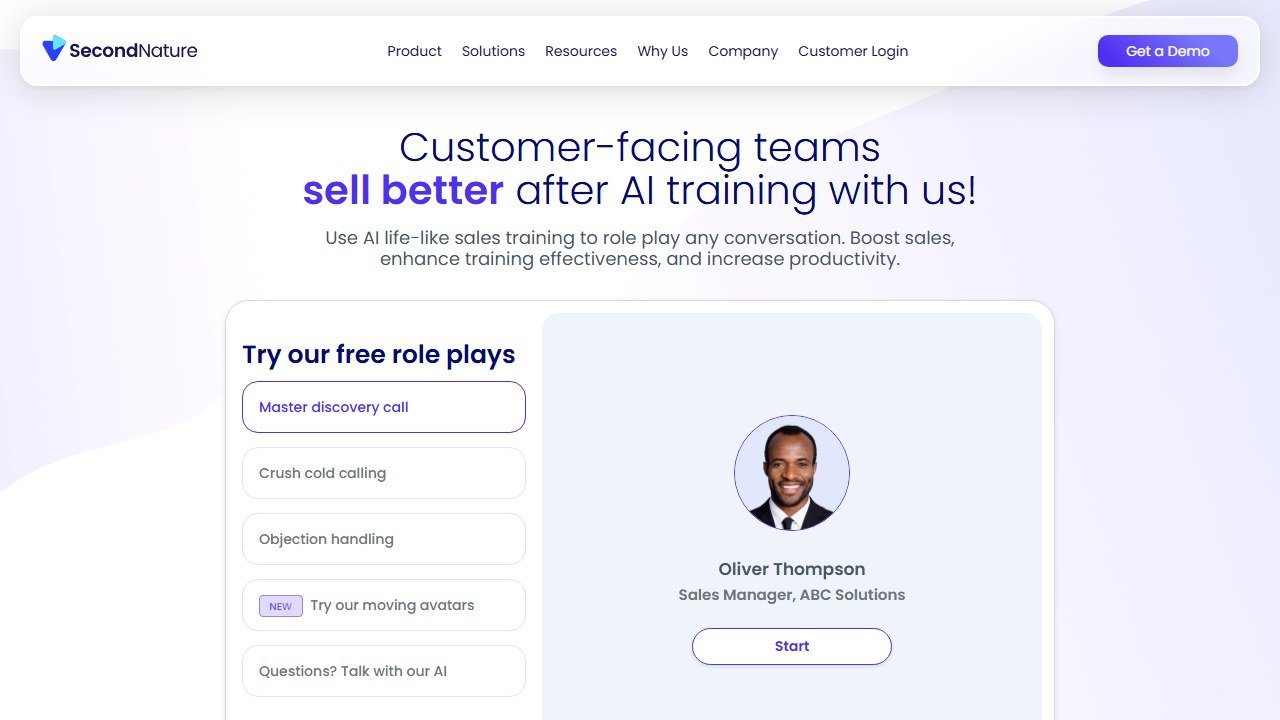
Second Nature is an AI-powered sales training platform that lets reps practice conversations with realistic AI avatars. Unlike static scenarios, Second Nature’s AI responds dynamically to what the rep says, adapting the conversation in real-time just like a real buyer would. After each session, the platform delivers instant scoring and personalized feedback on what the rep did well and where they need improvement. Managers get dashboards showing team-wide performance patterns.
The platform supports 24+ languages, which makes it practical for global sales organizations. Reps practice in their own language against AI personas configured for their market. The AI adjusts not just language but conversational style, objection patterns, and cultural context.
Why It’s #6
The customer list and case study results speak for themselves. Oracle NetSuite deployed Second Nature and reported 32% more sales opportunities and a 21% increase in sales revenue. SAP Academy achieved 7x more practice time per rep. Adobe, Zoom, and Check Point are also customers. G2 ranks Second Nature #1 in the AI Role Play Training category with a 4.6/5 rating across 298 reviews.
For enterprise sales organizations, the value proposition is straightforward: reps who practice more close more deals. Second Nature removes the bottleneck of manager availability for coaching. A rep can run 10 practice sessions in a day without consuming a minute of anyone else’s time.
Key Features
- Dynamic AI roleplay with adaptive conversations that respond to the rep’s actual words, not scripted paths.
- 3D AI avatars for more immersive practice sessions than text or voice-only alternatives.
- Instant scoring and personalized feedback after every session with specific improvement recommendations.
- 24+ language support for global sales team deployment.
- Manager dashboard with team analytics, performance trends, and coaching recommendations.
- Salesforce AppExchange integration for connecting training data to CRM workflows.
Pricing
| Plan | Price | Details |
|---|---|---|
| Enterprise | Contact sales | Volume-based pricing, custom implementation |
Second Nature does not publish pricing. Based on the enterprise-only model and customer profile (Adobe, SAP, Oracle), expect pricing in the range of other enterprise sales enablement platforms.
Pros
- Published case studies with concrete ROI (Oracle NetSuite: 32% more opportunities)
- #1 ranked AI roleplay tool on G2 with strong review volume (298)
- 24+ language support is rare in the roleplay category
- Salesforce integration connects training to sales outcomes
Cons
- Enterprise-only with no self-serve tier or published pricing
- Scoring can feel inconsistent; the AI sometimes judges similar responses differently across runs
- No free trial for evaluation
- Requires dedicated implementation and onboarding
Faz says: Second Nature is the tool I would recommend to any VP of Sales who is tired of hearing “we need more coaching.” You cannot clone your best manager and have them coach 500 reps individually. But you can deploy an AI that practices the same scenarios your best manager would run, gives instant feedback, and tracks progress across the entire team. The lack of transparent pricing is frustrating, but the results are hard to argue with.
Best For
Enterprise sales organizations with 100+ reps that need scalable practice and coaching in multiple languages. Ideal for companies where manager coaching time is the bottleneck and reps need more practice repetitions than human coaches can provide.
7. Axonify: Best for Frontline Worker Microlearning
| Rating | 4.7/5 |
|---|---|
| Best for | Daily microlearning for frontline and deskless workers in retail, manufacturing, and logistics |
| Free plan | No (demo available) |
| Paid from | Enterprise only (contact sales) |
| SCORM export | Not specified |
| Compliance | Not specified |
| G2 | 4.7/5 (161 reviews) |
| Website | axonify.com |
What It Does
Axonify delivers training in daily 3 to 5 minute sessions. Employees log in, answer a few adaptive questions, learn a concept, earn points, and get back to work. The platform uses spaced repetition and adaptive learning algorithms to identify what each person knows and does not know, then serves targeted content to fill gaps. Over time, this builds retention far more effectively than quarterly hour-long training sessions.
The platform also includes communication tools (broadcast messages, task management) and gamification (points, leaderboards, badges, prizes). For frontline workforces that do not sit at desks all day, this format works. Employees can train on mobile phones, tablets, or shared kiosks during shift transitions.
Why It’s #7
The Walmart case study is the headline: 54% decrease in recordable safety incidents across 8 distribution centers after deploying Axonify. That is not a training satisfaction score or a completion rate. That is a measurable reduction in workplace injuries. For organizations where training failures have real-world safety consequences, Axonify’s track record is unmatched.
The engagement numbers are equally compelling. Axonify reports 83%+ daily engagement rates across its customer base, which includes Walmart, Lowe’s, Kroger, Bloomingdale’s, Levi’s, and Merck. The platform serves over 3.5 million workers in 160+ countries across 250+ companies.
Key Features
- Daily 3-5 minute microlearning bursts designed for frontline workers with limited training time.
- Adaptive learning algorithms that identify individual knowledge gaps and serve targeted content.
- Gamification with points, leaderboards, badges, and prize marketplace to drive engagement.
- Real-time analytics showing individual and team knowledge levels, completion rates, and trending gaps.
- Multi-device support: desktop, mobile app (iOS/Android), and shared kiosk mode for facilities without personal devices.
- Communication tools: broadcast messages and task management alongside learning.
Pricing
| Plan | Price | Details |
|---|---|---|
| Enterprise | Contact sales | Volume-based commitments, typically multi-year |
Axonify does not publish pricing. The enterprise model requires volume commitments, which typically means minimum seat counts and multi-year contracts. Expect pricing to reflect the enterprise SaaS market for learning platforms serving large frontline workforces.
Pros
- Verified case study: Walmart 54% reduction in safety incidents across 8 DCs
- 83%+ daily engagement rate is extraordinary for any training platform
- Adaptive learning genuinely personalizes content to individual knowledge gaps
- Purpose-built for frontline workers who cannot attend hour-long training sessions
Cons
- Enterprise-only with no self-serve option or published pricing
- Requires significant volume commitments (not suitable for small teams)
- Admin setup and configuration has a steep learning curve
- Content creation tools are less polished than dedicated authoring platforms
Saru says: The research on microlearning and spaced repetition supports Axonify’s approach. Ebbinghaus’s forgetting curve research, replicated in modern studies, shows that learners forget approximately 70% of new information within 24 hours without reinforcement. Spaced repetition at intervals of 1, 3, 7, and 30 days can improve long-term retention by 200-400% compared to single-session delivery. Axonify’s daily micro-sessions are built on this science.
Best For
Large organizations (500+ employees) with frontline or deskless workforces in retail, manufacturing, logistics, healthcare, or hospitality. Ideal when safety, compliance, or product knowledge training needs to reach employees who work shifts and cannot attend traditional classroom sessions.
8. Rocky.ai: Most Affordable AI Coaching
| Rating | 4.0/5 |
|---|---|
| Best for | Budget-conscious teams that need AI leadership and soft skills coaching |
| Free plan | Yes (limited templates) |
| Paid from | ~$10/user/mo (Teams) |
| SCORM export | Not specified |
| Compliance | None listed |
| G2 | Not listed |
| Website | rocky.ai |
What It Does
Rocky.ai is an AI coaching chatbot that helps employees develop leadership and soft skills through conversational coaching sessions. The platform offers 30 built-in coaching modules covering topics like delegation, feedback, conflict resolution, time management, and executive presence. Users interact with AI coaching bots that ask questions, challenge assumptions, and guide them through structured development exercises.
The platform also supports AI roleplay training for sales calls, leadership conversations, and job interviews. A digital twin feature lets organizations create custom AI coaches trained on their specific frameworks, values, and methodologies. For coaches and consultants, Rocky.ai offers a white-label platform to deploy AI coaching under their own brand.
Why It’s #8
Price. At $10/user/mo for the Teams plan, Rocky.ai is dramatically cheaper than any other AI coaching platform on this list. Human executive coaching costs $200-500 per hour. Enterprise AI coaching platforms like BetterUp or CoachHub charge $50-150+ per user per month. Rocky.ai offers a functional alternative at a fraction of the cost.
The company is small (7 employees, ~$500-750K total funding), which is both its strength and its risk. The lean team keeps costs low, but it also means limited enterprise support, no compliance certifications, and a higher shutdown risk compared to venture-backed competitors. The founder, Harry Novic, is a member of the ICF AI Coaching Standards Work Group, which lends credibility to the coaching methodology.
Key Features
- 30 built-in coaching modules covering leadership, communication, conflict resolution, and professional development.
- AI roleplay training for sales, leadership, and interview scenarios.
- White-label platform for coaches and consultants to deploy AI coaching under their brand.
- Personal development plans and assessments with goal tracking and progress monitoring.
- Digital twin technology for creating custom AI coaches trained on organizational frameworks.
- Mobile apps on iOS and Android for coaching on the go.
- Multi-agent architecture supporting multiple specialized coaching bots.
Pricing
| Plan | Price | Details |
|---|---|---|
| Individual Free | $0 | Limited templates and coaching modules |
| Individual Paid | ~$12.99/mo | Full access to coaching modules and roleplay |
| Teams | $10/user/mo | Team management, shared coaching programs |
| Enterprise | Custom (~$199/mo base + per-seat) | Custom AI coaches, SSO, dedicated support |
An AppSumo lifetime deal was previously available (now sold out), rated 4.6/5 by verified purchasers.
Pros
- Most affordable AI coaching platform on the market ($10/user/mo)
- White-label capability is unique for coaches and consultants building their own practice
- 30 pre-built modules provide immediate value without custom content creation
- Free tier lets you test before committing budget
Cons
- No G2 listing and no compliance certifications (SOC 2, ISO, GDPR)
- Very small company (7 employees) with limited enterprise validation
- Integration claims (Slack, Teams, HRIS) are not specifically verified in independent sources
- Higher shutdown risk than venture-backed competitors
Faz says: I want to be direct about Rocky.ai. It is the cheapest option on this list for a reason: it is a small, early-stage company without the enterprise infrastructure of its competitors. If you are a 50-person startup looking for AI coaching without spending $50/user/mo, Rocky.ai makes sense. If you are a 5,000-person enterprise with compliance requirements and procurement processes, this is not your tool. Know your use case and your risk tolerance.
Best For
Small to mid-size teams (10-200 people) that want AI coaching for leadership and soft skills development at a fraction of enterprise pricing. Also ideal for independent coaches and consultants who want to deploy AI coaching under their own brand via the white-label platform.
9. Rehearsal: Best for Blended AI + Human Mentor Coaching
| Rating | 4.2/5 |
|---|---|
| Best for | Combining AI-powered roleplay with human mentor feedback for deeper skill development |
| Free plan | No (demo available) |
| Paid from | Enterprise only (contact sales) |
| SCORM export | LMS/LTI integration available |
| Compliance | Not specified |
| G2 | Listed (low review volume) |
| Website | elblearning.com/rehearsal |
What It Does
Rehearsal, part of ELB Learning, combines AI-powered roleplay with asynchronous video practice and human mentor feedback. The platform launched its AI Roleplay feature in February 2026, adding real-time AI avatar conversations with instant feedback to its existing video practice model.
The workflow is distinctive. An employee records a video of themselves practicing a scenario, say, handling a customer objection or delivering a product pitch. The AI provides immediate feedback on delivery and content. Then a human mentor (a manager, coach, or senior colleague) reviews the same video and adds their own observations and coaching. The employee gets both the speed of AI feedback and the nuance of human judgment.
This hybrid approach addresses a real limitation of pure AI coaching: AI is excellent at measuring pace, filler words, and keyword usage, but it struggles with the subtle judgment calls that experienced humans make instinctively. Did the rep build rapport? Was the tone appropriate for the situation? Did the response feel authentic? Humans catch what AI misses.
Why It’s #9
The customer list validates the model. CVS/Aetna, Pfizer, 3M, Capital One, Cardinal Health, Paychex, and AbbVie all use Rehearsal. A Paychex case study found that 79% of participants rated their Virtual Coaching experience as “Very Good” to “Excellent.” For organizations that value the human element in coaching but want AI to handle the scalable, repeatable parts, Rehearsal is the only platform that genuinely combines both.
Rehearsal is not a startup. ELB Learning is an established e-learning company with a broad portfolio of learning tools. That provides stability and support that smaller AI-focused startups cannot match.
Key Features
- AI Roleplay (launched Feb 2026): real-time AI avatar conversations with instant scoring and feedback.
- Asynchronous video practice: employees record themselves and submit for review on their own schedule.
- Human mentor feedback loop: managers and coaches review AI-analyzed videos and add personal coaching notes.
- Native mobile apps (iOS/Android) for practice sessions on the go.
- LMS/LTI integration for embedding Rehearsal activities within existing learning platforms.
- Scenario library with templates for sales, customer service, leadership, and compliance practice.
Pricing
| Plan | Price | Details |
|---|---|---|
| Enterprise | Contact sales | Volume-based licensing, custom implementation |
Rehearsal does not publish pricing. As an enterprise product from ELB Learning, expect pricing to be in line with mid-market enterprise learning tools.
Pros
- Only platform that genuinely combines AI roleplay with human mentor feedback in one workflow
- Strong enterprise customer base (CVS, Pfizer, 3M, Capital One)
- Part of established ELB Learning portfolio, reducing vendor risk
- Mobile apps support practice from anywhere
Cons
- Low visibility in the market compared to competitors with stronger marketing
- Enterprise-only with no self-serve tier for smaller teams
- AI Roleplay feature is brand new (Feb 2026), meaning limited track record for the AI component
- G2 review volume is low, making it hard to assess broad satisfaction
Best For
Enterprise L&D teams that believe in the value of human coaching but need AI to scale the practice component. Ideal for organizations where managers and mentors are already involved in training and want AI to supplement, not replace, that human element.
10. Risely: Best for Scaling Manager Development
| Rating | 4.0/5 |
|---|---|
| Best for | Daily AI coaching for people managers across 83 workplace skills |
| Free plan | 14-day free trial |
| Paid from | $59/user/mo (Individual) |
| SCORM export | Not specified |
| Compliance | Not specified |
| G2 | Not listed |
| Website | risely.me |
What It Does
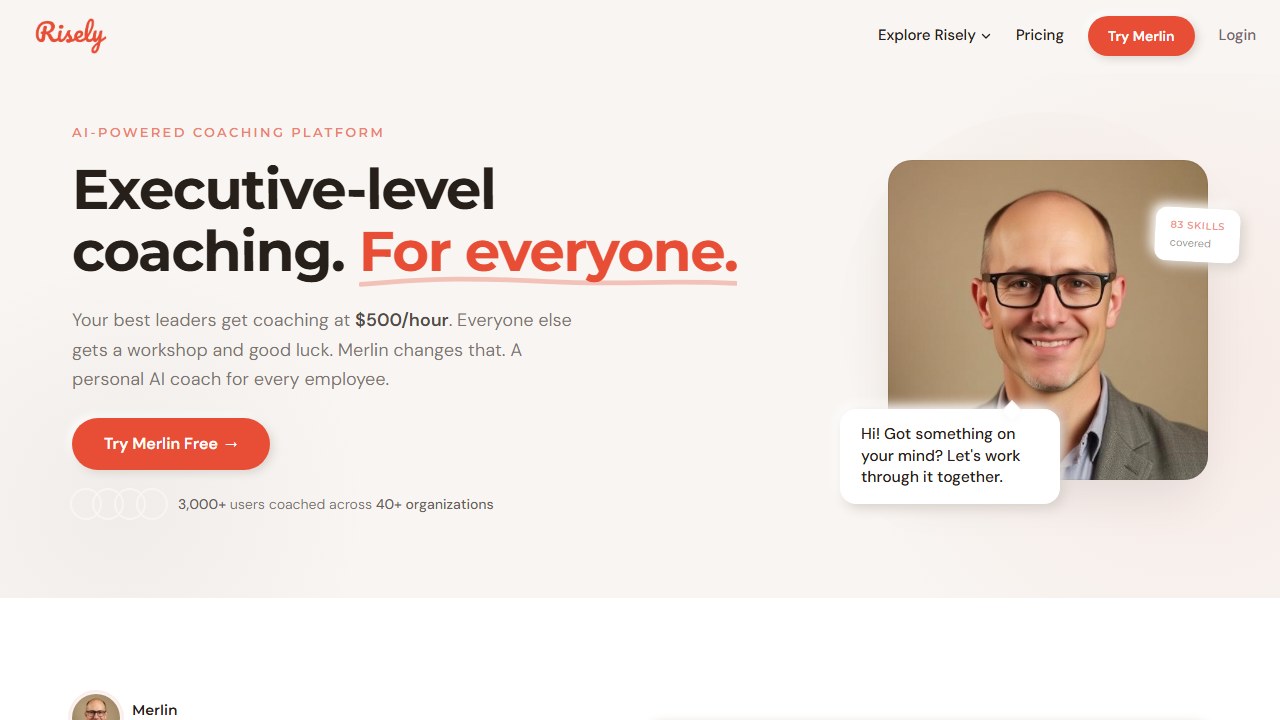
Risely is an AI coaching platform built specifically for people managers. While other tools target sales skills or general leadership, Risely focuses on the daily challenges managers face: giving feedback, running one-on-ones, handling conflict, delegating effectively, and building team culture. The platform covers 83 workplace skills with daily AI-driven coaching nudges delivered through Slack or Teams.
Beyond coaching conversations, Risely includes 360-degree feedback collection, MBTI and DISC-style assessments, and skill tracking dashboards. Managers complete assessments, identify their development areas, and receive daily micro-coaching sessions targeted to their specific gaps. The platform reports an average 26% skill improvement across users over 12 weeks.
Why It’s #10
Transparency. Risely is the only tool on this list in the coaching category that publishes full, self-serve pricing with a free trial. You can sign up, evaluate the platform for 14 days, and decide without talking to a sales rep. For L&D teams doing initial research, that matters.
The 83-skill coverage with integrated psychometric assessments (MBTI/DISC) and 360 feedback creates a comprehensive manager development program that would cost significantly more to build from individual tools. A comparable human coaching engagement for managers costs $3,000-10,000 per person annually. Risely at $59/user/mo ($708/yr) is a fraction of that.
Key Features
- AI coaching across 83 workplace skills covering leadership, communication, team management, and professional growth.
- Daily coaching nudges delivered via Slack and Teams for learning in the flow of work.
- 360-degree feedback collection from direct reports, peers, and supervisors.
- MBTI and DISC-style assessments built into the development journey.
- Skill tracking dashboards showing progress over time with measurable improvement data.
- Self-serve pricing and free trial for immediate evaluation without sales calls.
Pricing
| Plan | Price | Details |
|---|---|---|
| Individual | $59/user/mo | Full AI coaching, 83 skills, assessments |
| Team | $399/mo (5 users) + $49/additional | Team dashboards, shared analytics |
| Enterprise | $700-1,000/user/yr | Custom programs, dedicated support, volume discounts |
14-day free trial available on all plans.
Pros
- Fully transparent pricing with a self-serve free trial is rare in this category
- 83 workplace skills with integrated psychometrics create a comprehensive development program
- Slack and Teams delivery means coaching happens where managers already work
- 360 feedback and assessments included, not sold separately
Cons
- No G2 or Capterra presence, making independent validation difficult
- $59/user/mo is affordable for coaching but expensive for teams evaluating on a tight budget
- Self-reported 26% skill improvement claim lacks independent verification
- Smaller company with limited enterprise credibility compared to established coaching platforms
Faz says: Risely fills a gap that surprised me during research. Most AI training tools target either salespeople or frontline workers. Very few focus on the people managing those teams. A new manager who does not know how to give feedback, run a one-on-one, or delegate effectively causes more damage than any amount of sales training can fix. Risely is not flashy, but it targets a real problem that most L&D teams under-invest in.
Best For
Organizations that need to develop first-time and mid-level managers at scale. Ideal for companies growing quickly where manager quality directly impacts retention, team performance, and culture.
Can You Just Use ChatGPT for Corporate Training?
This is the question every L&D professional hears from their CFO. Why buy specialized tools when ChatGPT can generate content for $20/mo?
ChatGPT is excellent at certain training tasks. It writes quiz questions, generates scenario descriptions, summarizes policies into plain language, creates discussion guides, and drafts training scripts. If you need content creation support, ChatGPT is a perfectly valid tool in your workflow.
But it cannot replace the specialized tools on this list. Here is why.
Interactive roleplay with AI avatars. ChatGPT is text-based. It cannot deliver a face-to-face roleplay experience with a visual avatar that reacts in real time with facial expressions, gestures, and dynamic conversation branching. Second Nature and Yoodli offer this because they built specialized AI models for conversational simulation, not general-purpose language generation.
Adaptive spaced repetition. ChatGPT does not remember what you practiced last Tuesday and serve you a reinforcement question on Thursday. Axonify’s adaptive algorithms track individual knowledge states over time and schedule reinforcement at optimal intervals. This requires persistent learner profiles and learning science algorithms that ChatGPT does not provide.
Video generation with digital presenters. ChatGPT cannot produce a training video with a realistic digital presenter speaking in Japanese with accurate lip-sync. Synthesia and Colossyan use specialized video synthesis models that are entirely different from large language models.
Learner performance analytics. ChatGPT does not track completion rates, quiz scores, knowledge gaps, or team-wide performance trends. Every tool on this list includes analytics dashboards that L&D teams and managers use to measure training effectiveness and identify interventions.
SCORM export for LMS tracking. ChatGPT produces text. It does not export SCORM 1.2 or 2004 packages that your LMS can track for compliance reporting. If an auditor asks “did everyone complete the anti-harassment training?”, ChatGPT has no answer.
Saru says: The cost comparison also matters. A Synthesia Starter plan at $18/mo can produce unlimited training videos that export to SCORM. Building equivalent video content manually would require a camera, editing software, voiceover talent, and translation services costing $5,000-15,000 per video. ChatGPT at $20/mo cannot produce video content at all. The specialized tools justify their pricing by replacing production workflows, not just generating text.
Use ChatGPT as a content creation assistant within your L&D workflow. But do not expect it to replace platforms that were purpose-built for delivery, tracking, interactivity, and analytics.
Master Comparison Table: All 10 Tools Side by Side
| Tool | Category | Price From | Free Tier | SCORM | Compliance Certs | G2 Rating | Best For |
|---|---|---|---|---|---|---|---|
| Synthesia | AI Video | $18/mo | Yes | Yes | SOC 2, ISO 27001, ISO 42001 | 4.7/5 (2,375) | Training video at scale |
| Yoodli | Communication Coaching | ~$8/mo | Yes (limited) | Yes | SOC 2, HIPAA, FedRAMP, ISO 27001 | 4.7/5 | Sales communication skills |
| Colossyan | Interactive Video | $19/mo | Trial only | Yes | SOC 2, ISO 27001, ISO 42001 | 4.6/5 (488) | Scenario-based compliance |
| iSpring Suite AI | Course Authoring | $970/yr | 14-day trial | Yes | None listed | Listed | PowerPoint-to-course conversion |
| 360Learning | Collaborative LMS | $8/user/mo | No | Yes | None listed | 4.6/5 (580) | Collaborative course creation |
| Second Nature | Sales Roleplay | Enterprise | No | N/S | None listed | 4.6/5 (298) | Enterprise sales teams |
| Axonify | Microlearning | Enterprise | No | N/S | None listed | 4.7/5 (161) | Frontline/deskless workers |
| Rocky.ai | AI Coaching | $10/user/mo | Yes | N/S | None | Not listed | Budget-conscious small teams |
| Rehearsal | Video Roleplay | Enterprise | No | LMS/LTI | None listed | Listed (low) | AI + mentor hybrid coaching |
| Risely | Manager Coaching | $59/user/mo | 14-day trial | N/S | None listed | Not listed | Manager development at scale |
N/S = Not specified in available documentation.
How to Choose the Right Tool
The right tool depends on what you are trying to solve. Here is a decision framework.
If you need training videos: Start with Synthesia. It has the largest avatar library, the most language coverage, and the strongest enterprise compliance story. If your training requires interactive branching scenarios with quizzes and pass/fail SCORM tracking, choose Colossyan instead.
If you need sales roleplay and communication coaching: For real-time meeting coaching and individual practice, choose Yoodli. For enterprise-scale sales roleplay with dynamic AI avatars and CRM integration, choose Second Nature. Yoodli is self-serve and affordable. Second Nature is enterprise-only but has stronger published ROI data.
If you need course authoring: For teams with existing PowerPoint content, iSpring Suite AI is the fastest path to SCORM courses. For organizations that want internal experts creating and maintaining courses collaboratively, 360Learning is the better fit.
If you need coaching and development: For leadership and soft skills coaching on a tight budget, start with Rocky.ai at $10/user/mo. For comprehensive manager development with assessments and 360 feedback, choose Risely. For a hybrid model that combines AI with human mentors, choose Rehearsal.
If you need frontline worker training: Axonify is the clear choice. No other tool on this list is specifically designed for deskless workers with 3 to 5 minute daily learning sessions, adaptive algorithms, and gamification that drives 83%+ daily engagement.
Faz says: Most L&D teams will end up using two or three tools from this list, not one. A typical stack might look like Synthesia for video content creation, Yoodli or Second Nature for sales team practice, and 360Learning or iSpring for course management. Start with the problem that hurts most, pick the tool that solves it, and expand from there. Do not try to buy a platform that does everything. Those tools exist, and they do everything poorly.
Building out a specific part of your training program? we have reviewed the best AI soft-skills training tools and the best AI customer-service training tools in depth.
AI Tools for Learning and Development by Workflow Stage
Most “best AI tools for learning and development” lists hand you a flat ranking and leave you to work out where each tool fits. That is backwards. L&D work runs in stages, and the right AI tool depends entirely on which stage you are trying to speed up. Here is how the ten tools above map to a real learning and development workflow, from building content to measuring whether anyone actually learned anything.
Stage 1: Content authoring and media
This is where AI has changed learning and development the most. Instead of a film crew or another slide deck, you generate training video, voiceover, and scenarios on demand. Synthesia and Colossyan own this stage for video, while iSpring Suite AI turns existing PowerPoint into SCORM courses. Skip these if your training is mostly live and instructor-led. For the authoring layer, pair them with our guide to AI instructional design tools.
Stage 2: Delivery and the learning platform
Once content exists, it has to reach learners and adapt to them. 360Learning handles collaborative course delivery with AI assistance, and most modern learning platforms now layer adaptive paths on top. If you are standing up structured employee onboarding, our best AI onboarding tools guide covers the delivery tools built for day-one ramp.
Stage 3: Practice, roleplay, and coaching
Knowledge does not transfer until people practice, and this is the fastest-growing learning and development stage. It is where Yoodli, Second Nature, and Rocky.ai live. For deeper coverage, see our roundups of AI roleplay tools, AI coaching tools, and AI soft skills training tools. Skip dedicated roleplay platforms if your team is under ten people; a manager and a script still beat the setup cost at that scale.
Stage 4: Skills mapping and measurement
The stage most L&D teams skip, and the one AI is quietly transforming. Skills-analytics platforms map who knows what, flag gaps, and tie training back to business outcomes. If you are scaling manager development specifically, start with our AI leadership development tools guide.
The learning and development decision matrix
Pick the stage slowing your team down most, then start with one tool. Here is the fast version:
| L&D workflow stage | Start with | Rough price | Best team size |
|---|---|---|---|
| Content authoring (video) | Synthesia | From ~$18/mo, enterprise tiers | Any size |
| Scenario and interactive video | Colossyan | From ~$19/mo | Small to mid |
| PowerPoint to SCORM course | iSpring Suite AI | From ~$770/yr per author | Mid to enterprise |
| Course delivery and collaboration | 360Learning | From ~$5/user/mo | Mid to enterprise |
| Sales and communication coaching | Yoodli | Free tier, paid from ~$20/mo | Any size |
| Enterprise sales roleplay | Second Nature | Enterprise quote | Mid to enterprise |
| Affordable AI coaching | Rocky.ai | From ~$10/user/mo | Small to mid |
| Manager development at scale | Risely | From ~$20/user/mo | Mid to enterprise |
Related AI training and people-ops tools
Related training and HR guides:
- Free AI Recruiting Tools: 7 Tested + ATS Fit.
- AI Leadership Development Tools: What Actually Develops Leaders.
- 7 Leading AI Coaching Tools for Corporate Training.
- 7 Best AI Sales Roleplay Tools for Practice and Coaching.
- How to Build an AI-Powered Training Program for Your Team.
More AI tool guides worth reading: Yoodli vs Second Nature.
Adjacent guides
- Best AI Workforce Planning Tools (2026)
- Best AI Negotiation Training Tools for Sales Teams (2026)
- Best AI Tools for Manufacturing Safety Training (2026)
- Best AI Tools for Retail Employee Training (2026)
More AI tool guides worth reading: Second Nature Pricing, How to Roll Out AI Sales Coaching in 30 Days and Mindtickle vs Yoodli.
Tools mentioned in this guide
Want to go deeper on specific tools? Read our Mindtickle review and Articulate Rise 360 review, compare the video tools in HeyGen vs Synthesia and the authoring tools in Articulate vs iSpring Suite, or browse the best Synthesia alternatives and the best AI sales training software.

Written by
FazFaz is the founder of AIToolsBakery. Some tools here are tested hands on. Others are assessed from vendor documentation and pricing verified on the live page, and every review says which one it is. Sponsors can buy a position in a guide. They cannot buy the score, the criticism, or silence about a better option.
How we test and how we make money →