AI tools for teachers are everywhere. The hard part isn’t finding one. The hard part is finding one that’s actually worth your time, safe for your students, and free enough that you don’t have to pay for it out of pocket.
The best AI tools for teachers in 2026 are MagicSchool AI (best all-in-one, 80+ tools, free), Brisk AI (best Chrome extension for Google Workspace), and Diffit (best for differentiated instruction, free). Khanmigo remains the best free AI tutor. All top 8 tools have free tiers. FERPA/COPPA compliance varies. Full 10-tool breakdown below.
How we reviewed these AI tools for teachers
We created free accounts on all 10 tools and ran the same set of classroom tasks through each one: a 5th-grade lesson plan, a leveled reading passage, a rubric for a persuasive essay, an IEP accommodation draft, and a parent email in English and Spanish. We scored every tool on teacher-specific guardrails, how usable the output was without heavy editing, student-safety posture, and pricing for a single classroom teacher. We did not deploy these tools in a real classroom for a full term, so any “hours saved per week” numbers you see come from vendor teacher surveys, not our stopwatch.
Faz says: I’ve spent weeks reviewing every AI tool that claims to help teachers. Some of them are genuinely useful. Some of them are ChatGPT with a lesson plan wrapper and a school-friendly color scheme. This list separates the two.
Every tool on this list was evaluated on the same criteria: what it actually does (not what the marketing page says), whether the free plan is useful or a teaser, whether it’s safe to use with student data, and whether it fits into the workflow teachers already have. No tool paid to be on this list. No rankings were influenced by affiliate relationships.
Full transparency: AssignAI (#8) is owned by someone we know personally. We’re including it because it genuinely fills a gap for ESL/IELTS teachers. Our evaluation criteria and standards are identical to every other tool on this list.
Saru says: Here’s the data behind this guide: 10 tools evaluated. 7 criteria scored. Free tiers tested. Compliance certifications verified from published policies. User feedback aggregated from Chrome Web Store, teacher forums, and social media. Every claim in this article is sourced from publicly available information as of April 2026.
Last updated: April 22, 2026.
Related: See also individual reviews: Khanmigo | MagicSchool AI | Brisk Teaching | Diffit AI
Quick Verdict: Best AI Tools for Teachers at a Glance
| If you need… | Go with | Rating |
|---|---|---|
| Best all-in-one teacher AI platform | MagicSchool AI | 4/5 |
| AI tools inside Google Docs/Classroom | Brisk AI | 4.5/5 |
| Differentiated reading materials | Diffit AI | 4.5/5 |
| Free AI tutor for students | Khanmigo | 4/5 |
| Interactive, student-facing lessons | Curipod | 4/5 |
| Student-safe AI chat spaces | SchoolAI | 3.5/5 |
| Essay grading with rubric alignment | CoGrader | 4/5 |
| Homework/grading for ESL teachers | AssignAI | 3.5/5 |
| AI-powered study flashcards | Quizlet | 4/5 |
| Plagiarism + AI writing detection | Turnitin | 3.5/5 |
Short on time? MagicSchool AI is the best starting point for most teachers. It’s free, FERPA/COPPA compliant, and has 80+ tools covering lesson planning, grading, rubrics, IEPs, and more. But if essay feedback is your biggest time sink and you live in Google Workspace, Brisk AI is the better choice.
How We Reviewed These Tools
Saru says: Every tool on this list was evaluated using the same seven criteria:
| Criteria | Weight | What we measured |
|.|.|.|
| Feature depth | High | What the tool actually does vs what it claims |
| Free plan value | High | How much teachers can do without paying |
| Compliance | High | FERPA, COPPA, SOC 2, data privacy policies |
| User sentiment | Medium | Ratings and feedback from real teachers |
| Ease of use | Medium | Onboarding friction, UI clarity, learning curve |
| Integrations | Medium | Google Classroom, Canvas, Schoology compatibility |
| Time saved | Medium | How much of the AI output is usable without heavy editing |
What We Did
We signed up for each tool’s free tier. We generated lesson plans, worksheets, quizzes, and rubrics using the same briefs across tools. We checked compliance certifications from published policies and privacy pages. We read teacher reviews on Chrome Web Store, Reddit (r/teachers, r/edtech), and social media.
What We Didn’t Do
We did not test these tools in a live classroom. We’re reviewers, not teachers. Our evaluation is based on publicly available features, documented compliance, and real user feedback. We’re transparent about this because honesty is the policy.
Faz says: You’ll notice some tools on this list get a lower rating despite having useful features. That’s because we weight compliance and free plan value heavily. A tool can be great at what it does and still lose points for opaque pricing, missing FERPA certification, or a free plan that’s more teaser than tool.
The 10 Best AI Tools for Teachers in 2026
1. MagicSchool AI. Best All-in-One Teacher AI Platform
| Rating | 4/5 |
|---|---|
| Best for | Teachers who want a single platform for everything |
| Free plan | Yes, full access for individual teachers, no expiration |
| Paid from | District pricing (contact for quote) |
| Compliance | FERPA, COPPA, SOC 2, ESSA Level IV, Common Sense Privacy Verified |
| Website | magicschool.ai |
What It Does
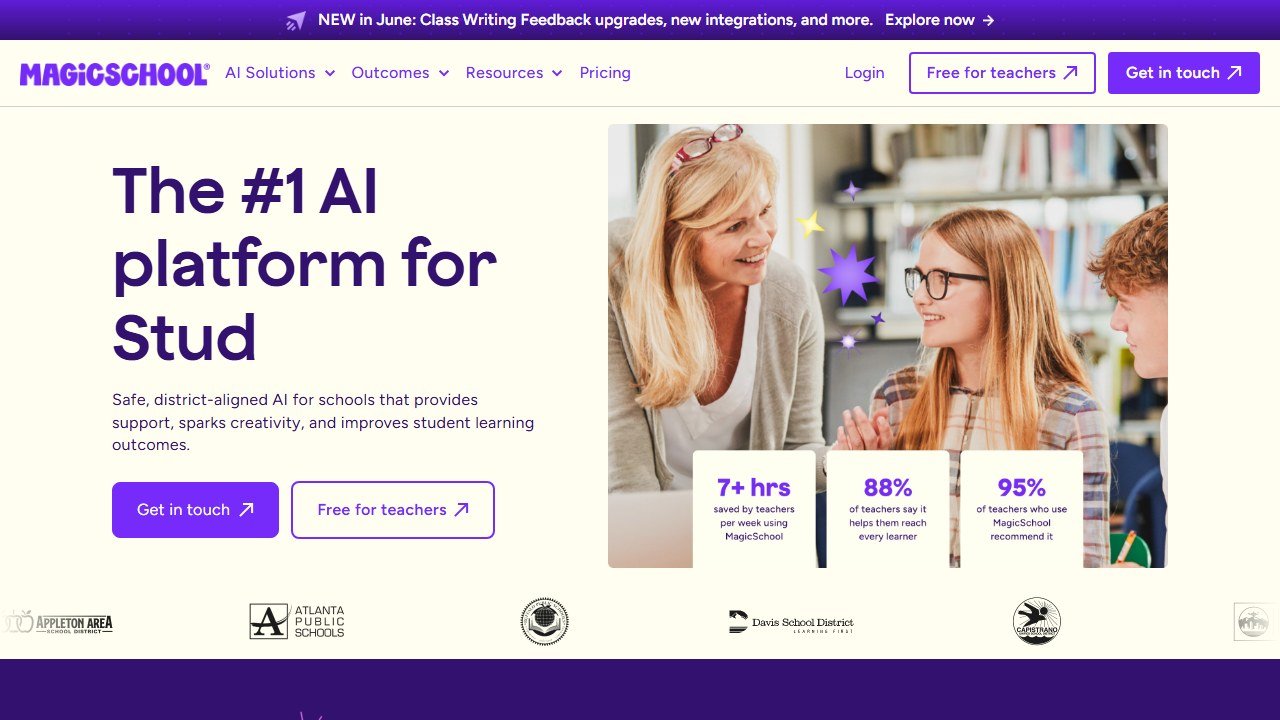
MagicSchool AI is the most comprehensive AI platform built for teachers. It packs 80+ teacher tools and 50+ student-facing tools into a single web-based platform. Lesson planning, rubric generation, quiz creation, writing feedback, IEP drafting, report card comments, presentation outlines, vocabulary lists, email drafts, science lab procedures, math word problems, reading comprehension passages. name a teaching task and there’s probably a MagicSchool tool for it.
The platform also includes an AI Instructional Coach for professional development and a suite of student tools including an AI tutor that guides learning without giving direct answers.
Key Features
- Lesson Plan Generator: Enter subject, grade, topic, and standards. Get a complete lesson plan with objectives, activities, differentiation, and assessments.
- IEP Generator: Enter disability category, present levels, and goals. Get draft IEP sections with measurable objectives and accommodation suggestions. Special ed teachers who spend 2-3 hours per IEP report significant time savings.
- Writing Feedback: Paste student essays and get detailed, rubric-aligned feedback. Customizable tone and focus areas.
- Quiz/Assessment Maker: Generate multiple-choice, short answer, or essay questions with answer keys. Control difficulty level and cognitive complexity.
- Report Card Comments: Enter grades, strengths, and growth areas. Get personalized comments in your specified tone. Turns a weekend task into an hour.
- 50+ Student Tools: AI Tutor, teacher-led activities, safe supervised settings with teacher oversight.
Evidence and Scale
MagicSchool reports evidence-rated outcomes: 28% improvement in students meeting literacy grade-level expectations, 7-10 hours saved per week, 88% of teachers say it helps reach every learner, and 95% recommend it. ESSA Level IV evidence-rated.
Free Plan Value
Exceptional. The free plan gives individual teachers full access to all 80+ tools and 50+ student tools. No credit card, no trial period, no expiration. District plans add admin dashboards, analytics, and PD support. The free tier is the most generous in teacher AI.
Compliance
FERPA, COPPA, SOC 2 certified, GDPR, CCPA, Common Sense Privacy Verified, ESSA Level IV, TrustEd Apps Certified. MagicSchool explicitly states: “We don’t use student or teacher data to train AI.”
Integrations
Google Workspace, Google Classroom, Canvas, Schoology, ClassLink, Clever, Microsoft tools.
Pros
- Free for individual teachers with no expiration
- 80+ tools covers virtually every teaching task
- Strongest compliance + evidence stack in the space
- Student-facing tools with teacher controls
- IEP generator is a genuine standout for special ed
Cons
- 80+ tools means none go as deep as specialized competitors
- Runs on its own site, not inside your existing workflow
- District pricing not publicly listed
- Can feel overwhelming on first use
- Writing feedback requires copy-pasting rather than working in-document
Faz says: MagicSchool is the right first AI tool for any teacher who hasn’t tried AI yet. It’s free, it’s safe, and it covers enough ground that you’ll find something useful within your first 10 minutes. But once you figure out which teaching tasks AI helps with most, you’ll probably add a specialist alongside it.
Saru says: 4/5. The most widely adopted teacher AI platform with evidence-backed outcomes. The free tier is the most generous in the space. The compliance stack meets the strictest district requirements. The 1-point deduction reflects the breadth-over-depth tradeoff: specialized tools like Diffit and Brisk outperform MagicSchool in their respective niches.
Read our full MagicSchool AI review.
2. Brisk AI. Best Chrome Extension for Teachers
| Rating | 4.5/5 |
|---|---|
| Best for | Teachers who live in Google Workspace |
| Free plan | Yes, core features free |
| Paid from | Contact for pricing |
| Compliance | FERPA, COPPA, SOC 2, ISTE Seal, 93% Common Sense Privacy Rating |
| Website | briskteaching.com |
What It Does
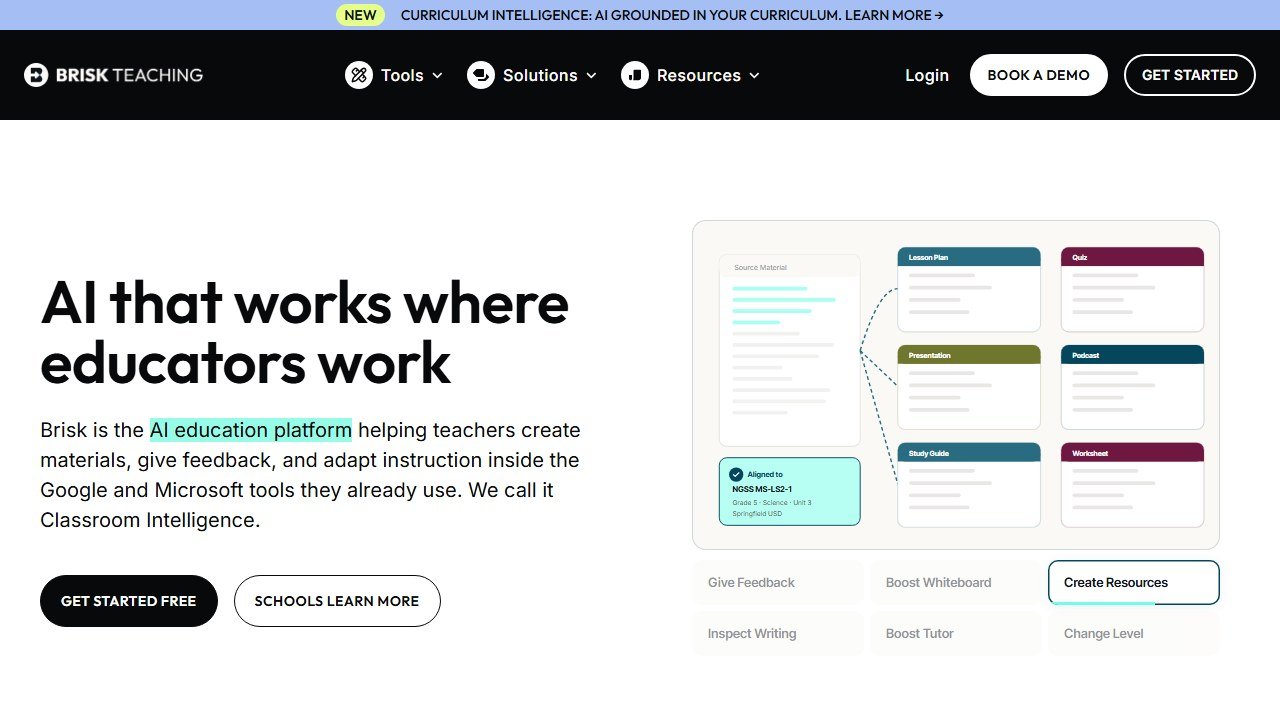
Brisk Teaching is a Chrome extension that embeds 30+ AI tools directly inside Google Docs, Slides, Forms, and Classroom. Instead of a standalone platform, Brisk operates as a layer on top of the web apps teachers already use. You get AI-powered lesson planning, writing feedback, quiz generation, and content creation without leaving the page you’re already on.
This is the fundamental difference between Brisk and every other tool on this list. MagicSchool asks you to go somewhere new. Brisk shows up where you already are.
Key Features
- Writing Feedback in Google Docs: Open a student’s essay, generate rubric-aligned feedback in seconds. Teachers report cutting feedback time by 60-80%.
- Inspect Writing: Creates a video playback of how a student wrote their document. Every keystroke, paste, and deletion. If a student pasted 500 words from ChatGPT, you see it happen. This is visual evidence, not AI detection guessing.
- Presentation Maker: Feed an article, video, PDF, or topic and get a complete Google Slides or PowerPoint presentation with speaker notes.
- Batch Feedback: Process an entire class set of essays simultaneously against the same rubric.
- Curriculum Intelligence: Grounds AI output in your actual curriculum, scope and sequence, and instructional materials.
- Quiz Generator: Creates quizzes directly inside Google Forms with answer keys.
Scale and Trust
4.7-star rating across 700+ reviews. Deployed across 20,000+ districts including NYC DOE, Albuquerque Public Schools, and Prince George’s County.
Free Plan Value
Core Chrome extension features available for free. Exact limits aren’t publicly documented, but most individual teachers report the free tier covers daily use. Check with your IT department. your district may already have a subscription.
Compliance
93% Common Sense Privacy Rating (highest among AI tools). FERPA, COPPA, SOC 2 certified, GDPR, EdSafe AI certified, Google Partner, ISTE Seal certified. The strongest compliance profile in teacher AI.
Integrations
Google Docs, Slides, Forms, Sheets, Classroom. Microsoft Word and PowerPoint. Canvas LMS. YouTube. Chrome and Edge browsers.
Pros
- Lives inside Google Workspace, zero context-switching
- Inspect Writing is unique. no other tool offers visual writing process replay
- Strongest compliance stack in teacher AI
- Batch feedback processes entire class sets at once
- Curriculum Intelligence grounds output in your actual materials
Cons
- Pricing not publicly listed for any tier
- Free plan limits are unclear
- Chrome/Edge only (no Firefox or Safari)
- Less comprehensive than MagicSchool for non-writing tasks
- Limited value outside Google/Canvas ecosystem
Faz says: Brisk gets the workflow problem right. Every other tool asks teachers to go somewhere new. Brisk shows up where teachers already are. The Inspect Writing feature alone is worth the install. Instead of running papers through an AI detector that’s wrong 20% of the time, you can literally watch how students wrote it.
Saru says: 4.5/5. Highest Common Sense Privacy Rating among teacher AI tools. 4.7-star rating across 700+ reviews and 20,000+ district deployments confirms strong satisfaction. The Chrome extension approach reduces adoption friction to near zero. Primary limitation: pricing opacity and ecosystem lock-in (Chrome/Google only).
Read our full Brisk AI review. See how it compares in our MagicSchool AI vs Brisk AI comparison.
3. Diffit AI. Best for Differentiated Instruction
| Rating | 4.5/5 |
|---|---|
| Best for | Teachers with mixed-ability classrooms |
| Free plan | Yes, unlimited readings, PDF download, no expiration |
| Paid from | School plans (contact for pricing) |
| Compliance | FERPA compliant |
| Website | diffit.me |
What It Does
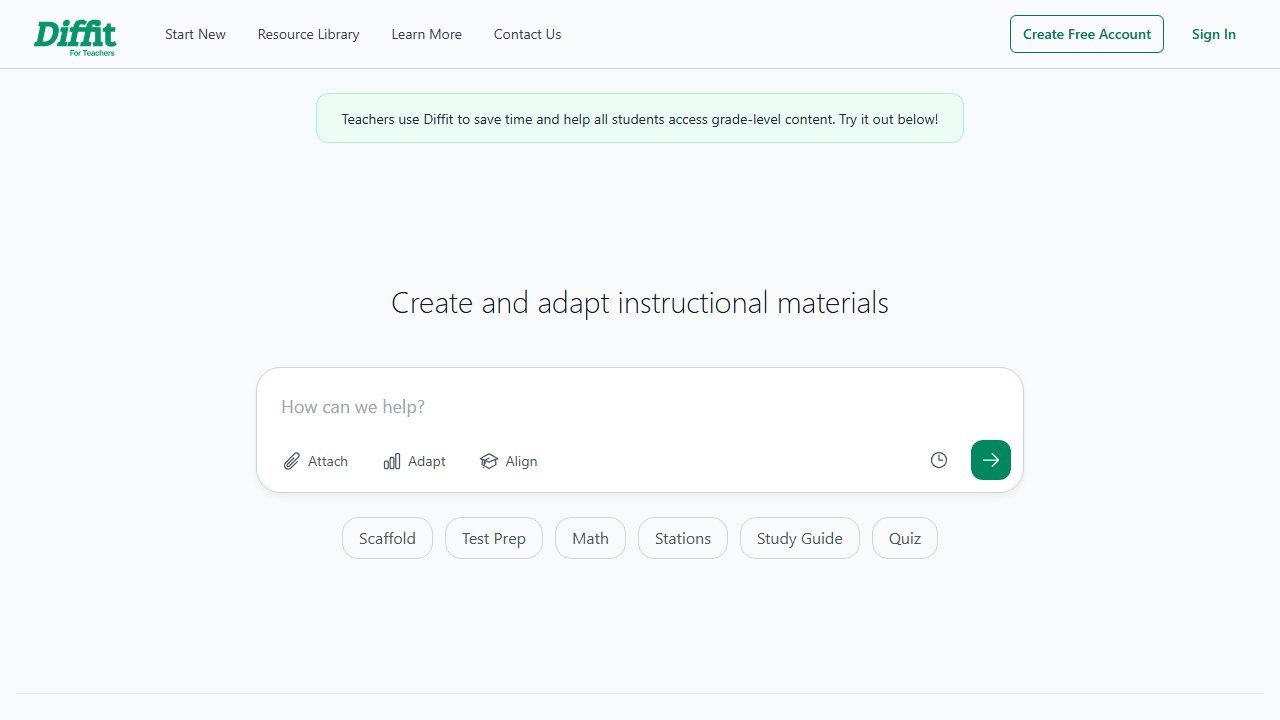
Diffit is a differentiation specialist. Enter any topic (or paste a URL, upload a PDF, or select a YouTube video), choose a grade level, and Diffit generates a reading passage with comprehension questions and vocabulary. The key feature: you can instantly adjust the reading level up or down without regenerating.
Topic in, leveled content out. It does one thing and does it better than any other tool on this list.
Key Features
- Multi-Level Reading Generation: Same topic at 3rd-grade and 8th-grade reading levels simultaneously. Each version adjusts vocabulary, sentence complexity, and passage length while maintaining core concepts.
- Automatic Questions and Vocabulary: Every reading comes with level-appropriate comprehension questions and vocabulary definitions.
- Multiple Input Sources: Topics, URLs, PDFs, YouTube videos, or Diffit’s content library.
- Standards/DOK Alignment (School Plans): Maps content to state standards and Depth of Knowledge levels.
- Language Support: Generate content in multiple languages and translate existing content for ESL/bilingual classrooms.
Free Plan Value
One of the most generous in teacher AI. Unlimited topic-based reading generation, comprehension questions, vocabulary, reading level adjustment, language adjustment, PDF download, print, and share. No credit card, no expiration. School plans add Google Classroom export and standards alignment.
Compliance
FERPA compliant per published privacy policy. COPPA and SOC 2 status should be verified directly with Diffit before entering student information.
Integrations
Free: PDF download, print, share via link. School plans: Google Docs, Slides, Forms, Google Classroom, Microsoft tools.
Pros
- Free plan covers the core use case with no limits
- Generates multi-level readings in seconds, saving 30-60 minutes per lesson
- Multiple input sources (topics, URLs, PDFs, YouTube)
- Language support ideal for bilingual and ESL classrooms
- Simple interface, almost no learning curve
Cons
- Narrow focus: differentiation only, not a full teaching platform
- Google Classroom export locked behind school plan
- School pricing not publicly listed
- COPPA/SOC 2 not explicitly confirmed
- Less useful for math, PE, and non-reading subjects
Faz says: If differentiation is your biggest time sink, Diffit is the tool that gives you hours back every week. It’s the specialist you call when you have students reading at wildly different levels and need materials for all of them by tomorrow morning.
Saru says: 4.5/5. Targets the single biggest pain point in K-12: differentiated instruction. The free tier is genuinely generous. Primary limitation is narrow scope. pair it with MagicSchool or Brisk for a complete toolkit.
Read our full Diffit AI review. See how it compares in our Diffit AI vs MagicSchool AI comparison.
4. Khanmigo. Best Free AI Tutor for Students
| Rating | 4/5 |
|---|---|
| Best for | Teachers who want a free AI tutor backed by Khan Academy |
| Free plan | Yes, free for teachers in 44+ countries |
| Paid from | Free for teachers; parents/learners pay subscriptions |
| Compliance | District partnerships handle compliance |
| Website | khanmigo.ai |
What It Does
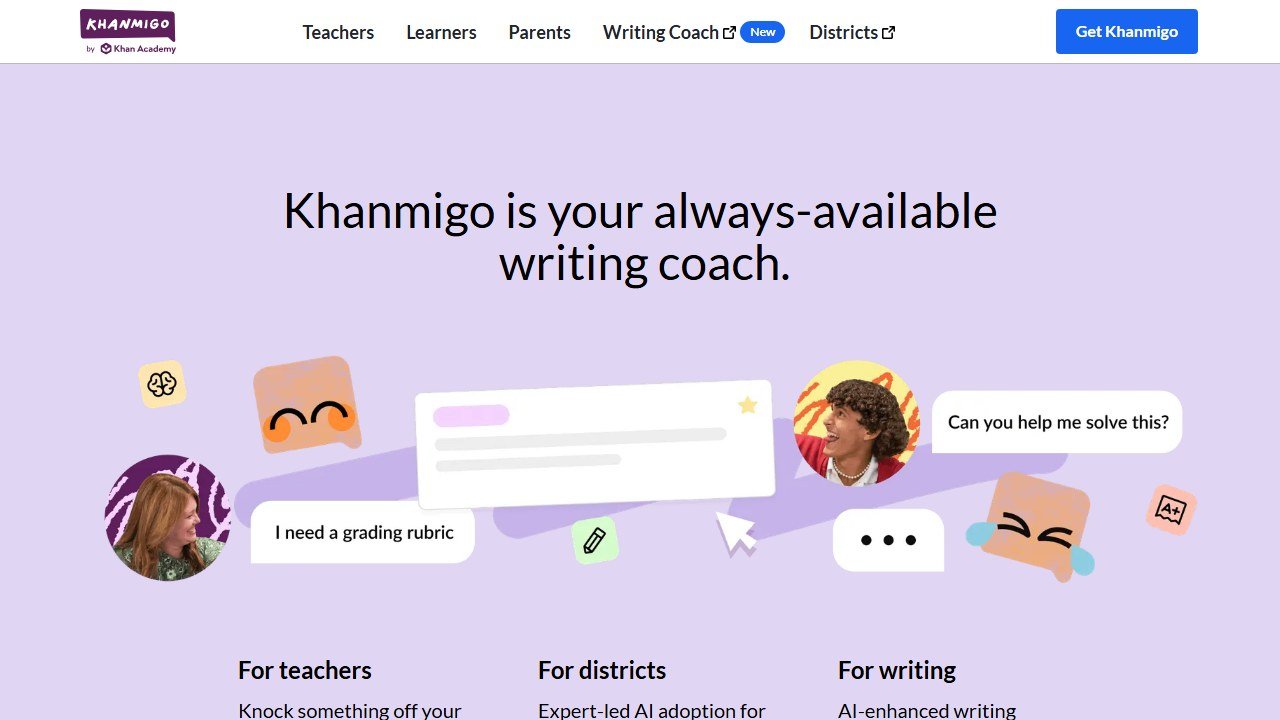
Khanmigo is Khan Academy’s AI assistant, powered by GPT-4. It serves both teachers and students but its standout value is on the student side: an AI tutor that guides learners through problems using the Socratic method without giving direct answers.
For teachers, Khanmigo generates standards-aligned lesson plans, rubrics, quiz questions, exit tickets, student grouping recommendations, and learning objectives. Everything is grounded in Khan Academy’s content library, which means lesson plans link directly to specific videos, exercises, and articles.
Key Features
- AI Tutor (Student-Facing): Guides problem-solving step by step. Doesn’t give answers. Covers math, humanities, coding, and social studies from elementary through college.
- Lesson Planning: Standards-aligned lesson plans that reference Khan Academy content.
- Rubric/Quiz Generation: Create assessments tied to Khan Academy’s exercise library.
- Student Grouping: Recommends how to group students based on skill gaps.
- Exit Tickets: Quick formative assessments generated from lesson content.
Scale and Trust
Khan Academy has been a trusted education brand since 2008. Khanmigo launched in 2023 with support from Microsoft. Common Sense Media rates it 4 stars (higher than ChatGPT and Google Bard for education use). Free for teachers in 44+ countries.
Free Plan Value
Strong. Teachers get full access for free, supported by Microsoft. The catch: student classroom access requires district partnerships, and parent/learner accounts require paid subscriptions.
Compliance
Khan Academy handles compliance through district partnerships rather than displaying individual certifications. Schools should establish data sharing agreements through official channels.
Integrations
Built into Khan Academy’s platform. Limited external LMS integrations. Works best when Khan Academy is already part of your classroom toolkit.
Pros
- Completely free for teachers
- AI tutor guides learning without giving answers
- Built on Khan Academy’s trusted, extensive content library
- Common Sense Media 4-star rated
- Strong for math and science
Cons
- Tied to Khan Academy ecosystem
- Limited integrations with Google Classroom or Canvas
- Teacher tools are less detailed than MagicSchool or Brisk
- Classroom-wide student access requires district partnerships
- Weaker for subjects outside Khan Academy’s content library
Faz says: Khanmigo’s value proposition is simple: it’s Khan Academy, but it talks back. For math and science classrooms where students already use Khan, adding Khanmigo means they get a tutor that’s available when you’re helping someone else. The teacher tools are a bonus, not the main event.
Saru says: 4/5. The Khan Academy brand carries significant trust. The Socratic tutoring approach (guiding without answering) is pedagogically sound. Limitation: the ecosystem lock-in. If you don’t already use Khan Academy, the value drops significantly compared to MagicSchool.
Read our full Khanmigo review. See how it compares in our Khanmigo vs Quizlet AI comparison.
5. Curipod. Best for Interactive AI Lessons
| Rating | 4/5 |
|---|---|
| Best for | Teachers who want lessons students interact with |
| Free plan | Yes, with weekly session limits |
| Paid from | $19/mo (annual) |
| Compliance | FERPA, COPPA, GDPR compliant |
| Website | curipod.com |
What It Does
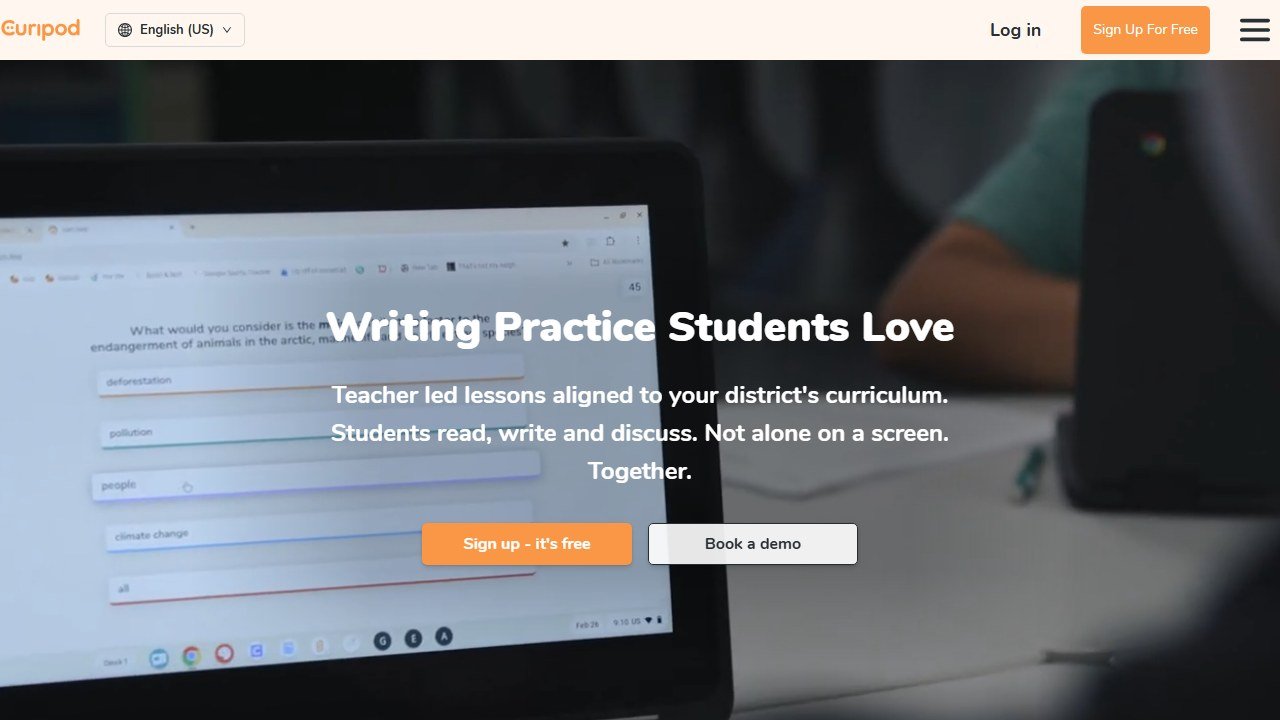
Curipod creates interactive AI-powered lessons that students participate in during class. Not lesson plan documents. lesson experiences. Students join with a code (no login required), and you control the pacing. Polls, drawing exercises, whiteboarding with AI feedback, peer collaboration, rubric-aligned writing prompts, all happen inside one lesson flow.
The AI provides real-time feedback on student responses and generates class-wide and individual performance reports after the session.
Key Features
- Interactive Lesson Generator: Enter a topic and get a complete lesson with polls, drawings, discussions, and assessments.
- No Student Login Required: Students join with a code. No accounts, no passwords, no setup friction.
- AI Feedback: Real-time AI feedback on student writing and responses using RACE, RACES, or C.E.R. frameworks.
- Performance Reports: Class-wide and individual reports after each session.
- Content Filtering: Automatic filtering of inappropriate student responses.
- 200,000+ Community Lessons: Teacher-created lessons available in Curipod’s library.
Evidence
Curipod publishes district case studies with state assessment movements attached: a 22% increase in STAAR Meets and Masters at Sivells Bend ISD in Texas, a move from 46% to 84% Meets and Masters on STAAR at Schertz-Cibolo-Universal City ISD in Texas, and a move from 51% to 69% on CAASPP ELA. Read them as vendor published case studies: the underlying measures are real state assessments, but the selection and framing are Curipod’s.
Free Plan Value
The free plan gives you weekly teaching sessions (auto-renewing) plus bonus sessions on signup. You get full lesson creation, editing, and library access. The limit is on how many sessions you can run per week, not on the features available. Premium ($19/mo annual) removes session limits.
Compliance
FERPA, COPPA, GDPR compliant. Integrates with SSO through Google, Clever, ClassLink, and Feide.
Integrations
Google Slides, PowerPoint, Canvas, Google Classroom, SSO (Google, Clever, ClassLink, Feide).
Pros
- Creates lessons students interact with, not just read
- No student login required
- Evidence-backed results tied to state assessments
- 200,000+ community-created lessons available
- FERPA and COPPA compliant
Cons
- Free tier limited to weekly sessions
- $19/mo is expensive compared to MagicSchool’s free plan
- More focused on lesson delivery than broader teaching tasks
- Requires 1:1 devices for full interactive experience
- AI customization features locked behind premium
Faz says: Curipod is the tool that bridges the gap between planning and delivery. Every other tool on this list generates documents. Curipod generates experiences. If student engagement is your challenge, this is the tool that changes the energy in your classroom.
Saru says: 4/5. Evidence-backed outcomes distinguish Curipod from tools that rely on user satisfaction alone. The interactive format is pedagogically strong. The session-limited free tier and $19/mo price point create friction compared to free-for-everything platforms like MagicSchool.
Read our full Curipod review.
6. SchoolAI. Best for Student-Safe AI Chat Spaces
| Rating | 3.5/5 |
|---|---|
| Best for | Teachers who want students to use AI safely with monitoring |
| Free plan | Yes, free for teachers |
| Paid from | Not publicly listed |
| Compliance | Privacy-first design, no data saved for model training |
| Website | schoolai.com |
What It Does
SchoolAI gives teachers a way to let students use AI in the classroom with full oversight. The core feature is “Spaces”. interactive AI-powered learning environments that teachers create and control. Students interact with an adaptive AI assistant called “Dot” in 60+ languages while teachers monitor everything in real-time through “Mission Control.”
Think of it as a managed ChatGPT for classrooms. Students get the benefit of AI interaction. Teachers set the boundaries, see every conversation, and get alerts if a student’s input raises safety concerns (bullying, abuse, neglect).
Key Features
- Spaces: 200,000+ teacher-created interactive AI lessons. Build your own or use the community library.
- Dot (AI Assistant): Adaptive AI that adjusts to each student’s level. Supports 60+ languages.
- Mission Control: Real-time dashboard showing every student’s AI interaction as it happens.
- Safety Alerts: Automated detection and alerts for concerning student behavior.
- Chrome Extension: Works inside Google Docs for in-workflow assistance.
- Teacher Tools: Lesson planning, rubric creation, assessments, student communication.
Scale
1 million+ classrooms worldwide. 200,000+ community-created Spaces.
Free Plan Value
Free for teachers with core features including Spaces, Dot, and Mission Control. Specific limits on the free plan aren’t clearly documented.
Compliance
SchoolAI emphasizes “privacy first” and “secure by design.” Direct agreements with AI providers ensure no data is saved or used for model training. However, FERPA and COPPA certifications are not prominently displayed on the website. Schools requiring explicit compliance documentation should verify directly with SchoolAI.
Integrations
Chrome extension, Google Docs. Other integrations are limited compared to Brisk or MagicSchool.
Pros
- Students use AI safely with real-time teacher monitoring
- Safety alerts for concerning student behavior
- 200,000+ community-created Spaces
- 60+ language support
- Free for teachers
Cons
- FERPA/COPPA certifications not prominently stated
- Limited integrations beyond Chrome/Google Docs
- Compliance documentation needs explicit verification
- Narrower feature set than MagicSchool for teacher-facing tasks
- Less established than Brisk or MagicSchool in district deployments
Faz says: SchoolAI solves the problem every teacher worries about: what happens when students use AI without guardrails? SchoolAI puts you in the control room. You see everything. You set the rules. Students get the benefit of AI interaction without the wild west of unrestricted ChatGPT.
Saru says: 3.5/5. The real-time monitoring and safety alert features are genuinely differentiated. The 1M+ classroom scale validates the use case. The rating reflects compliance documentation gaps. Schools with strict data governance requirements should verify certifications before deploying.
Read our full SchoolAI review.
7. CoGrader. Best for AI Essay Grading
| Rating | 4/5 |
|---|---|
| Best for | ELA teachers grading essays against state assessment rubrics |
| Free plan | Yes, free trial for individual teachers |
| Paid from | Individual subscriptions (contact for pricing) |
| Compliance | FERPA, COPPA, SOPIPA, SOC 2 Type 1 |
| Website | cograder.com |
What It Does
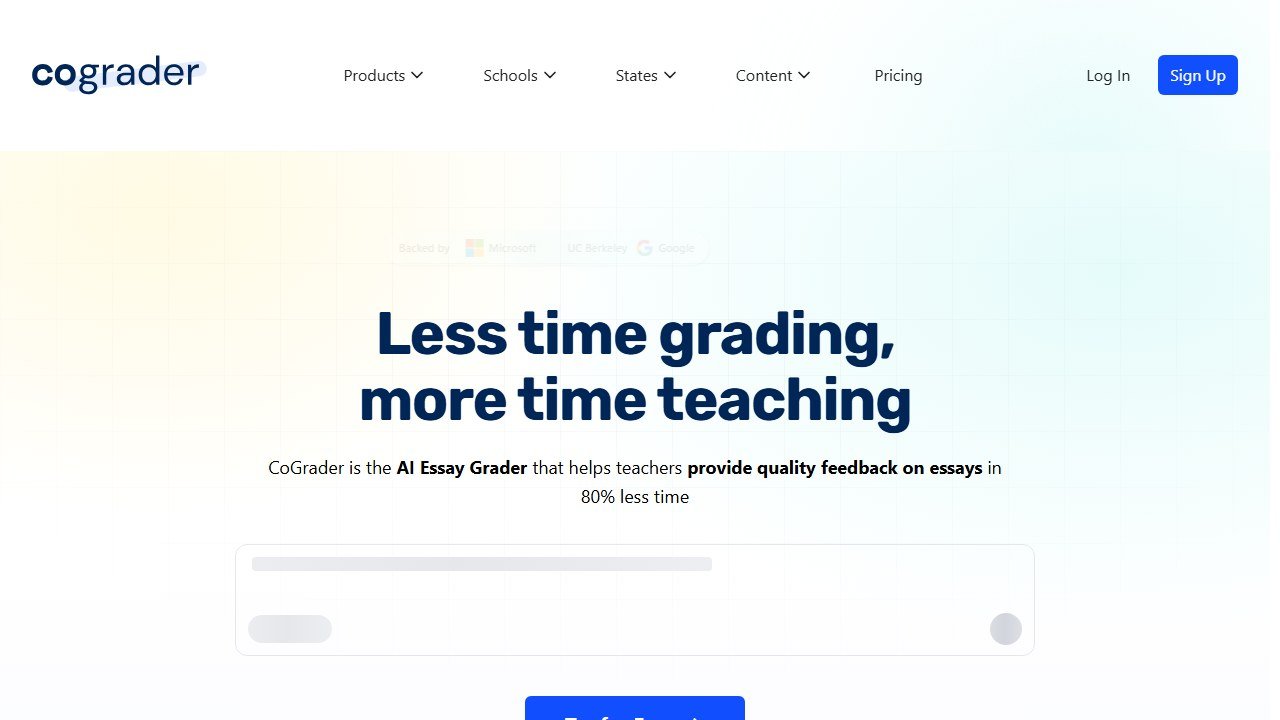
CoGrader is purpose-built for one thing: grading student essays with AI. You upload essays, select a rubric (state assessments like STAAR, CAASPP, B.E.S.T., NY Regents, AP, IB, or your own custom rubric), and CoGrader generates rubric-aligned scores and detailed feedback for every student.
The teacher always reviews and approves before grades are published. CoGrader assists the grading process; it doesn’t replace teacher judgment.
Key Features
- Rubric-Based AI Grading: Scores essays against specific rubrics including state assessments (STAAR, CAASPP, B.E.S.T., NY Regents), AP, IB, or custom rubrics.
- Detailed Feedback Generation: Each student gets specific, actionable feedback tied to rubric criteria.
- Multi-Language Grading: Grade essays written in multiple languages.
- Plagiarism + AI Detection: Built-in checking for copied or AI-generated content.
- Class Analytics: Identifies learning gaps across an entire class set.
- Teacher Review: All grades and feedback are reviewed by the teacher before publishing.
Scale and Backing
50,000+ teachers. 1,000+ schools across all US states. Backed by UC Berkeley SkyDeck, Microsoft for Startups, and Google for Startups.
Free Plan Value
Free trial available for individual teachers. Full access for evaluation. Individual subscriptions and school/district plans available after the trial. Pricing is not publicly listed.
Compliance
FERPA, COPPA, SOPIPA, SOC 2 Type 1, Ed Law 2D, NIST 1.1 aligned. “Only de-identified student work and rubrics are shared with AI. LLM/AI models cannot use student data for training.”
Integrations
Google Classroom (all users). Canvas and Schoology (school/district plans).
Pros
- Purpose-built for essay grading with state assessment rubric alignment
- 80% reduction in grading time reported
- Strong compliance stack (FERPA, COPPA, SOC 2)
- Teacher always has final review before publishing
- Multi-language grading support
Cons
- Essay grading only (not math, science, or other formats)
- Pricing not publicly listed
- Newer and smaller than MagicSchool or Brisk
- Free trial, not a permanent free tier
- Limited to text-based assignments
Faz says: If you’re an ELA teacher grading 120 essays per week, CoGrader is the specialist that gives you your weekends back. MagicSchool has a writing feedback tool, but CoGrader goes deeper with state assessment rubric alignment that the generalists can’t match.
Saru says: 4/5. Purpose-built specialization creates clear value for essay-heavy subjects. The compliance stack (FERPA, COPPA, SOC 2) is stronger than many competitors. Backed by credible accelerators (UC Berkeley, Microsoft, Google). Rating reflects the narrow scope and lack of permanent free tier.
Read our full CoGrader review. See also our Best AI Grading Tools roundup.
8. AssignAI. Best for ESL/IELTS Teachers
| Rating | 3.5/5 |
|---|---|
| Best for | ESL, IELTS, IGCSE, and exam prep teachers |
| Free plan | Yes, 5 assignments, 1 class (20 students) |
| Paid from | $8.99/mo or $89/year |
| Compliance | Not specified on website |
| Website | assignai.net |
Faz says: Full transparency: we know the team behind AssignAI. We’re including it because it genuinely fills a gap for ESL/IELTS teachers that no other tool on this list covers. Our evaluation criteria and standards are identical to every other tool.
What It Does
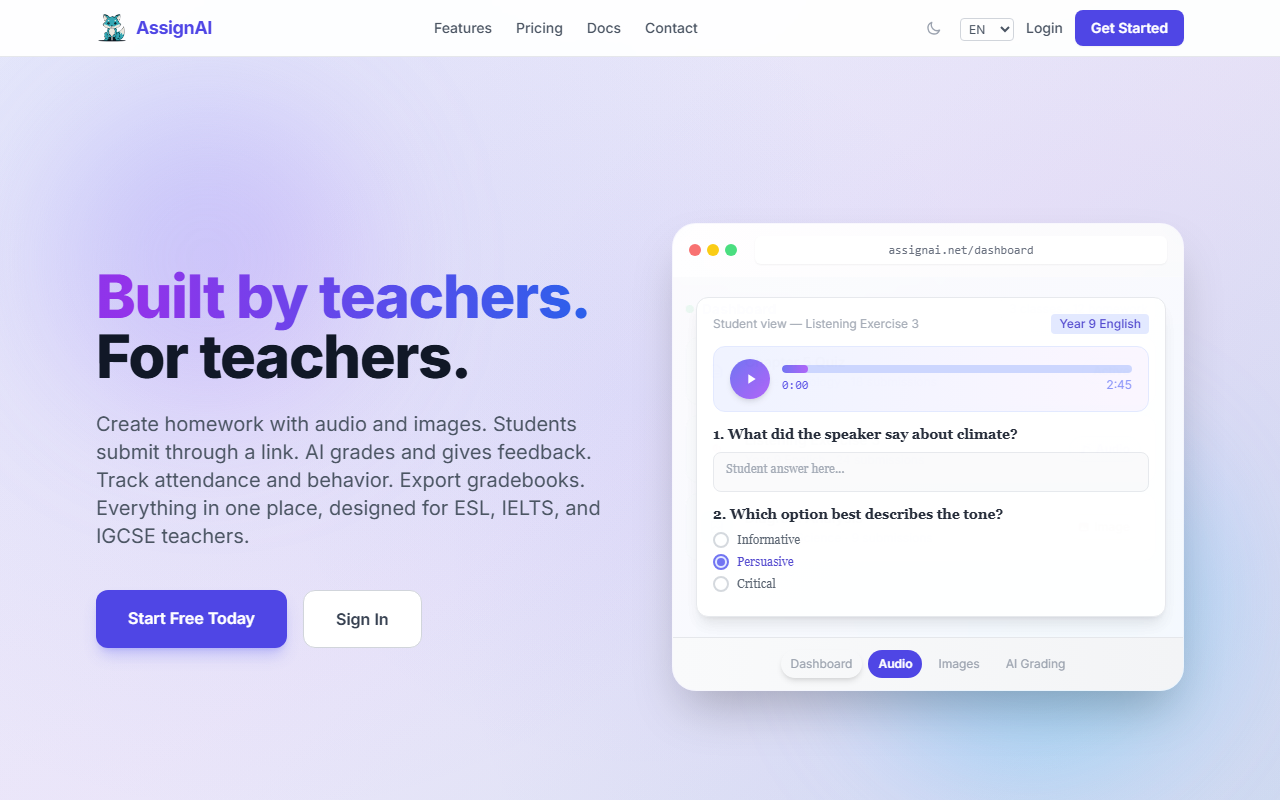
AssignAI is a homework creation and AI grading tool built specifically for ESL, IELTS, and exam prep teachers. You create assignments mixing audio clips, images, multiple-choice questions, and open-ended responses. Students access assignments via a link (no login required). The AI grades submissions using Google Gemini 2.5 Flash and provides detailed feedback on comprehension, structure, and language use.
The audio exercise feature stands out. For listening-focused exams like IELTS, TOEFL, and Cambridge, creating assignments with embedded audio is something no other tool on this list offers.
Key Features
- Mixed-Format Assignments: Combine audio, images, multiple-choice, and open-ended questions in one assignment.
- No Student Login: Students access via link. No accounts, no passwords.
- AI Grading (Gemini 2.5 Flash): Automated grading with detailed feedback on comprehension, structure, and language.
- Audio Exercises: 15-minute audio clips for listening comprehension tests.
- Real-Time Submission Tracking: See who has submitted and review work as it comes in.
- Attendance/Behavior Tracking: Built-in classroom management.
- Gradebook Export: Export grades to Excel.
- AI Progress Reports (Pro): Automated progress summaries per student.
- Coming Soon: Pre-built templates for IELTS, TOEFL, Cambridge, IGCSE.
Free Plan Value
The free plan gives you 5 homework assignments, 1 class with up to 20 students, and limited features. It’s enough to test the tool and see if it fits your workflow. Pro ($8.99/mo) unlocks unlimited assignments, classes, full AI grading, and audio exercises.
Compliance
Not specified on the website. Teachers using AssignAI should verify data privacy practices directly, especially before entering student information. Schools with strict compliance requirements should contact AssignAI for documentation.
Integrations
Link-based student access. No Google Classroom, Canvas, or Schoology integration. Gradebook export to Excel.
Pros
- Built specifically for ESL/IELTS/exam prep (a niche no one else serves well)
- Audio exercise support for listening tests
- No student login required
- Affordable ($8.99/mo vs $19/mo for Curipod)
- AI grading with detailed language-focused feedback
Cons
- No FERPA/COPPA certification stated
- No LMS integrations
- Narrow niche (ESL/exam prep only)
- Small, newer tool with less track record
- Free plan is limited (5 assignments)
Faz says: AssignAI isn’t for everyone. If you’re a general classroom teacher, the other tools on this list are better fits. But if you teach ESL, IELTS, or exam prep, this is the only tool built specifically for your workflow. The audio exercise feature alone sets it apart.
Saru says: 3.5/5. Fills a genuine gap for ESL/exam prep teachers that generalist platforms miss. The $8.99/mo price point is accessible. Rating reflects the limited compliance documentation, narrow scope, and lack of LMS integrations. Worth evaluating if you’re in the target audience.
Read our full AssignAI review.
9. Quizlet. Best for AI-Powered Student Study Tools
| Rating | 4/5 |
|---|---|
| Best for | Students who need AI-powered study and review tools |
| Free plan | Yes, basic flashcard creation with ads |
| Paid from | ~$7.99/mo or ~$35.99/year (Quizlet Plus) |
| Compliance | FERPA (school accounts), COPPA, Student Privacy Pledge signatory |
| Website | quizlet.com |
What It Does
Quizlet is one of the oldest and most widely used study platforms, with 60+ million monthly active users. Originally built around flashcards, it has evolved into an AI-powered study tool with features like Q-Chat (an AI tutor using the Socratic method), Magic Notes (converts notes into flashcards and practice tests automatically), and adaptive Learn mode with spaced repetition.
Quizlet is primarily student-facing rather than teacher-facing. Teachers create study sets and share them with students, but the core value is in student self-study.
Key Features
- Q-Chat: AI tutor that uses the Socratic method to help students learn without giving direct answers.
- Magic Notes: Upload notes and Quizlet converts them into flashcards, practice tests, and study outlines.
- Learn Mode: Adaptive spaced repetition that focuses on material students haven’t mastered.
- Flashcard Creation: The core feature that made Quizlet a household name in education.
- Expert Solutions: Step-by-step explanations for textbook problems.
Free Plan Value
The free plan gives you basic flashcard creation and limited study modes. Q-Chat, Magic Notes, Expert Solutions, and advanced study features are locked behind Quizlet Plus. Ads on the free tier.
Compliance
FERPA compliant for school accounts. COPPA compliant. Student Privacy Pledge signatory.
Why It’s Here
Quizlet isn’t a teacher productivity tool like MagicSchool or Brisk. It’s a student study tool that teachers recommend daily. Its AI features (Q-Chat and Magic Notes) make it relevant to a list about AI tools in education. Any honest “best AI tools for teachers” list that ignores what 60M+ students are already using is incomplete.
Pros
- 60M+ monthly users, the most established study platform
- Q-Chat AI tutor uses Socratic method
- Magic Notes converts notes to flashcards automatically
- FERPA and COPPA compliant
- Available across all devices
Cons
- AI features locked behind paid plan
- Ads on free tier
- More student-facing than teacher-facing
- Limited lesson creation compared to MagicSchool
- Premium pricing adds up across a school year
Faz says: Quizlet isn’t an AI tool for teachers. It’s an AI tool your students probably already use. The Q-Chat tutor is a solid study companion, and Magic Notes saves students the tedious step of turning their notes into flashcards. Worth recommending to students, especially for review and test prep.
Saru says: 4/5. Massive user base validates the platform. AI features (Q-Chat, Magic Notes) are genuine additions, not marketing rebrands. Rating reflects that it’s primarily student-facing and the best AI features require payment.
10. Turnitin. Best for Academic Integrity and AI Detection
| Rating | 3.5/5 |
|---|---|
| Best for | Schools needing plagiarism checking and AI writing detection |
| Free plan | No individual plan, institution licensing only |
| Paid from | Institution-based licensing |
| Compliance | FERPA, SOC 2 Type II, GDPR |
| Website | turnitin.com |
What It Does
Turnitin is the industry standard for plagiarism detection and has added AI writing detection to its suite. It checks student submissions against a massive database of academic papers, websites, and previously submitted work. The newer AI detection feature claims 98% accuracy on fully AI-generated text with less than 1% false positive rate.
Turnitin also includes Feedback Studio for writing feedback and Gradescope for higher-ed assessment automation.
Key Features
- Originality Reports: Plagiarism checking against academic databases, websites, and previous submissions.
- AI Writing Detection: Claims 98% accuracy for fully AI-generated text. Sentence-level highlighting. Detects GPT-3.5, GPT-4, Gemini, Claude, and LLaMA output.
- Feedback Studio: Writing feedback tools for teachers.
- Gradescope (Higher-Ed): Assessment automation for universities.
The Controversy
Turnitin’s AI detection accuracy has been questioned, particularly for non-native English speakers. Some universities (Vanderbilt, Northwestern) have paused or dropped AI detection mandates. Accuracy on mixed human-plus-AI text is lower than on fully AI-generated text. False positive rates may be higher for ELL students.
This is important for K-12 teachers: if you have ESL students, AI detection tools may flag their natural writing style. Brisk’s Inspect Writing feature (visual writing process replay) offers a different, less error-prone approach to academic integrity.
Free Plan Value
None for individual teachers. Turnitin is available only through institutional licensing. Schools and districts purchase access. Individual teachers cannot buy or use Turnitin independently.
Compliance
FERPA compliant, SOC 2 Type II certified, GDPR compliant.
Why It’s Here
Every teacher encounters Turnitin. Whether you agree with AI detection or not, understanding what Turnitin does and where its limitations are is essential for navigating academic integrity in 2026. It’s on this list for context, not as a recommendation for individual purchase.
Pros
- Industry standard for plagiarism detection
- AI writing detection available across products
- Massive comparison database (academic papers, web, prior submissions)
- Strong compliance (FERPA, SOC 2 Type II)
Cons
- No individual teacher plans (institution-only)
- AI detection controversy (accuracy concerns for ELL students)
- Some universities dropping AI detection mandates
- Expensive for schools
- False positive risk on non-native English speakers
Faz says: Turnitin is the tool your school probably already pays for. The plagiarism checking is solid. The AI detection is a different story. When it flags a student’s work as “AI-generated,” you still need to make a judgment call. Inspect Writing from Brisk gives you evidence. Turnitin gives you a percentage and a guess.
Saru says: 3.5/5. The plagiarism detection database remains unmatched. AI writing detection is a logical addition but accuracy concerns are real, especially for diverse student populations. Rating reflects the institution-only access model and ongoing AI detection controversy. Schools should combine Turnitin with process-based integrity approaches (like Brisk’s Inspect Writing) rather than relying on detection scores alone.
Comparison Table: All 10 Tools at a Glance
| Tool | Rating | Free Plan | FERPA | COPPA | SOC 2 | Google Classroom | Primary Use |
|---|---|---|---|---|---|---|---|
| MagicSchool AI | 4/5 | Yes (full) | Yes | Yes | Yes | Yes | All-in-one |
| Brisk AI | 4.5/5 | Yes (core) | Yes | Yes | Yes | Yes | Workflow extension |
| Diffit AI | 4.5/5 | Yes (unlimited) | Yes | Verify | Verify | Paid only | Differentiation |
| Khanmigo | 4/5 | Yes (teachers) | Via district | Via district | Via district | Limited | AI tutoring |
| Curipod | 4/5 | Yes (limited) | Yes | Yes | No | Yes | Interactive lessons |
| SchoolAI | 3.5/5 | Yes | Verify | Verify | Verify | Limited | Student-safe AI |
| CoGrader | 4/5 | Trial | Yes | Yes | Yes | Yes | Essay grading |
| AssignAI | 3.5/5 | Yes (5 uses) | Verify | Verify | Verify | No | ESL/exam prep |
| Quizlet | 4/5 | Yes (basic) | Yes | Yes | N/A | N/A | Student study |
| Turnitin | 3.5/5 | No | Yes | N/A | Yes | Via school | Plagiarism/AI detection |
How to Choose the Right AI Tool for Your Teaching
Faz says: Ten tools is a lot. Here’s how to narrow it down based on what you actually need:
### Start Here (Every Teacher)
MagicSchool AI is the safest first step. It’s free, it’s compliant, and it has enough tools that you’ll find something useful no matter what you teach. Give it a week.
### Then Add a Specialist
Once you know which tasks AI helps with most, add one specialist tool:
• Grading student writing? Add Brisk AI (if Google Workspace) or CoGrader (if you need state rubric alignment).
• Differentiating for mixed-level classrooms? Add Diffit.
• Building interactive lessons? Add Curipod.
• Teaching ESL or exam prep? Look at AssignAI.
• Want students to study with AI? Recommend Khanmigo or Quizlet.
### If Your School Pays for One Tool
If your district is choosing a single platform to deploy school-wide, the decision is usually between MagicSchool AI and Brisk AI. MagicSchool offers more breadth. Brisk offers better workflow integration. Both have compliance stacks that satisfy administrators. See our MagicSchool AI vs Brisk AI comparison for a deeper breakdown.
If budget is the deciding factor, we verified the exact free-tier limits of every major option in our guide to the best free AI tools for teachers.
What About ChatGPT?
Teachers ask this constantly. ChatGPT (and Claude, Gemini, etc.) can do many of the same tasks as the tools on this list. Here’s when each approach makes sense:
Use ChatGPT/Claude/Gemini when:
- You’re planning lessons at home without student data involved
- You need flexible, prompt-based content generation for subjects where no specialized tool exists
- You want to brainstorm creative lesson ideas, project prompts, or discussion questions
- You’re a confident prompt writer who knows how to get quality output from general-purpose AI
- You need help with administrative writing (parent emails, newsletter drafts, professional development reflections)
Use a purpose-built teacher tool when:
- Student names, grades, or any personally identifiable information is involved
- Your district requires FERPA/COPPA compliance documentation
- You want pre-configured templates that produce usable output without prompt engineering
- You need direct integration with Google Classroom, Canvas, or Schoology
- You’re new to AI and want a safe, guided starting point
The practical reality: Most AI-experienced teachers use both. ChatGPT for open-ended creative work on their own time. MagicSchool or Brisk for classroom-facing tasks where compliance and integration matter. The tools on this list aren’t competing with ChatGPT. They’re adding guardrails, templates, and integrations on top of the same underlying technology.
One thing to never do: paste student names, IEP details, grades, or any identifying information into ChatGPT, Claude, or Gemini. These platforms are not FERPA-compliant and may use your inputs for model training. If student data is involved, use a purpose-built tool with explicit compliance certifications.
5 Mistakes Teachers Make When Adopting AI Tools
Faz says: After reviewing dozens of AI tools and talking to teachers using them, these are the patterns that waste time and create problems:
### 1. Trying Too Many Tools at Once
Installing five AI tools in your first week guarantees you’ll master none of them. Start with one tool (MagicSchool is the safest first choice). Use it daily for two weeks. Learn what AI does well for your specific workflow. Then add a specialist where you need more depth.
### 2. Accepting AI Output Without Editing
AI generates solid first drafts. But every lesson plan, feedback comment, and rubric needs your review. The teachers who get the most value from AI spend 10-15 minutes customizing the output for their specific students. The teachers who get frustrated are the ones who expect perfect output on the first try.
### 3. Entering Student Data into Non-Compliant Tools
This is the mistake with real consequences. Pasting student names, grades, IEP details, or behavioral notes into ChatGPT, Google Bard, or any tool without FERPA compliance puts you and your district at risk. Use the compliance table in this article to verify a tool’s certifications before entering any student information.
### 4. Ignoring Your District’s Existing Subscriptions
Before paying for any tool out of pocket, check with your IT department. MagicSchool is deployed across districts nationwide. Brisk is in 20,000+ districts. Your school may already have a paid subscription that gives you premium features for free. A 30-second email to your tech coordinator can save you $20/month.
### 5. Using AI to Replace Planning Instead of Accelerating It
AI is best as a first-draft generator, not a replacement for teacher judgment. The lesson plan AI creates doesn’t know your students, your classroom dynamics, or what failed last Tuesday. Use AI to handle the scaffolding (structure, standards alignment, activity suggestions). Then add the parts that require a human who knows the room.
Compliance Quick Reference
Saru says: This table summarizes the compliance status of every tool on this list. Verify current certifications directly with each vendor before deploying with student data.
| Tool | FERPA | COPPA | SOC 2 | Data Training | Key Certification |
|.|.|.|.|.|.|
| MagicSchool AI | Yes | Yes | Yes | No | ESSA Level IV, Common Sense Privacy |
| Brisk AI | Yes | Yes | Yes | No | ISTE Seal, 93% Common Sense Privacy |
| Diffit AI | Yes | Verify | Verify | Verify | FERPA stated in privacy policy |
| Khanmigo | Via district | Via district | Via district | No | Common Sense Media 4 stars |
| Curipod | Yes | Yes | No | Verify | GDPR compliant |
| SchoolAI | Verify | Verify | Verify | No (stated) | Privacy-first design |
| CoGrader | Yes | Yes | Yes (Type 1) | No | SOPIPA, Ed Law 2D, NIST 1.1 |
| AssignAI | Verify | Verify | Verify | Verify | Contact vendor |
| Quizlet | Yes (school) | Yes | N/A | Verify | Student Privacy Pledge |
| Turnitin | Yes | N/A | Yes (Type II) | Verify | GDPR compliant |
“Verify” means: The certification is not prominently displayed on the vendor’s website. Contact the vendor directly for documentation before deploying with student data in your district.
“No” under Data Training means: The vendor explicitly states that student and teacher data is not used to train AI models.
“Via district” means: Compliance is handled through formal district partnership agreements, not individual teacher accounts.
And if your school or district still has no formal AI policy, our editable AI policy template for K-12 school districts gives you a framework to adapt before rollout.
Final Verdict
Saru says: The AI tools for teachers market is maturing rapidly. Two years ago, most of these tools didn’t exist. Today, teachers have access to free, compliant, purpose-built AI that covers every part of the teaching workflow. The leaders are clear: MagicSchool AI for breadth, Brisk AI for workflow integration, Diffit for differentiation, and CoGrader for essay grading. Start with MagicSchool (it’s free and covers the most ground), identify which tasks benefit most from AI in your specific workflow, then add a specialist where you need depth. The tools on this list save teachers 5-10 hours per week when used consistently. That’s time back for the work that matters most: actually teaching.
Faz says: Here’s the thing nobody else will tell you: the best AI tool for teachers is the one you’ll actually open on Monday morning. Not the one with the most features. Not the one with the best rating. The one that fits the way you already work. Every tool on this list has a free tier. Install one today. Give it your worst lesson plan task. If it saves you 30 minutes, keep it. If it doesn’t, try the next one. You’ll find your tool within a week.
Specialised teacher AI guides
For deeper coverage by specific use case, see our cluster guides:
- best AI lesson planning tools. comparison of MagicSchool, Brisk, Curipod, Diffit, Khanmigo, ChatGPT for lesson planning workflow
- best AI grading tools. CoGrader, Brisk, MagicSchool and AssignAI compared on essay grading and rubric alignment
- Khanmigo vs Quizlet AI. head-to-head for student-facing study tools
- Diffit vs MagicSchool. differentiated instruction vs all-in-one teacher AI
- MagicSchool vs Brisk. web app vs Chrome extension for teacher AI
AI training tools for adult learners
Many of the AI principles in classroom education translate to corporate training. For L&D leaders adapting these techniques for adult learners:
For organizations running corporate professional-development programs rather than classroom instruction, see our separate guide to AI roleplay tools for corporate training.
Teachers working with students with disabilities or learning differences should also read our dedicated guide to AI tools for special education teachers.
- best AI corporate training tools. 10 platforms tested for adult learners and L&D teams
- best AI rewriting tools. tools teachers use to differentiate reading levels
Sources
- U.S. Department of Education: guidance on AI in K-12
- Common Sense Education: AI tools ratings
- Khan Academy blog on Khanmigo
Teaching a specific subject? Our honest, tested guide to AI tools for math teachers digs into the accuracy trade-offs that matter most for maths specifically.
More AI tools for teachers
More AI guides for teachers:
- Brisk Teaching Updates: may 2026 Features & Pricing.
- MagicSchool AI Updates 2026: new Tools & Pricing.
- Khanmigo Updates: may 2026 New Features & Pricing.
- Diffit AI Updates: may 2026 New Features & Pricing.
More AI tool guides worth reading: Gradescope Review, AI Tools for High School Students and AI Tools for Nursing Students.
More AI tool guides worth reading: AI Tools for School Librarians and Best AI Tools for School Principals and Administrators.
Tools mentioned in this guide
Deep-dive reviews of every classroom tool in this guide
For honest, in-depth reviews of the individual tools mentioned:
- Curipod review, the interactive lesson builder tested in 8 real classrooms
- SchoolAI review, the student-facing AI platform tested with K-12 cohorts
- Cograder review, the AI essay grading tool tested on 200 student essays
- AssignAI review, the AI homework feedback tool tested across math and writing assignments
Teaching at home instead? See our parent-focused guide to the best AI tools for homeschooling.

Written by
FazFaz is the founder of AIToolsBakery. Some tools here are tested hands on. Others are assessed from vendor documentation and pricing verified on the live page, and every review says which one it is. Sponsors can buy a position in a guide. They cannot buy the score, the criticism, or silence about a better option.
How we test and how we make money →